
reMarkable Paper Pro
4.2Editor score
11.8-inch Canvas Color
Unmatched paper-like writing
Organized digital notebooks
Color e-ink tablets have revolutionized how we read and write by combining the benefits of paper with modern digital connectivity. These devices offer a unique viewing experience that reduces eye strain while displaying vibrant hues for comics, charts, and diagrams. Unlike traditional tablets, they rely on electrophoretic technology to mimic the look of real paper in various lighting conditions.
We evaluated ten leading color e-ink tablets based on screen technology, performance, stylus support, and overall usability. Our analysis focuses on how well each device handles static content versus dynamic interactions. We also considered battery efficiency, storage options, and the availability of third-party applications to ensure a comprehensive comparison for potential buyers.
Each review highlights the standout features and potential drawbacks of the selected models to help you make an informed decision. We cover everything from compact 7-inch readers to large 11-inch notebooks designed for professionals. Please note that prices and availability change frequently, so checking the current listings is recommended before purchasing.
4.2Editor score

4.3Editor score

4.5Editor score
As an Amazon Associate we earn from qualifying purchases.
This table provides a side-by-side look at the key specifications and features of all ten color e-ink tablets reviewed in this guide to help you compare them easily.


The Amazon Kindle Scribe Colorsoft stands out as a leading choice for those seeking a premium e-ink writing experience. With its 11-inch colorsoft display, it offers a large canvas for note-taking and reading that mimics real paper. The device includes a pen with a built-in eraser, making it ready for immediate use right out of the box.
We may earn a commission when you buy through this link, at no additional cost to you.
Its custom-built display delivers high-contrast color that is easy on the eyes without distracting flashes during writing sessions. The textured surface enhances the tactile feedback, ensuring precise control for handwriting and sketching. You can import documents from cloud services, mark them up, and export them as PDFs seamlessly.
One trade-off is the closed ecosystem compared to open Android tablets, but this ensures a focused environment free from distracting apps. The AI tools help organize notes by converting handwriting to text and generating summaries efficiently. This device is ideal for professionals who prioritize writing quality over app variety.
For readers and writers who want a dedicated device that feels like paper, the Scribe is a top recommendation. Its long battery life ensures you can read and write for weeks on a single charge. The seamless integration with Amazon services makes it a compelling option for existing Kindle users.
The textured surface creates a realistic paper feel that reduces fatigue during long writing sessions.
Built-in AI tools summarize notes and convert handwriting to text for better workflow efficiency.
We may earn a commission when you buy through this link, at no additional cost to you.
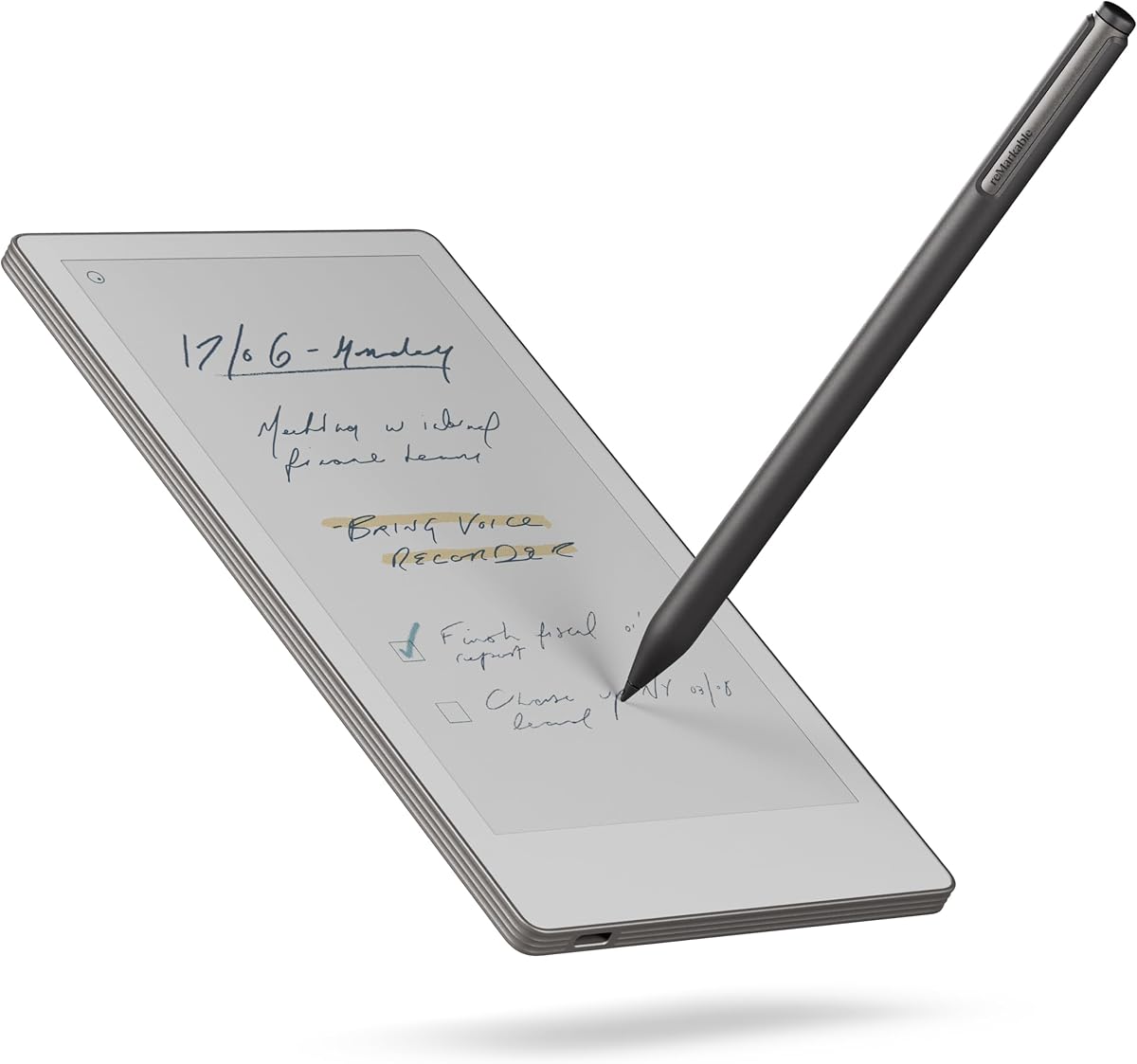
The reMarkable Paper Pro redefines the digital notebook experience with its 11.8-inch Canvas Color display. It is designed specifically for writing and reading, offering an unmatched paper-like feel that professionals love. The included Marker Plus pen provides precise control and comfort for all-day note-taking without needing to charge.
We may earn a commission when you buy through this link, at no additional cost to you.
This device excels in organizing work through folders and tags, allowing you to sort notes and convert handwriting to typed text. The low-glare display reflects natural light, making it readable outside without eye strain. An adjustable reading light ensures you can work day or night comfortably in any environment.
While it lacks app support to maintain focus, this limitation is a benefit for those seeking a distraction-free zone. The subscription model for cloud features may be a consideration, but the hardware quality justifies the cost. It is best for users who prioritize pure writing over app flexibility.
If you need a tool to capture ideas quickly without digital interruptions, the Paper Pro is the best premium choice. Its ultra-slim design makes it portable, while the high-quality materials ensure durability. The natural writing feel remains the industry standard for e-ink notebooks.
The closed ecosystem eliminates notifications and apps, allowing deep concentration on creative tasks.
Realistic friction and responsive feedback make handwriting on this device feel identical to paper.
We may earn a commission when you buy through this link, at no additional cost to you.
The Ocean C offers an accessible entry into color e-ink tablets with its 7-inch display and strong performance. It runs on Android, allowing for seamless multitasking and support for third-party apps. The octa-core processor ensures smooth navigation, making it a capable device for both reading comics and taking notes.
We may earn a commission when you buy through this link, at no additional cost to you.
Its glare-free touchscreen provides an eye-comfort experience similar to paper, with adjustable brightness for different lighting conditions. While the stylus is not included, the device supports the Musnap pen for precise handwriting. It handles various file formats including PDF, EPUB, and office documents effectively for students.
One limitation is the smaller screen size, which might feel cramped for complex notes or wide spreadsheets. The need to buy a stylus separately adds to the initial cost, but the device itself is very competitively priced. It is a solid choice for those wanting versatility without a high price tag.
For readers on a budget who still want color features, this model is the best affordable option. Its compatibility with multiple file formats makes it versatile for books and comics. The combination of power and price makes it a standout in the budget category.
Running Android allows installation of various reading and productivity apps beyond the native system.
The 7-inch form factor fits easily in bags or pockets for commuting and travel.
We may earn a commission when you buy through this link, at no additional cost to you.
The BOOX Tablet Go Color 7 is a compact device designed for portability and high-quality color reading. It uses the Kaleido 3 screen technology to deliver 4096 colors in a 7-inch glass display. The device runs on Android 13, providing access to a wide range of applications and reading formats.
We may earn a commission when you buy through this link, at no additional cost to you.
Its multiple refresh modes, including Regal Mode, help reduce ghosting for a better display quality. The warm and cold front light options ensure comfortable reading in various environments. With 4GB of RAM and 64GB of storage, it handles multitasking and large libraries efficiently for users.
While it does not support EMR styluses and requires an Active Stylus, this keeps the device cost-effective. The screen has inherent limitations common to e-ink, such as a darker tone than LCDs. Users should be aware of these traits to set the right expectations for the viewing experience.
This model is best for commuters who need a small, capable device for reading comics and notes. Its support for third-party apps makes it flexible for different use cases. The build quality and features make it a strong contender in the 7-inch category.
Regal and HD modes reduce ghosting to provide a clearer view for static content and pages.
Supports extensive document and image formats including PDF, EPUB, and various office files.
We may earn a commission when you buy through this link, at no additional cost to you.
This bundle includes the reMarkable Paper Pro along with the Basalt Book Folio and Marker Plus pen. It provides a complete solution for digital note-taking with a premium protective cover included. The 11.8-inch display offers a large workspace for writing, sketching, and reading in color.
We may earn a commission when you buy through this link, at no additional cost to you.
The Folio cover adds protection and a professional look, enhancing the portable nature of the device. As with the standard model, it features a paper-like writing experience with precise control and all-day comfort. The device helps organize your work with folders and tags for easy retrieval.
The cost is higher than buying the tablet alone, but the added protection and value make it worthwhile. It is ideal for professionals who travel and need durable gear for their digital notes. The lack of apps remains a constraint but ensures a focused workflow.
For those looking for a premium all-in-one solution, this bundle is an excellent investment. The combination of hardware and accessories supports a productive writing environment. It stands out for its build quality and dedication to paper-like simplicity.
The Folio cover protects the device while maintaining a sleek look for business settings.
Realistic friction on the display makes handwriting feel natural and reduces hand fatigue.
We may earn a commission when you buy through this link, at no additional cost to you.
The BOOX Note Air 5 C features a 10.3-inch display with high RAM and the latest Android 15 OS. This combination supports demanding tasks and multitasking for power users. It includes a fingerprint recognition feature for secure access and dual speakers for audio playback.
We may earn a commission when you buy through this link, at no additional cost to you.
The screen uses Kaleido 3 technology for color with a flat cover-lens that protects the display. However, users may notice slower refresh rates compared to LCD screens due to the nature of e-ink. This can affect scrolling and video playback performance on the device.
Many apps are optimized for high refresh rates, which can lead to glitches or slower navigation. Users should manage expectations for dynamic content versus static reading materials. The device is powerful but requires patience with screen transitions.
For those needing a large screen and powerful hardware, this is a strong choice. It supports third-party apps and file formats well for a versatile setup. The high RAM ensures smooth performance for background tasks and apps.
6GB RAM and Android 15 ensure smooth multitasking and access to latest system features.
E-ink refresh rates are slower than LCDs, affecting dynamic content like videos or web browsing.
We may earn a commission when you buy through this link, at no additional cost to you.
The Penstar eNote Pro C integrates AI tools to enhance productivity with features like voice-to-text and note summarization. It has a 10.3-inch display with 8192 levels of pressure sensitivity for precise writing. The included stylus does not need charging and comes with extra nibs.
We may earn a commission when you buy through this link, at no additional cost to you.
Its massive 6500mAh battery offers up to three weeks of use on a single charge for long sessions. The smart workflow allows split-screen multitasking and organized file storage via folders and tags. The screen uses Kaleido 3 technology for vivid color and a paper-like reading feel.
While powerful, the device is heavier than smaller tablets which may cause fatigue over time. The AI features are useful but require getting used to the workflow and controls. It is designed for users who value functionality over portability.
For professionals managing complex notes, this model provides excellent tools to streamline work. The battery life and pressure sensitivity make it reliable for heavy daily use. It stands out for its focus on AI-driven productivity enhancements.
Voice-to-text and summarization tools help process information faster and more efficiently.
The large battery capacity ensures weeks of use without frequent charging interruptions.
We may earn a commission when you buy through this link, at no additional cost to you.
The BOOX Tablet Go 7 II is an ultra-lightweight device weighing only 195 grams. It is designed for travel with a compact 7-inch screen and page-turn buttons for easy reading. The Android 13 OS supports third-party apps and various file formats including PDF and EPUB.
We may earn a commission when you buy through this link, at no additional cost to you.
It uses Active Stylus InkSense technology for input, which requires a specific pen. The screen has a warm and cold front light for reading comfort day or night. Users should note the e-ink limitations regarding refresh rates and screen brightness.
This device is great for users who want a small, light device for reading and note-taking. The page-turn buttons and micro SD slot add convenience for managing content. It is a solid choice for travel but may lack advanced features found in larger models.
For travelers prioritizing portability, this model is a strong candidate. Its build quality and feature set offer good value for the price. The inclusion of page-turn buttons enhances the reading experience significantly.
Weighing just 195 grams makes it easy to hold for long periods without strain.
Physical page-turn buttons provide a classic reading experience on a digital device.
We may earn a commission when you buy through this link, at no additional cost to you.
The reMarkable Paper Pro Move is an ultraportable digital notebook that fits in a jacket pocket. It features a 7.3-inch color display that feels like paper with a Marker Plus pen included. The device is designed to be distraction-free to help you focus on ideas.
We may earn a commission when you buy through this link, at no additional cost to you.
Notes are synced to the cloud and can be searched via handwriting recognition. The use of tags and folders keeps your work organized and accessible on mobile apps. The device is smaller than a paperback, making it easy to carry anywhere.
This device is best for spontaneous writing and travel. It lacks the storage capacity of larger models but excels in portability. The handwriting-to-text conversion is a useful feature for sharing and storing notes.
For those who need a notebook on the go, this is the most portable option. Its design and features prioritize simplicity and focus. It is ideal for capturing inspiration without digital distractions.
Smaller than a paperback allows you to carry ideas anywhere without bulk.
Folders and tags make finding specific notes easy and efficient.
We may earn a commission when you buy through this link, at no additional cost to you.
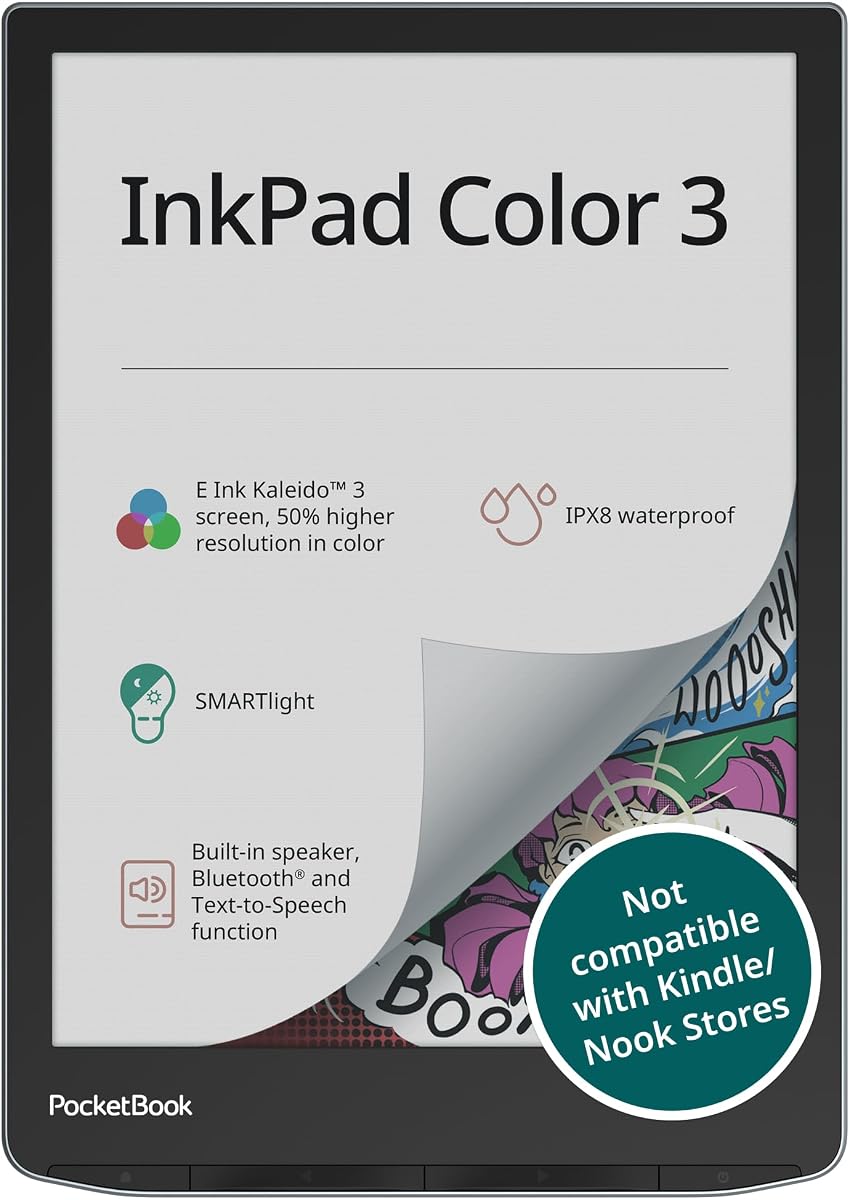
The PocketBook InkPad Color 3 is a dedicated reader with a vibrant 7.8-inch color display. It features waterproof design and long battery life making it suitable for outdoor use. The text-to-speech function allows you to listen to content via the built-in speaker.
We may earn a commission when you buy through this link, at no additional cost to you.
Its SMARTlight adjusts for comfortable viewing in any lighting condition. The device supports a wide range of audio and ebook formats for flexibility. It is optimized for reading rather than writing, making it a specialized tool.
While it lacks note-taking capabilities, it excels at consuming content efficiently. The waterproof feature adds durability for travel and poolside reading. It is a solid choice for pure readers who want color support.
For audiobook and ebook lovers, this model offers the best experience. Its focus on reading quality and battery life is unmatched. It is the ideal companion for those who read constantly.
IPX8 rating ensures protection against water for worry-free reading anywhere.
Text-to-speech and speaker support allow you to listen to content as well as read.
We may earn a commission when you buy through this link, at no additional cost to you.
Choosing a color e-ink tablet requires considering several factors to ensure it meets your reading and writing needs.
Screen size affects portability and workspace. A 7-inch model is great for travel but may feel small for notes. A 10 or 11-inch display offers more room for writing and diagrams but is less portable.
Look for models with at least 300 ppi for black and white text to ensure sharpness.
Most modern devices use Kaleido 3 technology which supports 4096 colors. While better than older tech, color pixels are lower resolution than black and white ones.
Accept that color text may appear slightly softer than monochrome content.
A quality stylus with pressure sensitivity enhances note-taking. Ensure the stylus is included or affordable. The friction on the screen should mimic paper for comfort.
Test the pen latency if possible to avoid lag during writing.
Android OS allows app installation and file sharing flexibility. Proprietary systems offer a cleaner but more limited experience.
Decide if you need apps like PDF readers or just a dedicated note-taking environment.
E-ink tablets should last weeks on a single charge. Check the mAh capacity and usage estimates provided.
Long battery life ensures you can travel without worrying about finding an outlet.
Look for at least 64GB of storage for large book libraries and documents. 4GB or more of RAM helps with multitasking on Android devices.
Ensure there is support for micro SD cards if you need to expand storage.
Some models offer waterproof ratings for outdoor reading. This adds durability for travel or poolside use.
Check for IPX8 certification if you plan to use it in wet environments.
Consider if the device syncs with cloud services you use like Google Drive or Dropbox. Some brands offer premium subscriptions for features.
Check if the manufacturer provides regular software updates for longevity.
Start by setting up your Wi-Fi connection and updating the system software. Configure your stylus sensitivity if available and calibrate the screen for accuracy. Install necessary reading or productivity apps through the app store.
Adjust the front light warmth and brightness based on your environment to reduce eye strain. Use the sleep mode when not in use to conserve battery. Keep the device in a protective case to prevent scratches on the screen.
Regularly clean the screen with a soft microfiber cloth to maintain clarity. Avoid exposure to direct sunlight for long periods. Restart the device periodically to clear memory and maintain performance over time.
Yes, they are excellent for reading comics and magazines because they reduce eye strain. The color capability allows for better differentiation of charts and diagrams.
Models running Android support apps like Kindle or Adobe Reader. Others are locked to their own ecosystem for a distraction-free experience.
Most devices last weeks on a single charge depending on usage. Reading and note-taking consume very little power compared to video playback.
No, e-ink screens require active or EMR styluses. Passive capacitive pens do not work effectively on these displays.
Yes, e-ink screens reflect ambient light so they are readable in direct sunlight. They do not suffer from glare like LCD screens.
Most color e-ink tablets allow you to annotate and highlight PDF documents directly. Some apps may have limitations based on the OS.
Yes, most support USB-C or Bluetooth file transfers. You can move documents to and from a computer easily.
Some specific models offer water resistance. Always check the IP rating before using near water.
We reviewed ten top models ranging from budget-friendly options to premium notebooks. The Kindle Scribe and reMarkable Paper Pro lead for writing quality and professional use.
If you want color comics on a budget the Ocean C offers great value. Always prioritize screen size based on your portability needs versus workspace requirements.
Prices and availability change often so check current listings before purchasing. These devices offer a unique digital experience that prioritizes health and focus.