
ASUS RT-AX1800S
4.3Editor score
WiFi 6 with MU-MIMO
AiProtection Classic Security
Gigabit LAN Ports
This guide compares the top ASUS WiFi routers for speed and security to help you choose the right model for your home network needs.
Finding the right router ensures fast speeds and secure connections for your devices. ASUS offers a wide range of models suitable for gaming, streaming, and smart home setups.
We analyzed specifications, user feedback, and performance metrics to compile this list. Our comparison covers WiFi 6 and WiFi 7 options to meet diverse network requirements.
Each entry highlights key features and trade-offs to simplify your decision. Prices fluctuate based on demand and promotions, so verify current offers before purchasing.
4.3Editor score
4.0Editor score

4.3Editor score
Explore the detailed specifications of all ten routers to find the perfect match for your bandwidth and coverage requirements.




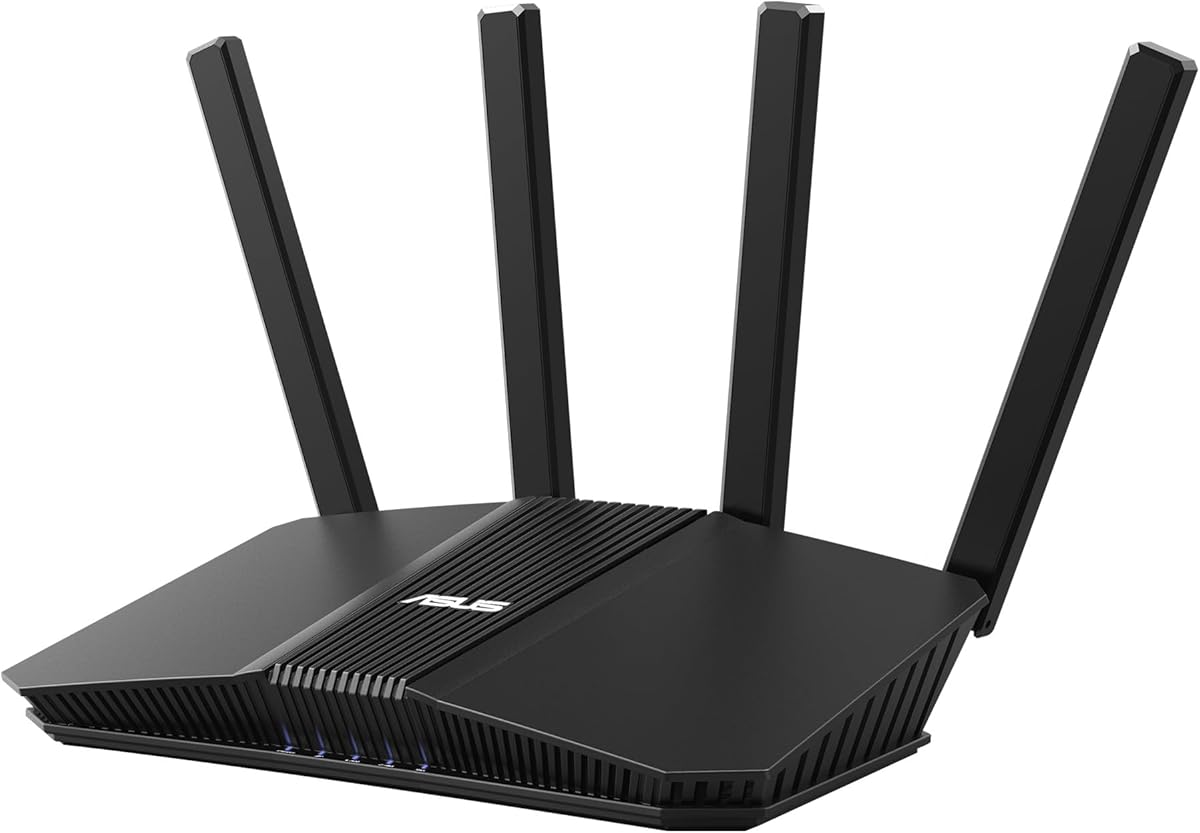
The ASUS RT-AX1800S offers reliable performance for budget-conscious users seeking modern WiFi 6 capabilities. With a rating of 4.3 stars, it stands out as an accessible entry into efficient networking.
We may earn a commission when you buy through this link, at no additional cost to you.
Its dual-core processor and OFDMA technology ensure smooth data allocation across multiple devices. AiProtection Classic provides commercial-grade security without requiring a subscription fee for basic protection.
The lack of USB ports limits external storage or printer sharing options. Coverage may struggle in very large homes without additional mesh nodes to extend the signal.
This router is ideal for small apartments or households needing secure internet without breaking the bank. It delivers solid speeds for streaming and browsing at a competitive price point.
AiProtection Classic keeps your network safe from threats without extra monthly costs.
WiFi 6 support ensures compatibility with new devices for years to come.
We may earn a commission when you buy through this link, at no additional cost to you.
The RT-BE58U brings next-generation WiFi 7 speeds to the home with impressive throughput capabilities. Its 4.0 rating reflects strong performance for users ready to adopt the latest standards.
We may earn a commission when you buy through this link, at no additional cost to you.
Multi-link operation allows simultaneous connections across bands for ultra-smooth reliability. The inclusion of Dual-WAN ensures constant internet access through failover options like USB tethering.
High speeds require compatible client devices to fully utilize the bandwidth. The premium price may be hard to justify for casual users with minimal bandwidth needs.
We recommend this model for power users needing maximum throughput and redundancy. It balances advanced features with a user-friendly interface for smart home management.
Dual-WAN configuration maintains connectivity even if the primary line fails.
Smart Home Master creates separate SSIDs for IoT and personal devices.
We may earn a commission when you buy through this link, at no additional cost to you.
The GT-BE98 Pro is a powerhouse designed for extreme gaming and high-density environments. With a 4.3 rating, it delivers unparalleled bandwidth and stability for demanding workloads.
We may earn a commission when you buy through this link, at no additional cost to you.
Its Quad-Band design and 10G ports minimize latency while maximizing throughput. Triple-Level Game Acceleration optimizes traffic to ensure competitive play remains lag-free.
The high price point puts it out of reach for average households. Its size and power requirements also demand dedicated space and proper ventilation.
This router is perfect for enthusiasts who want the absolute best performance. It serves as a central hub for a future-proofed, high-speed home network.
Hardware acceleration routes game traffic through the fastest available path.
Dual 10G ports support high-speed NAS and desktop connections.
We may earn a commission when you buy through this link, at no additional cost to you.
The RT-BE92U utilizes tri-band technology to deliver speeds up to 9.7 Gbps efficiently. Its 4.0 rating suggests a reliable option for users upgrading to modern connectivity standards.
We may earn a commission when you buy through this link, at no additional cost to you.
Dual WAN ports provide flexibility for load balancing or failover strategies. Smart Home Master simplifies IoT management while maintaining strong security protocols via Trend Micro.
Achieving full speeds requires clients that support the latest WiFi 7 protocols. The interface may present a learning curve for users unfamiliar with advanced routing settings.
This model fits well in households needing high capacity without the premium cost of gaming routers. It offers excellent balance between speed and everyday usability.
Dedicated 6 GHz band reduces congestion for connected devices.
AiProtection Pro includes scanning and safe browsing for peace of mind.
We may earn a commission when you buy through this link, at no additional cost to you.
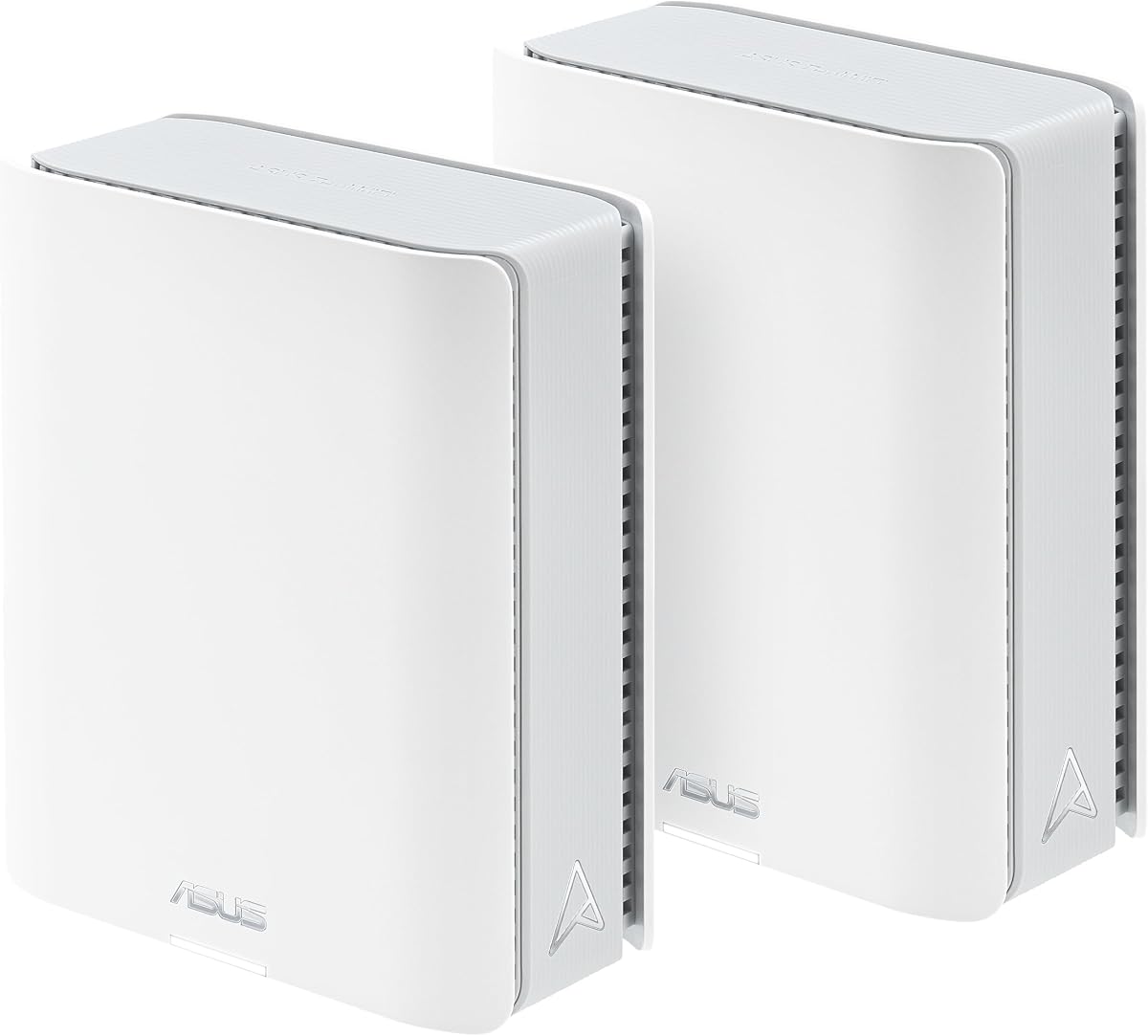
The ZenWiFi BT10 system covers up to 6,000 sq ft with tri-band WiFi 7 technology. A 3.4 rating indicates potential variability in performance under heavy loads or interference.
We may earn a commission when you buy through this link, at no additional cost to you.
Dual 10G ports ensure wired connections remain fast even when wireless bandwidth is high. Eight internal antennas help eliminate dead zones across large residential properties effectively.
Heat dissipation is robust, but thermal throttling can affect performance during peak usage. The cost is significant for a system that might require additional nodes for complex layouts.
Ideal for large homes needing consistent high-speed internet everywhere. It scales easily with other ASUS routers if coverage needs to expand further.
Two units ensure signal reaches every corner of a large home.
Internal antennas and cooling keep performance stable during high use.
We may earn a commission when you buy through this link, at no additional cost to you.
The RT-AX82U delivers solid gaming performance with specialized acceleration features for console and PC play. With a 4.4 rating, it remains a favorite among budget-conscious gamers.
We may earn a commission when you buy through this link, at no additional cost to you.
Mobile Game Mode minimizes latency for phone gaming with just a tap. Aura RGB lighting adds a customizable aesthetic that syncs with gameplay modes.
Buying renewed units may introduce uncertainty about hardware longevity and condition. Dual-band architecture may cause congestion compared to tri-band rivals in crowded networks.
We recommend this for gamers prioritizing speed and style over raw multi-device capacity. It is a strong choice for those who want reliable performance at a lower cost.
App-based controls prioritize mobile gaming traffic instantly.
RGB lighting can be customized to match room aesthetics.
We may earn a commission when you buy through this link, at no additional cost to you.
The ZenWiFi BT8 offers tri-band WiFi 7 speeds up to 14 Gbps in a single unit. Its 4.0 rating reflects stable connectivity for users needing immediate mesh capabilities.
We may earn a commission when you buy through this link, at no additional cost to you.
Seven internal antennas target dead zones while keeping the design compact. Smart Home Master simplifies IoT setup with distinct SSIDs for different device classes.
Coverage is limited to 3000 sq ft without additional units, which may not suit larger spaces. The price per unit is high compared to standard standalone routers.
This unit is ideal for apartments or small homes needing fast mesh networking. It scales well with other ASUS routers if coverage requirements increase later.
Smart Home Master creates separate networks for smart devices.
24/7 protection secures every connected device automatically.
We may earn a commission when you buy through this link, at no additional cost to you.
The RT-AX3000 delivers exceptional reliability with a 4.5 rating and support for 160MHz bandwidth. It offers future-proofing without the premium price of newer standards.
We may earn a commission when you buy through this link, at no additional cost to you.
USB 3.0 allows for local file sharing and printer connectivity easily. Adaptive QoS ensures critical applications like video calls maintain stability during heavy usage.
Its dual-band design is less efficient than tri-band systems in crowded areas. Future clients may benefit from WiFi 7 compatibility which this model lacks.
This model is highly recommended for users seeking a reliable and efficient standard. It balances performance and cost for most standard household networking needs.
160MHz bandwidth doubles the speed capacity of standard WiFi 6.
USB port connects storage devices for easy network sharing.
We may earn a commission when you buy through this link, at no additional cost to you.
The RT-AC68U remains a reliable choice for users needing robust coverage without high costs. Its 4.5 rating reflects enduring performance for standard AC connectivity requirements.
We may earn a commission when you buy through this link, at no additional cost to you.
Five Gigabit ports offer plenty of wired connections for PCs and gaming consoles. Dual Core CPU ensures smart multitasking handles USB data and Wi-Fi simultaneously.
WiFi 6 and 7 standards are absent, limiting speed potential for future devices. It may struggle with bandwidth-heavy tasks like 4K streaming on many devices.
We recommend this for basic home networks needing stable connectivity. It is a good fallback if budget is a priority over the latest tech.
Five LAN ports eliminate the need for extra switches.
Dual core processor ensures steady multitasking for users.
We may earn a commission when you buy through this link, at no additional cost to you.
The ExpertWiFi EBR63 is tailored for small businesses needing secure and scalable networking. A 4.2 rating indicates dependable performance for professional environments and guest access.
We may earn a commission when you buy through this link, at no additional cost to you.
Custom guest portals allow branding and control over visitor internet access. Backup WAN ensures business continuity by using USB mobile hotspots during outages.
Advanced features like SDN and VLAN may confuse home users seeking simplicity. It prioritizes security and manageability over consumer aesthetics or gaming features.
This router is perfect for offices needing isolated networks and guest access. It ensures safe and controlled internet usage for employees and visitors alike.
Customize portals to reflect business identity and policies.
Separate SSIDs isolate business traffic from guest traffic.
We may earn a commission when you buy through this link, at no additional cost to you.
Selecting the right router requires understanding key factors that affect performance and security in your home network.
WiFi 7 offers the latest speeds and efficiency with MLO and 4096-QAM support. WiFi 6 remains a strong choice for most users seeking reliable performance at a lower cost. Ensure your devices support the standard to fully utilize the router capabilities.
Large homes benefit from mesh systems like ZenWiFi that provide seamless coverage across multiple floors. Check the estimated square footage to ensure the router can reach all devices without dead zones.
AiProtection Pro powered by Trend Micro provides commercial-grade security to protect connected devices from threats. It is essential for maintaining privacy and preventing unauthorized access to your network.
Gamers should look for Triple-Level Game Acceleration and dedicated gaming ports to reduce latency. Adaptive QoS helps prioritize gaming traffic over other downloads for a smooth experience.
Consider the number of Gigabit Ethernet ports available for wired connections. USB 3.0 ports allow you to share storage drives or printers across the network easily.
Small businesses need VLAN support and guest portals to isolate traffic and manage visitors. ExpertWiFi models offer SDN and backup WAN options tailored for professional environments.
AiMesh lets you add compatible routers to expand your network without buying a new system. This scalability is vital for future-proofing your setup as your needs grow over time.
Prices vary widely from budget-friendly AX models to premium BE routers. Assess your needs for speed and range to find the best balance between cost and functionality.
Connect your router to your modem using the WAN port and plug it into power. Open a browser or use the ASUS app to run the setup wizard and create your SSID.