
Omada AX3000 Wireless Access Point
4.5Editor score
Free cloud management
Wi-Fi 6 speeds
5-year warranty
Compare the top 10 commercial wireless routers for businesses in October 2026. Find secure, scalable Wi-Fi solutions for offices, hotels, and retail.
Choosing the right commercial wireless router is critical for modern businesses that depend on stable and secure network connectivity. A good router must handle high device counts, support multiple user groups, and offer robust security features to protect sensitive data from threats.
We compared ten leading commercial wireless routers based on real-world performance, security features, scalability, and management capabilities. Our analysis covers enterprise-grade models, access points, and mesh systems designed to meet the demands of offices, retail spaces, and hospitality venues.
Each pick highlights unique strengths like guest portals, VPN support, and Wi-Fi 7 speeds. Prices and availability change frequently, so verify current details before purchasing to ensure you get the best value and feature set for your specific business needs.
4.5Editor score
4.2Editor score

4.6Editor score
This side-by-side comparison highlights the key specifications and strengths of each commercial wireless router to help you quickly identify the right model for your business network requirements.




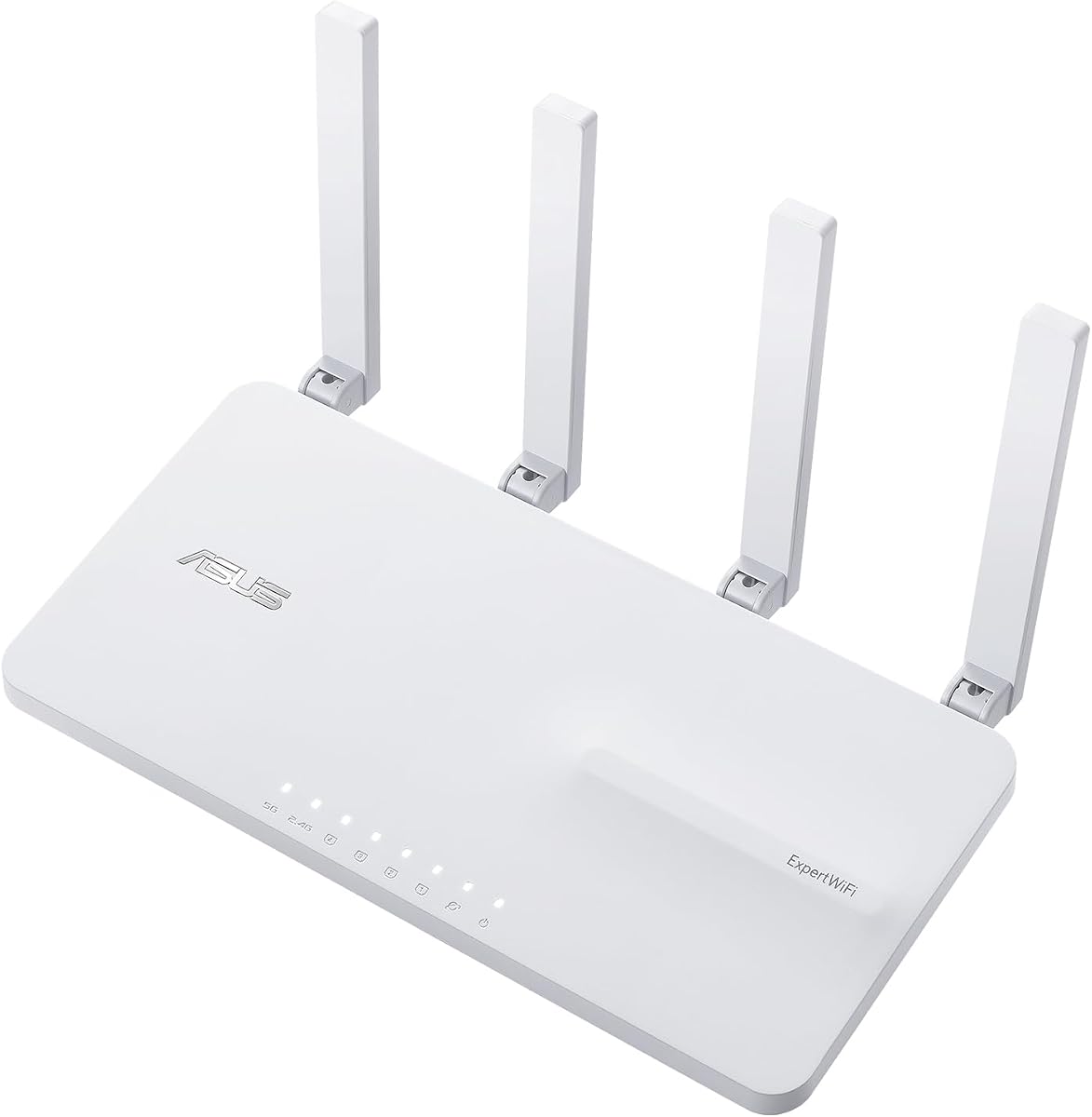
The ASUS ExpertWiFi EBR63 delivers enterprise features at a business-friendly price with its custom guest portal and robust security suite. It earns a 4.2 star rating for balancing ease of use with professional-grade network separation tools.
We may earn a commission when you buy through this link, at no additional cost to you.
Key strengths include the ability to create up to five separate SSIDs for different business scenarios, ensuring guests and staff do not interfere with each other. The free subscription to ASUS AiProtection Pro adds essential security layers without recurring costs.
The trade-off is that it supports Wi-Fi 6 rather than the newer Wi-Fi 7 standard, which may limit future-proofing for ultra-high-bandwidth needs. However, its stability and management features make it highly acceptable for most current commercial setups.
Small to mid-sized businesses needing secure, segmented Wi-Fi should prioritize this model. Its ease of setup and remote management capabilities make it a top recommendation for offices and retail environments seeking reliability without complex IT overhead.
Businesses can customize the SSID and portal templates to match their brand identity, enhancing the customer experience during login.
Connecting a mobile hotspot via USB provides a backup WAN link, ensuring internet access remains stable even if the primary connection fails.
We may earn a commission when you buy through this link, at no additional cost to you.
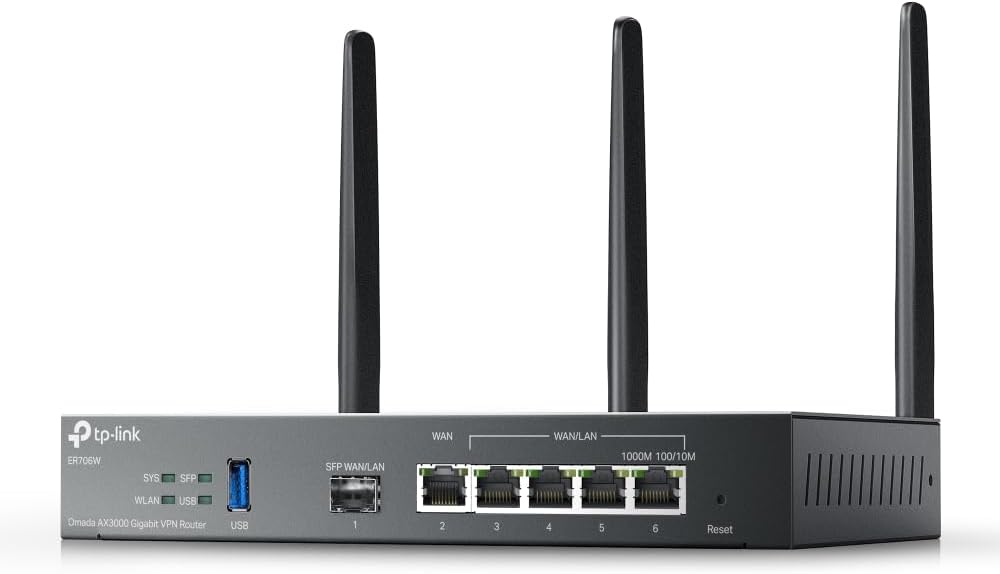
The Omada ER706W is designed for businesses needing robust multi-WAN capabilities and strong security protocols. Its AX3000 performance ensures fast connectivity while supporting complex network configurations with ease.
We may earn a commission when you buy through this link, at no additional cost to you.
It stands out for its ability to balance loads across up to five WAN ports, maximizing internet utilization rates. The router also supports a wide range of VPN protocols, making it ideal for secure remote access requirements.
While the Omada ecosystem requires a controller for advanced SDN features, this setup offers unparalleled scalability. The technical setup can be challenging for non-experts, but the benefits for growing networks are significant.
Businesses with multiple internet lines or those requiring strict VPN security should choose this router. Its ability to integrate with Omada access points creates a unified, high-performance network infrastructure.
Up to five WAN ports allow you to distribute traffic across multiple broadband lines, ensuring consistent speeds and redundancy.
Support for SSL, IPSec, GRE, and WireGuard ensures that remote connections are encrypted and secure for business operations.
We may earn a commission when you buy through this link, at no additional cost to you.
The Ruckus R750 access point is engineered for environments where dozens of devices connect simultaneously, like stadiums or large conference centers. It offers a 4.3-star rating for maintaining stable speeds under heavy load.
We may earn a commission when you buy through this link, at no additional cost to you.
Its BeamFlex+ adaptive antenna technology optimizes signal coverage and reduces interference, ensuring high performance even in crowded settings. This makes it a top choice for hospitality or event venues.
The premium cost and need for a controller might be barriers for smaller setups. However, for locations where connectivity failures lead to revenue loss, these trade-offs are justified by the stability and speed provided.
Hotels, airports, and large corporate campuses should consider this AP for high-density areas. Its design ensures that every user gets reliable access without dropping connections during peak usage times.
BeamFlex+ technology directs the signal towards users rather than broadcasting everywhere, reducing congestion and improving speed.
Designed specifically for environments with hundreds of devices, ensuring consistent throughput even during rush hours.
We may earn a commission when you buy through this link, at no additional cost to you.
The Ruckus R670 brings Wi-Fi 7 performance to mainstream commercial deployments with a combined data rate of up to 9.34 Gbps. It stands out for supporting future-ready applications in meeting rooms and classrooms.
We may earn a commission when you buy through this link, at no additional cost to you.
Features like BeamFlex+ and a built-in 5 GbE port eliminate bottlenecks, ensuring data flows smoothly between devices and the network. It also supports Matter and Thread for smart device integration.
The high price and requirement for specific hardware controllers may limit adoption. However, businesses investing in next-gen infrastructure will benefit from the extended range and reduced latency.
Large enterprises deploying future-proof networks should prioritize this access point. Its converged architecture and high throughput make it ideal for environments demanding top-tier performance and connectivity.
Built-in BLE and Zigbee allow this AP to unify Wi-Fi and non-WiFi wireless tech into one network.
The 5 GbE port connects to switches without bottlenecking, maximizing the potential of high-speed internet lines.
We may earn a commission when you buy through this link, at no additional cost to you.
The NETGEAR Orbi 970 Series redefines high-end networking with Wi-Fi 7 speeds reaching up to 27 Gbps. With a 4.6-star rating, it delivers seamless coverage up to 10,000 sq ft for large commercial spaces.
We may earn a commission when you buy through this link, at no additional cost to you.
Its patented quad-band technology reserves a dedicated lane for satellite traffic, ensuring that every connected device gets maximum speed without slowing down others. This is crucial for video conferencing and streaming.
The premium cost reflects its top-tier performance and extensive coverage capabilities. While overkill for small setups, large warehouses or multi-story offices will appreciate the reliability and speed.
Enterprises needing the highest available Wi-Fi performance should choose this system. Its ease of setup and robust wired ports make it a complete solution for demanding business environments.
A dedicated frequency band ensures satellite units communicate with the router without stealing bandwidth from client devices.
Ports capable of 10 Gbps speeds allow for ultra-fast connections for servers and NAS drives.
We may earn a commission when you buy through this link, at no additional cost to you.
The Omada EAP650 delivers exceptional value with Wi-Fi 6 speeds and free cloud management, earning a 4.5-star rating for cost-conscious businesses. It is designed for easy deployment in modern office environments.
We may earn a commission when you buy through this link, at no additional cost to you.
Its ultra-slim design blends into any decor, making it ideal for retail spaces or hotels where aesthetics matter. The 5-year warranty provides peace of mind for long-term reliability without extra costs.
While it lacks some advanced enterprise features found in more expensive models, it covers the basics perfectly. The need for a controller to enable seamless roaming is a minor trade-off for the price.
Small to medium businesses looking for affordable yet professional Wi-Fi should select this AP. It offers the best balance of features and price for expanding a business network budget-friendly.
Unlike many competitors, Omada allows free cloud management without requiring hardware controllers or subscriptions.
Supports 802.3at PoE and passive PoE, allowing installation without needing a power outlet nearby.
We may earn a commission when you buy through this link, at no additional cost to you.
The Ubiquiti U6+ access point is renowned for its premium build and reliable performance, earning a 4.6-star rating. It provides a high-speed wireless connection ideal for professional office environments.
We may earn a commission when you buy through this link, at no additional cost to you.
Its 3 Gbit/s transfer rate ensures efficient communication, while the PoE+ port simplifies installation in areas without power outlets. It is designed to be a reliable backbone for business operations.
The design focuses on comfort and ease of mounting, making it less intrusive in professional settings. The requirement for a controller and lack of Wi-Fi 7 support are acceptable trade-offs for its stability.
Offices seeking reliable, aesthetically pleasing connectivity should choose this model. It pairs well with other Ubiquiti devices to create a robust, unified network infrastructure.
Integrated data encryption features protect sensitive business communications from unauthorized access.
The form factor ensures easy installation on walls or ceilings, blending seamlessly into office decor.
We may earn a commission when you buy through this link, at no additional cost to you.
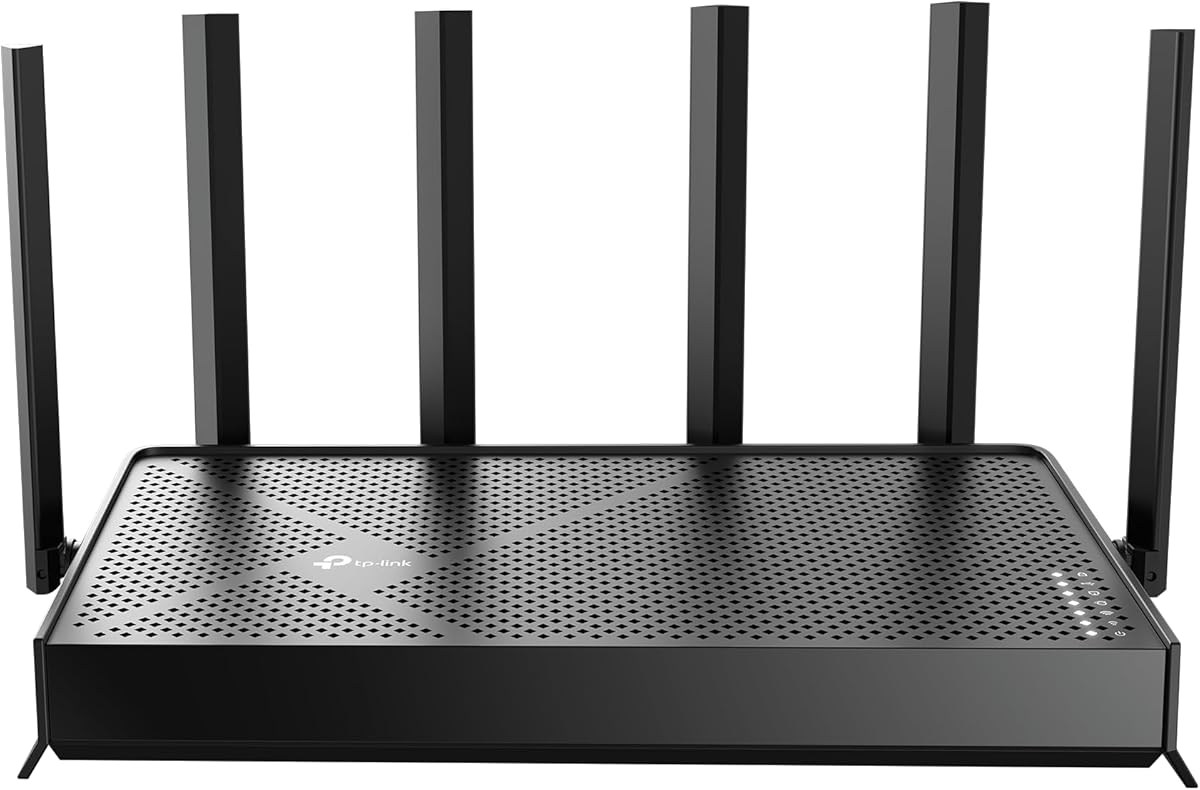
The TP-Link BE6500 brings the latest Wi-Fi 7 technology to business networks with speeds up to 6.5 Gbps. A 4.3-star rating reflects its strong performance for streaming and gaming applications.
We may earn a commission when you buy through this link, at no additional cost to you.
Key strengths include Multi-Link Operation, which simultaneously transfers data across bands for lower latency and better reliability. It also features a 2.5 Gbps WAN port to support multi-gig internet plans.
While it is a dual-band router, the advanced features provide excellent value. The lack of compatibility with Deco mesh systems means you must choose the right expansion path for your network.
Small businesses needing high-speed, future-proof connectivity should consider this router. Its advanced security and easy setup make it a strong contender for modern office needs.
This technology aggregates multiple frequency bands for higher throughput and faster response times.
High-speed LAN and WAN ports ensure wired devices also benefit from the fast internet connection.
We may earn a commission when you buy through this link, at no additional cost to you.
The NETGEAR Nighthawk WiFi 7 router delivers up to 9.3 Gbps across three bands, ensuring that devices never slow down. A 4.3-star rating highlights its reliability for busy business environments.
We may earn a commission when you buy through this link, at no additional cost to you.
Its dedicated high-speed bands keep traffic flowing smoothly, while multi-gig wired ports connect critical equipment like NAS drives. The free app allows easy management from anywhere.
Coverage is limited to around 2500 sq ft, which might require additional units for larger buildings. However, its performance and ease of use make it a top choice for standard offices.
Businesses needing high-speed internet with simple management should choose this router. Its security features and speed make it a solid investment for operational efficiency.
A dedicated 6 GHz band ensures fast devices get their own lane for uninterrupted performance.
The 2.5 Gig WAN port unlocks the full potential of high-speed internet plans.
We may earn a commission when you buy through this link, at no additional cost to you.
The ASUS RT-BE88U delivers blazing-fast speeds up to 7.2 Gbps with two 10G ports, earning a 4.3-star rating for enterprise-level performance. It is built to handle demanding business applications efficiently.
We may earn a commission when you buy through this link, at no additional cost to you.
Its powerful CPU and AI WAN detection ensure consistent internet availability. The Guest Network Pro allows easy setup of separate networks for IoT and clients, keeping the main network secure.
The price point is higher than standard routers, but the wired capacity and security features justify it. Complex setup may require some IT knowledge, but the benefits are significant for large networks.
Companies needing ultra-fast wired and wireless connections should choose this router. Its scalability and security features make it a top choice for growing businesses.
One SFP+ and one WAN/LAN 10G port boost wired capacity to 34G for high-speed data transfer.
This feature establishes always-on internet by optimizing WAN configuration and detecting connectivity issues.
We may earn a commission when you buy through this link, at no additional cost to you.
Selecting the right router involves balancing speed, security, and scalability to meet your business demands.
Modern businesses benefit from Wi-Fi 6 or Wi-Fi 7 routers that offer higher speeds and better device handling. Look for routers supporting the latest standards like 802.11ax or 802.11be to ensure future-proof performance for streaming and video calls.
Prioritize models with high theoretical maximum speeds if your business relies on bandwidth-heavy applications.
Commercial routers must include robust security such as firewalls, VPN support, and guest network isolation. Features like WPA3 and intrusion detection help protect sensitive business data from cyber threats.
Ensure the router offers free or included security subscriptions to avoid hidden costs over time.
As your business grows, you may need to expand coverage. Choose routers that support mesh networks or multiple access points to extend signal without dead zones.
Scalable systems like those with SDN support allow centralized management of many devices across locations.
High-speed LAN ports and multiple WAN options are crucial for connecting servers and ensuring internet redundancy. Look for models with Gigabit or multi-gigabit ports to handle wired demands.
Support for load balancing across WAN connections improves reliability and performance.
Retail and hospitality businesses need customizable guest portals for branding and user experience. This feature allows you to control how clients access Wi-Fi and manage terms of service.
A good portal supports branding elements like logos and colors to maintain a professional image.
Businesses without dedicated IT teams need intuitive management interfaces. Apps and cloud-based controllers simplify setup and ongoing maintenance of the network.
Remote management capabilities allow you to troubleshoot and update settings from anywhere.
If you need wider coverage, ensure the router integrates with external access points. Compatibility with SDN platforms ensures seamless switching between devices.
Select a router that supports the ecosystem of access points you plan to deploy.
Investing in commercial-grade equipment often comes with better warranties. Consider the total cost of ownership including hardware and any subscription fees for advanced features.
Look for models with at least a 3 to 5-year warranty to protect your investment.
Start by placing the router in a central location to maximize signal coverage. Avoid physical obstructions like walls and electronic interference from devices like microwaves or cordless phones.
Regularly update the router firmware to patch security vulnerabilities and improve performance. Most modern routers offer automatic updates that can be configured through the management app.
Monitor network usage and reboot the device periodically to clear cached data and maintain smooth operation. Proper care extends the lifespan and reliability of your commercial network setup.
Commercial routers offer enhanced security features, multiple SSIDs, and better handling of high device counts. They are built for reliability and often include VPN support and guest portals for business needs.
Yes, most routers require an existing modem to connect to the internet. These devices act as the central hub for your network and do not typically include modem functionality unless stated.
Many models allow you to create separate SSIDs for guests through the admin interface. This isolates guest traffic from your main business network to enhance security and control.
Wi-Fi 7 offers significantly faster speeds and lower latency than Wi-Fi 6. It is ideal for businesses with high bandwidth needs, though older devices will still work with current routers.
Yes, most commercial routers support VPN protocols that allow secure remote access to business resources. This is essential for enabling employees to work safely from home or off-site.
Enable WPA3 encryption, use strong passwords, and isolate guest traffic. Regularly updating firmware and monitoring connected devices also helps maintain a secure network environment.
Mesh networking uses multiple units to blanket an area with Wi-Fi signal. It eliminates dead zones by allowing devices to switch seamlessly between nodes, improving reliability across large spaces.
Some systems require a hardware or software controller for advanced features, while others support cloud management. Check the specific requirements of the brand you choose before purchasing.
Choosing the right commercial wireless router depends on your specific business needs, from security to speed. Our top picks include the ASUS ExpertWiFi EBR63 for balance, the Omada EAP650 for budget, and the NETGEAR Orbi 970 for premium performance.
Prioritize models that offer scalable solutions and robust security to protect your business data. Ensure the router supports your current and future connectivity needs to avoid costly upgrades later.
Prices and availability can change quickly, so always check the latest offers before making a purchase. Investing in reliable connectivity will pay off through improved operational efficiency and customer satisfaction.