
Redragon M612 Wired RGB Optical Gaming Mouse
4.6Editor score
8000 DPI adjustable levels
9 programmable buttons
RGB backlit modes
This expert guide compares the top ten drag click mice for 2026 evaluating sensor accuracy programmable buttons ergonomic design and wireless connectivity
Finding the right drag click mouse can transform your gaming experience significantly. These devices offer enhanced precision and control for competitive play. Whether you need wireless freedom or wired reliability this guide covers the best options available now.
We compared ten leading models based on sensor performance build quality and customization features. Each product was evaluated for its ability to support rapid clicking techniques essential for modern gaming. Our analysis focuses on real-world usability and technical specifications.
Each pick highlights unique strengths suited to different playstyles and budgets. From budget-friendly choices to premium esports tools there is something for every gamer. Remember that product availability and pricing may change so verify details before purchasing.
4.6Editor score

4.6Editor score

4.6Editor score
This side by side comparison outlines key specifications for all ten models helping you identify the perfect match for your needs without unnecessary confusion.

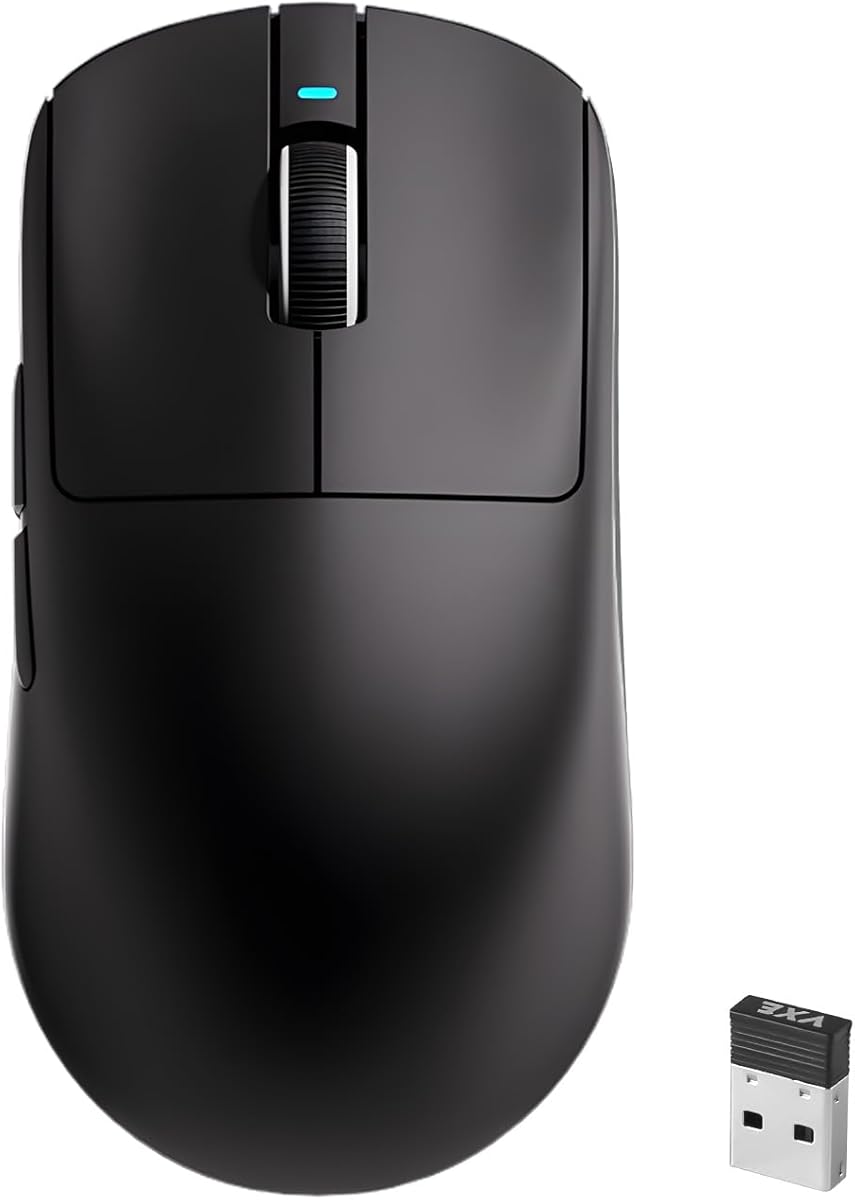


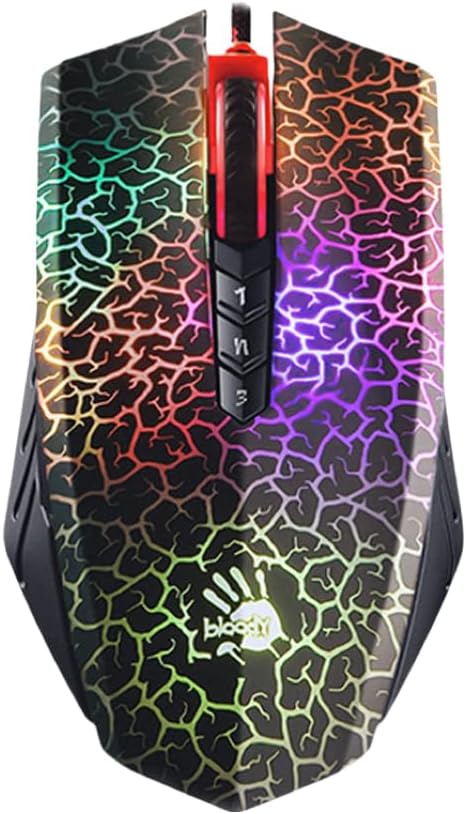

The Redragon M612 stands out as a top contender for gamers seeking value without sacrificing performance. With a 4.6 rating it delivers solid reliability for drag click techniques. Its 8000 DPI sensor ensures precise tracking across various surfaces making it ideal for competitive sessions.
We may earn a commission when you buy through this link, at no additional cost to you.
This mouse features nine programmable buttons allowing extensive customization for keybinds and macros. The frosted coating provides a fingerprint free grip that enhances control during intense gameplay. Five distinct backlight modes add visual flair while maintaining focus on screen action.
While it lacks wireless options the ergonomic design minimizes fatigue over extended hours. The dedicated demand options allow software tuning beyond default settings for tailored sensitivity. This flexibility makes it adaptable to different game genres and personal preferences.
Buyers looking for an entry level drag click mouse should consider this model highly. It balances cost and functionality effectively for casual and semi competitive players. Ensure your setup includes compatible software to unlock full potential before purchase.
The adjustable DPI levels enable rapid switching between aim precision and fast movement needs. This adaptability supports diverse strategies in shooters and strategy games equally.
Reassignable buttons let you create complex macro sequences for efficient in game actions. Such customization reduces keystrokes and speeds up reactions during critical moments.
We may earn a commission when you buy through this link, at no additional cost to you.
The Redragon M923 PRO offers significant freedom through its triple mode connectivity. A 4.6 rating reflects consistent performance for drag click demands. Its 24000 DPI sensor provides exceptional resolution for accurate tracking in demanding scenarios.
We may earn a commission when you buy through this link, at no additional cost to you.
Eight programmable buttons support tactical keybinds across various applications. The ergonomic design reduces strain during long sessions while the sleek shape fits naturally in hand. RGB backlighting adds aesthetic appeal without compromising functionality or focus.
While wireless convenience is key battery life requires regular attention. The software suite allows deep customization of DPI and button mapping. This balance of portability and power suits users needing flexibility beyond traditional wired setups.
Ideal for gamers wanting both mobility and high precision this model delivers well. Its connectivity options ensure compatibility with multiple devices seamlessly. Verify software requirements to maximize customization benefits before finalizing your purchase.
Bluetooth and 2.4GHz options allow easy switching between computers and tablets. This versatility supports workflows across gaming and productivity tasks efficiently.
The high DPI range supports detailed aim adjustments essential for competitive titles. Accurate tracking ensures movements translate precisely to on screen actions.
We may earn a commission when you buy through this link, at no additional cost to you.
The Razer Viper V3 Pro represents the pinnacle of esports focused drag click mice. With a 4.6 rating it excels in speed and precision for elite players. Its 54g lightweight design enables swift flicks that match every gaming intention perfectly.
We may earn a commission when you buy through this link, at no additional cost to you.
Optical switches offer a 90 million click lifecycle with no debounce delay. The 8000 Hz polling rate ensures flawless wireless performance even in noisy tournament environments. Such engineering delivers reliability and speed that outshines all competing products available.
While the cost is significant the battery life supports intense training schedules well. The Focus Pro sensor tracks accurately on diverse surfaces including glass effortlessly. This combination of features justifies the investment for serious competitors prioritizing performance.
Professional gamers should prioritize this mouse for its unmatched responsiveness and durability. The optimized dongle maintains connection integrity under pressure. Check compatibility with your preferred software to enhance accuracy settings before use.
The 8000 Hz rate reduces input lag to near zero for critical reactions. This speed advantage can decide outcomes in high stakes competitive matches.
Intelligent functions provide granular aim control across varied surface types. Such precision ensures consistent tracking regardless of your gaming setup.
We may earn a commission when you buy through this link, at no additional cost to you.
The ATK R1 SE+ introduces web driven interfaces for intuitive parameter adjustments. A 4.6 rating confirms its effectiveness for drag click users seeking flexibility. Its 18000 DPI sensor supports dynamic sensitivity tweaks essential for varied gameplay scenarios.
We may earn a commission when you buy through this link, at no additional cost to you.
The five five gram design minimizes fatigue during extended battles or creative work. Three mode connectivity ensures stability with wired or wireless freedom as needed. Ergonomic contours fit natural hand curves for comfortable support across grip styles.
While browser reliance may limit offline use the customization depth is unmatched. Polling rates and button functions adjust quickly via the interface. Such efficiency benefits users who frequently switch game types or operating environments.
Gamers valuing quick setup changes should find this model highly appealing. The lightweight build aids precise flicking without strain. Confirm browser compatibility and internet access to leverage full customization features before purchasing.
Wired and wireless modes cater to different latency needs and device types. This adaptability ensures seamless transitions between competitive and casual settings.
Web driven tools allow immediate DPI and button changes without installs. Such convenience streamlines workflow for tech savvy users prioritizing speed.
We may earn a commission when you buy through this link, at no additional cost to you.
The Redragon M910 features a specialized fire button for rapid clicking needs. A 4.5 rating highlights its utility for competitive games like FPS titles. Its 8000 DPI sensor supports smooth transitions across different performance levels easily.
We may earn a commission when you buy through this link, at no additional cost to you.
Nine programmable buttons enable complex tactical keybinds for diverse scenarios. The ergonomic contour ensures long lasting comfort without fatigue during use. Five user profiles allow quick switching between distinct gaming setups or individual preferences.
While limited to wired use the fire button boosts winning rates effectively. RGB customization enhances atmosphere without distracting from gameplay focus. This balance of function and affordability makes it a strong choice for budget conscious players.
Players needing quick click capabilities should consider this model for its unique tool. Verify software support to enable full macro and profile features. Ensure your desk setup accommodates the cable length comfortably before buying.
The fire button converts single clicks into triple actions instantly. This speed increase helps dominate fast paced matches with minimal effort.
Switching profiles tailors settings to different games or teammates instantly. Such adaptability supports varied playstyles without manual reconfiguration.
We may earn a commission when you buy through this link, at no additional cost to you.
The MOJO Pro Performance focuses on noise reduction for shared living spaces. A 4.0 rating reflects mixed satisfaction but solid silent functionality for some. Its 12000 DPI sensor offers precise tracking without audible distractions during play.
We may earn a commission when you buy through this link, at no additional cost to you.
Nine programmable buttons include a sniper key for scoped accuracy needs. The hand sculpted ergonomic design reduces strain during prolonged sessions effectively. Custom profiles let you adjust DPI and settings to fit ideal preferences.
While not as highly rated the silent feature benefits night gaming partners. The PMW3336 sensor ensures reliable performance across surfaces. This niche appeal suits users prioritizing quiet operation over premium specs.
Those needing discreet gaming should evaluate this mouse for its unique strength. Ensure your system runs compatible software to unlock all custom features. Check cable length and desk space to match your setup needs.
Silent clicks prevent noise disruptions for roommates or family members. This feature enables late night sessions without causing disturbances.
The sniper key lowers DPI temporarily for enhanced aiming accuracy. Such tools help land precise shots during critical combat moments.
We may earn a commission when you buy through this link, at no additional cost to you.
The Redragon M913 delivers exceptional button count for complex game roles. A 4.4 rating indicates strong functionality especially for MMO drag click needs. Its 16000 DPI sensor ensures accurate tracking during intense tactical movements.
We may earn a commission when you buy through this link, at no additional cost to you.
Twelve side buttons alongside main keys allow extensive macro bindings. The dual mode connection supports both stability and wireless freedom. Forty five hour battery life sustains play across sessions without frequent charging.
While larger in size the button layout aids quick access to skills. RGB lighting enhances visibility and personalization within dark environments. This design prioritizes utility for players needing many inputs simultaneously.
MMO enthusiasts will appreciate this model button richness and reliability. Verify your grip style accommodates the dimensions comfortably. Check software tools to manage the extensive button mappings efficiently.
The high button count supports intricate sequences for raids or PvP. Such capability streamlines resource management during chaotic battles.
Forty five hours of battery allow uninterrupted gaming for days. This longevity reduces downtime for recharging during long sessions.
We may earn a commission when you buy through this link, at no additional cost to you.
The Bloody A70 II features Light Strike switches for lightning fast response. A 4.5 rating validates its speed and durability for drag click users. Its optical engine delivers 8000 DPI tracking for precise surface performance.
We may earn a commission when you buy through this link, at no additional cost to you.
X Glide Armor enhances glide stability and durability over time. The click response eliminates metal bounce noise for silent yet sharp feedback. Macro capabilities allow deep customization of repetitive actions effectively.
While software dependency exists the 0.2 ms speed is significant. The design focuses on raw performance and resilience for competitive tasks. Such traits make it a solid option for speed prioritizers.
Gamers seeking rapid actuation should test this model for its unique switch. Confirm compatibility with your OS and peripherals. Ensure surfaces pair well with the armor for best glide results.
The 0.2 ms response reduces input delay to negligible levels. Such speed ensures commands execute instantly when needed.
Armor feet improve tracking consistency across various surfaces. This durability maintains performance integrity during aggressive movements.
We may earn a commission when you buy through this link, at no additional cost to you.
The Logitech G PRO X2 SUPERSTRIKE introduces haptic feedback for immersive play. A 4.6 rating confirms elite performance for esports drag click demands. Its HERO 2 sensor ensures pinpoint accuracy across diverse surfaces effortlessly.
We may earn a commission when you buy through this link, at no additional cost to you.
Haptic inductive triggers provide real-time feedback during actions. The 8 kHz polling delivers lag-free wireless focus for uninterrupted matches. Ultra-durable thin-wall design keeps weight minimal while maintaining strength.
While costly the battery life spans sixty to ninety hours comfortably. Compatibility extends to both Mac and PC platforms broadly. Such features justify investment for professionals needing top-tier immersion.
Competitive players seeking feedback-driven tools should prioritize this model. Verify software readiness to enable advanced features. Check battery expectations to match your tournament schedules.
Real-time sensory input enhances situational awareness significantly. Such immersion elevates reaction timing in critical scenarios.
HERO 2 ensures accurate tracking without smoothing errors. Such reliability supports pixel-precise movements consistently.
We may earn a commission when you buy through this link, at no additional cost to you.
The Razer Basilisk V3 combines ergonomic support with feature richness. A 4.6 rating highlights its success for varied drag click tasks. Its 26000 DPI sensor tracks flawlessly with zero smoothing across surfaces.
We may earn a commission when you buy through this link, at no additional cost to you.
The thumb rest fits natural curves while the scroll wheel offers free-spin modes. Eleven programmable buttons execute essential actions quickly. Optical switches deliver crisp 0.2 ms actuation with high endurance.
While wired it maintains stability without latency issues. RGB zones react dynamically with integrated games for immersive visuals. This balance appeals to users prioritizing comfort and customization.
Casual and semi-pro gamers should find this model highly suitable. Confirm software installation to enable lighting and macro features. Check your preferred weight and cable length before purchase.
The thumb rest reduces strain during extended gaming sessions. Such design supports prolonged use without discomfort.
Hyperscroll modes switch between free-spin and tactile feedback. This flexibility aids navigation and precision control equally.
We may earn a commission when you buy through this link, at no additional cost to you.
Selecting the ideal drag click mouse requires evaluating several technical and ergonomic factors.
Look for optical sensors with DPI ranges matching your precision needs. Higher DPI ensures tracking clarity across surfaces like glass or textured mats. This accuracy is critical for drag click timing and aim control.
Prioritize sensors offering adjustable steps for fine-tuned sensitivity. Confirm the hardware supports your game resolution demands without smoothing artifacts.
Decide between wired stability and wireless freedom based on play style. Wired mice eliminate battery concerns while wireless offers reduced clutter. Hybrid modes provide flexibility across different gaming environments.
Verify polling rates to ensure lag-free response during competitive action. Bluetooth pairing works for multi-device setups but may increase latency slightly.
Assess the number of buttons for macro or keybind requirements. More programmable inputs aid complex tasks in MMO or strategy games. Ensure software allows saving profiles for quick scenario switching.
Check if fire or sniper buttons offer dedicated drag click advantages. Customization depth varies by manufacturer so test the interface.
Choose shapes that fit your hand size and grip style naturally. Lightweight frames reduce fatigue but may sacrifice durability if too thin. Ergonomic contours support long sessions without strain.
Materials should resist wear from frequent friction during drag clicks. Reinforced switches often extend lifespan for high-click usage.
Wireless models require attention to battery endurance for uninterrupted play. Rechargeable options reduce waste but need charging downtime. Ensure capacity matches your typical session length.
Check if PowerPlay or similar tech extends wireless range. Some mice include low-power modes that maintain performance longer.
Comprehensive software enables DPI mapping profile storage and RGB tweaks. Open interfaces allow web-driven settings for easier customization. Ensure compatibility with your operating system before buying.
Look for features enabling macro recording without external tools. Software reliability impacts long-term usability significantly.
RGB zones enhance visual appeal but may drain battery faster. Customizable lighting modes let you match room themes or games. Ensure brightness levels are adjustable for glare control.
Prioritize functional lighting that aids visibility without distraction. Some models sync lighting with in-game events for immersion.
Set a price range balancing cost with essential features. Budget options often lack wireless or advanced software but deliver core function. Premium mice offer better build and longevity over time.
Compare warranty terms and customer support reliability. Higher initial cost might save money if durability is assured.
Set up software drivers immediately after unboxing to unlock full functionality. Customize DPI and button mappings before your first session for optimal readiness.
Clean the mouse surface regularly with a soft cloth to remove oils and dust. Use compressed air to clear debris from crevices or scroll wheel gaps.
Store the device in a dry place away from direct sunlight to protect internal components. Avoid dropping or pressing hard on switches to prevent premature wear.
A drag click mouse allows rapid repeated clicks by dragging your finger across the switch. This technique enables faster fire rates in games requiring quick actions. Some models enhance this with specialized sensors or buttons.
Yes they are versatile for both gaming and productivity. Programmable buttons can map shortcuts for apps or documents. Ensure comfort levels suit your daily tasks.
High-end wireless mice with 8000 Hz polling reduce latency significantly. Lag depends on the sensor and connection tech. Wired options offer consistent zero-delay performance always.
Use the manufacturer's software to record key sequences and assign them to buttons. Test macros in-game to ensure proper timing and functionality. Profile switching helps manage multiple game setups.
Optimal DPI varies by game and personal aim style. Higher DPI supports rapid movement while lower aids precision. Start at default settings and adjust incrementally for comfort.
Ergonomic designs with thumb rests suit large hands better. Check dimensions and weight for your preferred grip type. Adjustable DPI also accommodates different movement ranges.
Optical switches typically endure tens of millions of clicks. They reduce debounce issues common in mechanical versions. Proper care extends lifespan further.
Any smooth surface works but gaming pads enhance tracking. Consistent textures help maintain DPI accuracy during drag clicks. Pads with RGB sync complement lighting features too.
This guide covered ten top models balancing budget wireless and premium needs. The Redragon M612 leads for affordability while the Razer Viper V3 Pro dominates esports tiers.
Prioritize sensor accuracy ergonomics and connectivity based on your primary use. Features like haptic feedback or fire buttons add specialized value depending on preferences.
Prices and stock fluctuate so verify current details before buying. Investing in a mouse matching your playstyle ensures long-term satisfaction and performance.