
CyberPower ST625U Standby UPS Battery Backup and Surge Protector
4.5Editor score
Affordable Entry Level
High Efficiency Design
USB Charging Ports
This guide compares the top Cyberpower UPS Battery Backup models for reliability, features, and value to help you choose the right uninterrupted power supply.
Finding a reliable power source is critical for modern home offices and gaming setups. A quality Cyberpower UPS Battery Backup ensures your devices stay online during outages. It protects against surges and gives you time to save work safely.
We evaluated ten top models based on output capacity, waveform type, and outlet count. Our analysis includes detailed specs, warranty terms, and real-world performance indicators. This list covers options for every budget and technical requirement.
Each pick highlights specific strengths like sine wave output or smart management features. Prices and availability change frequently so check current listings before buying. Use this guide to match a unit to your specific equipment needs.
4.5Editor score

4.5Editor score

4.6Editor score
This table compares key specifications across all ten selected models side by side. Use it to quickly identify the unit that fits your power needs.




This model stands out as the top pick for users needing clean power. It offers a pure sine wave output which is vital for active PFC power supplies found in modern PCs. The color LCD panel provides clear real time data on load and battery health.
We may earn a commission when you buy through this link, at no additional cost to you.
The unit delivers 1500VA with 1000W real output ensuring it can handle demanding workstations. It includes twelve outlets split between battery backup and surge only zones. The inclusion of Type A and Type C USB ports adds modern convenience for charging devices quickly.
While effective it is heavier than standard standby units which can make placement tricky. The price is higher but the build quality and pure wave output justify the cost for critical systems. It also includes a long warranty for peace of mind.
Buy this if you run high end gaming rigs or servers that need stable power. It is the best choice for those who want premium protection without compromising on output quality. Check current stock before ordering due to high demand.
Pure sine wave ensures sensitive electronics like PSUs run without noise or heat issues.
The screen tilts and shows precise battery life estimates so you know when to save work.
We may earn a commission when you buy through this link, at no additional cost to you.
This unit focuses on energy efficiency with a unique ECO mode feature. It turns off power to peripherals when the main computer sleeps which cuts down on wasted electricity. The display keeps you informed on battery status at a glance.
We may earn a commission when you buy through this link, at no additional cost to you.
It provides 850VA of power which suits standard office desktops and small networking gear. Twelve outlets give plenty of space for monitors and routers. The build is solid and includes a three year warranty covering the battery inside.
The lack of USB charging ports is a slight drawback compared to newer models. Also the wattage is lower so it might not fit very high draw gaming PCs. However for general office use it is very reliable and cost effective.
Choose this if you want to save on electricity bills while protecting your gear. It is a smart choice for home offices where energy efficiency matters. Verify the outlet configuration matches your setup before purchase.
ECO outlets cut power to devices like monitors when the PC is off to reduce energy costs.
High efficiency design means less heat and lower power draw even when the battery is not in use.
We may earn a commission when you buy through this link, at no additional cost to you.
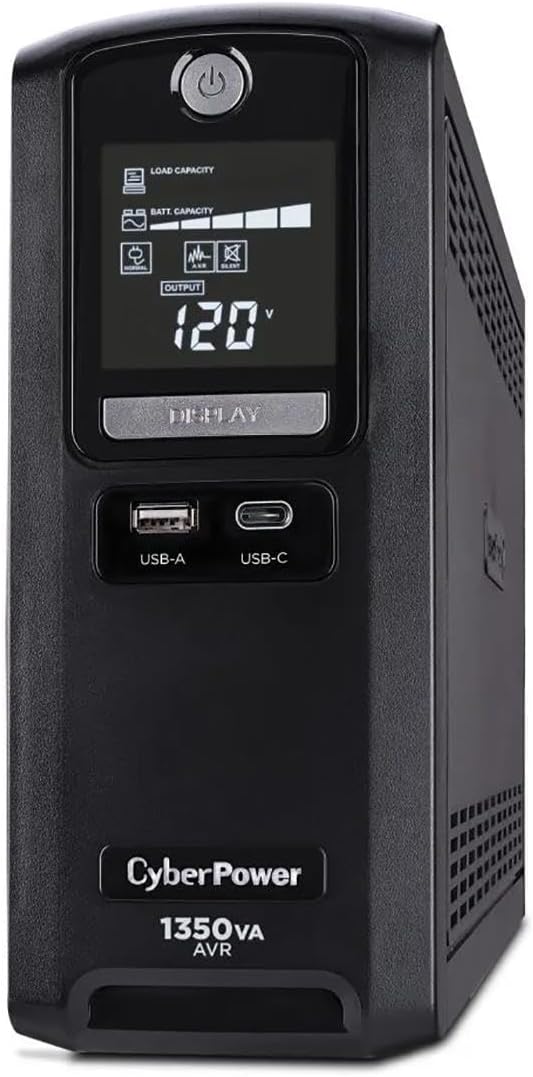
This model offers a great balance of features and performance for the price. It features a color LCD that gives detailed feedback on power conditions and battery life. Automatic voltage regulation helps protect against brownouts without draining the battery.
We may earn a commission when you buy through this link, at no additional cost to you.
It delivers 1500VA capacity which is plenty for most gaming and office setups. The two USB ports allow you to charge phones or tablets during an outage. Twelve outlets ensure you can plug in all your essential devices.
The simulated sine wave is not ideal for servers with active PFC but works fine for most PCs. It is slightly less powerful than the pure sine wave variant but costs less. This makes it a strong contender for general users.
Pick this if you need solid backup power without paying a premium for pure wave. It handles routine surges and outages well for home users. Ensure your equipment tolerates simulated sine wave before buying.
AVR boosts low voltage or drops high voltage to keep devices running without switching to battery.
The screen tilts for easy viewing and alerts you to issues before they cause downtime.
We may earn a commission when you buy through this link, at no additional cost to you.
This unit is ideal for protecting networking gear like modems and routers. It includes data line protection that guards against surges traveling through phone or cable lines. The LCD screen lets you check battery status instantly without guessing.
We may earn a commission when you buy through this link, at no additional cost to you.
It provides 900VA which is enough for small office setups or home routers. Automatic voltage regulation handles fluctuations so the battery lasts longer during actual outages. The build is sturdy and the design is compact for under desk use.
It does not have USB charging ports which limits its use for mobile devices. The wattage is lower so it might not support high end gaming rigs. For networking and light computing it performs very well and stays quiet.
Buy this if you need to protect internet equipment from surges and power dips. It is a reliable choice for maintaining connectivity during storms. Check the cord length to ensure it reaches your outlet easily.
Data line protection prevents damage to modems from electrical spikes on cable or phone lines.
The panel shows clear status icons so you can monitor health at a glance.
We may earn a commission when you buy through this link, at no additional cost to you.
This model is perfect for basic protection needs at a low price. It offers 625VA which works for small devices like modems or small laptops. The LED lights show power status clearly and the USB ports help charge mobile devices.
We may earn a commission when you buy through this link, at no additional cost to you.
It uses a high efficiency design which reduces energy use even when plugged in. The standby function switches to battery quickly during a power drop. It is lightweight and easy to move around the office or home.
The limited wattage means it cannot support full gaming rigs or servers. Runtime is shorter than higher VA models but enough to save work safely. It is a no fuss solution for essential equipment protection.
Select this if you need a backup for a basic desktop or router setup. It is a cost effective way to prevent unexpected shutdowns. Verify your device wattage fits within the 360W limit.
This unit offers the most protection per dollar for small home office needs.
Two USB ports share 2.1 amps for charging phones during an outage.
We may earn a commission when you buy through this link, at no additional cost to you.
This unit is built for enterprise environments that demand maximum reliability. It delivers 1500W of pure sine wave power suitable for high load servers. The design supports remote management cards for monitoring across a network.
We may earn a commission when you buy through this link, at no additional cost to you.
It includes eight outlets for server rack use and offers a long warranty. The LCD panel is removable which helps for visibility in tight rack spaces. It provides a massive capacity for sustained power during outages.
The size and weight are significant so floor space planning is required. The price is high but necessary for mission critical equipment reliability. It is a serious investment for businesses that cannot afford downtime.
Use this in server rooms or production environments where power quality is paramount. It supports advanced management features not found in home models. Ensure you have the right management card for remote access.
Designed for data centers with optional cards to manage power remotely over the network.
1500W output handles multiple servers or heavy hardware without overload issues.
We may earn a commission when you buy through this link, at no additional cost to you.
This unit is designed to protect workstations and networking equipment reliably. It provides 1500VA to keep systems running during short power cuts. The LCD panel shows an estimated runtime so you can gauge how much time you have.
We may earn a commission when you buy through this link, at no additional cost to you.
Automatic voltage regulation extends battery life by fixing minor voltage issues. There are twelve outlets to connect multiple monitors and peripherals at once. The build quality is high and backed by a long equipment guarantee.
It uses simulated sine wave which is fine for most consumer gear but not servers. It is not as powerful as the premium sine wave models. For daily office use it provides excellent value and protection.
Choose this for office desks where reliability is key. It gives enough power to save files and shut down gracefully. Check the warranty terms to ensure coverage meets your needs.
The screen calculates remaining battery time based on current load so you know when to close apps.
Twelve outlets give flexibility for monitors and devices without needing extra strips.
We may earn a commission when you buy through this link, at no additional cost to you.
This unit stands out with an impressive rating and robust protection features. It supports 810W which is suitable for many gaming consoles and PCs. The Type C USB port offers fast charging for modern devices during power outages.
We may earn a commission when you buy through this link, at no additional cost to you.
It includes coax and network protection to safeguard internet connections from surges. The GreenPower bypass tech reduces energy use when utility power is stable. It offers solid runtime for half loads so you can finish a match.
The simulated sine wave may not suit very high end PC power supplies with PFC. It is a bit bulky but fits well under a gaming desk. The high user rating confirms its reliability in real world use.
Buy this if you game on PC or console and want to protect your setup. It balances power needs and connectivity options well. Ensure your outlet count matches your peripheral setup.
The shared USB ports deliver fast charging speeds to keep devices alive during outages.
Bypass technology keeps the inverter off when power is stable to save energy.
We may earn a commission when you buy through this link, at no additional cost to you.
This model offers a standout five year warranty that extends beyond most competitors. It has a color LCD that makes monitoring battery status easy. It includes USB ports for charging tablets and phones during a blackout.
We may earn a commission when you buy through this link, at no additional cost to you.
It provides 1500VA to cover most home entertainment systems and workstations. Automatic voltage regulation helps prevent battery drain from minor fluctuations. The build is durable and supports remote management with an optional card.
The price is on the higher side but the warranty makes it a smart long term choice. It uses simulated sine wave which fits most consumer electronics well. It is designed for users who want extended coverage.
Opt for this if you plan to keep your setup for several years. The long warranty reduces long term ownership costs significantly. Check the warranty details to see what parts are covered.
A five year warranty offers peace of mind for longer device life and fewer replacements.
Optional management cards allow you to monitor and control power from a remote location.
We may earn a commission when you buy through this link, at no additional cost to you.
This unit is built for rack mounted setups in closets or server rooms. It offers 1500W capacity to handle network racks or storage units. The LCD screen provides clear status updates on battery and load conditions.
We may earn a commission when you buy through this link, at no additional cost to you.
It includes business software that helps manage power across multiple systems. Automatic voltage regulation helps maintain stability without constant battery use. The design fits standard 2U racks for easy installation.
It requires a rack which limits use in standard home setups. The simulated sine wave works for many gear but check PFC needs. It is a powerful solution for organized and centralized power protection.
Use this if you have a dedicated rack for networking equipment. It helps keep gear safe in a professional environment. Ensure you have a compatible rack for installation.
Fits standard 2U rack spaces to save floor space in server closets.
Comes with business edition software for managing power events and shutdowns.
We may earn a commission when you buy through this link, at no additional cost to you.
Selecting the right unit requires looking at several key factors. This guide breaks down what to check before buying.
VA and wattage determine how much load the unit can support. Calculate the total wattage of your devices to ensure the UPS does not overload. Higher wattage means more runtime and the ability to handle heavier equipment.
Choose a unit with at least 20 percent more capacity than your current load.
Waveform refers to how the UPS outputs power. Pure sine wave is best for active PFC power supplies found in servers and high end PCs. Simulated sine wave is cheaper and works for most standard electronics.
Match the waveform to your power supply type to avoid noise or damage.
Check how many outlets the unit provides and which are battery backed. You need enough plugs for your PC, monitors, and router. Some models offer USB ports for charging phones during an outage.
Select a unit with more outlets than you need to allow for future additions.
AVR fixes minor power fluctuations without using the battery. This extends battery life by reducing the need to switch to battery power during brownouts. It is a key feature for areas with unstable power lines.
Look for AVR if your area experiences frequent voltage dips.
An LCD panel shows detailed info like battery life and load. It helps you manage usage and avoid overloading the unit. Color screens are easier to read and show alerts clearly.
Get a unit with a clear LCD to monitor system health at a glance.
Warranties cover the battery and electronics for a set time. Longer warranties indicate better build quality and support from the manufacturer. Check what is included like equipment guarantees or software.
Prioritize models with at least a three year warranty and included software.
Surges can travel through phone or cable lines and damage modems. Some units offer protection for these lines to keep your internet gear safe. This is essential if you have a cable or DSL connection.
Ensure data line protection is included if you need to protect modems.
Enterprise units often support remote management cards. These let you monitor and shut down systems over a network. It is useful for servers in hard to reach locations.
Check if the unit supports optional management cards if you need remote access.
Plug the UPS into a wall outlet and connect your devices to the battery backup outlets. Make sure you do not overload the total wattage rating to prevent issues. Charge the unit fully before using it for the first time.
Download the PowerPanel software to monitor battery status and configure shutdown settings. This helps your PC save work automatically when power goes out. Keep the software updated to use the latest features.
Replace the battery every three to five years to maintain performance. Check the battery life indicator on the LCD screen for warnings. Keep the unit in a cool dry place to extend its lifespan.
Yes but most UPS units include surge protection built in. They offer more safety by using backup power during an outage. It is still good to plug the UPS into a surge protected outlet.
Battery life depends on the load and age of the unit. A full charge can last minutes to hours. You should replace the battery every few years to ensure it works.
It is not recommended to plug laser printers into a UPS. They draw high power during warm up which can overload the unit. Use battery outlets only for PCs and essential networking gear.
Most models in this list have LCDs but some basic ones do not. Check the specs to confirm if a display is included. LCDs help you track power status easily.
Pure sine wave outputs a smooth sine wave for sensitive equipment. Simulated sine wave approximates this at a lower cost. Use pure sine wave for servers and active PFC power supplies.
Yes a UPS can protect consoles from sudden power loss. It gives you time to safely shut down the system. Make sure the wattage is enough for the console and TV.
Most PowerPanel software is designed for Windows. You may need alternative solutions for Mac support. Check the compatibility list on the manufacturer site before downloading.
When the battery fails the UPS stops providing backup power. It may still offer surge protection. Replace the battery as soon as the indicator warns you to avoid data loss.
We have reviewed ten top models ranging from budget entry units to premium server grade options. The CyberPower CP1500PFCLCD leads with pure sine wave output and a color LCD display. It is the best choice for users who need the highest quality power.
For those looking to save money the CyberPower ST625U offers basic protection at a low cost. If you need to protect networking gear the AVRG900LCD includes data line protection. Always match the unit to your specific load requirements.
Prices and availability change often so check current listings before you buy. Ensure you verify the warranty terms and supported operating systems. Choose the unit that offers the best balance of protection and value for your setup.