
Crucial P310 1TB SSD
4.7Editor score
PCIe Gen4 speeds up to 7100MB/s
Compatible with laptops and gaming consoles
Includes Acronis data recovery software
Discover the top Crucial Internal NVME SSD options for 2026. This guide compares speed, capacity, and compatibility to help you choose the perfect storage
Choosing the right internal storage drive is critical for modern computing performance and productivity. The Crucial Internal NVME SSD lineup offers reliable options for gamers, creatives, and everyday users seeking speed.
We analyzed ten top models based on real-world performance metrics, compatibility across platforms, and included software bundles. Our comparison focuses on Gen4 and Gen5 capabilities to ensure future-proof upgrades.
Each pick highlights specific strengths like load times, thermal management, and value. Prices fluctuate frequently so verify current listings before purchasing to secure the best deal available today.
4.7Editor score
4.8Editor score

4.6Editor score
This side by side comparison covers all ten models to highlight key differences in speed, capacity, and specific use case optimizations for desktop and laptop users.


This drive is a top choice for budget conscious users needing reliable Gen4 performance. It boasts a strong rating and delivers up to 7100MB/s read speeds for fast boot times.
We may earn a commission when you buy through this link, at no additional cost to you.
The P310 excels in gaming and productivity with seamless compatibility across laptops desktops and handheld consoles like the ROG Ally. It includes Acronis data recovery software for peace of mind.
While it uses QLC NAND which offers lower endurance than TLC the thermal control and performance are sufficient for casual gaming and standard workflows without significant heat issues.
Buy this if you need a large capacity upgrade for a budget PC or console without breaking the bank. It balances cost and performance perfectly for most general users.
The broad compatibility ensures this drive works with modern handhelds and laptops without requiring extra adapters or complicated setup steps.
Applications like Photoshop and Excel load significantly faster on this drive compared to older Gen3 or SATA SSDs improving daily workflow efficiency.
We may earn a commission when you buy through this link, at no additional cost to you.
This model is optimized for PlayStation 5 users needing a reliable storage expansion solution. It features a built in heatsink to manage thermal throttling during long gaming sessions effectively.
We may earn a commission when you buy through this link, at no additional cost to you.
It delivers standard Gen4 performance with up to 7100MB/s read speeds ensuring quick game load times. The compatibility extends to laptops and desktops making it a versatile storage option.
The main tradeoff is the QLC NAND which is great for read heavy workloads but may show slower sustained write performance under extreme conditions compared to TLC drives.
Get this if you play on PS5 and want a hassle free install without buying a separate cooler. It simplifies the upgrade path for console gamers significantly.
The integrated heatsink prevents thermal throttling ensuring consistent performance even when running high load games or creative applications for extended periods.
One terabyte provides ample room for multiple large AAA titles allowing you to keep your favorite games installed without constantly deleting content.
We may earn a commission when you buy through this link, at no additional cost to you.
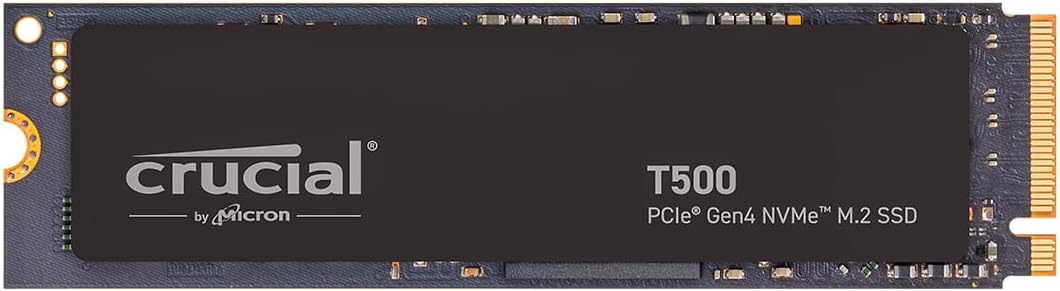
The T500 stands out as our top pick due to its superior TLC NAND and robust software bundle. It achieves up to 7300MB/s read speeds and includes a month of Adobe Creative Cloud.
We may earn a commission when you buy through this link, at no additional cost to you.
This drive is engineered for creators and gamers who need sustained performance. It supports DirectStorage which can load games up to 16% faster than standard solutions without latency.
While the price is higher than basic models the included software and better endurance justify the cost. It balances speed and reliability better than most competitors in this class.
Choose this if you edit content or game seriously and want a premium Gen4 experience. It offers the best balance of performance and value for creative professionals.
Rendering times are boosted by up to 42 percent thanks to the high bandwidth and low latency characteristics of the Gen4 architecture and TLC NAND.
The included Acronis cloning software and Adobe Creative Cloud subscription add tangible value making the overall package more attractive for new system builders.
We may earn a commission when you buy through this link, at no additional cost to you.
This drive doubles the capacity of the 1TB model providing ample space for large media libraries and game collections. It maintains the same reliable Gen4 architecture as the P310 series.
We may earn a commission when you buy through this link, at no additional cost to you.
Ideal for users who prioritize storage over extreme write endurance the 2TB option ensures you rarely run out of space. The compact M.2 form factor fits easily in most laptops.
It is a straightforward storage upgrade for those needing room for files without complex features. The lack of bundled software keeps the price competitive for pure storage needs.
Buy this if you need bulk storage for media or archives. It offers reliable performance for everyday tasks and is perfect for expanding your internal drive array.
Two terabytes allow you to store hundreds of games or large video projects without worrying about running out of disk space during critical projects.
Built with trusted Micron 3D NAND this drive ensures data integrity and consistent performance over long periods of standard usage cycles.
We may earn a commission when you buy through this link, at no additional cost to you.
The P510 brings next generation Gen5 performance to the table at an accessible price point. It delivers read speeds up to 11000MB/s which is significantly faster than most Gen4 drives.
We may earn a commission when you buy through this link, at no additional cost to you.
This is a fantastic upgrade for users with newer systems supporting Gen5. It ensures future proofing while offering immediate speed gains for system boot and file transfers.
Because of higher speeds it requires a compatible motherboard to function optimally. Without a Gen5 slot you will not see the full speed benefit of this drive.
Select this if you have a compatible board and want top tier speed. It is ideal for power users looking for the best performance to price ratio.
File transfers and large system updates are completed in record time thanks to the doubled theoretical bandwidth available through PCIe 5.0.
Investing in Gen5 now ensures your storage keeps up with future CPUs and GPUs that will demand higher bandwidth than Gen4 can provide.
We may earn a commission when you buy through this link, at no additional cost to you.
The T710 represents the top tier of current SSD performance with speeds nearing 15000MB/s. It is designed for tech enthusiasts who need absolute maximum throughput for workloads.
We may earn a commission when you buy through this link, at no additional cost to you.
Security is enhanced with hardware encryption to protect sensitive data. The platform optimized compatibility ensures stability on latest Intel and AMD CPUs for professional workflows.
You must provide a dedicated heatsink to maintain these speeds under load. Without one thermal throttling can occur quickly limiting the benefits of the Gen5 architecture.
Choose this if you need the fastest available internal storage for rendering or simulation. It is the best option for demanding professional workloads.
Hardware encryption ensures that if the physical drive is stolen your files remain unreadable providing peace of mind for business and sensitive personal data.
Designed specifically for 13th and 14th Gen Intel processors the drive ensures stable operation without compatibility issues common with generic high speed storage.
We may earn a commission when you buy through this link, at no additional cost to you.
This compact drive is designed for laptops and smaller systems where space is limited. It offers reliable Gen4 speeds that are vastly superior to older SATA SSDs and HDDs.
We may earn a commission when you buy through this link, at no additional cost to you.
It is perfect for replacing a failing drive in a tight laptop chassis. The small form factor ensures it fits where other drives might not.
Capacity is limited to 480GB so it is best suited for system files or light storage. It is not ideal for heavy media storage but works well as a boot drive.
Buy this if you need a quick reliable upgrade for a small laptop. It brings modern speeds to older devices without needing complex installation steps.
The energy efficient design helps extend battery life in laptops which is a critical feature for users who rely on mobility throughout the day.
Installation is straightforward with step-by-step instructions ensuring that even novice users can upgrade their storage without professional help.
We may earn a commission when you buy through this link, at no additional cost to you.
This variant focuses on value offering a standard Gen4 experience at a lower cost. It utilizes Micron QLC NAND which is cost effective for large capacities.
We may earn a commission when you buy through this link, at no additional cost to you.
It is an excellent choice for boot drives or general storage where extreme write speeds are not necessary. The performance is sufficient for everyday computing tasks.
The lower endurance limits heavy write workloads like video editing. However for general use it provides a reliable upgrade path for older systems.
Choose this for a straightforward budget upgrade. It brings modern speeds to older machines without a high investment.
Users get modern Gen4 speeds without paying a premium for features they may not need in a standard home or office environment.
Trusted Micron manufacturing ensures quality control standards are met providing peace of mind for everyday users and small businesses.
We may earn a commission when you buy through this link, at no additional cost to you.
This PS5 specific model combines the speed of the T500 with a built-in heatsink for optimal console performance. It meets all PlayStation 5 storage specifications for reliability.
We may earn a commission when you buy through this link, at no additional cost to you.
The TLC NAND ensures consistent speeds during long play sessions. The integrated cooling prevents throttling which is critical for maintaining smooth gameplay on the console.
It is the premium option for console gamers who want high speed TLC performance without worrying about adding a third party cooler to the installation.
Buy this for the best possible PS5 expansion experience. It simplifies the upgrade process while delivering top tier Gen4 speeds for console gaming.
The optimized thermal design ensures that the console maintains stable frame rates during long gaming sessions without thermal throttling.
The included Adobe Creative Cloud and cloning software add extra value making it a versatile choice for creative console users.
We may earn a commission when you buy through this link, at no additional cost to you.
The T700 delivers consistent Gen5 performance suitable for high end gaming and professional workloads. It offers a balanced approach to speed and endurance with TLC NAND.
We may earn a commission when you buy through this link, at no additional cost to you.
It is built to maintain speed under heavy usage. The strong warranty provides long term security for professional users relying on fast storage for daily operations.
Active cooling is recommended to maintain performance. Without proper cooling the drive may throttle under sustained load reducing throughput.
Choose this for a reliable Gen5 upgrade that balances speed and endurance well. It is a solid choice for high performance desktop builds.
Advanced thermal management ensures that the drive can handle continuous data transfers without dropping speeds due to overheating.
Compatibility with Intel and AMD platforms ensures broad system support allowing users to upgrade various desktop configurations effectively.
We may earn a commission when you buy through this link, at no additional cost to you.
Selecting the right drive depends on your budget system compatibility and storage needs. This guide breaks down key factors to consider before purchasing.
Ensure your motherboard supports Gen4 or Gen5 NVMe for maximum speed. Newer systems offer higher bandwidth but require specific slots to utilize full performance.
Check your system specs before buying to avoid bottlenecks that negate the benefits of a high speed drive.
Choose capacity based on how many games or media files you keep installed. Larger capacities like 2TB reduce the need for external storage solutions.
1TB is standard for most users but heavy gamers may benefit from 2TB to avoid frequent uninstallation.
TLC NAND offers better endurance and sustained write speeds than QLC. This matters if you transfer large files regularly or edit video content on the drive.
QLC is sufficient for read heavy tasks like gaming but may be slower during heavy writes.
High speed Gen5 drives generate significant heat and require cooling. Models with integrated heatsinks are easier to install in constrained spaces.
If your motherboard has its own heatsink you may save money buying a drive without one.
Some models include cloning software and creative subscriptions that add value. This reduces setup time and saves money on third party tools.
Look for Acronis and Adobe bundles to maximize the utility of your new drive.
While most drives are universal some are optimized for specific systems like PS5 or gaming laptops. Ensure the drive meets the specific requirements of your device.
Console specific drives often include necessary form factors for easy installation.
Longer warranties indicate manufacturer confidence in durability. Look for drives with at least a five year coverage to protect your investment.
Warranty terms often include endurance limits so check the TBW rating for your workload.
Prices vary significantly between Gen4 and Gen5 models. Gen4 offers excellent value for most users while Gen5 is reserved for power users needing maximum speed.
Decide if the speed boost justifies the cost increase for your specific use case.
Install the drive securely in the M.2 slot ensuring it is seated firmly without forcing it. Secure it with the stand-off screw to prevent movement during transport.
Initialize the drive in your operating system disk management utility. You may need to partition and format the volume before storing files on it.
Maintain performance by keeping firmware updated and monitoring thermal temperatures. Avoid overfilling the drive to ensure sustained write speeds.
The standard P310 does not include a heatsink but works fine in most consumer PCs. For PS5 use the specific heatsink model is required to meet console thermal specs.
Most M.2 NVMe SSDs are compatible with Macs that support NVMe. However you should verify specific motherboard support for Mac upgrades as they are often restricted.
Yes you can use Gen5 drives in Gen4 slots but they will run at Gen4 speeds. You will not see the full speed benefit without a Gen5 enabled motherboard.
TLC offers better endurance and consistent write performance compared to QLC. It is better suited for heavy workloads where the drive writes large amounts of data.
You can use the included Acronis software to clone your existing drive to the new SSD. Ensure both drives are connected to the same system during the process.
Crucial typically offers region specific warranties so you should check with local support. International shipping for repairs may incur costs depending on the policy.
Our top picks cover a wide range of budgets and needs from budget friendly P310 options to high end T710 Gen5 models. Each offers reliable performance for different use cases.
Prioritize capacity and cooling needs based on your specific setup. If you have a PS5 look for the heatsink model to avoid installation issues.
Prices change frequently so check current listings before purchasing. Verify your motherboard compatibility to ensure the drive performs as expected.