
Brother DCP-L2640DW
4.1Editor score
Fast 36 ppm printing speed
Wireless dual-band connectivity
Compact monochrome design
Compare the top 10 copier machine for business options including speed and features to find the perfect device for your office workflow.
Finding the right copier machine for business is crucial for maintaining productivity and efficiency in any modern workplace environment today.
We compared ten top models based on speed, connectivity, security, and reliability to help you choose the best fit for your needs.
Each pick highlights key strengths and trade-offs so you can decide quickly. Keep in mind that prices change often so check current listings.
4.1Editor score

4.5Editor score
4.4Editor score
This side-by-side comparison highlights the core specifications and capabilities of each model to help you evaluate which copier machine for business fits your operational demands.


The HP LaserJet Pro MFP 3101sdw stands out as a top copier machine for business due to its impressive speed and reliable performance for small teams.
We may earn a commission when you buy through this link, at no additional cost to you.
It delivers sharp professional-quality black-and-white documents at up to 35 pages per minute which helps keep workflows moving without unnecessary delays or bottlenecks.
While it lacks color printing options the focused monochrome design ensures consistent quality and cost efficiency for businesses that primarily need text and line graphics.
This model is ideal for small offices needing dependable daily printing scanning and copying with seamless wireless integration and robust reliability features.
High-speed output ensures documents are ready quickly allowing teams to focus on core tasks rather than waiting on print jobs.
Intelligent Wi-Fi seeks the best connection to stay online so print jobs rarely fail due to network interruptions.
We may earn a commission when you buy through this link, at no additional cost to you.
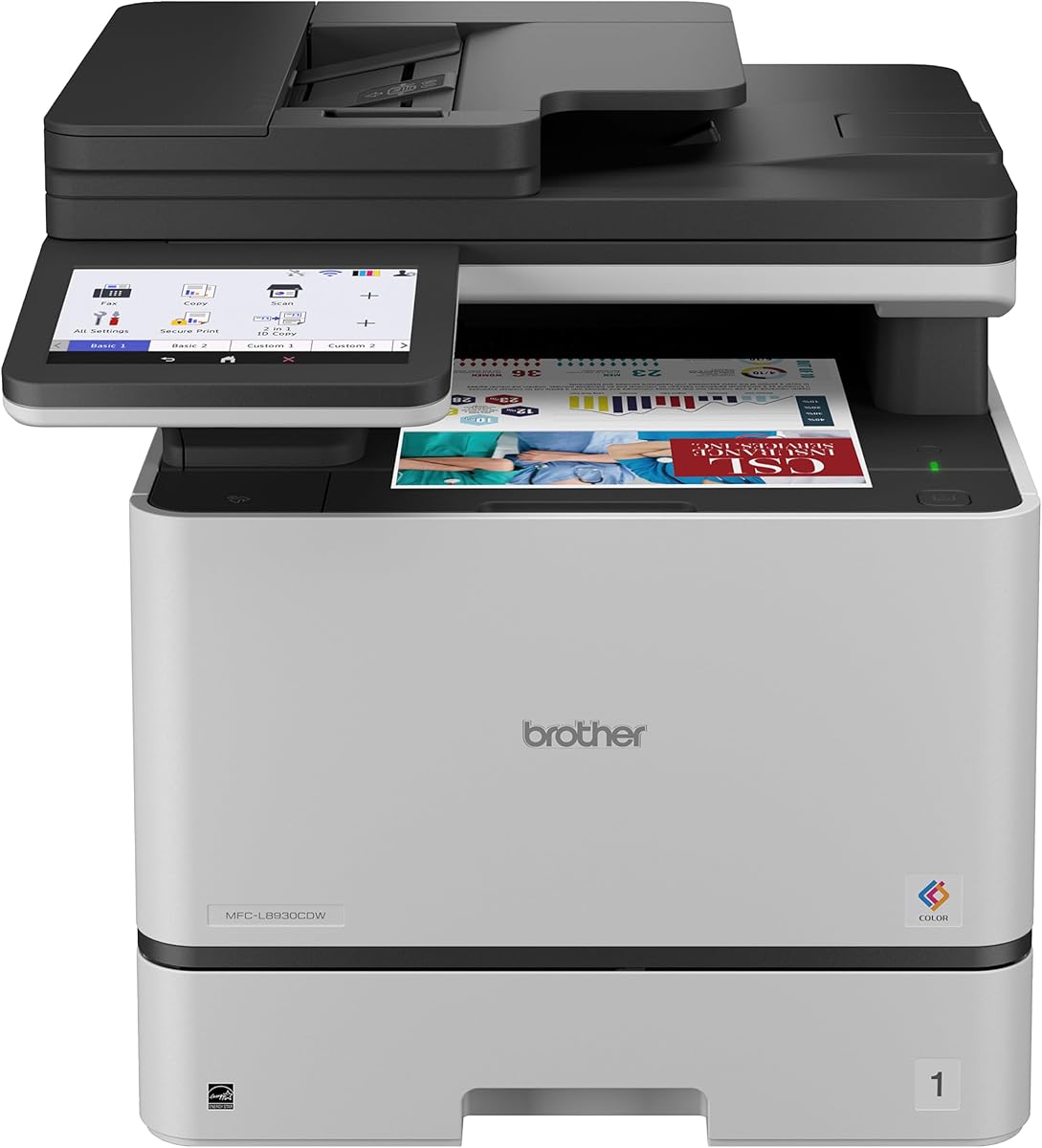
The Brother MFC-L8930CDW offers premium features for businesses requiring color capabilities alongside robust security and high-volume efficiency in a compact design.
We may earn a commission when you buy through this link, at no additional cost to you.
It produces high-quality sharp color and black prints with fast speeds up to 33 ppm and advanced scanning up to 104 ipm for maximum productivity.
The included security features and NFC card reader help protect sensitive documents making it suitable for enterprises needing strict access controls.
Buyers seeking a comprehensive color multifunction device with advanced management tools and sustainability certifications will find this copier machine for business ideal.
Triple Layer Security and NFC authentication protect data in transit and at rest ensuring confidential documents remain secure.
EPEAT Gold rating and recycled materials reflect a commitment to reducing environmental impact while maintaining performance.
We may earn a commission when you buy through this link, at no additional cost to you.
The Brother DCP-L2640DW is a budget-friendly copier machine for business that delivers fast monochrome printing and scanning in a space-saving compact design.
We may earn a commission when you buy through this link, at no additional cost to you.
With speeds up to 36 ppm and reliable wireless connectivity it handles daily document needs efficiently while the mobile app offers convenient remote management.
Although it lacks fax capabilities the included auto document feeder and duplex printing help reduce paper waste and save time on multi-page tasks.
Small businesses or home offices looking for a reliable and affordable all-in-one printer with essential features will find excellent value here.
Low operating costs and subscription options for toner help maintain predictable expenses without sacrificing print quality.
Dual-band wireless and Ethernet ensure stable connections whether devices are near or far from the router.
We may earn a commission when you buy through this link, at no additional cost to you.
The Brother MFC-L5915DW is built for high-volume offices needing a copier machine for business that can handle heavy workloads with exceptional speed.
We may earn a commission when you buy through this link, at no additional cost to you.
Print speeds reach up to 50 ppm and scanning reaches 56 ipm ensuring documents are produced quickly while the large auto document feeder reduces manual effort.
Operating costs stay low thanks to high-yield toner options and the gigabit Ethernet connection provides a stable and secure network environment.
Businesses prioritizing throughput and cost efficiency per page should consider this model for its robust performance and reliable output quality.
Large capacities and fast speeds prevent bottlenecks during peak times keeping workflows smooth and uninterrupted.
Gigabit Ethernet ensures consistent performance even in busy office networks with many connected devices.
We may earn a commission when you buy through this link, at no additional cost to you.
The Brother MFC-L3720CDW offers a well-rounded color copier machine for business with fax capabilities and smart integration for modern document workflows.
We may earn a commission when you buy through this link, at no additional cost to you.
It delivers stunning laser-quality color output at up to 19 ppm and features a touchscreen with customizable shortcuts for quick access to common tasks.
Cloud services like Google Drive and Dropbox integrate directly while mobile printing allows staff to manage jobs from anywhere in the office.
This model suits businesses needing color versatility and fax features in one package without sacrificing ease of use and connectivity.
Direct cloud access and customizable shortcuts streamline repetitive tasks saving time for employees.
Adjustable trays and duplexing support handling varied paper sizes and reducing manual refills.
We may earn a commission when you buy through this link, at no additional cost to you.
The Canon Color imageCLASS MF753Cdw II is a simple yet effective copier machine for business offering essential color duplex printing and fax capabilities.
We may earn a commission when you buy through this link, at no additional cost to you.
It handles print scan copy and fax tasks with wireless convenience making it accessible for smaller teams or remote work setups.
While detailed specs vary the color duplex feature helps save paper while maintaining professional color output for presentations and marketing materials.
Buyers needing a straightforward all-in-one color solution with fax support will appreciate its ease of use and compact form factor.
Automatic two-sided printing reduces paper usage and helps lower costs for everyday documents.
Simple wireless setup allows multiple users to connect without complex network configurations.
We may earn a commission when you buy through this link, at no additional cost to you.
The HP LaserJet Pro MFP 3101fdw is a secure copier machine for business that combines speed with HP Wolf Pro Security to protect sensitive data.
We may earn a commission when you buy through this link, at no additional cost to you.
With print speeds up to 35 ppm and support for multiple devices including Bluetooth and Ethernet it serves small offices effectively with reliable performance.
Security features allow customizable settings to ensure information remains safe while wireless printing keeps workflows flexible and efficient.
Offices needing fax capabilities alongside strong security measures and fast printing will find this model meets their essential operational needs well.
Customizable security settings help prevent unauthorized access to print jobs and stored data.
Support for AirPrint Android and Chromebook enables easy printing from various personal devices.
We may earn a commission when you buy through this link, at no additional cost to you.
The Canon imageCLASS MF462dw II delivers a fast monochrome copier machine for business experience with an intuitive touchscreen and expandable paper capacity.
We may earn a commission when you buy through this link, at no additional cost to you.
Printing reaches up to 37 ppm while the 5-inch color touchscreen provides easy access to essential features including mobile printing via AirPrint.
High-capacity toner options reduce replacement frequency and the flexible paper handling supports varied workflows from envelopes to letter size.
Businesses needing reliable high-speed monochrome output with room to expand capacity will find this model well-suited for daily operations.
Application Library on the touchscreen allows quick access to frequently used tasks without deep menus.
Optional paper cassettes allow scaling the machine to match growing document needs.
We may earn a commission when you buy through this link, at no additional cost to you.
The HP Laserjet Pro MFP 4101fdw is a high-volume copier machine for business offering blazing fast speeds up to 42 ppm and advanced security.
We may earn a commission when you buy through this link, at no additional cost to you.
It handles up to 10 people efficiently with reliable wireless and Bluetooth connectivity while HP Wolf Pro Security keeps data protected during transmission.
Fax capabilities and duplex printing are included to ensure professional document handling without extra hardware purchases or setup complexity.
Businesses needing rapid document turnaround and robust security in a monochrome printer will appreciate this model's performance and features.
High page per minute rates reduce wait times during peak business hours significantly.
Bluetooth and Ethernet with customizable settings ensure safe connections regardless of how users connect.
We may earn a commission when you buy through this link, at no additional cost to you.
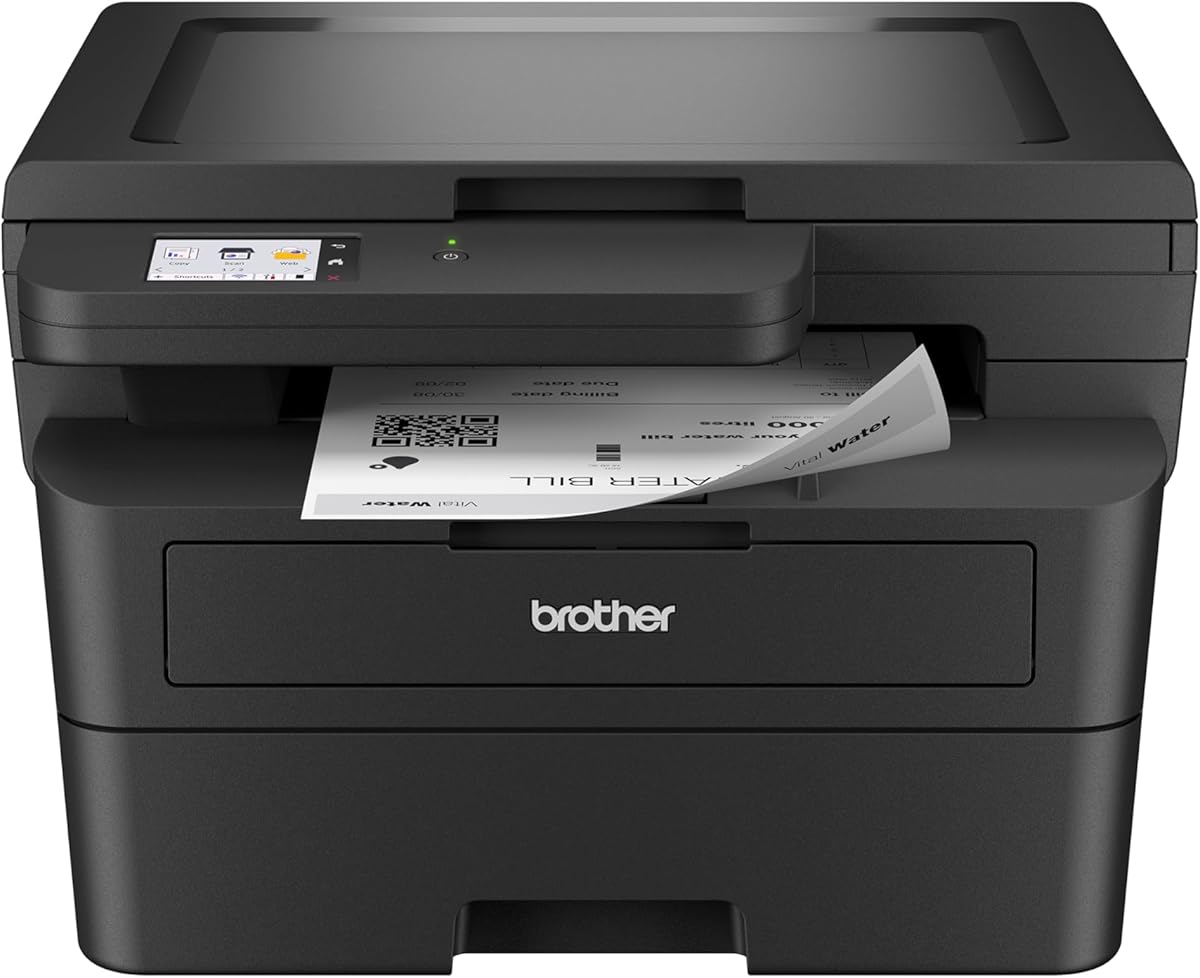
The Brother HL-L2480DW is a compact copier machine for business designed for small offices needing efficient printing scanning and copying without taking up much space.
We may earn a commission when you buy through this link, at no additional cost to you.
It produces B/W prints at speeds up to 36 ppm and features an intuitive touchscreen for navigating cloud apps and managing print jobs remotely.
Alexa compatibility adds convenience while the refresh subscription trial helps manage toner levels so you never run out unexpectedly.
Small offices or home workers prioritizing space efficiency and essential features will find this model a versatile and practical choice.
Voice control via Alexa allows quick checks or prints without walking to the device.
Compact footprint fits easily on desks or small workspaces while maintaining full functionality.
We may earn a commission when you buy through this link, at no additional cost to you.
Choosing the right copier machine for business requires evaluating specific needs such as speed volume and connectivity options to ensure smooth daily operations.
Print speed measured in pages per minute (ppm) is crucial for handling high-volume workloads. For busy offices, look for models offering at least 35 ppm to avoid bottlenecks during peak times. Slower machines may suffice for low-volume needs but can hinder productivity as demand grows.
Prioritize faster speeds for shared workspaces and consider monochrome speeds separately from color if your budget allows for both.
Modern offices rely heavily on wireless connectivity to support diverse devices. Ensure the copier machine for business you choose supports dual-band Wi-Fi and Ethernet for stable connections. Bluetooth and mobile app support further enhance flexibility for remote work setups.
Check for compatibility with your existing network infrastructure and required operating systems to avoid installation headaches later on.
Data security is increasingly important for protecting sensitive business documents. Look for features like secure print, user authentication, and encryption for data in transit. Some models include advanced tools like HP Wolf Pro Security or NFC card readers to restrict access.
Evaluate the security protocols offered by manufacturers to ensure they align with your industry compliance requirements and internal policies.
Beyond the upfront purchase price, consider the cost of consumables and maintenance. High-yield toner cartridges can significantly reduce the cost per page over time. Subscription services for toner delivery may also offer savings for businesses with predictable usage patterns.
Calculate estimated monthly costs based on your expected volume to avoid unexpected expenses after purchasing the hardware.
Paper capacity affects how often you need to refill trays during busy periods. Standard models often hold around 250 sheets, but some offer expandable options. For high-volume environments, higher capacity reduces interruptions and manual handling.
Check if the device supports expandable cassettes or multipurpose trays for specialty media like envelopes or labels.
A copier machine for business often needs to scan, copy, and fax in addition to printing. Look for automatic document feeders (ADF) to handle multi-page tasks efficiently. Fax capability is still essential for industries with legacy compliance or client requirements.
Determine which functions are essential for your daily workflow to avoid paying for features you won't use.
Staff often work from various locations, so mobile printing is vital. Compatibility with apps for Android and iOS allows direct printing from smartphones and tablets. Cloud services like Google Drive or Dropbox integration streamline document management without needing a computer.
Ensure the manufacturer provides updated mobile apps with regular features and support to match changing device standards.
Physical space can be limited in many offices. A compact footprint helps fit the machine on desks or in small cubicles without overwhelming the area. A touchscreen interface should be intuitive to reduce training time for employees.
Consider the overall dimensions and weight if you need to move the device frequently or install it on a shared workstation.
Begin by connecting the copier machine for business to your network using the provided Ethernet cable or wireless settings. Follow the on-screen prompts to configure your printer name and IP address for easy access by all users in the office.
Regularly clean the glass and automatic document feeder with a soft, lint-free cloth to ensure high-quality scans and copies. Avoid using harsh chemicals that might damage the surface or internal components during routine cleaning.
Monitor toner levels through the device interface or companion app to avoid running out during critical tasks. Replace cartridges when prompted and run test prints to ensure alignment and color accuracy after maintenance.
A standard printer primarily receives data from a computer to output documents, while a copier machine for business typically includes scanning and copying capabilities directly. Multifunction printers often combine both roles to save space and cost for businesses needing comprehensive document handling.
Fax capabilities are essential for businesses dealing with legal, medical, or government sectors that require physical document transmission. However, many modern offices use email or cloud sharing instead. Assess your industry requirements before deciding if fax is necessary.
Monochrome printers are generally more cost-effective for text-heavy environments, while color is needed for marketing materials or design work. If your team rarely produces color documents, a monochrome copier machine for business will offer better long-term value and efficiency.
Look for secure print, user authentication, and encryption to protect sensitive data. Advanced models offer features like NFC card readers or firewall protection to prevent unauthorized access. Ensuring robust security helps protect confidential client or internal information effectively.
Routine maintenance involves cleaning the glass and feeders weekly and replacing toner as needed. Some manufacturers suggest professional servicing annually for high-volume machines to prevent wear issues. Following the recommended schedule extends the lifespan and reliability of the device.
Toner subscription services can save money and ensure you never run out of supplies unexpectedly. They often include discounts on genuine cartridges and automatic delivery. For businesses with steady usage, this model offers predictable costs and reduced administrative work.
Most modern copier machine for business models allow scanning directly to cloud services like Google Drive or Dropbox. This feature streamlines workflow by bypassing local storage. Check the manufacturer's supported apps to ensure compatibility with your existing cloud infrastructure.
Wireless printing is safe if you choose models with strong encryption and secure protocols like WPA2. Avoid open networks and ensure the device has a firewall or security software enabled. Proper configuration ensures that transmitted data remains secure from potential threats.
Choosing the right copier machine for business depends on balancing speed, features, and budget for your specific operational needs. We highlighted top picks ranging from budget-friendly models to premium solutions with advanced security and color capabilities.
Prioritize speed and connectivity if your office handles high volumes daily, or focus on cost efficiency and compact design for smaller teams. Security features are increasingly important for protecting sensitive documents in any modern workplace environment.
Remember to check current prices and availability as they change frequently. Evaluate your total cost of ownership including toner and maintenance to ensure the investment delivers value over the long term for your business.