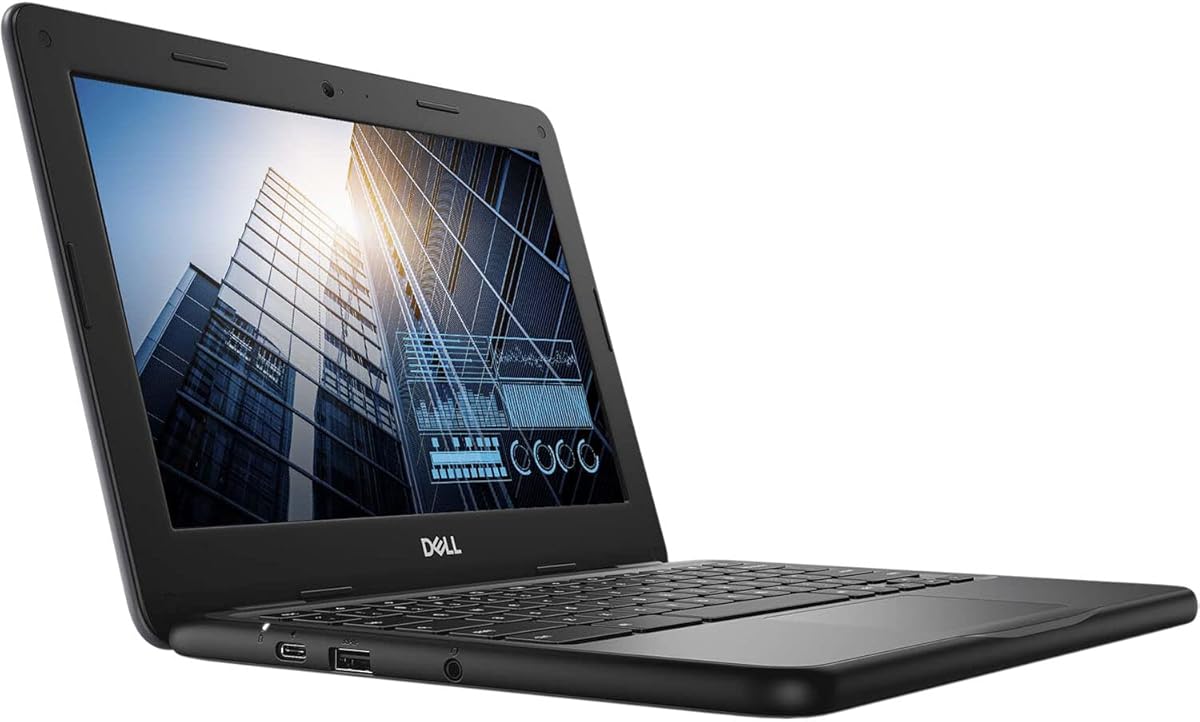
Dell Chromebook 11 3100
4.3Editor score
Affordable price point
Rugged touch design
Long battery life
Finding the right laptop for a child can feel overwhelming with so many options on the market. Chromebooks offer a simple, secure, and affordable solution designed specifically for students and young learners at home.
We have analyzed ten top-rated models focusing on durability, battery life, display quality, and performance. Each product was evaluated based on real-world usage scenarios typical for schoolwork, entertainment, and creative projects.
Every pick includes detailed specs and honest pros and cons to help you decide. Please note that prices and availability can change frequently, so check current listings before purchasing your new device today.
4.3Editor score
4.3Editor score

4.0Editor score
As an Amazon Associate we earn from qualifying purchases.
The following table provides a side-by-side comparison of all ten selected Chromebooks. Review the key specifications and ratings to quickly identify which model best fits your specific needs and budget requirements.


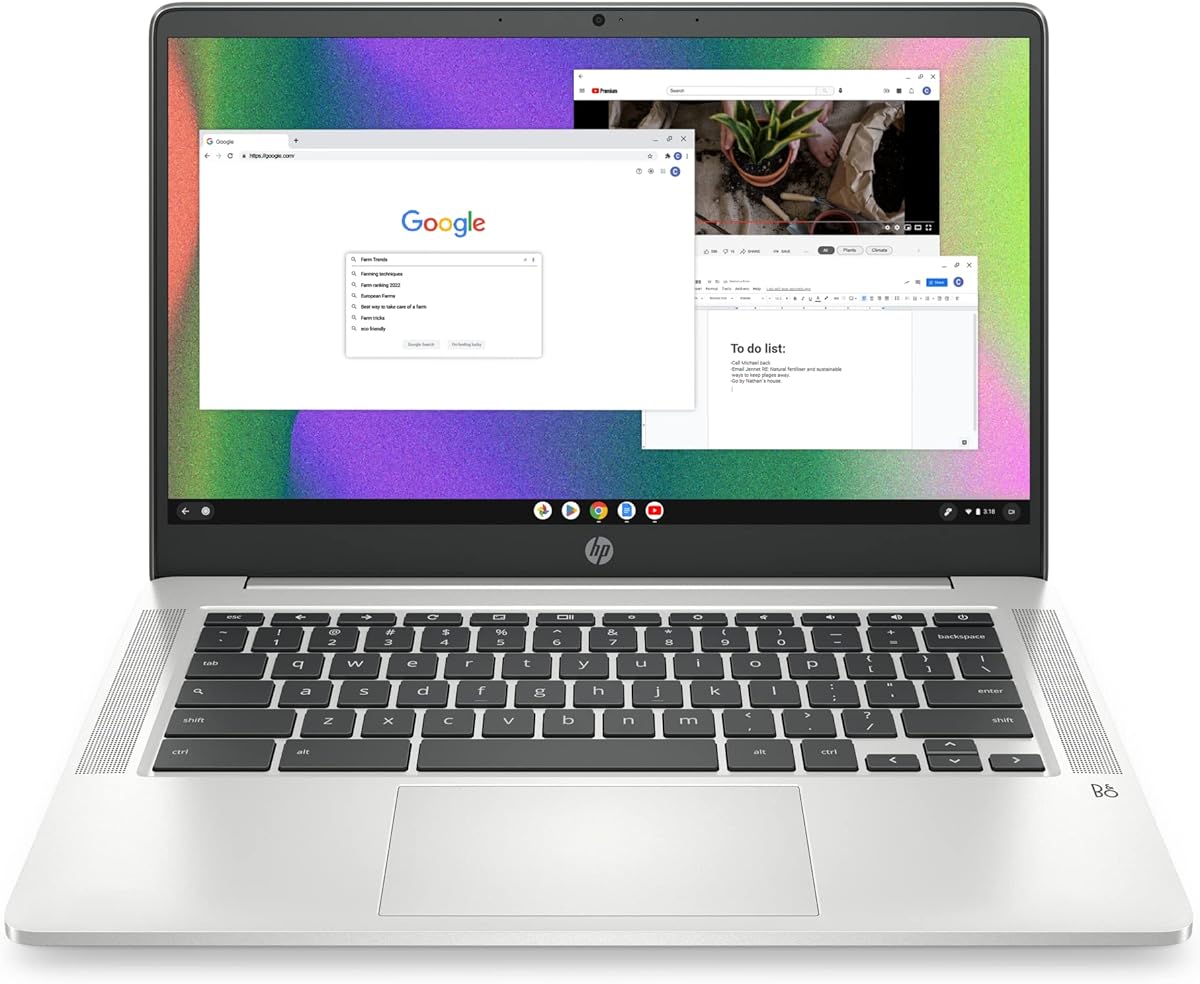
This HP Chromebook delivers reliable performance for everyday school tasks with a solid four-star rating. Its combination of speed and battery endurance makes it a top contender for students needing a consistent device.
We may earn a commission when you buy through this link, at no additional cost to you.
The Intel N4120 processor handles multitasking smoothly thanks to quad-core architecture. You can run multiple browser tabs and apps without significant lag ensuring productivity remains high throughout the school day.
While the storage is limited to 64GB eMMC the cloud integration of Chrome OS helps mitigate this. The low resolution screen is acceptable for reading and video but may not suit graphic design tasks.
Parents looking for a dependable laptop for homework and research will find this model excellent. It balances cost and capability effectively making it a strong recommendation for general student use.
The quad-core processor ensures that switching between Zoom calls and homework documents remains seamless and responsive for active learners.
With up to 14 hours of battery life students can go through a full day of classes without needing to find an outlet.
We may earn a commission when you buy through this link, at no additional cost to you.
This HP model stands out for its sustainable design and robust build quality earning a strong rating from users. It is an excellent choice for families prioritizing environmental responsibility and long-term reliability.
We may earn a commission when you buy through this link, at no additional cost to you.
The device features HP Fast Charge technology which can reach 50 percent battery in about 45 minutes. This is highly useful for busy schedules where power outlets might be scarce during school hours.
While it shares similar internal specs with other budget models the premium features like stereo speakers and MIL-STD certification add value. The 4K ready graphics also allow for smooth streaming of high resolution video content.
If you need a laptop that is built to withstand daily wear and tear this is a great option. Its blend of eco-friendly design and practical performance makes it a premium choice in the budget category.
ENERGY STAR certification and EPEAT Silver registration ensure the device meets high standards for energy efficiency and environmental impact.
Custom-tuned stereo speakers provide clear audio for video calls and media consumption without needing external headphones.
We may earn a commission when you buy through this link, at no additional cost to you.
This Lenovo Chromebook offers exceptional value with a Full HD touchscreen and generous storage compared to others in its class. The inclusion of a memory card provides extra space for files and media.
We may earn a commission when you buy through this link, at no additional cost to you.
The MediaTek Kompanio 520 processor is a significant upgrade over standard entry-level chips providing better performance for everyday tasks. The octa-core design ensures smooth navigation and quick app launches for students.
Privacy features like the webcam shutter give parents peace of mind when their children are online. The WiFi 6 connectivity ensures fast and reliable internet access even in crowded network environments.
For families wanting a modern interface with touch capabilities without spending too much this is a top pick. It combines speed, security, and screen quality effectively for the average student budget.
The 1920 x 1080 resolution offers sharper text and images compared to standard HD screens found on cheaper models.
The extra 64GB memory card included allows students to save more photos and documents locally.
We may earn a commission when you buy through this link, at no additional cost to you.
The Dell 3100 series is known for durability and low cost making it ideal for very young children or secondary devices. This renewed unit offers significant savings while still providing core Chromebook functionality.
We may earn a commission when you buy through this link, at no additional cost to you.
The compact 11.6-inch size is easy for small hands to hold and fits into small backpacks easily. The 2-in-1 touch capability allows for tablet mode which is fun for educational apps and drawing.
Storage is limited to 32GB so reliance on cloud storage is necessary. However for basic web browsing and video watching this amount is often sufficient for most school activities.
If you need an entry-level device for a first grader or need a spare laptop this is a smart buy. It balances cost and usability perfectly for light usage scenarios.
The smaller screen and light weight make it perfect for travel and young students who need a lightweight device.
Renewed condition ensures you get a working device at a fraction of the price of a brand new model.
We may earn a commission when you buy through this link, at no additional cost to you.
With a high rating this Lenovo model proves its reliability for daily student use. The 2023 release year means it includes modern connectivity options like WiFi 6 for faster internet speeds.
We may earn a commission when you buy through this link, at no additional cost to you.
The MediaTek processor again shines here offering robust multitasking capabilities. Students can keep multiple research tabs open without the system slowing down which is crucial for productivity.
The Full HD touchscreen adds a layer of interactivity that is enjoyable for younger users. It also improves the viewing experience for videos and presentations compared to lower resolution screens.
This is a safe choice for parents who want a balance of modern specs and value. The high user satisfaction score suggests it handles common issues well over time.
USB-C ports allow for faster data transfer and charging compatibility with modern peripherals and accessories.
The responsive touch layer makes navigating apps and writing notes much more intuitive for children.
We may earn a commission when you buy through this link, at no additional cost to you.
This premium HP model stands out with double the RAM and storage of standard models offering superior performance. The included stylus makes it versatile for art classes and note-taking in digital formats.
We may earn a commission when you buy through this link, at no additional cost to you.
The 256GB SSD allows for faster boot times and more local file storage. This reduces the dependency on cloud storage and ensures apps load quickly for students needing immediate access.
The 360-degree hinge supports multiple modes like tent and stand which are great for watching movies or video calls. The backlit keyboard is also a useful feature for working in dim lighting.
If you are willing to pay a bit more for better specs this is the best high-end option. It future-proofs your investment with features that support growing student needs.
The included stylus transforms the device into a digital canvas perfect for art students and creative hobbies.
With 8GB of RAM this Chromebook handles heavy multitasking better than most competitors in the list.
We may earn a commission when you buy through this link, at no additional cost to you.
This Acer Spin model is a reliable choice for basic tasks and younger students. The 2-in-1 design adds versatility for reading or browsing in tablet mode without additional cost.
We may earn a commission when you buy through this link, at no additional cost to you.
The AMD processor provides decent speed for web browsing and simple applications. While it is an older chip it is sufficient for standard educational software and streaming services.
The renewed status ensures you get a tested device at a lower price. This is ideal for families who need a secondary laptop for specific homework tasks or reading.
It is a practical choice for those who need a small durable laptop on a strict budget. The touch screen adds a modern touch to the compact design.
The smaller form factor makes it easy to store in tight spaces or carry around the house.
Despite older specs it offers a stable experience for routine tasks like homework and video calls.
We may earn a commission when you buy through this link, at no additional cost to you.
This HP model features a higher resolution display that delivers crisp images and text. The larger storage capacity of 128GB is a welcome upgrade for saving files locally.
We may earn a commission when you buy through this link, at no additional cost to you.
Built to military standards it is designed to withstand bumps and drops which is common with kids. The convertible hinge makes it versatile for watching videos or reading books comfortably.
The Intel N150 processor supports smooth browsing and media consumption. While 4GB RAM is standard the faster storage helps compensate for speed in general tasks.
For families seeking a balance between screen quality and durability this is a strong contender. It offers a premium feel at a competitive price point in the market.
The WUXGA resolution provides more screen real estate and sharper visuals than standard HD panels.
MIL-STD 810H certification ensures the laptop can handle rough handling in school or home environments.
We may earn a commission when you buy through this link, at no additional cost to you.
The Gateway brand offers a solid entry point into Chromebooks with decent screen quality. The Full HD display ensures clear text and vibrant colors for everyday viewing.
We may earn a commission when you buy through this link, at no additional cost to you.
Chrome OS features like AI tools can help with homework and writing tasks. The fast boot times mean no waiting to start work which keeps students engaged.
With stereo speakers it provides a better multimedia experience than many competitors. This makes it suitable for both studying and leisure time at home.
If you need a dedicated home laptop for multiple family members this is a practical choice. It balances basic performance with modern screen technology well.
Built-in AI features assist with planning and writing making it easier for students to complete assignments.
Enhanced audio hardware ensures movies and music sound good without needing external speakers.
We may earn a commission when you buy through this link, at no additional cost to you.
This larger 15 inch model offers ample screen space for research and multitasking. The use of DDR5 memory is a modern upgrade that helps performance for the price.
We may earn a commission when you buy through this link, at no additional cost to you.
The IPS panel ensures wide viewing angles which is great for sharing the screen. It is ideal for older students who prefer a larger workspace for writing essays or coding.
As a renewed unit it offers significant savings while maintaining quality. The unique color choice also makes it stand out from typical black or gray laptops.
For users who need screen real estate without buying a high-end device this is the best option. It combines size with modern tech features effectively.
DDR5 RAM provides faster data access for smoother performance compared to older memory types.
The 15 inch display reduces eye strain and allows multiple windows to be open at once.
We may earn a commission when you buy through this link, at no additional cost to you.
Choosing a Chromebook involves balancing performance, durability, and budget. This guide breaks down the key factors to ensure you find a device that supports your child's learning and entertainment needs effectively.
The processor is the brain of the laptop and determines how smoothly it runs apps. For young children basic processors like the Intel Celeron or MediaTek are sufficient for browsing and video. Older students or those needing more speed should look for quad-core or octa-core options to prevent lag.
Prioritize at least a quad-core processor for a smoother experience that will last longer as their needs grow.
RAM affects how many apps you can run at once while storage holds your files. 4GB of RAM is the standard for Chromebooks and is usually enough for schoolwork. Storage on Chromebooks is often limited to cloud-based solutions but having 64GB or more locally helps with offline files.
Ensure the device has at least 4GB of RAM and supports cloud storage to maximize utility.
A clear screen reduces eye strain during long study sessions. Look for Full HD displays if possible as they offer sharper text and images than HD. Touchscreens are beneficial for younger kids who prefer navigating with their fingers rather than a trackpad.
Choose a Full HD or HD display with a touchscreen for better engagement and visual clarity.
Since laptops are often taken to school or used in different rooms battery life is critical. Aim for a model that offers at least 10 hours of usage to last through a full day. Fast charging features are also helpful for quick top-ups between classes.
Look for at least 10 hours of battery life and fast charging capabilities to minimize downtime.
Kids can be rough with electronics so build quality matters. Chromebooks often feature reinforced hinges and spill-resistant keyboards. If your child is young consider models with 2-in-1 designs or rubberized edges to protect against drops.
Prioritize models with MIL-STD ratings or sturdy builds if durability is a primary concern.
Modern schools rely on stable internet connections so WiFi performance is vital. Ensure the Chromebook supports the latest standards like WiFi 6 for faster speeds and better range. USB-C ports are essential for connecting to monitors and charging cables.
Check for WiFi 6 support and USB-C ports to ensure compatibility and fast connectivity.
Chrome OS is simple and secure making it perfect for students. It automatically updates and has built-in protection against viruses. Access to the Google Play Store allows for a wide range of educational apps and games on the device.
Chrome OS is ideal for its simplicity and security features built into the system.
Chromebooks are generally affordable but prices vary by specs. Renewed models can save significant money while still offering reliable performance. Consider what features are essential versus nice-to-have to maximize the value of your purchase.
Decide on a budget that balances essential features with potential savings from refurbished units.
Start by setting up a supervised Google account for your child to manage apps and privacy settings. Use Family Link to monitor screen time and ensure safe browsing habits from day one.
Keep the device clean by wiping the screen with a soft cloth regularly. Avoid exposing it to extreme temperatures or direct sunlight to maintain battery health and screen clarity.
Encourage regular restarts and updates to keep the system running smoothly. Store it in a protective sleeve when not in use to prevent scratches and physical damage during transport.
Yes, Chromebooks are excellent for young children because the interface is simple and intuitive. The security features keep kids safe online and the long battery life means less worry about charging.
You can set up parental controls using Google Family Link. This allows you to manage apps, set time limits, and monitor activity remotely from your own device.
Chromebooks cannot run Windows applications natively. However, you can use web-based versions of many apps or access your files through Google Drive and Microsoft Office 365.
Some models like the Lenovo Chromebook offer SD card slots to expand storage. Most others rely on cloud storage so check specific specs for expandability options before purchasing.
Chrome OS has built-in security features that usually protect against viruses. Adding extra antivirus software is generally not necessary but keeping the system updated is important for safety.
Most Chromebooks last between 3 to 5 years with normal use. Updates are supported for years ensuring the device remains secure and functional for school projects.
We have reviewed ten diverse options ranging from budget-friendly to premium choices. The HP 14 HD Chromebook offers the best balance for general students while the Lenovo Chromebook 14 Touch excels in value.
When choosing prioritize battery life and durability to ensure the device lasts through the school year. Consider your child's specific needs like screen size or touch capabilities to match their usage habits.
Prices for these devices fluctuate so check current listings before making your final decision. With the right choice your child will have a reliable tool for learning and creativity.