
Synology 2-Bay DiskStation DS223j
4.6Editor score
Affordable entry-level design
Reliable Synology software
Simple setup process
Network attached storage devices offer a reliable way to centralize data without relying on cloud subscriptions. Finding a cheap NAS that balances performance and cost is essential for budget-conscious users seeking private cloud solutions.
This guide compares ten distinct models ranging from entry-level personal storage to advanced home servers. We evaluate hardware specs, software features, and real-world usability to help you choose the right device.
Each pick highlights specific strengths like media transcoding, backup automation, or expandable storage. Note that availability and pricing vary by region, so verify current stock before making your final purchase decision.
4.6Editor score

4.5Editor score

4.4Editor score
As an Amazon Associate we earn from qualifying purchases.
The following table provides a side-by-side overview of the top ten network attached storage devices. Compare their core specifications to determine which model aligns best with your specific storage and performance requirements.


The UGREEN NAS DXP2800 stands out as a powerful option for advanced home users who need more than basic file storage. With a 4.5 rating from users, it delivers reliable performance for media management and personal backups. Its standout qualities include a capable CPU and ample RAM for multitasking.
We may earn a commission when you buy through this link, at no additional cost to you.
This device handles heavier workloads effortlessly thanks to its Intel N100 Quad-Core processor and 8GB of DDR5 RAM. You can run Docker containers and virtual machines, making it ideal for content creators managing large video files. The included AI features help organize photos by recognizing faces and scenes automatically.
While the performance is excellent, the unit is sold diskless meaning you must buy hard drives separately. Additionally, the initial setup might require some technical familiarity compared to simpler plug-and-play devices. These trade-offs are acceptable for users seeking a high-performance private server.
If you need a central hub for 4K videos, RAW photos, and device backups, this model is a top recommendation. It bridges the gap between consumer-grade storage and professional-grade flexibility without a prohibitive price tag.
The hardware supports Plex-compatible applications allowing smooth streaming of 4K movies directly to your smart TV or mobile device.
Connect compatible network cameras to turn the DXP2800 into a secure home surveillance system with local recording and AI detection.
We may earn a commission when you buy through this link, at no additional cost to you.
The Synology DS225+ is a strong contender for users who prioritize reliability and ease of use over raw specs. It offers a private cloud experience that lets you stream media and manage files without monthly fees. Its high rating reflects consistent performance in real-world scenarios.
We may earn a commission when you buy through this link, at no additional cost to you.
Key strengths include hardware transcoding which ensures smooth playback of 4K movies on various devices. The software platform is intuitive allowing you to set up backups and shared folders with minimal effort. Multi-layered data protection ensures your files remain safe even if a drive fails.
One consideration is that it does not include hard drives so you must budget for storage separately. The price is slightly higher than basic entry-level models which might be a barrier for strict budgets. However the long-term reliability and warranty coverage often justify the extra cost.
For those who want a dependable personal streaming server and backup solution the DS225+ is an excellent choice. It simplifies the transition from cloud services to a private local storage setup.
Build your own Netflix-style media library to stream movies and shows to any device without relying on subscription services.
Combine RAID redundancy with automated backups and snapshots to prevent data loss from accidental deletion or hardware failure.
We may earn a commission when you buy through this link, at no additional cost to you.
The UGREEN NAS DXP4800 Pro targets IT professionals and developers who need serious performance and flexibility. With its powerful Intel Core i3 processor and expandable RAM it handles virtual machines and demanding workflows smoothly. It is designed for those who view their NAS as a private workstation.
We may earn a commission when you buy through this link, at no additional cost to you.
Its hardware includes dual high-speed network ports allowing transfer speeds up to 1.25GB/s which is ideal for large file transfers. The system supports massive storage capacities and offers enterprise-grade security features like a Data Vault for sensitive files. These capabilities make it a versatile tool for growing teams.
The advanced features come with a higher price point and may be overkill for simple photo backup needs. Users might also find the setup more complex compared to entry-level devices. These trade-offs are acceptable if you need a robust platform for development or heavy media production.
If you are looking for a premium NAS that can double as a development server and media hub this model is highly recommended. It offers the performance and security required for demanding professional environments.
Run Docker containers and virtual machines smoothly to create private development environments or smart home hubs on your local network.
Granular user permissions and a dedicated Data Vault ensure that sensitive files remain protected while enabling secure collaboration with others.
We may earn a commission when you buy through this link, at no additional cost to you.
The UGREEN NAS DH2300 is designed specifically for beginners who want a simple private way to store personal files. It offers an intuitive experience for users moving away from cloud subscriptions or scattered external drives. Its focus on ease of use makes it a great starting point for new NAS owners.
We may earn a commission when you buy through this link, at no additional cost to you.
Key strengths include its AI photo management which helps organize memories by faces and locations automatically. The device ensures privacy by keeping your data local without third-party cloud access. It is also energy efficient with minimal power usage compared to older drives.
It lacks advanced features like Docker or virtual machines limiting its use for tech enthusiasts. It also requires a wired Ethernet connection without built-in Wi-Fi support. These limitations are acceptable for users who just need basic backup and storage without complex apps.
For anyone seeking a straightforward and affordable way to protect family photos and documents this model is a solid choice. It provides peace of mind with strong security certifications and user-friendly software.
Use AI to tag faces and locations so you can find any photo instantly by searching for who or what is in it.
Retain 100% data ownership with layered security features and certifications ensuring your information stays private from third parties.
We may earn a commission when you buy through this link, at no additional cost to you.
The Synology 2-Bay DiskStation DS223j is an affordable entry point into the world of private storage. It provides secure data ownership and simple file sharing for basic home needs. Users appreciate the reliability of the Synology operating system even on this budget model.
We may earn a commission when you buy through this link, at no additional cost to you.
Its main strengths are the automated backup features that protect Macs PCs and mobile devices effortlessly. You can also use it as a home security system by connecting IP cameras for 24/7 monitoring. The software updates and support ensure the device stays secure and functional over time.
While the hardware is basic it handles simple tasks well but may struggle with heavy multitasking or large media libraries. It is best suited for straightforward storage rather than advanced server functions. These limitations are acceptable for the price point it offers.
If you want a no-frills reliable device just to back up your phone and share files this is a strong option. It delivers the core benefits of a NAS without unnecessary complexity or cost.
Set and forget backups for your computers and mobile devices to multiple destinations including cloud services or external drives.
Record and monitor your property with support for multiple IP cameras ensuring your home is safe while you are away.
We may earn a commission when you buy through this link, at no additional cost to you.
The Yxk Zero1 2-Bay is a gateway to stress-free private storage for beginners who want to explore more. It combines simplicity with useful features like Docker support allowing you to expand functionality later. It is designed to bring scattered files together into one secure hub.
We may earn a commission when you buy through this link, at no additional cost to you.
Notable strengths include its 2.5GbE network connectivity which offers faster file transfers than standard 1GbE ports. The compact and quiet design ensures it fits anywhere in your home without noise disturbance. You maintain full ownership of your data with advanced encryption controls.
As a newer brand it might not have as extensive a software ecosystem as established competitors. The user interface is functional but less polished than some rivals. These are reasonable trade-offs for the price and feature set it offers.
For those who want a budget-friendly device that supports advanced features like Docker without a high price tag this is a great choice. It offers a balance of speed and privacy for home users.
With 2.5GbE connectivity your files transfer faster and 4K streams buffer less compared to standard gigabit networks.
Access your files from any device using a phone app or web browser ensuring you are never disconnected from your data.
We may earn a commission when you buy through this link, at no additional cost to you.
The Seagate IronWolf 12TB is a hard drive optimized specifically for NAS enclosures. It is not a standalone device but a critical component for those building a private cloud. Its high capacity makes it ideal for storing large media libraries or extensive backups.
We may earn a commission when you buy through this link, at no additional cost to you.
Its strengths include robust performance under constant operation with a 7200 RPM speed for fast file access. The IronWolf Health Management system allows you to monitor drive health to prevent data loss. It also includes data recovery services for added peace of mind.
You must purchase a NAS enclosure separately so this is not an all-in-one solution. The price is higher than standard drives but justified by the reliability and warranty. This is a solid investment for long-term storage needs.
If you already have a NAS or plan to build one this drive offers excellent capacity and reliability. It ensures your files are stored on hardware built to handle the demands of a server.
Designed for multi-user NAS environments the drive delivers less wear and tear and increased file-sharing performance compared to desktop drives.
Easily monitor drive health with the integrated system and enjoy long-term reliability with a 1 million hour MTBF rating.
We may earn a commission when you buy through this link, at no additional cost to you.
The BUFFALO LinkStation 210 is a convenient all-in-one storage solution that includes the hard drive. It is perfect for users who want immediate storage without configuring separate components. It acts as a personal cloud allowing you to access files without paying subscription fees.
We may earn a commission when you buy through this link, at no additional cost to you.
Its key benefits are the inclusion of a 2TB drive and a closed system design that reduces security vulnerabilities. You can set up automated backups for your computers easily using the included software. US-based support is available to assist with setup.
It is a 1-bay device meaning you cannot add more drives later if you need more space. Performance is adequate for basic files but not for heavy media streaming. These limitations are acceptable for light home use.
For anyone who wants a ready-to-use backup device with minimal setup this is a practical choice. It removes the complexity of choosing compatible drives and installing them yourself.
Connect the LinkStation to your router and enjoy shared network storage for all your devices immediately after unboxing.
Store and access your videos and photos anytime without paying any monthly fees or worrying about free tier limits.
We may earn a commission when you buy through this link, at no additional cost to you.
The Seagate IronWolf 8TB offers a balanced option for users who need substantial storage without extreme costs. Like its larger counterpart it is optimized for NAS use ensuring smooth performance over long periods. It is a critical component for building a reliable storage system.
We may earn a commission when you buy through this link, at no additional cost to you.
Its strengths include optimized speed and capacity for storing large libraries of media or documents. The drive operates with low noise and vibration making it suitable for home environments. You also get access to recovery services if something goes wrong.
You must provide a NAS enclosure to use this drive as it is not a standalone product. The price may fluctuate depending on market demand so check for deals when buying. It remains a top choice for reliability.
If you are building a NAS and need a dependable drive for storing photos and videos this is a solid pick. It offers the necessary capacity to grow your collection comfortably.
Purpose built for NAS enclosures this drive delivers increased file-sharing performance and reduces lags or downtime.
Enjoy long-term reliability with a 1 million hour MTBF rating and built-in health monitoring to track drive status.
We may earn a commission when you buy through this link, at no additional cost to you.
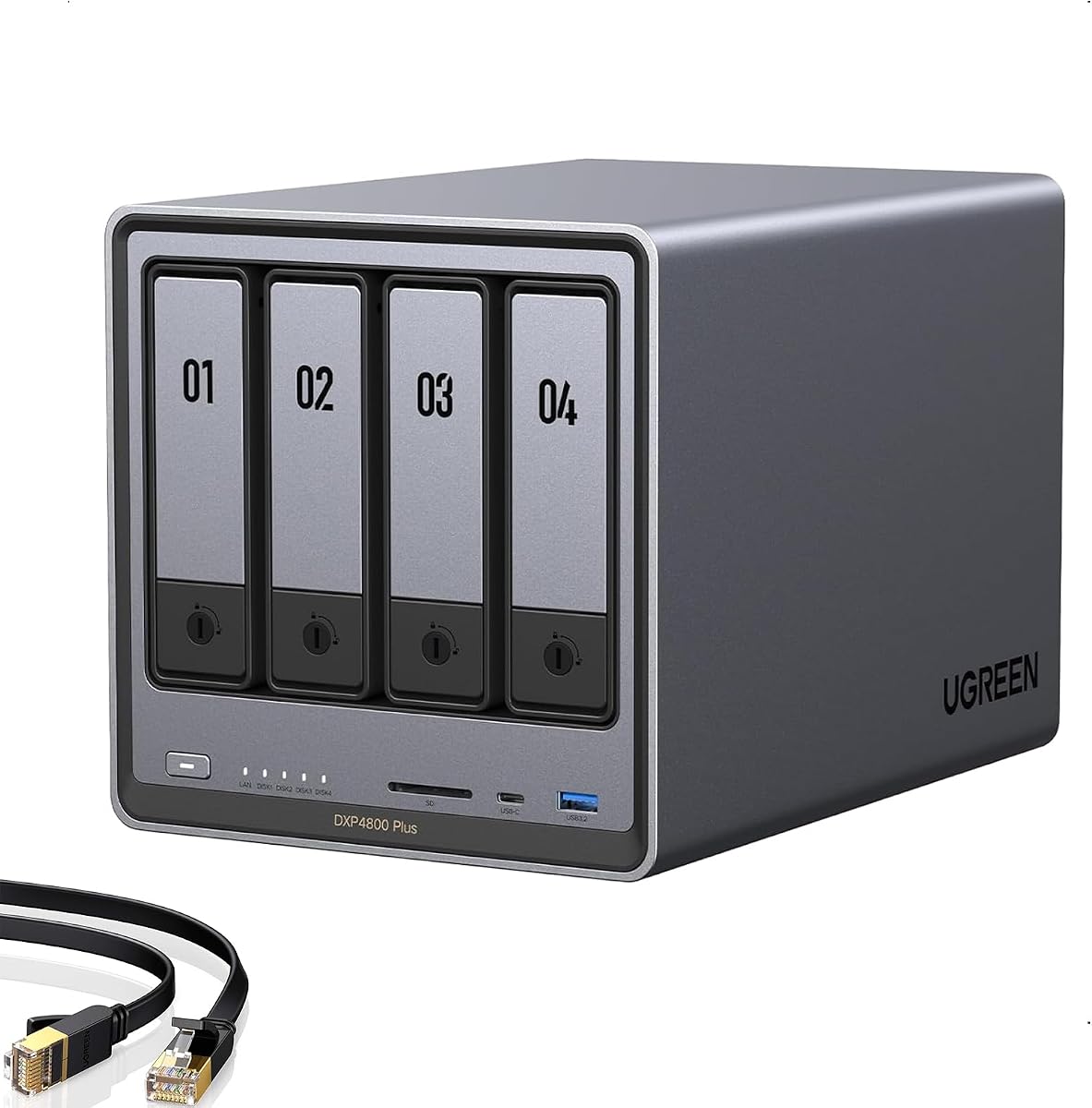
The UGREEN DXP4800 Plus is a 4-bay NAS designed for families or small teams needing collaboration features. It offers a smooth performance with advanced capabilities like Docker and virtual machines. It is ideal for growing digital libraries that require fast access.
We may earn a commission when you buy through this link, at no additional cost to you.
Its strengths include the ability to store up to 144TB of data and the inclusion of a 10GbE port for rapid backups. The AI photo album helps organize massive collections automatically. Flexible RAID options ensure data recovery is possible even if a drive fails.
A larger footprint and the cost of four drives can increase the total setup price. However the performance and capacity justify this for power users. It serves as a central hub for complex workflows.
If you need high-speed transfers and a lot of storage for professional projects this model is a strong recommendation. It balances performance and usability effectively for demanding tasks.
Back up a 1GB file in less than a second using the 10GbE network port or the 10Gbps USB ports for maximum speed.
Never worry about storage limits again with the ability to store up to 144TB of photos videos and files.
We may earn a commission when you buy through this link, at no additional cost to you.
Choosing the right network attached storage device requires understanding your storage needs technical comfort level and budget. This section breaks down the key factors to consider before making a purchase.
Determine how much storage you need now and how much you might need in the future. Most cheap NAS units come diskless so you must buy hard drives separately. If you have a large media library consider a model with multiple drive bays that can expand later.
The CPU and RAM determine how well the device handles tasks like media transcoding or running apps. Budget models often use basic processors suitable for simple file storage. If you plan to run Docker containers or virtual machines look for a stronger processor and at least 8GB of RAM.
Check the network ports on the device to ensure it matches your internet setup. Standard 1GbE ports are fine for basic backups but 2.5GbE or 10GbE ports provide faster transfer speeds. This is essential for editing large video files directly from the NAS.
The software platform is what makes the NAS easy to use or difficult to configure. Established brands often offer intuitive interfaces with built-in apps for photos and backups. Ensure the operating system supports your devices like Mac Windows or Linux for seamless access.
Data protection is critical to prevent losing important files to hardware failure or accidental deletion. Look for RAID support which allows you to mirror data across multiple drives. Automated backups and snapshots add extra layers of safety for your valuable content.
Security features ensure your data remains private and protected from unauthorized access. Two-factor authentication and encryption are essential for remote access. Some models offer certified security standards to guarantee your data is safe during storage and transit.
Since a NAS runs 24/7 energy efficiency helps reduce electricity costs over time. Quiet operation is also important if the device will be in a living room. Look for models with fanless designs or quiet cooling systems to avoid noise disturbance.
A good warranty protects your investment in case of hardware defects. Check the length of the warranty and the availability of customer support. Long warranties often indicate higher confidence in the product's reliability and durability.
Setting up your NAS involves connecting it to your router via an Ethernet cable and installing the provided hard drives. Follow the initial setup wizard to create an administrator account and configure your network settings. This process usually takes less than thirty minutes for most models.
Once set up organize your files by creating separate folders for different categories like photos documents or media. Set up automated backups on your computers and phones to ensure data is saved regularly. This step protects your data without requiring manual intervention.
To care for your device keep it in a well-ventilated area away from direct sunlight or heat sources. Clean the air vents periodically to prevent dust buildup that could cause overheating. Regular software updates will also keep the system secure and running smoothly over time.
Most affordable NAS units are sold diskless meaning they do not include hard drives. You will need to purchase compatible drives separately to use the device. Always check the product description to confirm if drives are included or sold separately.
Yes many cheap NAS devices support media streaming apps like Plex or DLNA. This allows you to stream 4K movies and music directly to your smart TV or media player. Ensure the model has enough processing power to handle transcoding if needed.
A NAS gives you full ownership of your data which can be safer for privacy-conscious users. However you are responsible for your own security updates and physical safety. Cloud services offer redundancy but require trusting a third party with your personal files.
Most modern NAS devices allow remote access through a mobile app or web browser. This lets you view or download files from anywhere as long as you have an internet connection. Always use strong passwords to secure your remote access.
If you configure RAID mirroring the data remains safe on the second drive even if one fails. You can then replace the broken drive and rebuild the array without losing data. Without RAID setup you might lose data so backups are essential.
Yes most entry-level NAS devices come with user-friendly setup wizards that guide you through the process. You typically just need to connect it to your router and follow on-screen instructions. Detailed manuals and support are usually available online for assistance.
Choosing a network attached storage device is a smart way to protect your data and save on subscription fees. The top picks in this guide offer a range of options from simple backups to advanced server capabilities. Consider your specific needs like speed or storage capacity before buying.
For beginners a user-friendly model with easy setup and reliable software is key. Power users should look for features like Docker support and faster network ports to handle complex tasks. The right choice depends on how you plan to use the device daily.
Prices and availability can change so always check current stock and offers before finalizing your purchase. Investing in a reliable device now will save you time and effort managing your digital life in the future. Start building your private cloud today.