
Brother HL-L2405W
4.1Editor score
Compact dual-band wireless design
30 pages per minute speed
250-sheet paper tray capacity
Mobile print and scan support
This guide compares the top ten Brother laser printer models available in October 2026, evaluating their performance, connectivity features, and value for
Finding the right printer can transform your daily workflow significantly. A reliable laser printer delivers sharp text, fast speeds, and lower costs per page compared to inkjet alternatives. Whether you need a simple home office unit or a robust business solution, Brother offers a wide range of options to fit every budget and requirement.
We have analyzed ten current models based on speed, connectivity, paper handling, and overall user satisfaction. Our evaluation considers real-world performance metrics, warranty support, and the flexibility of mobile printing capabilities. This list covers monochrome and color options, ensuring you find a device that matches your specific printing demands without unnecessary features.
Each selection highlights key strengths and potential trade-offs to help you make an informed decision. Prices and availability fluctuate frequently, so checking current listings is always recommended before purchasing. We provide detailed insights into what makes each model stand out in a crowded market of office technology solutions.
4.1Editor score

4.1Editor score

4.0Editor score
This side-by-side comparison highlights the key specifications and capabilities of ten leading Brother laser printer models available in the current market. By examining speed, connectivity options, and multifunction features, you can quickly identify which device aligns best with your specific volume and quality requirements for professional or personal use.



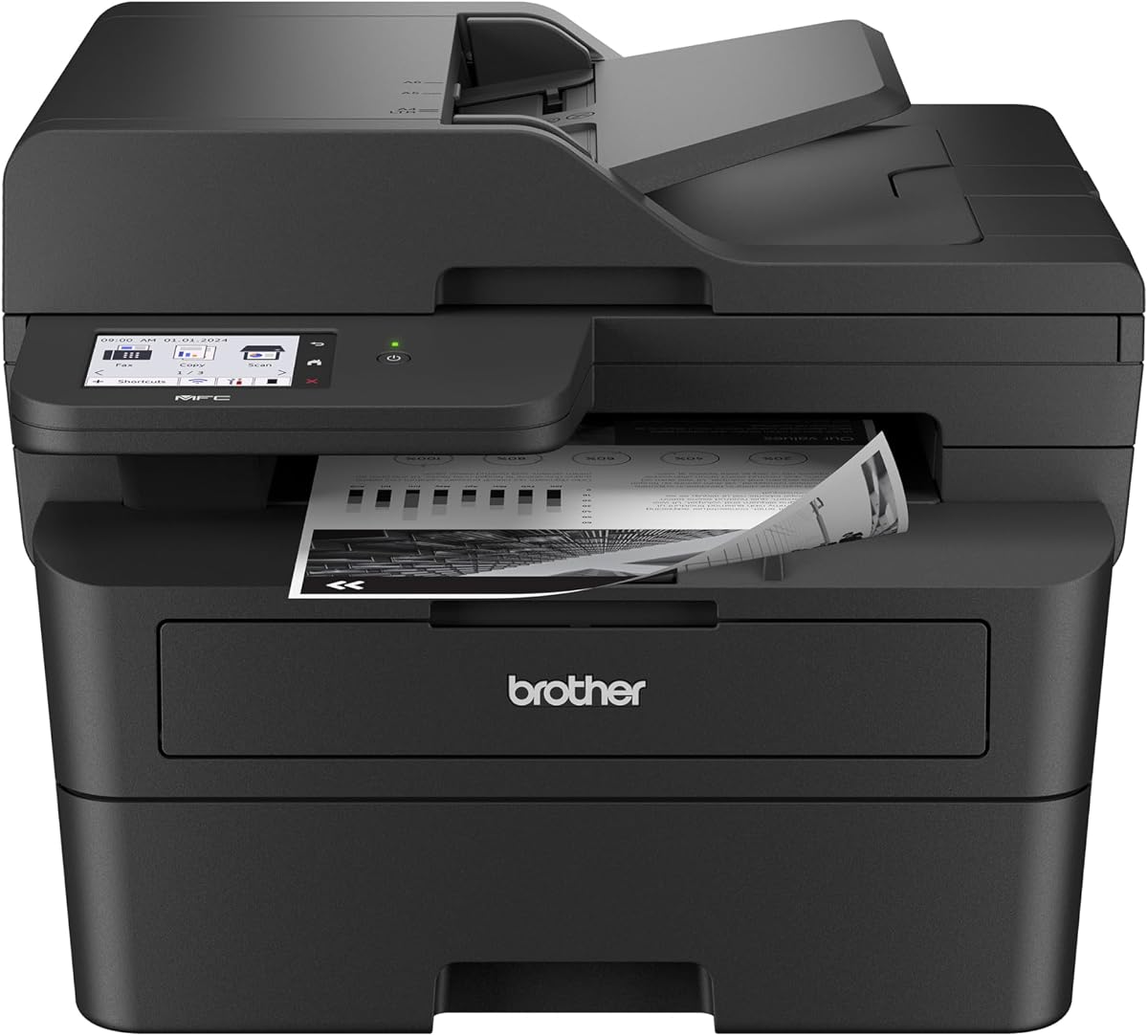


The Brother DCP-L2640DW stands out as the top choice for users needing a reliable all-in-one device without breaking the bank. With a 4.1-star rating from many verified buyers, it consistently delivers fast performance and sharp text quality. This model is engineered specifically for small businesses and home offices that require more than just basic printing capabilities.
We may earn a commission when you buy through this link, at no additional cost to you.
Its standout quality lies in the combination of speed and versatility. At 36 pages per minute, it handles high-volume tasks efficiently. The included auto document feeder saves significant time when copying or scanning multi-page documents. Connectivity is flexible with dual-band wireless and Ethernet options, ensuring stable connections even in busy office environments.
While it lacks fax capabilities, most modern workflows do not require physical faxing. The trade-off allows for a more compact design and lower cost compared to full MFC models. Toner subscription services further reduce long-term operational costs, making this an economical choice for continuous daily use.
You should buy this printer if you need a balance of speed, functionality, and cost. It is ideal for users who print, copy, and scan frequently but do not require color output. The strong warranty support and proven reliability make it a safe investment for any professional setting.
The printer combines laser printing scanning and copying into one unit to streamline your desk space. With a 50-page auto document feeder, you can process stacks of documents quickly without manual intervention for each page.
Dual-band wireless ensures a stable connection that reduces dropouts during critical printing tasks. The Mobile Connect app lets you print from your phone or tablet easily while tracking toner levels remotely to avoid running out of supplies.
We may earn a commission when you buy through this link, at no additional cost to you.
The Brother HL-L2405W is the perfect entry point for anyone needing a dedicated laser printer without extra features. With a 4.1-star rating, it is praised for its consistent performance and cost-effective operation. This model is best suited for home users or small teams who only need to print documents frequently.
We may earn a commission when you buy through this link, at no additional cost to you.
Its primary strength is simplicity and speed. It prints at 30 pages per minute, which is impressive for a budget model. The compact design fits easily on small desks or shelves. Wireless connectivity allows multiple devices to access the printer easily, making it a great choice for shared family or office networks.
The lack of scanning or copying means you cannot digitize documents directly. However, for pure printing tasks, it offers exceptional value. The built-in Alexa support allows for voice commands which can speed up simple workflows without needing a computer.
Buy this printer if your main goal is efficient document printing on a tight budget. It avoids the cost of unnecessary features while delivering quality output. It is an excellent choice for students, freelancers, or home offices focused solely on text output.
This printer uses a small footprint to save valuable desk space while maintaining full wireless capabilities. You can connect via dual-band Wi-Fi or USB to ensure seamless printing from any computer or mobile device in your home.
Designed for affordability, it uses high-yield toner to keep the cost per page low over time. The optional subscription service helps manage supplies automatically so you never face unexpected delays due to empty cartridges.
We may earn a commission when you buy through this link, at no additional cost to you.
The Brother MFC-L3720CDW brings professional color capabilities to the laser category with full multifunction support. Rated 4.0 stars by users, it is a top pick for businesses needing vibrant graphics alongside sharp text. This model excels where document presentation and comprehensive functionality are high priorities.
We may earn a commission when you buy through this link, at no additional cost to you.
Its main advantage is the combination of color printing and fax capabilities. The large color touchscreen simplifies navigation and allows direct access to cloud services. This reduces the need for constant computer interaction. The 250-sheet paper tray ensures uninterrupted workflow during high-volume days.
Speed is lower than monochrome models at 19 pages per minute, but the trade-off provides superior visual quality. Color toner costs are higher, but for professional branding needs, the results justify the expense. It is built to handle daily business tasks efficiently.
You should choose this printer if you need color and fax features without switching to inkjet. It is ideal for marketing teams or small businesses needing polished document outputs. The comprehensive feature set makes it a premium all-in-one workhorse for serious office use.
This device delivers stunning laser-quality color output that enhances reports and marketing materials. You can print vibrant graphics and crisp text to make your business documents stand out effectively against standard monochrome competitors.
Advanced connectivity allows multiple users to connect seamlessly via Wi-Fi Direct or network. The intuitive touchscreen with customizable shortcuts enables quick access to common cloud services for efficient document management across the office.
We may earn a commission when you buy through this link, at no additional cost to you.
The Brother HL-L2460DW offers a compact design with high-speed duplex printing ideal for busy environments. Users report a 4.0-star rating reflecting its consistent performance and ease of use. This model is tailored for small offices needing efficient printing without a full multi-function setup.
We may earn a commission when you buy through this link, at no additional cost to you.
It prints at 36 pages per minute with automatic duplex saving paper and money. The compact size fits on almost any desk without taking up much room. Connectivity options are flexible with dual-band wireless allowing seamless access for laptops and mobile devices.
Lacking a scanner limits document digitization capabilities. However, it focuses on speed and efficiency for pure print jobs. The inclusion of Alexa support allows for voice-activated printing which can streamline tasks for remote workers.
Buy this printer if you need speed and space savings above scanning features. It is perfect for home offices or teams focused on high-volume text printing. Its balance of price and performance makes it a strong contender in the compact laser category.
Automatic duplex printing saves time and reduces paper waste by handling two-sided documents automatically. This feature helps lower operational costs while maintaining professional presentation standards for all your printed materials.
Flexible wireless options ensure you can print from any device on your network without complex setup. The companion app allows you to manage jobs remotely ensuring your workflow stays uninterrupted even when you are away from your desk.
We may earn a commission when you buy through this link, at no additional cost to you.
The Brother MFC-L2820DW is a robust all-in-one solution rated 4.3 stars by users for its reliability and speed. It handles print, scan, copy, and fax tasks efficiently making it suitable for small offices needing comprehensive functionality. The compact design fits well in constrained spaces.
We may earn a commission when you buy through this link, at no additional cost to you.
It offers fast scanning and a 50-page auto document feeder for quick batch processing. The touchscreen interface makes navigation easy and supports direct cloud access for scanning to services like Google Drive. This reduces the need to route scans through a computer.
While it is limited to black and white, the speed and fax capability add significant value. Some users may find the touchscreen slightly small compared to larger models. However, the overall utility and performance justify the investment for general business use.
You should choose this printer if you need faxing and scanning with solid print speed. It is ideal for small businesses that require all essential functions without color output. The strong user feedback and support make it a dependable choice for daily operations.
The included auto document feeder allows for quick scanning of multiple pages without manual intervention. With speeds up to 23.6 pages per minute for black documents you can process large files rapidly to keep your workflow moving smoothly.
Multiple connection methods ensure the printer fits into any office network setup. You can use dual-band wireless or Ethernet for stability while the touchscreen provides easy access to cloud services for direct document storage.
We may earn a commission when you buy through this link, at no additional cost to you.
The Brother HL-L3220CDW brings color capabilities into a compact package suitable for professional home offices. It has a 3.9-star rating indicating decent performance with room for improvement. This model is designed for users who need color output without needing a full multi-function suite.
We may earn a commission when you buy through this link, at no additional cost to you.
It prints at 19 pages per minute with automatic duplex saving paper and costs. The 250-sheet paper tray minimizes refills for daily use. Built-in wireless security ensures sensitive documents are protected during transmission across your network environment.
While the rating is slightly lower than mono models it still delivers vibrant graphics for professional reports. The compact size fits well in home settings. Mobile compatibility allows easy printing from tablets and phones without needing a dedicated server.
Buy this printer if you need color output in a compact and affordable laser unit. It is suitable for small offices or creatives needing to print colored drafts. The reliable connectivity ensures your devices stay connected without constant reconfiguration.
This printer delivers stunning business documents with crisp text and vibrant graphics. It transforms your home office into a productivity powerhouse by allowing you to print professional marketing materials and reports in color.
Advanced wireless capabilities ensure seamless printing from any device while safeguarding your data. You can print securely from laptops or smartphones ensuring sensitive business documents remain protected throughout the transmission process.
We may earn a commission when you buy through this link, at no additional cost to you.
The Brother HL-L2480DW is highly rated at 4.5 stars for its efficiency and reliable multi-function performance. It is engineered for small offices and work-from-home setups needing print, scan, and copy in one device. The compact design saves space while maintaining robust capabilities.
We may earn a commission when you buy through this link, at no additional cost to you.
Its standout features include a touchscreen for easy navigation and fast speeds. The 50-page auto document feeder allows quick copying and scanning of multi-page files. Dual-band wireless ensures stable connections for multiple devices sharing the printer across your network.
It handles high-volume jobs efficiently with a 250-sheet tray. While it lacks fax functions, the scanning capabilities are advanced. Manual feed slots allow printing on envelopes and specialty media without jams or issues.
Choose this printer if you want high satisfaction and solid multi-function features. It is ideal for teams needing fast scan and print without faxing. The touchscreen and mobile app support make document management simple and efficient for daily tasks.
This model combines printing scanning and copying into one compact footprint. The flatbed scan glass ensures high-quality image capture while the auto document feeder allows rapid batch processing of multi-page documents.
The large touchscreen simplifies complex tasks like scanning to cloud services. You can directly access Google Drive or Dropbox to save scans without needing to use your computer for file transfer.
We may earn a commission when you buy through this link, at no additional cost to you.
The Brother MFC-L2900DW is a professional-grade device rated 4.2 stars for its high speed and energy efficiency. It targets small businesses needing reliable high-volume output with a user-friendly interface. The 3.5-inch touchscreen provides advanced navigation without needing a computer.
We may earn a commission when you buy through this link, at no additional cost to you.
It delivers 36 pages per minute with single-pass scanning for fast multi-page processing. The 50-page auto document feeder streamlines workflow significantly. Enhanced fuser technology reduces power consumption while maintaining fast warm-up times.
The larger touchscreen allows for complex tasks like cloud integration directly on the device. It is built for efficiency and sustainability making it a smart investment. The price is higher than basic models but the performance justifies the cost.
Buy this printer if you need speed and a professional interface for business use. It is ideal for teams with high document volumes. The energy efficiency and strong connectivity make it a top choice for modern office environments.
This printer delivers lightning-fast output with clear monochrome documents for daily needs. The single-pass scanning provides superior results and helps elevate your overall business efficiency significantly.
An enhanced fuser design reduces electricity consumption by a significant margin. Faster warm-up times from sleep mode and automatic duplex printing help reduce both environmental impact and operational costs.
We may earn a commission when you buy through this link, at no additional cost to you.
The Brother HL-6210DW is designed for heavy-duty office printing with a 4.1-star rating. It dominates high-volume tasks with exceptional speed and capacity. This model is ideal for departments needing uninterrupted professional-grade performance without frequent interruptions.
We may earn a commission when you buy through this link, at no additional cost to you.
It prints at 50 pages per minute with a massive 520-sheet tray. Security features ensure network protection for sensitive documents. Gigabit Ethernet provides high-speed data transfer for busy networks. Toner capacity is designed to reduce frequent replacements.
The build is robust for daily business use. While the price is high, the efficiency gains are significant. It offers expandable tray options for even larger capacity needs. Security standards are higher than home models.
You should buy this printer if your office demands maximum speed and security. It is ideal for legal or finance teams with large print jobs. The capacity and speed ensure no bottlenecks during peak production hours.
This printer delivers an impressive 50 ppm output speed ensuring high-volume jobs are completed efficiently. It is designed to dominate office tasks with exceptional precision for all your printing needs.
Advanced Triple Layer Security features safeguard your documents during transmission. Seamless integration with Gigabit Ethernet and dual-band Wi-Fi ensures efficient sharing across your business network.
We may earn a commission when you buy through this link, at no additional cost to you.
The Brother Work Smart 1360 is a compact inkjet option rated 3.8 stars for home use. It offers color printing and scanning at a low entry price. This model is best for users who need color and infrequent printing rather than high-volume tasks.
We may earn a commission when you buy through this link, at no additional cost to you.
It prints at 16 pages per minute with automatic duplex for home needs. The 20-sheet ADF is small but useful for occasional scanning. Mobile app support makes printing easy from phones. The 150-sheet tray is decent for light duty.
Inkjets generally have higher costs per page than lasers. However, the low upfront cost makes it accessible. It is not recommended for heavy business use but works for home schools. Connectivity is simple but effective.
Buy this printer if you need color and low upfront costs. It suits home offices with low volume needs. If you print frequently you should consider the laser models above for better value.
Designed for everyday home office printing it includes essential features like scan and copy. The compact design fits easily in small spaces while delivering beautiful prints for schoolwork or general documents.
Cloud app connections allow you to print directly from services like Google Drive. The companion app provides easy menu navigation for printing and monitoring ink usage to prevent running out.
We may earn a commission when you buy through this link, at no additional cost to you.
Choosing the right printer requires understanding your specific printing volume and feature needs. This guide breaks down the essential factors to consider before making a purchase.
Assess how many pages you print per month. High-volume environments benefit from faster printers like the HL-6210DW which offers 50 ppm. For occasional users, a 30 ppm model is sufficient and more cost-effective.
Prioritize speed if you often print large documents or serve multiple users. Slower printers may cause bottlenecks in busy offices.
Decide if you need more than just printing. Models like the MFC series include scanning copying and faxing. If you only need to print choose a standalone unit like the HL-L2405W to save money.
All-in-one devices are valuable if you digitize papers frequently. Otherwise stick to single-function printers for simplicity.
Modern offices require versatile connections. Look for dual-band Wi-Fi Ethernet and USB options. Mobile compatibility is essential for printing from phones or tablets remotely.
Ensure the printer supports standard protocols like AirPrint or Mopria if you use non-Brother devices.
A larger paper tray reduces refill frequency. Standard 250-sheet trays are common but high-volume models offer 500 or more sheets. An ADF is vital for scanning multi-page documents efficiently.
Consider optional trays if your volume grows. Flexible feeding helps avoid jams during heavy use.
Laser toners generally cost less per page than ink. Look for high-yield cartridge options to reduce frequent replacements. Subscription services can automate ordering and lower overall costs.
Calculate the cost per page based on cartridge yield. Budget models may have cheaper upfront costs but higher toner costs.
Business printers need robust security to protect sensitive data. Models like the HL-6210DW offer multi-layer security including secure print and network encryption. These prevent unauthorized access to your documents.
Ensure the printer supports current network standards. Security features are vital for corporate environments handling confidential info.
Check if the printer fits your desk or workspace. Compact models like the DCP-L2640DW save space without sacrificing features. Heavier models may require dedicated stands or floors.
Consider noise levels if the printer is in a quiet office. A small design helps maintain a professional look.
Check the warranty length and support options. Most Brother models come with a one-year limited warranty plus free online support. Reliable support ensures you can resolve issues quickly.
Look for extended warranty options if you plan heavy use. Quality support reduces downtime significantly.
To ensure optimal performance, always use genuine Brother toner cartridges. Genuine cartridges ensure consistent quality and prevent errors. Refilled cartridges often lead to leaks or poor print quality.
Keep the printer in a cool dry place to avoid humidity issues. Dust the exterior regularly to maintain airflow and heat dissipation. Cover the printer when not in use to prevent dust accumulation inside.
Update firmware regularly through the Brother support site. Updates improve security and add new features. Restart the printer weekly to clear memory and prevent software glitches.
Yes, for high-volume printing, laser printers are more cost-effective due to lower cost per page. They also print faster and are less prone to clogged nozzles. For occasional color needs, inkjet may still be better.
Most modern Brother laser printers support AirPrint for seamless iOS and Mac printing without extra software. Check specific model compatibility on the Brother website before buying. Wireless settings may need configuration during setup.
You can use third-party toners but Brother does not guarantee performance. Non-genuine cartridges may void warranties or cause errors. Genuine cartridges are recommended for reliability and best print quality results.
Automatic duplex prints on both sides automatically without intervention. Manual duplex requires you to flip the paper manually. Automatic duplex saves time and ensures perfect alignment for professional documents.
Open all access doors gently and remove jammed paper. Check for torn pieces inside the paper path. Ensure the paper tray is not overloaded and guides are adjusted correctly for paper size.
Yes, most models include a manual feed slot for envelopes. Use the envelope mode in the driver settings. Do not use glossy envelopes which may melt inside the printer.
Brother provides drivers for most Linux distributions. You can download packages from their support site or use IPP/USB. Community support is available if official drivers are unavailable.
Most models come with a standard one-year limited warranty. This covers defects in materials and workmanship. You can purchase extended warranties for additional coverage and peace of mind.
We reviewed ten top models offering speed reliability and features for every budget. The DCP-L2640DW stands out as the best all-in-one while the HL-L2405W is the top budget choice.
Prioritize speed and multifunction features if you print frequently. For simple needs, a basic unit saves money. Always consider long-term toner costs and connectivity needs before buying.
Remember to check current prices and stock before purchasing. Deals change frequently so verify availability. We hope this guide helps you find the perfect printer for your needs.