
TONGVEO 3-in-1 4K Webcam
4.0Editor score
Integrated mic and speaker
AI auto framing
5X digital zoom
This expert guide compares the top ten auto tracking conference camera systems for quality video conferencing, AI framing, and seamless meeting integration.
Modern work relies heavily on clear communication across distances. Choosing the right auto tracking conference camera ensures every participant is seen and heard without manual adjustments. These systems use advanced AI to follow speakers, maintain framing, and deliver professional quality for meetings.
We analyzed ten top models based on resolution, zoom capabilities, audio quality, and AI tracking accuracy. Our comparison focuses on systems that offer reliable performance for small to large rooms. Each product was evaluated on ease of setup, compatibility with platforms, and overall value.
Each pick in this guide highlights key strengths and ideal use cases for different environments. From budget-friendly webcams to professional PTZ kits, there is a solution for every team. Please note that product availability and pricing can change over time.
4.0Editor score

4.8Editor score

4.6Editor score
The following table provides a side-by-side comparison of all ten products. It highlights key specifications to help you choose the right system for your room size and technical requirements.




This TONGVEO system combines a 4K PTZ camera with a wireless Bluetooth speakerphone to deliver a complete video conferencing experience. It holds a strong rating from users who value clarity and ease of use in professional settings.
We may earn a commission when you buy through this link, at no additional cost to you.
The standout feature is the advanced AI auto-tracking which uses facial recognition to keep speakers centered without manual intervention. The 4K output at 30fps via HDMI and 1080P via USB3.0 ensures high-resolution visuals for remote attendees.
While the audio system is robust with four omnidirectional microphones, users should ensure their environment allows for Bluetooth connectivity or have the USB dongle ready. The system requires setup for both camera and audio components but remains straightforward.
Teams looking for a reliable all-in-one solution for small to medium rooms should consider this kit. The combination of high video quality and flexible audio options makes it a top choice for hybrid meetings.
The 4K sensor delivers sharp details, ensuring that documents and facial expressions are visible during presentations.
With USB, Bluetooth, and wireless dongle options, the speakerphone adapts to various room layouts and device preferences.
We may earn a commission when you buy through this link, at no additional cost to you.
Designed for compact spaces, this webcam offers AI auto framing and tracking to keep everyone in view. It is certified by Zoom, which guarantees seamless performance on that platform without extra configuration.
We may earn a commission when you buy through this link, at no additional cost to you.
The dual AI noise-canceling microphones help reduce background noise, while the 120 degree wide angle lens captures the entire room without repositioning. This makes it ideal for small huddle rooms or desks.
The rating is slightly lower than other entries, possibly due to minor connectivity issues or limitations in zoom functionality. However, the convenience of plug-and-play setup remains a major plus for casual users.
Teams prioritizing Zoom compatibility and simplicity for small meetings will appreciate this tool. It balances functionality with a compact design that fits well on most monitor setups.
Official certification for Zoom ensures driver-free operation and optimized performance on video calls.
A physical lens cover provides peace of mind for shared office environments.
We may earn a commission when you buy through this link, at no additional cost to you.
This model prioritizes fluid motion with a 60fps output, making it suitable for scenarios where smooth tracking is critical. The system includes a Bluetooth speakerphone to ensure voices are heard clearly across the room.
We may earn a commission when you buy through this link, at no additional cost to you.
The 1080P resolution with 60fps provides a very smooth visual experience, which can be preferable to 4K at lower frame rates. It supports HDMI and USB3.0 for versatile connection options to various devices.
While 1080P is not as detailed as 4K, the smoothness and audio quality compensate well for standard meeting needs. Users should note that the camera is wired while the speakerphone is wireless.
This solution works well for teams needing reliable motion tracking without the complexity of higher resolutions. It fits small to medium rooms effectively and offers solid performance for daily calls.
60fps ensures smooth panning and tracking, reducing lag during active presentations.
Full duplex microphones allow natural conversations without echo or audio interruption.
We may earn a commission when you buy through this link, at no additional cost to you.
A unique feature of this system is its support for gesture control, allowing users to toggle tracking with simple hand signals. This adds an interactive element to meetings and presentations without needing extra hardware.
We may earn a commission when you buy through this link, at no additional cost to you.
The camera supports 4K resolution and 120 degree wide angle, ensuring broad coverage. It includes a speakerphone set to handle audio needs, making it a complete solution for video collaboration.
Users may need time to learn the specific gestures for tracking and zooming. Additionally, digital zoom can reduce image quality compared to optical zoom models available in this comparison.
For interactive sessions where engagement is key, the gesture features offer a distinct advantage. It is a good option for training workshops or dynamic meeting environments.
Hand gestures allow easy control of the camera settings without touching a device.
A 120 degree angle ensures all participants are visible in the frame.
We may earn a commission when you buy through this link, at no additional cost to you.
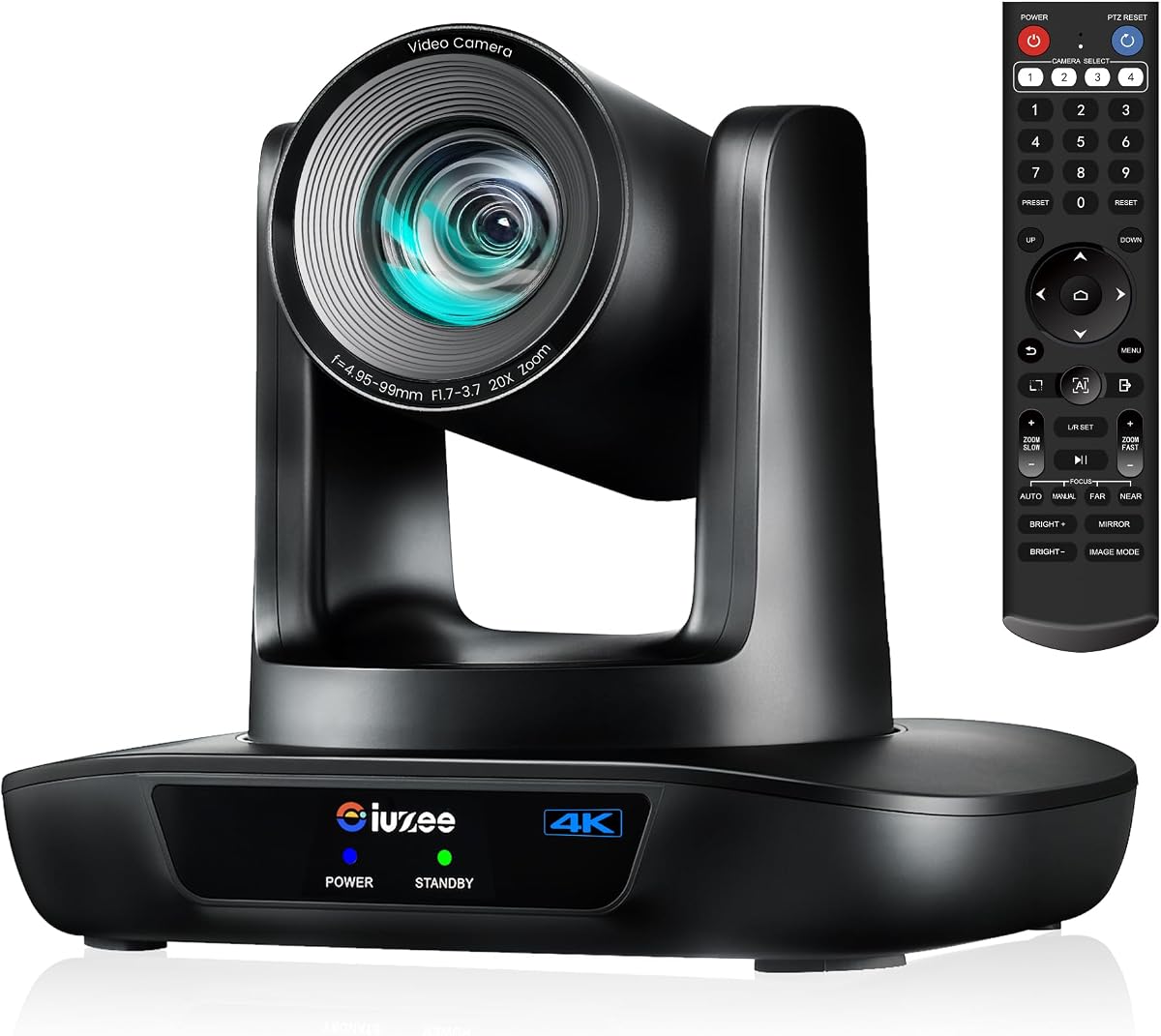
This kit stands out for its 20X optical zoom, allowing clear close-ups of speakers even from the back of large rooms. The support for LAN and PoE simplifies installation by combining power and data over one cable.
We may earn a commission when you buy through this link, at no additional cost to you.
Ideal for venues like churches or large halls, the camera tracks speakers smoothly and delivers 4K resolution. The included speakerphone ensures audio pickup over a wide area, complementing the video capabilities.
The higher price and need for network infrastructure might be overkill for small home offices. However, for professional setups requiring distance coverage, the investment is justified.
Venues needing reliable long-distance zoom and clean cable management should choose this system. It balances high-end features with plug-and-play ease for standard connections.
20X optical zoom maintains clarity when capturing distant subjects without pixelation.
PoE support reduces clutter by delivering power through the network cable.
We may earn a commission when you buy through this link, at no additional cost to you.
Designed for broadcast and streaming, this camera supports IP protocols like RTMP and RTSP for direct streaming. It offers 20X optical zoom and 4K resolution, making it powerful for professional video production.
We may earn a commission when you buy through this link, at no additional cost to you.
Users should be aware that this model does not include a built-in microphone, so external audio is required. This makes it a dedicated video source rather than an all-in-one conference system.
The advanced AI tracking and smooth PTZ movement ensure high-quality broadcasts. The high rating reflects its reliability and performance in demanding environments.
Production teams and streamers will benefit from the network features. It is an excellent choice for scenarios where video quality and streaming integration are top priorities.
Support for streaming protocols allows direct integration with streaming software and platforms.
A 3-year limited warranty provides confidence in long-term performance.
We may earn a commission when you buy through this link, at no additional cost to you.
This camera is a powerhouse for professional production, featuring official NDI integration and SDI outputs. It supports 4K resolution and 20X zoom, making it suitable for high-end conference and worship environments.
We may earn a commission when you buy through this link, at no additional cost to you.
The inclusion of NDI allows seamless network-based video workflow, while SDI ensures reliable long-distance signal transmission. These features cater to broadcast studios and large venues.
The cost and complexity may be higher than standard conference cameras, but the quality justifies it for pro users. The high rating confirms its reliability and performance in critical applications.
Production houses needing NDI and SDI will find this camera indispensable. It brings studio-grade quality to conference rooms and live event streaming.
SDI outputs allow for cable runs up to 300ft without signal loss.
NDI support simplifies integration with switching software and streaming tools.
We may earn a commission when you buy through this link, at no additional cost to you.
This model focuses on clarity and flexibility with 20X zoom and auto tracking. It supports multiple interfaces including HDMI, USB, LAN, and PoE, making it adaptable for classrooms and offices.
We may earn a commission when you buy through this link, at no additional cost to you.
The camera tracks presenters automatically and allows preset positions for quick access. Its build quality is durable, designed for professional daily use in varied environments.
While it offers solid performance, users must be mindful of resolution settings during setup to ensure compatibility. Overall, it provides a reliable foundation for video collaboration.
Educational institutions and small businesses can benefit from its zoom and tracking capabilities. It balances performance and cost for professional meeting needs.
Multiple connection options allow the camera to fit into existing AV setups.
Presets enable instant switching between different view angles.
We may earn a commission when you buy through this link, at no additional cost to you.
Built for larger spaces, this all-in-one system uses AI auto framing and a 120 degree lens to capture everyone. It includes built-in speakers and a 4-mic array, eliminating the need for extra audio devices.
We may earn a commission when you buy through this link, at no additional cost to you.
The high rating reflects its effectiveness in reducing clutter while delivering professional audio and video. Its design simplifies deployment in meeting rooms where cables are a concern.
While powerful, the fixed nature means it is less adaptable than separate PTZ components. However, for standard conference rooms, it offers significant convenience.
Organizations with large meeting spaces looking for a streamlined setup will find this system ideal. It delivers consistent quality without complex integration.
Integrated audio and video components reduce the need for external devices.
Advanced microphones filter background noise for clearer communication.
We may earn a commission when you buy through this link, at no additional cost to you.
This compact webcam combines a microphone, speaker, and camera in one unit. It offers AI auto framing and adjustable field of view modes, making it versatile for solo or group calls.
We may earn a commission when you buy through this link, at no additional cost to you.
With no drivers required and a privacy cover included, it is user-friendly for everyday use. The remote control adds convenience for managing settings during meetings.
The digital zoom limits reach compared to optical models but is sufficient for close-range meetings. It is a cost-effective solution for individuals or small teams.
Users seeking a simple, plug-and-play webcam for regular use should consider this option. It balances basic features with ease of use for daily tasks.
No driver installation is needed for immediate use across platforms.
A built-in cover secures the lens when not in use.
We may earn a commission when you buy through this link, at no additional cost to you.
Selecting the right auto tracking conference camera involves assessing your room size, technical needs, and budget. This guide outlines the key factors to help you make an informed decision.
Resolution determines the clarity of your video feed. Opt for 4K if you need to share detailed documents or work in large spaces. For smaller meetings, 1080P may suffice and often comes with smoother frame rates.
Prioritize 4K for professional presentations where detail matters.
Advanced AI algorithms track speakers using facial or human recognition. Ensure the camera supports smooth tracking and auto framing to avoid interruptions during dynamic discussions.
Look for models with precise face recognition for natural movement.
Optical zoom maintains image quality when enlarging the view, whereas digital zoom may degrade pixels. Choose a camera with optical zoom if you need to capture subjects from a distance.
Optical zoom is essential for clear long-distance shots.
Good audio is as vital as video. Consider whether the camera includes built-in microphones or if a separate speakerphone is needed. Noise cancellation and multiple mics improve clarity.
Choose systems with full-duplex audio to prevent echo.
Check compatibility with your existing setup. Support for HDMI, USB3.0, and LAN offers flexibility. PoE can simplify cabling by combining power and data.
Ensure ports match your computer or conferencing hardware.
Your camera should work seamlessly with platforms like Zoom, Teams, or OBS. Certifications and driver-free support are key for stable performance without extra steps.
Verify official certification for your primary meeting software.
Mounting options like wall, ceiling, or tripod mounts determine where the camera can be placed. Ensure the model fits your physical space and mounting requirements.
Select a camera with multiple mounting brackets for versatility.
Invest in a device that balances cost with longevity. Reliable support and warranties, such as 3-year coverage, protect your investment against defects or failures.
Check warranty terms before finalizing your purchase decision.
Start by connecting your camera via USB, HDMI, or LAN depending on your setup. Ensure your computer recognizes the device and install any drivers if required for advanced features.
Use the remote control or software settings to adjust tracking modes and zoom levels. Calibrate the camera so that speakers remain centered during meetings for the best experience.
Regularly clean the lens with a soft cloth to maintain image quality. Store the device in a dry place and cover the lens when not in use to prevent dust accumulation.
An auto tracking conference camera uses artificial intelligence to detect and follow speakers in a room. It keeps the active presenter in focus without manual operation, ensuring smooth and professional video calls.
Most advanced models support tracking for multiple people, focusing on the active speaker. Some can switch between tracking modes to highlight individuals or capture group views dynamically.
It depends on the model. Some all-in-one systems include built-in microphones, while others require a separate speakerphone. Check the specs to ensure audio coverage meets your room needs.
Yes, most auto tracking cameras are designed to work with major platforms. Look for Zoom certification or compatibility statements to ensure seamless integration.
Optical zoom uses lenses to magnify the image without losing quality, while digital zoom crops the image and reduces resolution. Optical zoom is better for clear close-ups.
Basic functions work via plug-and-play, but advanced tracking or presets may require software. Some cameras also offer web browser controls for configuration.
Installation varies by model but often includes mounting brackets. Secure it on a desk, wall, or ceiling. Connect cables for power and data, then configure tracking in settings.
Check lighting conditions and obstructions. Ensure the camera firmware is updated and that the software platform supports the tracking features. Restarting the device often resolves glitches.
This guide has reviewed ten top auto tracking conference camera systems. The TONGVEO 4K Conference Room Camera System stands out for its balanced performance, while the NDI model leads for broadcast needs.
When deciding, prioritize features that match your meeting size and technical infrastructure. Clear audio and reliable tracking are essential for a professional and productive collaboration experience.
Always check current availability and warranty details before purchasing. The right camera can transform your remote meetings and support your team effectively.