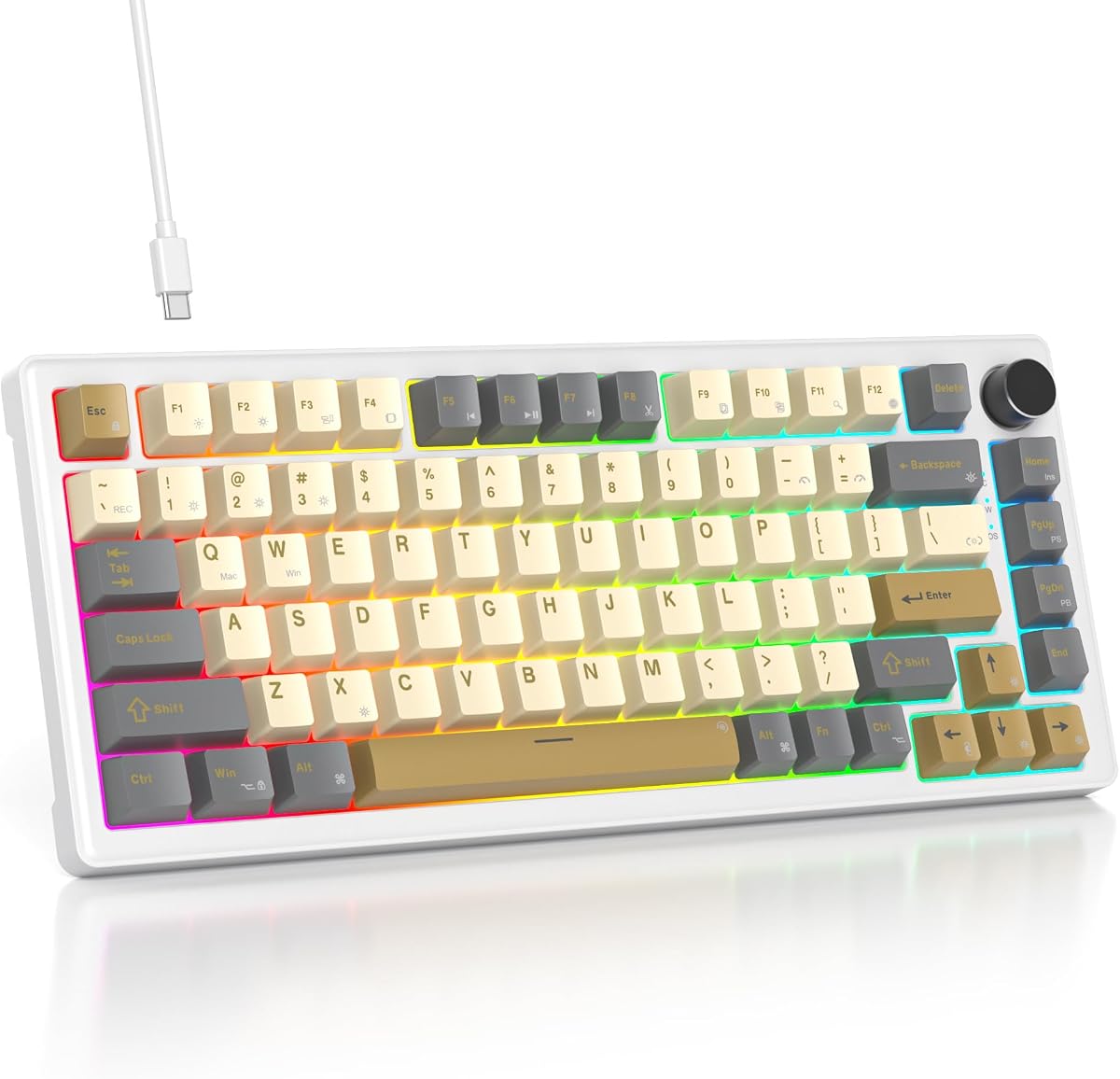
75% Retro Mechanical Keyboard Gasket with Knob
4.6Editor score
Gasket mount design
Pre-lubed linear switches
Full-key macro programming
Explore our top picks for 75 percent mechanical keyboards in October 2026. We compare features, build quality, and performance to help you choose the best
Finding the right keyboard can transform your daily workflow or gaming setup. The 75 percent layout offers a sweet spot between compactness and functionality, keeping essential keys while saving desk space for smooth mouse movement and efficient typing.
We evaluated ten standout models based on build quality, switch performance, connectivity options, and customization features. Our analysis covers wired and wireless variants, gasket mounts, hot-swappable designs, and unique add-ons like knobs or screens to match diverse user preferences.
Each pick highlights specific strengths such as acoustic tuning, battery life, or software support. Note that pricing and availability fluctuate frequently, so verify current details before purchasing. This guide helps you identify the board that aligns with your typing style and budget needs.
4.6Editor score

4.6Editor score

4.6Editor score
This side-by-side comparison breaks down the key specifications and unique features of each model to help you quickly identify which board fits your specific needs and workflow requirements.


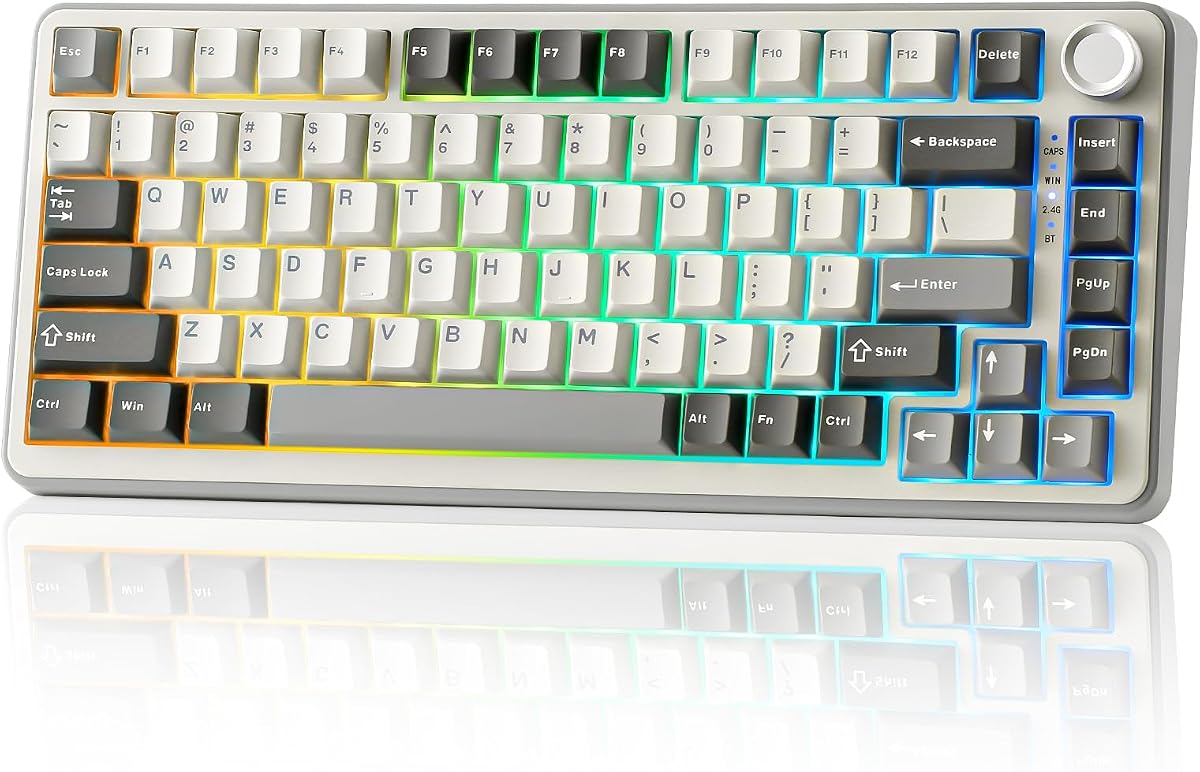


The AULA F75 Pro stands out as a top contender in the 75 percent mechanical keyboard market. With a solid 4.6 rating, it delivers premium features like tri-mode connectivity and hot-swap capabilities without breaking the bank. Its refined build quality ensures durability while maintaining a sleek aesthetic.
We may earn a commission when you buy through this link, at no additional cost to you.
This keyboard shines with its advanced structure that includes five layers of sound-dampening material. The pre-lubed Reaper switches provide a creamy typing experience right out of the box. Users appreciate the multi-function knob for quick media control, making it versatile for both gaming and productivity tasks.
One minor trade-off is the software dependency for advanced customization. The driver works only on Windows, which might limit Mac users. However, the hardware functions independently, allowing seamless typing and basic adjustments via shortcuts. Most users find the convenience outweighs this limitation.
Anyone looking for a high-value wireless mechanical keyboard should consider the F75 Pro. Its blend of acoustic tuning, connectivity, and customization makes it ideal for gamers and professionals. If you want a reliable daily driver that saves desk space, this model delivers exceptional performance.
Five layers of silencer material reduce hollow sounds for a solid thocky feel.
Connect up to five devices via Bluetooth, 2.4GHz, or USB-C for seamless switching.
We may earn a commission when you buy through this link, at no additional cost to you.
The RK ROYAL KLUDGE R75 offers impressive value for users seeking a 75 percent mechanical keyboard on a budget. Its gasket mount design and pre-lubed cream switches deliver a comfortable typing experience that rivals more expensive models. The inclusion of a CNC metal knob adds a touch of luxury.
We may earn a commission when you buy through this link, at no additional cost to you.
Performance highlights include a 4000mAh battery that lasts nearly a week on a single charge. The hot-swap PCB supports 3-pin and 5-pin switches, letting you personalize the keyboard over time. RGB backlighting provides over 20 modes to match your workspace ambiance effectively.
While the switch stabilization is decent, it may benefit from additional lubrication for quieter use. The RGB brightness is functional but not the brightest available. These minor points do not detract from its overall value as a solid budget-friendly option for enthusiasts.
Buyers wanting to upgrade their desk setup without overspending will appreciate this keyboard. It suits those who enjoy tinkering with mechanical keyboards or need a reliable wireless tool. The R75 proves you don't need to spend much to get quality features.
CNC aluminum knob allows precise volume control and media toggling with tactile feedback.
Large 4000mAh battery supports days of use and extends further when RGB is disabled.
We may earn a commission when you buy through this link, at no additional cost to you.
The AULA S75 PRO elevates the 75 percent category with its integrated LCD screen and refined engineering. It combines premium features like tri-mode connectivity and advanced acoustic dampening into a compact form factor. Users love the ability to visualize settings without diving into software menus.
We may earn a commission when you buy through this link, at no additional cost to you.
This keyboard uses five layers of silencer material to create a solid thocky sound profile. The side-engraved PBT keycaps ensure legends shine through while maintaining durability. The multi-function knob works alongside the screen for seamless control over volume and lighting effects.
The screen feature requires driver software on Windows to customize GIFs or images. While the setup is straightforward, it adds a step to initial use. The higher price point reflects these advanced features, making it a top choice for those seeking unique customization options.
For power users who want visual feedback and premium build quality, the S75 PRO is unmatched. It suits gamers and creatives needing a versatile setup. If you value innovation and aesthetics alongside function, this keyboard delivers a standout experience.
LCD display shows battery, time, system stats, and custom GIFs for instant updates.
Multiple internal layers reduce cavity noise for a consistent quiet typing feel.
We may earn a commission when you buy through this link, at no additional cost to you.
This Retro Mechanical Keyboard offers a compelling option for those preferring a wired connection. Its five-layer padding and gasket mount provide a comfortable typing experience at an accessible price. The pre-lubed switches ensure smooth keystrokes immediately upon setup.
We may earn a commission when you buy through this link, at no additional cost to you.
The compact 75 percent layout includes essential arrow keys while freeing up desk space. Users appreciate the full-key macro programmability for custom tasks in games or productivity apps. RGB lighting adds flair with music rhythm effects for immersive sessions.
Being wired-only might limit users needing flexibility for mobile setups. Software options are simpler compared to wireless rivals. However, the reliability and performance justify these constraints for desktop-focused environments. It remains a strong budget pick for wired enthusiasts.
Ideal for writers or gamers wanting a stable setup without wireless complexity. The keyboard balances affordability with quality features. If you prioritize typing comfort and compact design, this model offers a reliable solution for daily use.
Internal padding ensures consistent feedback and reduces vibration during intense typing.
Space-saving layout maintains essential keys for optimal desk organization and comfort.
We may earn a commission when you buy through this link, at no additional cost to you.
The MageGee 75% delivers a straightforward mechanical experience for gamers seeking simplicity. Its red switches offer linear responsiveness ideal for rapid inputs. The blue LED backlight enhances visibility without complex color settings.
We may earn a commission when you buy through this link, at no additional cost to you.
Users benefit from full anti-ghosting and NKRO ensuring accurate inputs during intense sessions. The metal panel adds durability to the compact design. Setup requires no drivers, making it perfect for plug-and-play users who value convenience over customization.
The lack of hot-swap limits future modifications. Advanced lighting options are minimal compared to modern boards. These factors make it better suited for basic gaming or office tasks rather than enthusiasts seeking deep customization.
Best for budget-conscious buyers needing a reliable wired keyboard. If you prefer traditional features without software dependencies, this model fits well. It provides solid performance for its price point and usage scope.
Linear red switches allow fast tapping with minimal resistance for game control.
Metal panel construction ensures longevity and stability on any desktop surface.
We may earn a commission when you buy through this link, at no additional cost to you.
This Gasket-Mounted keyboard offers a strong foundation for customization with hot-swap sockets. PBT keycaps ensure durability and texture over time. The sound-absorbing pads create a quieter typing experience ideal for shared environments.
We may earn a commission when you buy through this link, at no additional cost to you.
RGB lighting can be tailored via software to match personal style. The 82-key layout keeps essential keys while maintaining a small footprint. Macro programming allows users to streamline repetitive tasks efficiently without hardware changes.
The lack of wireless support limits portability. Software features are functional but not as advanced as top-tier models. However, the hardware quality ensures a solid base for hobbyists willing to tweak switches or keycaps later.
Recommended for DIY enthusiasts who prioritize acoustic quality and customization. It suits those needing a reliable wired board for gaming or writing. If you want a customizable setup at a reasonable price, this model performs well.
PBT caps provide a durable texture that resists oils and fading over time.
Internal sound pads reduce noise for a cleaner and more satisfying keystroke.
We may earn a commission when you buy through this link, at no additional cost to you.
The Keychron K2 excels as a Mac-friendly mechanical keyboard with essential function keys. Its Super Red switches provide a smooth typing experience for both productivity and gaming. Users appreciate the long battery life for uninterrupted daily work.
We may earn a commission when you buy through this link, at no additional cost to you.
Connectivity options include Bluetooth for multiple devices and USB-C wired mode. The white LED backlight ensures visibility without overpowering the clean design. Extra keycaps for Mac and Windows allow seamless switching between operating systems.
The absence of RGB limits visual customization. Switch feel is smooth but lacks deep personalization options like hot-swap. These trade-offs suit users prioritizing reliability and Mac compatibility over advanced features.
Ideal for Mac users needing a dependable wireless keyboard. It suits professionals and casual gamers alike. If you value seamless integration with Apple devices, this model delivers consistent performance and comfort.
Designed with Mac function keys and extra keys for full macOS compatibility.
Large 4000mAh battery supports 72 hours of use for extended productivity.
We may earn a commission when you buy through this link, at no additional cost to you.
The YUNZII B75 PRO delivers exceptional acoustic quality with its creamy pre-lubed switches. Tri-mode connectivity ensures seamless switching between devices without lag. The gasket mount provides a bouncy typing feel ideal for long sessions.
We may earn a commission when you buy through this link, at no additional cost to you.
South-facing LEDs maximize keycap light transmission for crisp RGB effects. Hot-swappable sockets allow easy switch upgrades without soldering. Users appreciate the long battery life for extended wireless use during work or gaming.
The driver software requires Windows, limiting Mac customization. Battery life may vary with heavy RGB use. However, the hardware quality and typing feel outweigh these minor limitations for most users seeking a reliable wireless board.
Great for wireless users needing a premium typing experience. If you value sound quality and connectivity, this model delivers. It balances features and comfort effectively for a wide range of users.
Supports Bluetooth, 2.4GHz, and wired USB for flexible device switching.
LEDs positioned under switches ensure even backlighting across all keycaps.
We may earn a commission when you buy through this link, at no additional cost to you.
The Newmen GM326 offers a compact solution for users needing portable mechanical typing. Its small form factor fits easily in bags while retaining essential keys. Rainbow LED backlighting provides vibrant visual effects for gaming setups.
We may earn a commission when you buy through this link, at no additional cost to you.
A multi-function knob allows quick volume adjustments without leaving apps. Hot-swap sockets enable switch changes for personalized feel. Status indicators give quick feedback on caps lock and lock modes.
ABS caps may show wear with heavy use. The lack of wireless connectivity limits flexible setup. However, its affordability and features make it ideal for travelers needing a reliable wired keyboard on the go.
Best for those seeking an affordable compact option. If you need a basic portable mechanical board, this fits. It balances simplicity and value effectively for everyday use.
Small 75% design ensures easy transport for gaming or work anywhere.
Dedicated knob adjusts volume quickly without keyboard shortcuts or mouse.
We may earn a commission when you buy through this link, at no additional cost to you.
The Womier SK80 features a distinctive multimedia display showing real-time system info. Gasket mount design ensures a solid typing feel with reduced noise. South-facing switches illuminate keycaps clearly for dark environments.
We may earn a commission when you buy through this link, at no additional cost to you.
Music syncing RGB reacts to audio for immersive sessions. The tilted screen aligns with viewing habits for easy access. Customizable software allows deep control over lighting and macros for personalized setups.
Screen customization requires the driver software. Extra weight may impact portability. However, the visual feedback and acoustic quality make it stand out. It suits gamers and enthusiasts seeking unique customization options.
Ideal for users wanting visual customization. If you value unique display features, this model delivers. It balances performance and aesthetics well for a customized setup.
Display shows battery, mode, and system info without software reliance.
Music syncing adjusts lighting to match audio for dynamic visual effects.
We may earn a commission when you buy through this link, at no additional cost to you.
Selecting the right mechanical keyboard involves understanding layout, switch type, connectivity, and build features. This guide outlines critical factors to evaluate based on your workflow and gaming needs.
The 75 percent layout is the perfect balance for many users. It retains arrow keys and F-row function keys while freeing up space. Ensure the board fits your desk size and supports required shortcuts for your tasks.
Prioritize compact layouts that keep essential keys for efficient workflows and gaming.
Switches define the typing experience. Linear switches offer smooth keystrokes ideal for gaming. Tactile switches provide feedback for typing. Consider pre-lubed options for quieter operation out of the box.
Choose switch styles that match your sensitivity preferences and noise tolerance.
Tri-mode connectivity offers flexibility with Bluetooth, 2.4GHz, and wired USB. Wireless requires reliable battery life; look for 4000mAh or more. Wired boards eliminate battery concerns and reduce input latency significantly.
Select connectivity modes that match your device setup and mobility needs.
Hot-swap sockets allow changing switches without soldering. This enables customization and repair. Ensure compatibility with 3-pin or 5-pin switches to broaden your options.
Opt for hot-swap boards if you plan to upgrade or experiment with switches.
Gasket mounts improve typing comfort by cushioning keystrokes. Sound-dampening layers reduce hollow noises. PBT keycaps resist wear and provide better texture than ABS alternatives.
Look for boards with premium materials to ensure durability and acoustic comfort.
RGB lighting enhances aesthetics with customizable modes. Look for south-facing LEDs for better keycap light. Software support is key for macros and profile settings.
Prioritize software features that allow detailed customization of lighting and keys.
Extra features like knobs, screens, or displays add utility. Knobs adjust volume or brightness quickly. Displays show system stats. Ensure these add value without complicating your workflow.
Evaluate add-ons based on practical benefits rather than novelty appeal.
Prices vary widely depending on features and brand. Budget boards offer core functionality. Premium boards include screens, gaskets, or advanced software. Balance cost with required features.
Set a clear budget to narrow down options that fit your financial plan.
Connect the keyboard via USB or Bluetooth. Install the driver software for advanced customization. Use the FN key to access media controls, lighting modes, and layout switches.
Clean regularly with compressed air to remove dust from switches. Use a soft cloth for keycaps. Avoid harsh chemicals that may damage the plastic or metal.
Update firmware through the driver to maintain compatibility. Adjust backlight brightness to save battery. Store in a dry place away from liquids to ensure longevity.
The compact layout provides more desk space for mouse movement while retaining arrow keys essential for navigation. This balance ensures accessibility without clutter. Wireless models support low latency modes for competitive play.
Yes, they are 12 to 15 percent smaller than full-size boards. This frees up space for mouse movement and reduces clutter. The compact footprint makes them perfect for smaller workstations.
Hot-swap boards allow changing switches without soldering. This enables customization for different users or repairs. It extends the keyboard lifespan and offers flexibility in switch selection.
Most 75 percent wireless boards last days to weeks per charge. Usage patterns and RGB brightness impact this. Look for 4000mAh batteries for extended performance.
Yes, most support both operating systems. Keycaps often include legends for both. Switching modes may require keyboard shortcuts or software settings.
Gasket mounting cushions keystrokes for a softer feel. It reduces vibrations and improves acoustic consistency. This feature is prized for comfort and sound quality.
These top picks highlight diverse options for every need. The AULA F75 Pro leads with versatility, while the RK ROYAL KLUDGE R75 offers unmatched value. The AULA S75 PRO brings premium customization to enthusiasts.
Prioritize features like hot-swap, gasket mounts, and connectivity for long-term satisfaction. Your workflow determines whether wireless convenience or wired reliability matters most.
Prices change frequently so verify current deals before purchasing. Investing in the right keyboard improves daily comfort and efficiency for years to come.