
Dell 27 Monitor S2725QC
4.4Editor score
120Hz refresh rate
USB-C power delivery
ComfortView Plus technology
Finding the right display for your workflow is critical in today's digital landscape. 4K monitors with Thunderbolt connectivity offer the perfect blend of sharp visuals and rapid data transfer, making them ideal for demanding tasks.
We evaluated ten leading models based on color accuracy, connectivity options, and build quality. Our analysis focuses on how well each monitor integrates into modern professional setups while maintaining high performance standards.
Each pick highlights unique strengths such as hub capabilities or color precision. Note that prices fluctuate regularly, so verify current listings before purchasing to ensure you get the best value available.
4.4Editor score

4.6Editor score

4.5Editor score
As an Amazon Associate we earn from qualifying purchases.
This table provides a side-by-side comparison of all ten selected monitors, highlighting key specifications to help you identify the model that best fits your specific professional or creative needs.
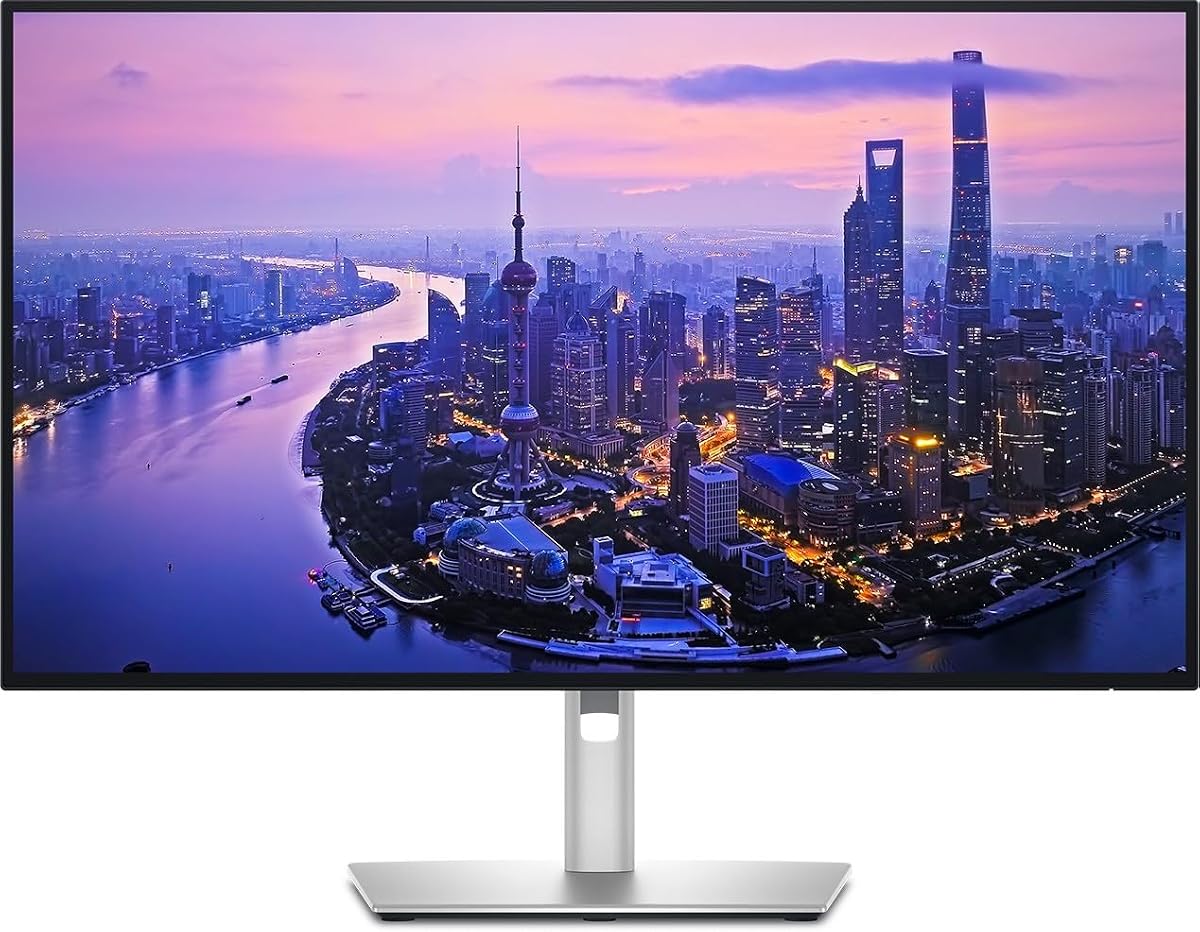


The Dell UltraSharp 32 Thunderbolt Hub Monitor stands out as a top-tier option for professionals needing reliable high-resolution visuals and robust connectivity. With a rating of 4.6 stars, it delivers a seamless experience for creative workflows.
We may earn a commission when you buy through this link, at no additional cost to you.
Its factory-calibrated accuracy ensures your work looks true to life from the start. The Enhanced IPS Black panel offers deeper blacks and better contrast than standard screens, making shadows and colors pop with realism.
While the price is higher than average, the included features like the KVM switch and Thunderbolt hub justify the cost. It reduces desk clutter and simplifies switching between devices without extra hardware.
Ideal for designers and video editors who demand precision and efficiency. If you need a powerful all-in-one solution for a Mac or PC setup, this monitor is a strong recommendation.
With 99% Display P3 coverage and a Delta E less than 1.5, this display guarantees that your edits reflect exactly what you intend without constant recalibration.
The built-in KVM switch allows you to control two machines with one mouse and keyboard, streamlining your workflow significantly between personal and work devices.
We may earn a commission when you buy through this link, at no additional cost to you.
The Dell 27 Monitor S2725QC offers an accessible entry into high-resolution computing without breaking the bank. Rated 4.4 stars, it balances performance and cost effectively for everyday users.
We may earn a commission when you buy through this link, at no additional cost to you.
Its 120Hz refresh rate provides smooth visuals suitable for both work and light gaming. The ComfortView Plus technology reduces harmful blue light, allowing for comfortable viewing during long sessions.
Trade-offs include lower power delivery compared to premium hubs and fewer connectivity options. However, for those prioritizing screen quality and fluid motion over advanced hub features, it remains a solid choice.
Best suited for students or budget-conscious professionals. If you need a sharp 4K display that supports USB-C connectivity without a high price tag, this model fits the bill well.
The 120Hz refresh rate ensures fluid motion, making scrolling through documents and switching between apps feel natural and responsive.
Improved ComfortView Plus minimizes blue light emissions without sacrificing color accuracy, helping to reduce eye strain over long workdays.
We may earn a commission when you buy through this link, at no additional cost to you.
The LG 27UP850K-W delivers a premium experience with rich color and versatile connectivity. With a 4.5 rating, it combines professional-grade visuals with consumer-friendly features like built-in streaming.
We may earn a commission when you buy through this link, at no additional cost to you.
Its 95% DCI-P3 coverage ensures vivid content creation and media consumption. The WebOS platform allows direct access to streaming services, reducing the need for external devices during breaks.
However, the operating system may clutter the interface for some professionals who prefer a purely functional display. Additionally, it carries a higher price tag compared to standard monitors.
Perfect for media consumers and creators who value color depth and smart features. If you want an all-in-one workstation that handles work and entertainment seamlessly, this is a great option.
With up to 95% DCI-P3 color gamut expression, the display reproduces colors that are bright and accurate for professional design tasks.
The built-in webOS streaming platform lets you watch content directly on the monitor without needing an external laptop or TV box.
We may earn a commission when you buy through this link, at no additional cost to you.
This model offers professional-grade performance with a focus on color accuracy and connectivity. Rated 4.4 stars, it provides a reliable platform for demanding workflows requiring consistent visuals.
We may earn a commission when you buy through this link, at no additional cost to you.
It supports up to 140W power delivery, enabling single-cable setups for powerful laptops. The ambient light sensor adjusts brightness automatically to maintain comfort throughout the day.
Although it lacks a KVM switch, the daisy chain capability allows for multi-monitor setups easily. For users needing high power and precise color without complex switching features, it is well suited.
Ideal for office professionals and light creatives. If you need a solid, ergonomic display that integrates well into a multi-monitor environment, this model delivers reliable performance.
Thunderbolt 4 single cable solution transmits video, data, and up to 140W power simultaneously, simplifying desk setups significantly.
The ambient light sensor adjusts screen brightness based on room lighting, ensuring comfort and reducing eye strain during long sessions.
We may earn a commission when you buy through this link, at no additional cost to you.
This monitor focuses on connectivity and color accuracy for professional workspaces. While its rating is lower at 3.8, it still offers solid specs for those prioritizing Thunderbolt hubs.
We may earn a commission when you buy through this link, at no additional cost to you.
It features a built-in Thunderbolt hub that simplifies peripheral management. The 100% sRGB coverage ensures reliable color reproduction for general creative and office tasks.
Users may find the price high relative to similar options, and feedback suggests variability in quality control. However, for those needing specific hub features, it remains a viable choice.
Suitable for professionals needing integrated docking capabilities. If you require a single-cable connection that handles data and power efficiently, this model offers the necessary functionality.
The Thunderbolt hub supports daisy-chaining and high-speed data transfer, allowing you to connect peripherals and storage devices easily.
Incorporating sustainable materials and energy-efficient operation, this display reflects a commitment to environmental responsibility.
We may earn a commission when you buy through this link, at no additional cost to you.
This refurbished variant offers a more accessible price for similar performance capabilities. It lacks a user rating, so buyers should verify condition carefully before purchasing.
We may earn a commission when you buy through this link, at no additional cost to you.
It retains the core features of the standard model, including Thunderbolt hub capabilities and 4K resolution. This makes it a budget-friendly option for those needing docking features.
Potential trade-offs include the lack of a warranty compared to new units and variable quality. However, for cost-sensitive buyers, it presents an interesting alternative to full retail options.
Best for budget-aware professionals who want hub functionality. If you need specific connectivity features without the high cost of a new unit, this could be a viable consideration.
As a refurbished unit, it offers similar features to the new model at a potentially lower cost for budget-conscious users.
It includes Thunderbolt 4 support and hub capabilities, allowing for efficient peripheral management and single-cable connectivity.
We may earn a commission when you buy through this link, at no additional cost to you.
The ViewSonic VP2488-4K is a compact option designed specifically for Mac users needing precise color. With a 4.5 rating, it delivers professional accuracy in a smaller form factor.
We may earn a commission when you buy through this link, at no additional cost to you.
Its Pantone Validated certification ensures pinpoint color fidelity, crucial for branding and design work. The 100W USB-C power allows for effective charging of most laptops.
However, the 24-inch size may feel small for extensive multitasking. Additionally, it carries a premium price relative to similar-sized monitors without color validation.
Ideal for graphic designers and Mac professionals. If you need a small, accurate workspace that aligns with Mac color standards, this is a strong choice.
With 100% sRGB and 98% DCI-P3 coverage, this display ensures deep contrast and accuracy that align with industry standards.
This monitor is tailored for the Mac ecosystem, matching visual performance and color standards perfectly for creative editing tasks.
We may earn a commission when you buy through this link, at no additional cost to you.
This model offers a large 32-inch display with sharp 4K resolution, suitable for general productivity. It boasts a high rating of 4.8 stars, indicating strong user satisfaction.
We may earn a commission when you buy through this link, at no additional cost to you.
The HDR10 support enhances contrast and brightness, making images and text crisp. Eye Saver Mode helps minimize blue light, reducing strain during long hours of use.
While it lacks a Thunderbolt hub, it simplifies setup with standard HDMI and DP ports. For those prioritizing screen size over advanced hub connectivity, it is a practical solution.
Great for general office work and media viewing. If you want a large, comfortable display without complex connectivity needs, this model is a solid fit.
The 32-inch screen enables the creation of intricate designs and complex diagrams with ample space to work comfortably.
4K UHD resolution delivers exceptional clarity and accurate color representation, ensuring content looks sharp and detailed.
We may earn a commission when you buy through this link, at no additional cost to you.
This display combines a large 32-inch screen with integrated Thunderbolt hub connectivity. Rated 4.0 stars, it aims to maximize productivity through screen real estate and streamlined docking.
We may earn a commission when you buy through this link, at no additional cost to you.
The Thunderbolt hub offers versatile options for peripherals, reducing cable clutter significantly. Its HDR support ensures crisp text and sharp images for comfortable viewing.
However, the rating suggests mixed experiences, possibly due to cost or specific features. It is best for those prioritizing screen size and hub integration over premium color specs.
Ideal for multitaskers needing a large workspace. If you need a single large display that acts as a docking station, this model provides practical utility.
Benefit from the integrated Thunderbolt hub, offering versatile connectivity options for peripherals and devices to streamline your workspace.
The expansive 32-inch screen provides ample real estate for multitasking, reducing the need for multiple monitors.
We may earn a commission when you buy through this link, at no additional cost to you.
This model features dual Thunderbolt 3 ports designed for seamless multi-monitor setups. Rated 4.1 stars, it is ideal for users who want to expand their workspace via daisy chaining.
We may earn a commission when you buy through this link, at no additional cost to you.
The dual ports allow connecting compatible Macs and PCs easily, transmitting video and data at high speeds while charging devices simultaneously. This simplifies complex desk configurations.
Trade-offs include a VA panel with higher response times compared to IPS. For general productivity this is acceptable, but gamers may find it limiting compared to faster panels.
Best for users needing multi-monitor flexibility. If you want to build a dual display setup with minimal cables, this monitor is a practical and cost-effective solution.
With two Thunderbolt 3 ports you can connect to compatible devices and work on a bigger screen with a simpler dual UHD setup.
The single cable connection transmits digital display signal and data while simultaneously charging your device up to 90W.
We may earn a commission when you buy through this link, at no additional cost to you.
Selecting the right 4K monitor with Thunderbolt requires understanding your specific needs regarding color accuracy, connectivity, and screen size.
Thunderbolt 4 offers 40 Gbps speeds and supports power delivery up to 100W or more. Look for models that can power your laptop via a single cable to reduce cable clutter.
Choose a monitor that supports enough power output for your laptop to avoid needing separate charging bricks.
For creative work, look for monitors with 99% or 100% sRGB and DCI-P3 coverage. Factory calibration ensures colors are accurate right out of the box.
Check for Delta E values less than 2 to ensure professional-grade color fidelity.
While all options here are 4K, screen size ranges from 24 to 32 inches. Larger screens provide more real estate for multitasking but require more desk space.
Select a size that fits your workspace and viewing distance for optimal comfort.
Some models include built-in USB hubs that allow you to connect peripherals directly to the monitor. This simplifies your desk setup significantly.
Verify the number of USB-A and USB-C ports available for your specific needs.
A fully adjustable stand with height, tilt, swivel, and pivot options is essential for long-term comfort. Look for VESA mounting compatibility if you plan to use a monitor arm.
Adjustability reduces neck strain and helps maintain a healthy posture during work.
IPS panels offer better color accuracy and viewing angles, while VA panels provide deeper blacks but slower response times. Choose based on your primary tasks.
For creative work, IPS is generally the preferred choice for consistency.
Standard monitors run at 60Hz, but some offer 120Hz for smoother motion. If you engage in light gaming or fast scrolling, a higher refresh rate improves the experience.
Ensure your computer supports the desired refresh rate via the available port.
Prices vary significantly based on features like hub capabilities and color calibration. Set a budget that prioritizes the features most critical to your workflow.
Higher cost does not always guarantee better quality, so review specific specs carefully.
Connect your computer to the monitor using a certified Thunderbolt 4 cable to ensure maximum data transfer speeds and power delivery. Verify that your computer supports Thunderbolt output for optimal performance.
Adjust the brightness and color settings using the monitor's OSD menu or companion software. Calibrate the display periodically to maintain accuracy, especially if you work with color-sensitive media.
Clean the screen with a soft microfiber cloth and mild cleaning solution if needed. Avoid applying excessive pressure to the panel to prevent damage, and keep the ventilation grilles free of dust.
Thunderbolt provides extremely fast data transfer speeds of up to 40 Gbps and supports video, data, and power over a single cable. This simplifies setup by reducing cable clutter and allowing for daisy chaining of multiple devices.
No, not all 4K monitors support Thunderbolt. Many use HDMI or USB-C with lower bandwidth or power delivery. Ensure the product specifically lists Thunderbolt 3 or 4 support.
Thunderbolt can deliver significant wattage, often 65W or 100W, to charge your laptop while transferring data. This allows you to run your laptop using just one cable connected to the monitor.
Yes, most Thunderbolt monitors are highly compatible with Macs since macOS uses USB-C and Thunderbolt natively. Many models are optimized specifically for Mac color profiles and workflows.
Daisy chaining allows you to connect multiple monitors together using a single cable from one to the next. This reduces the number of cables running to your computer for a cleaner desk setup.
Yes, you need a certified Thunderbolt 4 cable to ensure full speed and power delivery. Standard USB-C cables may not support the same data rates or power levels required.
The top picks highlighted here offer a range of options from budget-friendly models to premium professional displays. The Dell UltraSharp 32 and LG 27UP850K-W stand out for their specific strengths in different categories.
Prioritize connectivity and color accuracy based on your workflow needs. If you need a single-cable solution with high power delivery, focus on models with robust Thunderbolt hubs.
Prices change frequently, so check current listings before purchasing. We hope this guide helps you find the perfect monitor to enhance your productivity and visual experience.