
Asustor Drivestor 4 Gen 2 AS1204T
4.0Editor score
Quad-Core Realtek Processor
2.5GbE Network Port
Btrfs Snapshot Support
This guide compares the top 4 Bay NAS models for storage, media, and security to help you choose the right network attached storage system.
Finding the right 4 Bay NAS can transform how you manage data at home or in a small office. These devices offer centralized storage, automatic backups, and media streaming capabilities that replace scattered external drives. A good model balances performance, reliability, and ease of use for all users.
We evaluated ten leading 4 Bay NAS units based on processor power, memory capacity, network speed, and software features. Our analysis focuses on real-world performance for media servers, file sharing, and surveillance systems. Each product was reviewed for its unique strengths and potential limitations in daily use.
Every selection below highlights specific use cases ranging from budget-friendly home storage to high-performance creative workflows. You will see detailed specs, pros, cons, and expert insights for each option. Please note that availability and configuration details may vary over time.
4.0Editor score

4.4Editor score

4.4Editor score
The following table provides a side-by-side look at key specifications for all ten models. Compare processors, memory, network ports, and storage limits to find the fit for your needs.





The Synology DS423 stands out as a reliable 4 Bay NAS for families and small businesses needing secure file sharing and media management. With a solid rating from users, it delivers consistent performance for everyday storage tasks and backups.
We may earn a commission when you buy through this link, at no additional cost to you.
Its DSM software is widely considered the most intuitive on the market, offering seamless integration with mobile apps and desktop clients. The device excels at protecting your data through immutable snapshots and multi-destination backup strategies that shield against malicious software.
While it lacks high-speed 10GbE networking, its dual Gigabit ports are sufficient for most home workflows. The trade-off is acceptable given the energy efficiency and quiet operation that make it suitable for living room or office environments.
We recommend this model for users prioritizing data safety and ease of use over raw speed. It is an ideal choice for photo vaults, document repositories, and surveillance systems requiring stable long-term operation.
Immutable snapshots prevent ransomware from encrypting files, ensuring you can restore previous versions instantly.
Automatic organization tools help sort images by date, person, or location without manual effort.
We may earn a commission when you buy through this link, at no additional cost to you.
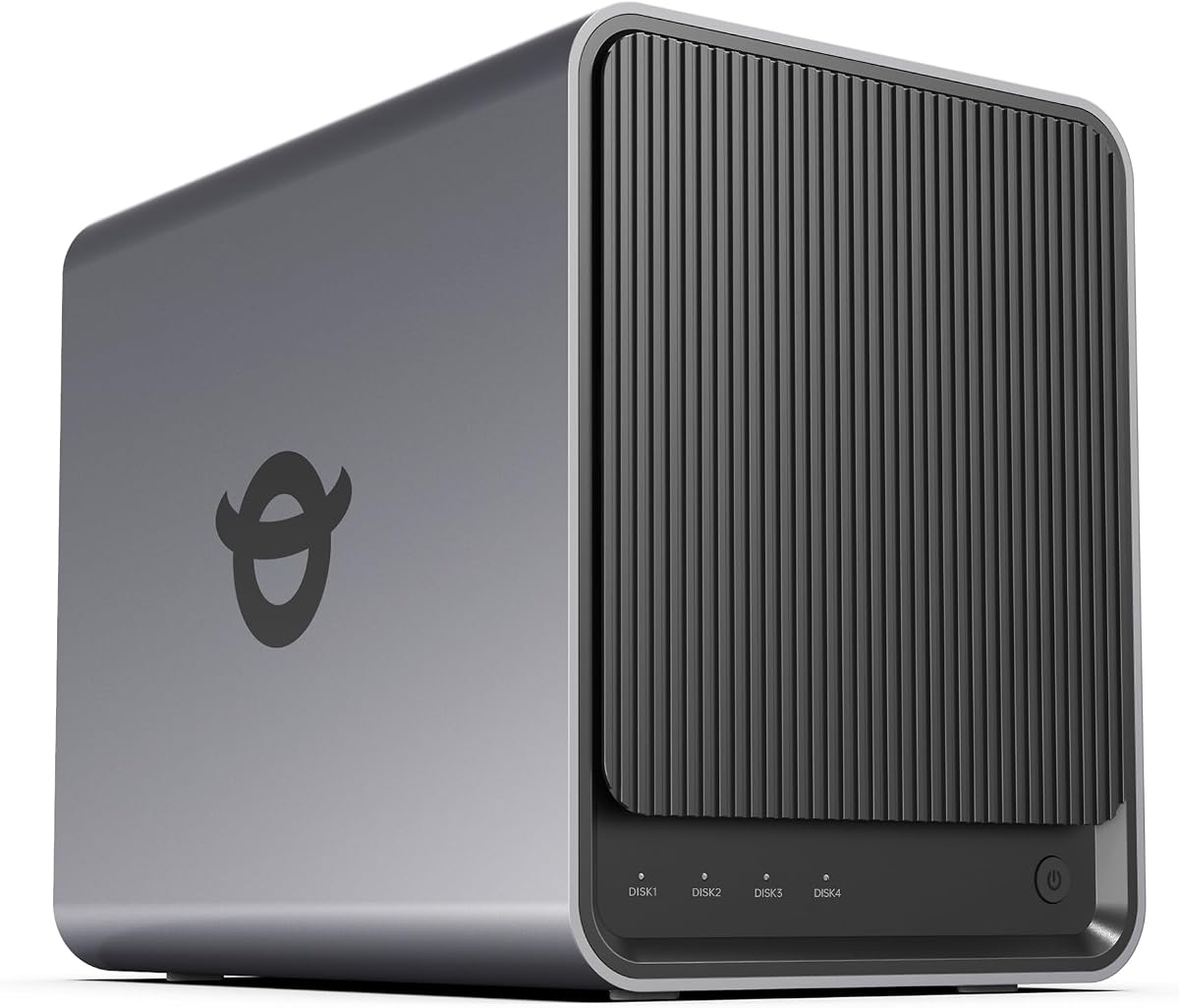
The Asustor Drivestor 4 Gen 2 offers an affordable entry point into 4 Bay NAS territory without sacrificing essential performance. It balances cost-effective hardware with modern networking features like 2.5GbE for faster transfers.
We may earn a commission when you buy through this link, at no additional cost to you.
Its Btrfs file system supports enterprise-grade data protection through snapshots, allowing quick recovery from accidental deletions or corruption. The hardware is optimized for smooth 4K media streaming on smart TVs and mobile devices.
However, the limited RAM may restrict complex virtualization tasks or large concurrent user loads. This limitation is reasonable for the price point, making it a practical choice for media streaming and basic file backups.
Buyers looking for a budget-friendly cloud solution will appreciate its ability to handle daily storage needs efficiently. It serves well as a personal media center and backup hub for small households.
The 2.5GbE port provides significantly faster file transfers compared to standard Gigabit Ethernet systems.
Snapshot technology allows restoration to previous points in time, protecting against ransomware attacks.
We may earn a commission when you buy through this link, at no additional cost to you.
The UGREEN DXP4800 Pro delivers professional-grade performance for IT professionals and power users managing demanding workflows. Its Intel Core i3 processor and DDR5 RAM support intensive multitasking and virtualization tasks effortlessly.
We may earn a commission when you buy through this link, at no additional cost to you.
Dual network ports offer blazing-fast transfer speeds up to 1.25GB/s, ideal for video editors and developers working with large datasets. The system supports extensive Docker containers and virtual machines for creating private development environments.
Security features include granular permissions and data vaults for protecting sensitive files. While the price is higher, the hardware investment ensures longevity and scalability for growing business needs.
This model is perfect for users requiring robust private workstations and advanced data management. It balances high-performance computing with reliable storage solutions for creative and technical teams.
The Intel Core i3-1315U with 6 cores enables smooth multitasking and virtual machine operations.
10GbE and 2.5GbE ports ensure rapid file transfers and minimal bottlenecks during large backups.
We may earn a commission when you buy through this link, at no additional cost to you.
The UGREEN DXP4800 GT combines high-performance hardware with specialized tools for creators and tech enthusiasts. Its AMD Ryzen processor and dual 10GbE ports provide the bandwidth needed for seamless 4K editing directly from the NAS.
We may earn a commission when you buy through this link, at no additional cost to you.
Features like a built-in SD card slot allow quick photo import without external readers. The UOS Pro interface simplifies app management including Docker, virtual machines, and surveillance workflows for comprehensive control.
While ECC RAM support requires an upgrade for error correction, the base system handles heavy multitasking well. The surveillance center keeps footage local, reducing reliance on cloud subscriptions for security monitoring.
Teams needing fast local storage and creative tools will find this model exceptionally capable. It serves as a robust media server and development hub for professional workflows.
Local editing capabilities allow 4K/8K workflows without needing a powerful workstation attached.
Built-in support for IP cameras consolidates storage and control into a single private platform.
We may earn a commission when you buy through this link, at no additional cost to you.
The TERRAMASTER F4-425 is designed as a powerful home multimedia hub capable of handling high-definition streaming and multitasking. Its quad-core processor ensures smooth playback of 4K videos on various devices.
We may earn a commission when you buy through this link, at no additional cost to you.
Noise levels are exceptionally low, making it suitable for bedrooms or quiet living areas. The tool-free push-lock design simplifies drive installation, while the mobile app offers full remote control without needing a PC.
While it lacks extensive third-party OS support, its native features cover most home use cases effectively. The TRAID arrays provide flexible storage expansion while ensuring data redundancy through flexible configurations.
Families seeking a quiet and efficient media server will appreciate its balance of features and simplicity. It streamlines photo organization and video playback with reliable performance.
Operating at just 21dB, the unit remains nearly silent during typical daily operations.
Supports major streaming apps like Plex and Jellyfin for seamless entertainment experiences.
We may earn a commission when you buy through this link, at no additional cost to you.
The Synology DS425+ focuses on team productivity with high-speed file sharing and robust access controls. It supports concurrent access from multiple users without slowing down daily business operations.
We may earn a commission when you buy through this link, at no additional cost to you.
Centralized document storage ensures client files and media assets are organized securely. Granular permissions and audit logs provide oversight, while automated backups maintain data integrity against unexpected loss.
Although hardware specs may seem modest compared to premium models, the software optimization delivers consistent speeds. The professional surveillance system allows monitoring up to 30 cameras with remote access capabilities.
Businesses needing a reliable and centralized repository will find this model highly effective. It combines security features with ease of management for small office environments.
Team folders allow shared access to important documents while maintaining individual privacy.
Combining RAID with snapshots ensures files are safe from accidental deletion or corruption.
We may earn a commission when you buy through this link, at no additional cost to you.
The UGREEN DXP4800 Plus balances performance and usability for families and small teams needing centralized storage. It offers seamless collaboration across Windows, macOS, and mobile platforms with fast network connectivity.
We may earn a commission when you buy through this link, at no additional cost to you.
Its AI-powered photo album automatically organizes images by recognizing faces and scenes, saving significant time for users with large libraries. The 10GbE network port enables rapid backups and file transfers.
RAID options ensure data redundancy, protecting against drive failure during critical workflows. Permission management allows secure access control for team members without compromising privacy.
Collaborative environments will benefit from its speed and robust security features. It serves as a strong all-in-one system for media management and business file sharing.
AI recognition identifies people and objects instantly, freeing up storage space and time.
Advanced encryption protects files while flexible permissions allow controlled team access.
We may earn a commission when you buy through this link, at no additional cost to you.
The UGREEN DH4300 Plus is an entry-level 4 Bay NAS designed for home users transitioning from cloud storage. It offers intuitive setup and automatic photo backups to keep family memories organized safely.
We may earn a commission when you buy through this link, at no additional cost to you.
Cost savings over traditional cloud subscriptions make it a practical long-term investment. NFC connectivity simplifies device pairing, while advanced encryption ensures data remains private without third-party access.
While virtual machines are not supported, Docker apps extend functionality for media and downloads. The massive storage capacity accommodates millions of files, ensuring ample room for expanding digital lives.
New NAS users will appreciate the straightforward interface and reliable backup features. It provides a secure private cloud experience for households prioritizing control and cost efficiency.
Real-time photo sync from mobile devices ensures memories are always protected and accessible.
Certified encryption protocols keep data secure on local drives without cloud dependency.
We may earn a commission when you buy through this link, at no additional cost to you.
The Synology DS925+ delivers fast sequential read/write speeds ideal for business file servers requiring stable data transfers. Dual 2.5GbE ports provide network redundancy and improved throughput for multiple users.
We may earn a commission when you buy through this link, at no additional cost to you.
Built-in file and photo management tools simplify organization without requiring additional software. The system supports virtualization and surveillance solutions, making it versatile for diverse office applications.
While not the most powerful processor available, its optimization for Synology's ecosystem ensures smooth operation. The 3-year limited warranty adds confidence for business-critical deployments needing reliable hardware.
Small offices needing a dependable file server will find its performance and reliability highly valuable. It balances speed with data protection features effectively.
Dual 2.5GbE ports enable fast transfers and increased network redundancy for stability.
Integrated tools help organize documents and photos efficiently across the organization.
We may earn a commission when you buy through this link, at no additional cost to you.
The Yxk Zero1 Pro offers flexibility with its Intel N100 processor and compatibility for third-party operating systems like TrueNAS or Unraid. This openness appeals to enthusiasts wanting customized storage environments.
We may earn a commission when you buy through this link, at no additional cost to you.
It supports 4K HDMI output directly for home theater setups and includes dual 2.5GbE ports for link aggregation. The aluminum housing with dual-fan cooling ensures efficient heat dissipation during heavy tasks.
AI photo organization helps manage family memories automatically, while Docker support expands functionality for media servers. Users can build custom platforms for personal projects without software restrictions.
Tech-savvy families and hobbyists will appreciate the balance of ease of use and advanced options. It serves as a versatile foundation for private storage and media centers.
Ability to install third-party OS allows experienced users to tailor software environments.
Direct HDMI connection enables 4K video playback on compatible TVs or monitors.
We may earn a commission when you buy through this link, at no additional cost to you.
Selecting the right 4 Bay NAS involves evaluating processor power, memory capacity, network connectivity, and software features. Here are the key factors to consider.
The processor determines how well your NAS handles tasks like media transcoding, backups, and running virtual machines. Intel and AMD options typically offer stronger performance for demanding workflows while ARM-based chips save power.
Look for quad-core processors if you plan to run multiple services simultaneously.
RAM affects multitasking and system responsiveness. Models with 8GB or more are better suited for Docker apps and virtual machines, while 4GB may suffice for basic storage and streaming.
Ensure expandable memory slots for future upgrades to extend device lifespan.
Network ports determine file transfer speeds. 10GbE ports provide high throughput for creative workflows, while 2.5GbE offers faster transfers than standard Gigabit connections.
Check if dual ports are available for link aggregation and redundancy.
The operating system governs your user experience. Intuitive interfaces simplify setup and photo management, while advanced tools support Docker and virtual machines.
Prioritize software that offers regular security updates and robust app ecosystems.
Estimate future storage needs based on file sizes. Most models support up to 144TB total capacity, which allows significant room for growth without hardware changes.
Verify compatibility with high-capacity hard drives for maximum expansion.
RAID configurations and snapshot features protect against data loss. Immutable snapshots help prevent ransomware encryption, while automated backups ensure redundancy.
Look for certifications and features that align with your security requirements.
User-friendly apps and guided setup reduce the time needed to get started. Mobile control and remote access features simplify managing your storage from anywhere.
Choose models with responsive customer support and clear documentation.
For home environments, low noise levels are critical. Models designed for quiet operation allow placement in living spaces without disturbance.
Efficient cooling systems prevent overheating during extended data transfers.
Begin by installing compatible hard drives into the drive bays using the provided tool-free trays. Connect the device to your router via Ethernet cables and power it on to start the initialization process.
Access the web interface or mobile app to set up user accounts and configure RAID arrays. Enable automatic backups and schedule regular system updates to maintain optimal performance and security.
Periodically check drive health through the system diagnostics and ensure proper ventilation around the device to prevent overheating. Clean dust filters regularly and avoid moving the unit while drives are spinning.
A 4 Bay NAS offers centralized network access allowing multiple users and devices to connect simultaneously. It supports RAID configurations for data redundancy and advanced software features like media streaming and remote access unlike standalone external drives.
Most models listed are sold diskless, meaning you must purchase hard drives separately. This allows you to choose drives with specific capacity or speed preferences tailored to your needs.
Yes, many models support hardware transcoding and apps like Plex for streaming videos to smart TVs and mobile devices. They can organize photos and videos efficiently for family entertainment systems.
RAID spreads data across multiple drives so if one fails, the information remains accessible from others. Some configurations prioritize storage capacity while others focus on redundancy for higher safety.
Most 4 Bay NAS models include built-in remote access tools allowing you to view files securely from anywhere. This eliminates the need for public IP setups and adds layers of protection.
Yes, you can replace existing drives with higher capacity ones or add expansion units if supported. Check the model's compatibility list before purchasing new drives to ensure proper functioning.
Look for two-factor authentication, snapshot capabilities, and encryption support. These features help protect your data from unauthorized access and malicious software like ransomware.
Modern 4 Bay NAS units are designed for energy efficiency often using less power than traditional desktop computers. Idle power consumption varies but is generally low for 24/7 operation.
The Synology DS423 offers a balanced mix of reliability and software features for most users seeking secure storage and backup. For those needing higher speeds, the UGREEN DXP4800 Pro provides professional-grade performance and expandability.
Prioritize your specific use cases such as media streaming, file sharing, or surveillance when making a decision. Choosing the right processor and network speed ensures your system meets current needs and future growth.
Prices and availability may change over time so verify current details before purchasing. Regularly update your software and back up your configurations to keep your data safe and accessible.