
ASUS ProArt PA32QCV
3.9Editor score
Factory Calibrated Color
Dual Thunderbolt 4
MacBook Color Matching
The demand for ultra high resolution displays has never been higher. Professionals across creative industries seek screens that offer unparalleled clarity and color precision. A 32 inch 6K monitor provides the perfect balance of screen real estate and pixel density for detailed work.
We analyzed the latest models available on the market. Our comparison focuses on resolution, color gamut coverage, connectivity options, and ergonomic features. Each product was evaluated based on its ability to handle demanding workflows efficiently.
This guide highlights ten distinct options ranging from professional workstations to gaming focused displays. You will find detailed breakdowns of features and pros and cons. Note that availability and pricing may change frequently so check current listings before purchasing.
3.9Editor score

3.8Editor score

5.0Editor score
As an Amazon Associate we earn from qualifying purchases.
The following table presents a side by side comparison of the ten selected models. It highlights key specifications and features to help you quickly identify the best fit for your specific needs and workflow requirements.


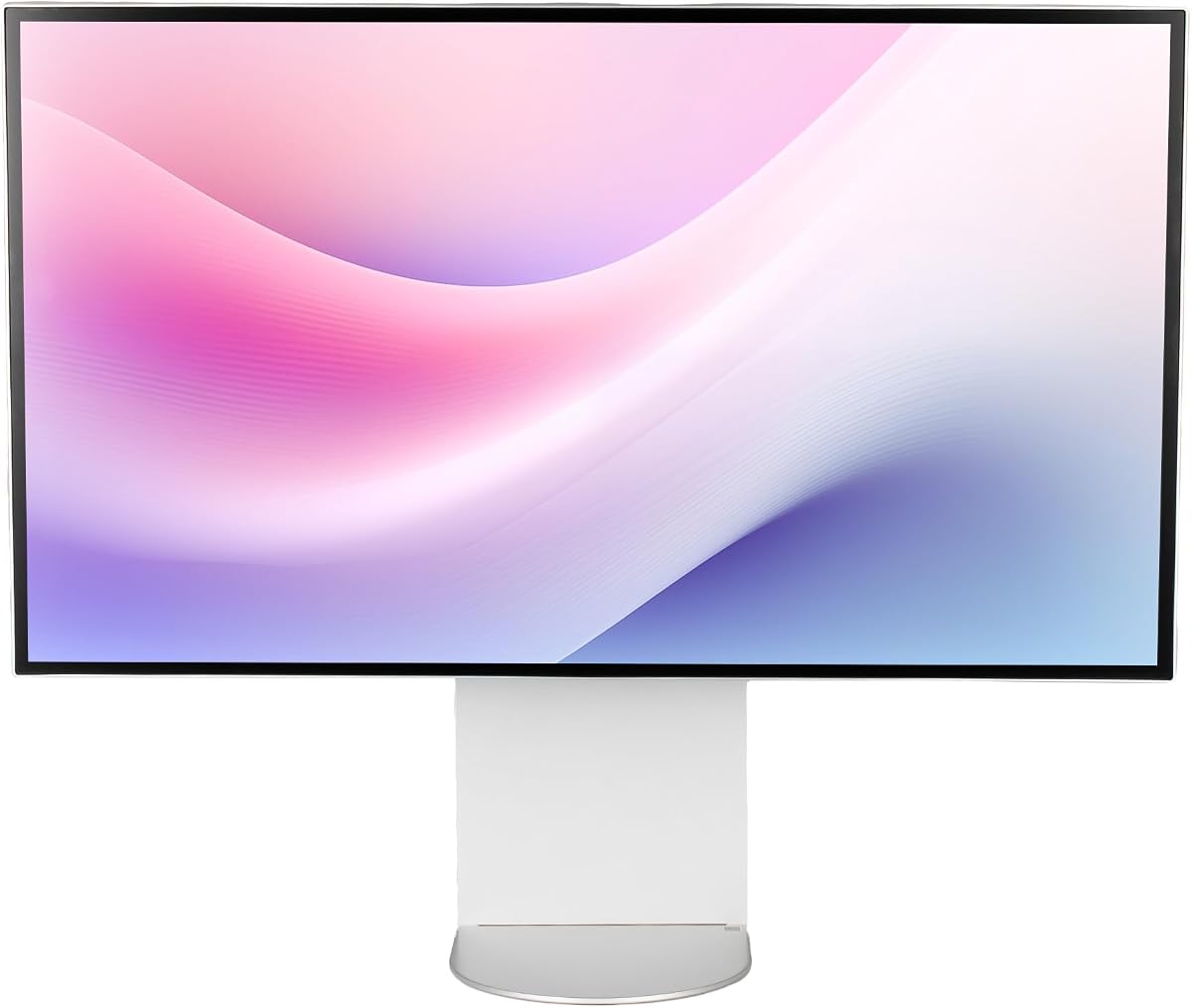
The LG UltraFine evo stands out as a top choice for professionals seeking high fidelity visuals. It features a 6K resolution panel with 224 PPI ensuring sharp text and detailed images. The Nano IPS Black technology provides deeper blacks than standard IPS panels enhancing overall contrast.
We may earn a commission when you buy through this link, at no additional cost to you.
Connectivity is a major strength with Thunderbolt 5 offering ultra-fast transfer speeds. This allows for seamless data transfer and power delivery over a single cable. The display supports 99.5% Adobe RGB and 98% DCI-P3 making it ideal for color critical work.
While the refresh rate is limited to 60Hz this is acceptable for professional workflows. The daisy chaining feature enables efficient multi monitor setups without cable clutter. Eye comfort certification ensures longer working hours without strain.
This monitor is best suited for creatives and developers needing precise color and connectivity. It bridges the gap between Mac and Windows ecosystems effectively. Investing in this display ensures future-ready performance for demanding tasks.
Thunderbolt 5 empowers creators with transfer speeds twice as fast as Thunderbolt 4.
Real 10-bit color depth ensures ultra-smooth tonal transitions across the screen.
We may earn a commission when you buy through this link, at no additional cost to you.
The ASUS ProArt PA32QCV offers excellent value for users needing reliable color accuracy. It comes factory calibrated with Calman Verified ensuring Delta E less than 2 out of the box. The MacBook Color Matching preset simplifies workflow for Mac users.
We may earn a commission when you buy through this link, at no additional cost to you.
Dual Thunderbolt 4 ports allow for high-speed data transfer and charging. The built-in Auto KVM switch makes switching between devices effortless with one keyboard and mouse. An extended warranty of five years provides peace of mind for long-term use.
While it lacks the advanced HDR features of some competitors it delivers consistent performance. The light sync technology adjusts color based on ambient conditions automatically. This feature enhances reliability across different environments.
This monitor is ideal for graphic designers and photographers on a budget. Its color consistency reduces the need for external calibration tools. It remains a strong contender for professional creative work.
Factory calibrated with Calman Verified to deliver excellent color accuracy.
Built-in Auto KVM allows effortless switching between two laptops.
We may earn a commission when you buy through this link, at no additional cost to you.
This monitor redefines interaction with its 6K touchscreen capability. It acts as a massive digital canvas for artists and architects. The included Active Stylus offers low latency and 4096 levels of pressure sensitivity for precise drawing.
We may earn a commission when you buy through this link, at no additional cost to you.
The Clarity Fold Stand allows the screen to lay flat for tablet use. This versatility supports both upright viewing and direct interaction. Factory calibration ensures colors translate seamlessly to print and video outputs.
The USB-C hub connects peripherals and charges devices over a single cable. This reduces cable clutter significantly in studio environments. The folding design also aids in presenting work to clients easily.
Ideal for digital artists and designers needing direct touch input. The high resolution ensures intricate details are captured accurately. It is a premium solution for those requiring tactile control.
World's first 6K touchscreen with 216 PPI for crisp text and touch.
Includes Active Stylus with low latency and high pressure sensitivity.
We may earn a commission when you buy through this link, at no additional cost to you.
The Samsung Odyssey G8 brings high refresh rates to the 6K category. It offers a dual mode experience with 6K at 165Hz or 3K at 330Hz. This flexibility caters to both visual fidelity and fast-paced gaming needs.
We may earn a commission when you buy through this link, at no additional cost to you.
The Fast IPS panel ensures vivid colors and wide viewing angles. G-Sync compatibility reduces screen tearing for smoother gameplay. HDR10+ gaming optimizes brightness and contrast during intense sessions.
While it excels in gaming productivity features are secondary. The response time is near instant reducing motion blur. Connectivity includes DP 2.1 and HDMI 2.1 for next-gen consoles.
This display is perfect for gamers wanting 6K visuals. It balances sharpness and speed effectively. It stands out as a top choice for high-performance setups.
Offers 6K at 165Hz or 3K at 330Hz for fast action.
Fast IPS panel delivers vivid colors across the entire screen.
We may earn a commission when you buy through this link, at no additional cost to you.
The Dell UltraSharp offers a comprehensive workspace solution with integrated webcam. This setup simplifies video conferencing by eliminating external hardware needs. The 6K screen mode provides stunning clarity for multitasking.
We may earn a commission when you buy through this link, at no additional cost to you.
With 450 nits brightness it performs well in well lit areas. USB-C connectivity allows for quick data transmission and docking. The LED backlight technology ensures visual brilliance and efficiency.
The response time is adequate for office tasks and standard media. It lacks the high refresh rates of gaming monitors. However productivity features dominate this model's design.
Best for professionals working from home needing a clean setup. The integrated camera reduces desk clutter significantly. It is a practical choice for hybrid work environments.
LED monitor offers maximum productivity with added dependability.
6144×3456 resolution provides a vivid crystal clear display.
We may earn a commission when you buy through this link, at no additional cost to you.
This bundle includes essential accessories to streamline your setup. It comes with cable ties and a cleaning kit for maintenance. The monitor itself features Thunderbolt 5 and KVM functionality.
We may earn a commission when you buy through this link, at no additional cost to you.
Achieving studio grade color accuracy is central to this model. It supports true 10-bit color and wide gamut coverage. The bundle ensures you have everything needed for a clean desk.
KVM functionality lets you control two computers with one keyboard. This efficiency is key for multi-system environments. Ergonomic adjustments support comfort during long hours.
Best for users needing a complete ready-to-work package. The included accessories save time and effort. It is a practical option for busy professionals.
Streamline setup using Thunderbolt 5 connectivity and KVM.
98 percent DCI-P3 and 99.5 percent Adobe RGB coverage.
We may earn a commission when you buy through this link, at no additional cost to you.
This monitor features a minimalist design with premium build quality. The CNC-machined aluminum body ensures durability and a sleek look. It delivers deeper blacks and brighter highlights for immersive visuals.
We may earn a commission when you buy through this link, at no additional cost to you.
Eye care features include flicker-free backlighting and low blue light mode. Anti-glare screen coatings minimize fatigue during long sessions. The ergonomic stand supports height and pivot adjustments.
With 500-nit brightness it handles bright environments well. The universal mount compatibility offers flexibility for third-party arms. High-speed ports support charging laptops with one cable.
Best for users seeking a clean aesthetic with robust performance. The build quality is standout for the price. It is a solid choice for modern desk setups.
CNC-machined aluminum body ensures premium durability.
Anti-glare screen and low blue light mode minimize fatigue.
We may earn a commission when you buy through this link, at no additional cost to you.
The G32P offers a glossy finish for vibrant image depth. It includes honeycomb cooling to maintain performance under load. The panel supports 99% DCI-P3 for accurate colors.
We may earn a commission when you buy through this link, at no additional cost to you.
The 223 PPI ensures stunning clarity on the 32-inch screen. Without a stand included it is best for those with custom setups. The universal mount compatibility supports flexible installation.
100W high-speed power allows for effective laptop charging. The anti-glare coating helps manage reflections in bright rooms. Eye care features reduce strain during extended use.
Best for enthusiasts preferring glossy screens for media. The cooling system is a notable feature for stability. It suits custom desk builds requiring specific mounting.
Honeycomb cooling ensures premium durability during use.
Glossy panel delivers deeper blacks and balanced visuals.
We may earn a commission when you buy through this link, at no additional cost to you.
This bundle includes a two-year premium service protection plan. It comes with a full set of cables for immediate setup. The integrated webcam simplifies video conferencing needs.
We may earn a commission when you buy through this link, at no additional cost to you.
With 450 nits brightness it works well in well lit areas. The LED backlight technology ensures efficiency and visual brilliance. USB Type-C allows quick data transmission for convenience.
The warranty provides added dependability for business environments. It covers potential issues that may arise over time. The included cables save the need for separate purchases.
Best for business users prioritizing warranty support. The bundle offers a complete solution out of the box. It is a pragmatic choice for corporate deployment.
2 Year Premium Extended Service Protection Plan included.
Includes Thunderbolt cable and displayport cables for connectivity.
We may earn a commission when you buy through this link, at no additional cost to you.
This European model offers energy efficiency with a G class rating. It features three USB-C ports for versatile device connections. The anti-glare panel is suitable for varied lighting conditions.
We may earn a commission when you buy through this link, at no additional cost to you.
With a 5ms response time it handles standard multimedia tasks. The stand supports tilt height and pivot adjustments for ergonomics. It mounts easily with VESA 100×100 compatibility.
The 6K resolution delivers sharp text and crisp images. It is designed for professional productivity and creative tasks. Energy efficiency helps reduce power consumption over time.
Best for users needing multiple USB-C connections. The energy rating is a plus for office sustainability. It provides reliable performance for daily use.
Energy efficiency class G helps reduce power consumption.
Three USB-C ports allow versatile device connections.
We may earn a commission when you buy through this link, at no additional cost to you.
Selecting the right 6K monitor requires evaluating several critical factors. This guide breaks down the key specifications to ensure you invest in a display that matches your workflow needs.
Resolution determines how much detail you can see on screen. A 6K monitor offers over 20 million pixels which provides sharp text and images. High pixel density like 224 PPI ensures clarity for professional work.
Look for resolutions above 6000 pixels wide to maximize productivity.
Color accuracy is vital for creatives. Look for panels covering high percentages of DCI-P3 and Adobe RGB. Factory calibration with Delta E less than 2 ensures colors are accurate out of the box.
Prioritize monitors with verified calibration for reliable color work.
Modern workflows require robust connectivity. Thunderbolt 4 or 5 allows for high-speed data and charging over one cable. HDMI and DisplayPort options ensure compatibility with older devices.
Ensure the monitor has the ports you need for your setup.
IPS panels offer wide viewing angles and accurate colors. Nano IPS or Fast IPS variants improve contrast and response times. Glossy or matte finishes affect how light interacts with the screen.
Choose IPS technology for professional color work and productivity.
Refresh rate impacts how smooth motion appears. While 60Hz is common for productivity 120Hz or higher benefits gaming. Dual mode monitors allow switching between resolution and speed.
Select higher refresh rates if you work with fast moving content.
Physical adjustability is key for comfort. Look for stands that allow height tilt pivot and swivel adjustments. VESA mount compatibility offers flexibility for custom mounting solutions.
Prioritize ergonomic features to reduce strain during long work hours.
Long-term reliability is important for professional investments. Extended warranties cover potential defects and issues over time. Some manufacturers offer extra protection plans for business use.
Check warranty terms to ensure adequate protection for your investment.
Start by connecting the monitor to your power source and using the appropriate video cable such as Thunderbolt or HDMI. Ensure your computer supports the 6K output resolution in the display settings for optimal performance.
Use the ergonomic stand to adjust height and tilt to eye level. This reduces neck strain and promotes better posture. Consider VESA mounting if you need a cleaner desk setup or wall mounting.
Maintain the screen by wiping it with a soft microfiber cloth and using a dedicated LCD cleaning kit. Avoid harsh chemicals and keep the monitor away from direct sunlight to prevent damage and ensure longevity.
A 6K monitor provides significantly more pixel density allowing for sharper text and more screen real estate. This reduces the need for zooming in creative workflows and offers better multitasking space compared to 4K.
Yes running a 6K display requires a powerful graphics card to maintain performance. Ensure your computer meets the recommended specifications for smooth operation especially if you work with video or 3D content.
Most of the listed monitors are fully compatible with Macs. Models with Thunderbolt connectivity specifically optimize support for Apple Silicon Macs ensuring seamless color matching and display functionality.
Thunderbolt 5 offers twice the transfer speed of Thunderbolt 4 and supports higher data throughput. It enables faster file transfers and better bandwidth for multiple high-resolution displays in a single setup.
Yes there are specific models designed for gaming with higher refresh rates like 165Hz. However many professional 6K monitors focus on color accuracy and resolution over speed.
Some models come factory calibrated which is ideal for accuracy. For best results consider using a hardware colorimeter to create custom profiles tailored to your specific color space needs.
The LG UltraFine evo leads the pack with its next-gen connectivity and color accuracy. The ASUS ProArt offers excellent value for those needing reliable calibration on a budget. The ALOGIC touchscreen remains unique for artists seeking tactile control.
Prioritize color gamut and connectivity when making your decision. These factors directly impact productivity and workflow efficiency. Ensure your computer supports the necessary bandwidth to drive the 6K resolution effectively.
Prices and availability may fluctuate so verify current listings before purchasing. This guide aims to simplify your choice by highlighting the most critical aspects of these high-end displays.