
LG 24G411A-B
4.5Editor score
144Hz Overclock Refresh Rate
1ms MBR Motion Blur Reduction
NVIDIA G-Sync Compatible
Finding the right display for competitive gaming requires careful attention to refresh rates and synchronization technologies. A 24 inch G Sync monitor offers the sweet spot for fast-paced action while maintaining visual fidelity. These displays eliminate screen tearing and stuttering providing a seamless experience that keeps you locked into the game.
We evaluated ten leading models based on panel technology response times and overall build quality. Each option brings unique strengths whether you prioritize esports performance or immersive single-player storytelling. Our analysis focuses on how well these monitors handle high frame rates and maintain color accuracy under intense gaming loads.
Every pick includes detailed specifications and real-world performance insights to guide your decision. Note that availability and offers change frequently so verify current stock before purchasing. We aim to highlight the most reliable choices that balance performance with value for serious gamers and content creators alike.
4.5Editor score

4.4Editor score

4.7Editor score
As an Amazon Associate we earn from qualifying purchases.
The following table provides a side-by-side comparison of all ten monitors evaluated in this guide allowing you to quickly assess key differences in refresh rate response time and connectivity options before making your final selection for the ultimate gaming setup.




This ASUS TUF model stands out as a top contender for competitive gamers seeking smooth visuals and reliable synchronization. With a 240Hz refresh rate and 0.3ms response time it delivers exceptional fluidity during fast-paced shooters or racing simulations. The IPS panel ensures vibrant colors without sacrificing speed making it ideal for both gaming and general multimedia use.
We may earn a commission when you buy through this link, at no additional cost to you.
Key strengths include the ELMB Sync technology which combines motion blur reduction with variable refresh rates to eliminate ghosting and tearing simultaneously. The ergonomic stand allows for height adjustment ensuring comfortable viewing angles during long sessions. Additionally the 3-year warranty provides peace of mind regarding long-term reliability.
While the price is higher than basic 144Hz options the performance gains justify the investment for serious enthusiasts. The bezel is not ultra-slim which may be a minor downside for multi-monitor setups. Overall the build quality and feature set make it a durable choice for demanding users.
If you prioritize frame rate and motion clarity above all else this monitor is the optimal choice. It suits players who want to minimize input lag and maximize visual fidelity without compromising on color accuracy.
The combination of Fast IPS technology and ELMB Sync ensures that even the fastest movements remain sharp and distinct without distracting trails.
The adjustable stand supports various viewing positions reducing neck strain during extended gaming or work sessions.
We may earn a commission when you buy through this link, at no additional cost to you.
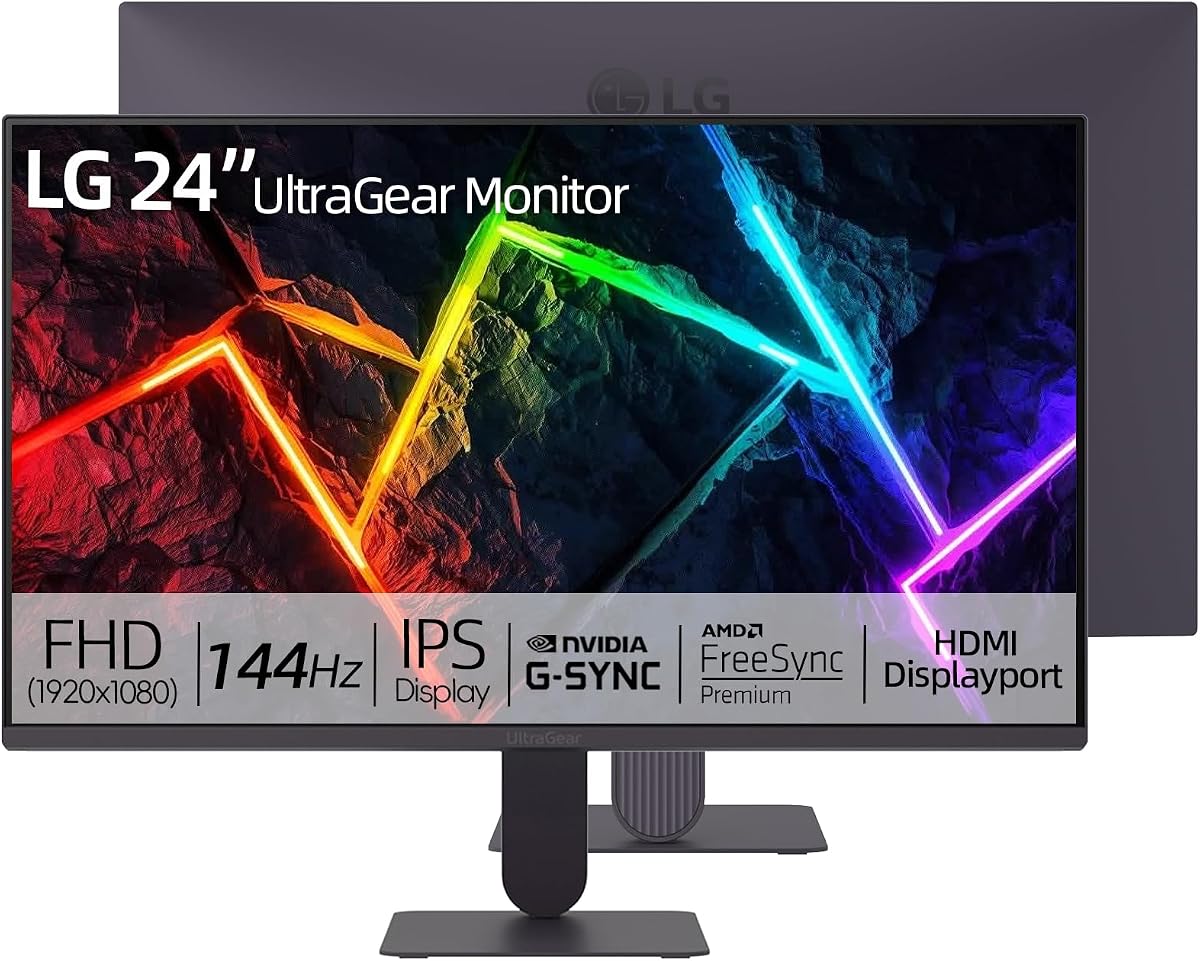
The LG 24G411A-B offers an accessible entry point into high-performance gaming without sacrificing essential features like G-Sync compatibility. It delivers smooth visuals with a 144Hz overclocked refresh rate and crisp colors thanks to its IPS panel. This model is particularly appealing for budget-conscious gamers who still demand professional-grade responsiveness.
We may earn a commission when you buy through this link, at no additional cost to you.
Its standout qualities include Dynamic Action Sync which reduces input lag to help players react faster during critical moments. The Black Stabilizer feature enhances visibility in dark scenes ensuring no detail gets lost in shadows. While the native rate is 120Hz the overclock option pushes it to 144Hz for extra fluidity.
Trade-offs include a basic stand that only tilts limiting ergonomic adjustments. The HDR10 support is present but not as robust as premium HDR displays. Despite these compromises the monitor performs exceptionally well for competitive titles and general media consumption.
For those seeking value without compromising on refresh rate or sync tech this is the ideal pick. It balances performance and cost effectively for students or casual gamers upgrading their setup.
This model provides essential gaming features like high refresh rates and low latency at a price point accessible to most buyers.
Features like Black Stabilizer help in dark environments making it easier to spot enemies or hazards during gameplay.
We may earn a commission when you buy through this link, at no additional cost to you.
Dell brings premium reliability to the 24-inch category with a native 240Hz refresh rate and Fast IPS technology. The TÜV 3-Star certification highlights its focus on reducing eye strain during long sessions without sacrificing color quality. It is an excellent choice for users who prioritize comfort alongside raw performance.
We may earn a commission when you buy through this link, at no additional cost to you.
Key strengths include the 0.5ms response time ensuring quick transitions between frames and minimal ghosting. The AMD FreeSync Premium ensures smooth gameplay without tearing. Color accuracy is strong making it versatile for both gaming and creative work.
Trade-offs include a tilt-only stand which limits customization compared to height-adjustable alternatives. There is no USB hub for peripheral management. However the visual performance and eye comfort features outweigh these minor drawbacks for many buyers.
Ideal for professionals or gamers seeking a high-quality display that protects vision while delivering competitive edge. The brand reputation adds value for those seeking reliability.
Certified low blue light technology helps reduce fatigue during extended use while maintaining accurate color reproduction.
Unlike some competitors this model offers a native 240Hz rate ensuring stable and consistent high-speed visuals.
We may earn a commission when you buy through this link, at no additional cost to you.
This LG model adds built-in stereo speakers to a solid gaming performance offering convenience for users who prefer a cleaner desk setup. It supports NVIDIA G-Sync and AMD FreeSync for tear-free gameplay and delivers vivid colors through its IPS panel. The 144Hz native refresh rate ensures fluid motion for most titles.
We may earn a commission when you buy through this link, at no additional cost to you.
Strengths include Dynamic Action Sync for reduced input lag and Black Stabilizer for improved visibility in dark scenes. The slim bezel enhances the immersive experience especially in single-monitor setups. The monitor is well-suited for casual gamers and multimedia consumers.
However the built-in speakers lack depth compared to dedicated audio solutions. Stand adjustments are limited compared to higher-end models. Despite these minor issues it remains a reliable option for those prioritizing simplicity.
Suitable for users wanting a straightforward all-in-one display without external speakers. It balances performance and aesthetics effectively for everyday use.
Integrated speakers reduce cable clutter making it easier to maintain a minimal and organized workspace.
Ultra-slim bezels maximize the screen area creating a more focused visual experience for gaming and work.
We may earn a commission when you buy through this link, at no additional cost to you.
ASUS continues to deliver robust gaming monitors with this 200Hz model designed for high-speed action. It features a 0.3ms response time and IPS panel for vibrant visuals. The anti-glare finish helps reduce reflections in bright environments making it suitable for various lighting conditions.
We may earn a commission when you buy through this link, at no additional cost to you.
Strengths include compatibility with Windows Mac Chrome OS and Linux allowing flexibility for diverse users. Dual HDMI ports plus DisplayPort support multiple device connections simultaneously. The G-Sync compatibility ensures seamless frame synchronization.
The lack of an official rating is a minor disadvantage but build quality suggests reliability. Ergonomics are standard with limited adjustments. Overall it performs well for competitive gaming and general productivity.
Best for users needing versatile connectivity and high refresh rates without premium ergonomics. It offers solid value for multi-device workflows.
Support for multiple operating systems makes it a flexible choice for users who switch between different platforms.
Anti-glare coating ensures a clear view even in rooms with significant ambient light or windows.
We may earn a commission when you buy through this link, at no additional cost to you.
With an impressive 4.9 rating this LG monitor is highly trusted by users for its consistent performance and reliability. It delivers vibrant visuals with 99% sRGB coverage and HDR10 support. G-Sync and FreeSync compatibility ensures smooth gameplay free from tearing.
We may earn a commission when you buy through this link, at no additional cost to you.
Strengths include the ultra-slim bezel design enhancing immersion and VESA mountability for flexible wall mounting. The 144Hz overclock refresh rate provides fluid motion for most gaming titles. Dynamic Action Sync improves input responsiveness for competitive play.
Trade-offs include a basic stand limiting ergonomic customization. Overclock rates may vary by system stability. Despite this it offers excellent value and performance reliability.
Perfect for users seeking a dependable display with proven track record. Ideal for multi-monitor setups due to slim bezels.
99% sRGB coverage and HDR10 ensure rich accurate colors for both gaming and content creation tasks.
VESA mounting compatibility allows users to attach the monitor to arms or wall mounts for ergonomic positioning.
We may earn a commission when you buy through this link, at no additional cost to you.
This LG monitor boasts a perfect 5.0 user rating reflecting high satisfaction with its performance and visual quality. It offers 144Hz overclock refresh rate and strong color accuracy with 99% sRGB. Specialized tools like Black Stabilizer and Crosshair enhance precision in shooter games.
We may earn a commission when you buy through this link, at no additional cost to you.
Strengths include Dynamic Action Sync reducing input lag and a slim minimalist design reducing distractions. G-Sync and FreeSync compatibility guarantees smooth frame synchronization. The display handles both gaming and work tasks well.
Trade-offs include limited stand adjustments and lack of native high refresh rates. However the user feedback suggests these are minor for most buyers.
Ideal for FPS enthusiasts and design users wanting reliable performance. Great choice for those prioritizing color and clarity.
Built-in Crosshair and Black Stabilizer provide tactical advantages in competitive shooters by improving target visibility.
Ultra-narrow bezels and a sleek design minimize distractions and enhance immersion for focused viewing.
We may earn a commission when you buy through this link, at no additional cost to you.
ASUS delivers a high-performance display with 200Hz refresh rate and 0.3ms response time for ultra-smooth gameplay. The Fast IPS panel ensures vivid colors and wide viewing angles. ELMB Sync technology reduces ghosting during high-frame-rate scenarios.
We may earn a commission when you buy through this link, at no additional cost to you.
Strengths include Low Blue Light and Flicker-Free technologies protecting eyes during long sessions. Dual HDMI and DisplayPort provide flexible connectivity. VESA mounting support allows custom installation options.
Trade-offs include a basic stand and lack of official rating. Despite this the technical specs indicate strong gaming capability. Suitable for users needing fast refresh rates at reasonable cost.
Best for competitive gamers focusing on motion clarity. Ideal for multi-monitor setups due to flexible connectivity options.
ELMB Sync ensures that moving objects remain crisp and distinct even during rapid camera movements in games.
Flicker-Free and Low Blue Light features help reduce fatigue making it suitable for all-day use.
We may earn a commission when you buy through this link, at no additional cost to you.
Another highly rated LG monitor this model offers 144Hz overclock refresh and strong color performance. Specialized tools like Crosshair and Black Stabilizer enhance precision. Dynamic Action Sync reduces input lag for responsive gameplay.
We may earn a commission when you buy through this link, at no additional cost to you.
Strengths include ultra-slim bezels enhancing immersion and eye-care technology ensuring comfort. Screen partitioning supports efficient multitasking. VESA mountability offers flexible installation options.
Trade-offs include basic stand ergonomics. Yet user satisfaction remains high due to consistent performance. It balances gaming and productivity well.
Best for users valuing reliability and multitasking features. Ideal for setups where screen space and clarity matter most.
Screen partitioning features allow users to manage multiple windows easily boosting productivity during work tasks.
Ultra-slim bezels and high color accuracy ensure a distraction free immersive visual experience.
We may earn a commission when you buy through this link, at no additional cost to you.
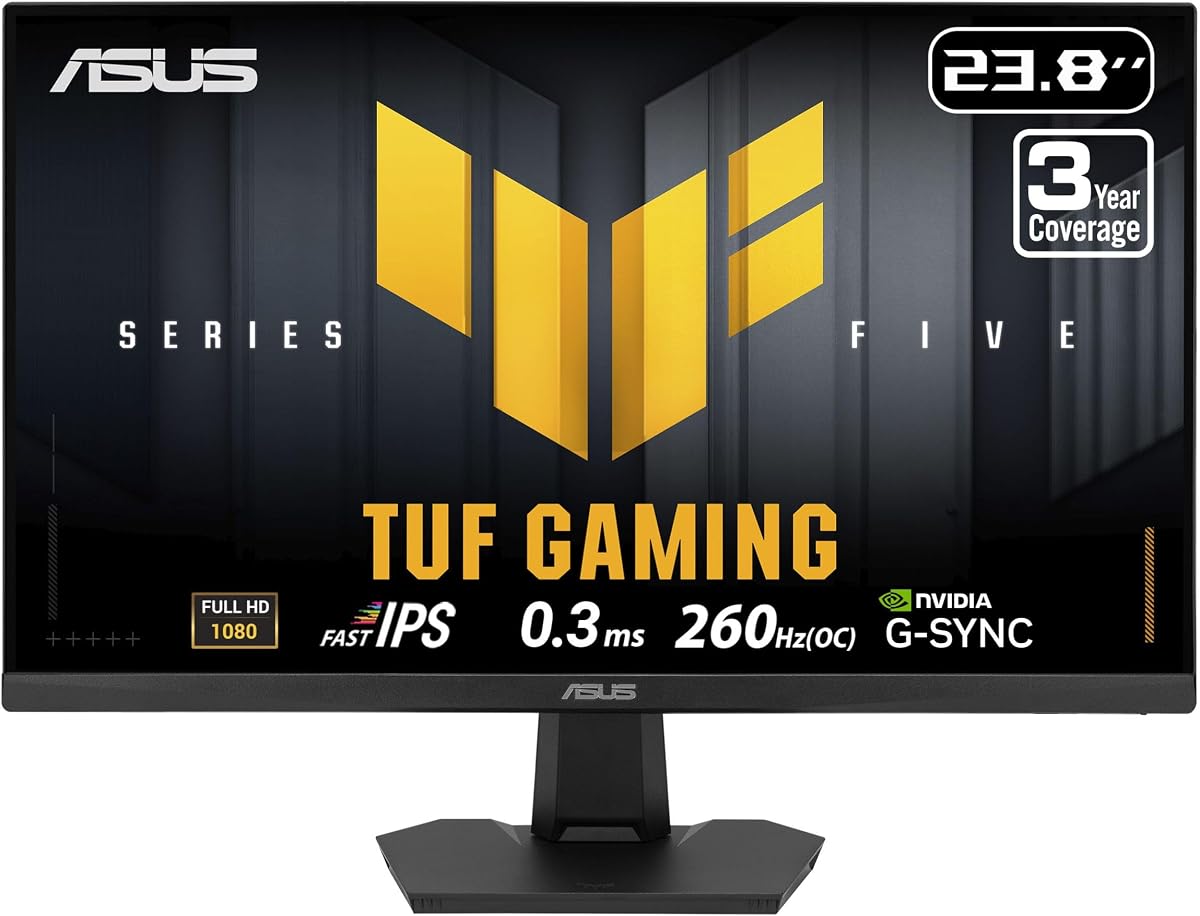
This ASUS model offers an extreme 260Hz refresh rate for competitive edge and fast 0.3ms response. It includes TUF Gaming A.I. and Shadow Boost for enhanced gameplay visuals. Built-in speakers and HDMI 2.1 add convenience.
We may earn a commission when you buy through this link, at no additional cost to you.
Strengths include comprehensive warranty coverage ensuring long-term protection. ELMB Sync eliminates tearing and ghosting. The display supports VESA mounting for flexible setups.
Trade-offs include lack of official rating and basic ergonomics. However technical specs indicate strong performance for demanding users.
Ideal for competitive gamers prioritizing maximum refresh rate. Best for those wanting extended warranty coverage.
260Hz refresh provides the fastest possible frame delivery reducing motion blur beyond standard 240Hz monitors.
Three-year warranty coverage offers peace of mind regarding reliability and potential burn-in protection.
We may earn a commission when you buy through this link, at no additional cost to you.
Choosing the right monitor involves understanding key specifications like refresh rate response time panel technology and synchronization compatibility to match your specific gaming needs.
Refresh rate determines how many times per second the screen updates with new images measured in Hertz. Higher rates like 240Hz provide smoother motion which is crucial for competitive shooters where every frame counts. A native rate is more stable than an overclocked one ensuring consistent performance.
Look for at least 144Hz native refresh for smooth gameplay and consider higher rates if you have powerful hardware.
Response time measures how quickly a pixel switches from one color to another affecting motion blur and ghosting. Lower numbers like 0.3ms ensure sharp fast-moving images. Most modern monitors specify response time using Gray-to-Gray or MBR metrics.
Prioritize monitors with response times under 1ms to avoid distracting trails during fast action.
Panel technology dictates color accuracy and viewing angles. IPS panels offer vibrant colors and wide viewing angles ideal for both gaming and creative work. VA panels provide better contrast but slower response times while TN panels offer speed but poorer colors.
Choose IPS for balanced performance and color fidelity unless contrast is your highest priority.
G-Sync and FreeSync synchronize the monitor refresh rate with the graphics card to eliminate tearing and stuttering. G-Sync Compatible ensures compatibility with NVIDIA cards while FreeSync Premium is tailored for AMD GPUs. Verify support matches your graphics hardware.
Always ensure your monitor supports your GPU brand synchronization protocol to maintain seamless gameplay.
Ports like HDMI and DisplayPort enable connection to PCs and consoles. DisplayPort 1.4 supports higher refresh rates and resolutions. Multiple ports allow connection to multiple devices simultaneously without unplugging cables.
Check for sufficient HDMI and DisplayPort inputs to match all your devices.
Adjustable stands with height tilt swivel and pivot help reduce strain during long sessions. Fixed tilt stands are cheaper but limit posture adjustments. VESA mount compatibility allows attachment to arms for more flexibility.
Prioritize height adjustable stands for optimal comfort and posture during extended use.
Color gamut coverage like 99% sRGB ensures accurate and vibrant colors. This is critical for content creation or games relying on visual fidelity. Limited gamut results in washed out colors and reduced realism.
Look for at least 99% sRGB coverage to maintain accurate color reproduction.
Durability and support matter for long-term investment. Brands often provide 3-year warranties covering defects and burn-in. High-quality materials resist wear and tear over time.
Choose brands with strong warranty coverage to protect your investment against manufacturing defects.
Connect your monitor using DisplayPort for highest refresh rates and enable G-Sync or FreeSync in your graphics settings. Calibrate color and brightness to match room lighting and ensure eye comfort settings are active.
Regularly clean the screen with a microfiber cloth to avoid scratches. Avoid using chemical cleaners directly on the panel as they may damage coatings.
Keep firmware updated through manufacturer software to maintain performance and fix bugs. Adjust stand ergonomics to match your eye level reducing neck strain over time.
Not all monitors support G-Sync. Only models with compatible VESA certification or official NVIDIA validation can use G-Sync technology. Check product specifications carefully to ensure support matches your GPU hardware.
For competitive shooters rates of 240Hz or higher provide the smoothest experience. However 144Hz is still highly effective for most players. Your GPU must output matching frame rates to fully utilize the refresh rate.
Yes many models offer accurate colors suitable for photo and video editing. Look for monitors with high sRGB coverage and factory calibration. Some models support screen partitioning enhancing productivity workflows.
High refresh rates typically require DisplayPort 1.4 or HDMI 2.0 cables to achieve maximum performance. Using older cables may limit refresh rate capabilities. Always check the included cable type.
Built-in speakers offer convenience but typically lack depth compared to dedicated audio systems. They work well for casual use but serious gamers usually prefer headsets or external speakers for immersive sound.
Enable Game Mode or Low Latency settings in the monitor OSD. Keep response time settings optimized and avoid post-processing features that add delay. Matching refresh rates with output also helps minimize lag.
We highlighted top choices ranging from budget-friendly to premium displays ensuring options for every type of gamer. Whether you prioritize refresh rate or color accuracy this guide helps you find the right match.
Focus on sync compatibility and refresh rates to guarantee smooth performance. Don't overlook ergonomics and build quality as they impact daily comfort and longevity.
Always verify current specifications before purchasing since models and features evolve quickly. Prices and availability change so review the latest details to confirm your ideal choice.