
ASRock PG 1600G
4.4Editor score
ATX 3.1 Compliant
Japanese Capacitors
10 Year Warranty
This guide compares the top 1600W power supplies for high performance builds, covering efficiency, modularity, noise levels, and compatibility with modern
High performance computing demands robust power delivery systems that can handle extreme loads without compromise. A 1600W power supply ensures your workstation or gaming rig receives stable energy for peak performance.
We evaluated ten leading models based on efficiency ratings, build quality, and feature sets. Our analysis focuses on real world reliability, noise management, and compatibility with the latest hardware standards.
Each pick highlights specific strengths for different user needs. Note that availability and stock levels change frequently so verify details before purchasing your next power unit.
4.4Editor score

4.7Editor score

4.3Editor score
The following table provides a side by side overview of key specifications for each unit. This allows you to quickly compare efficiency, warranty, and specific connector types across the selection.


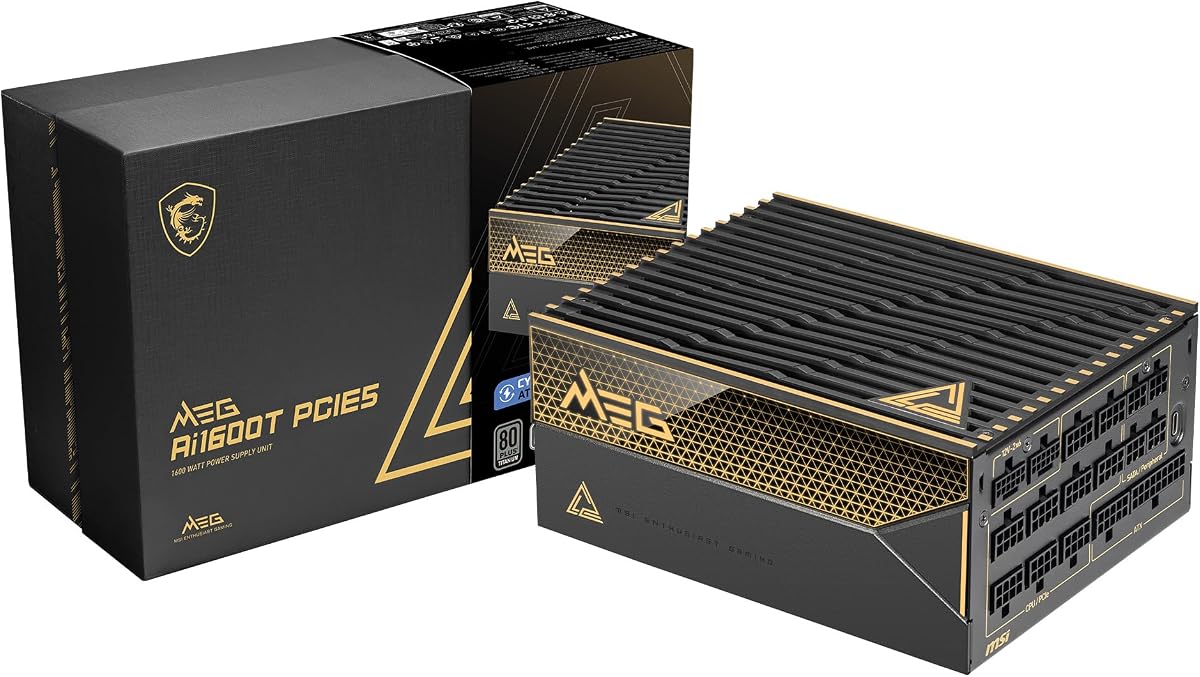

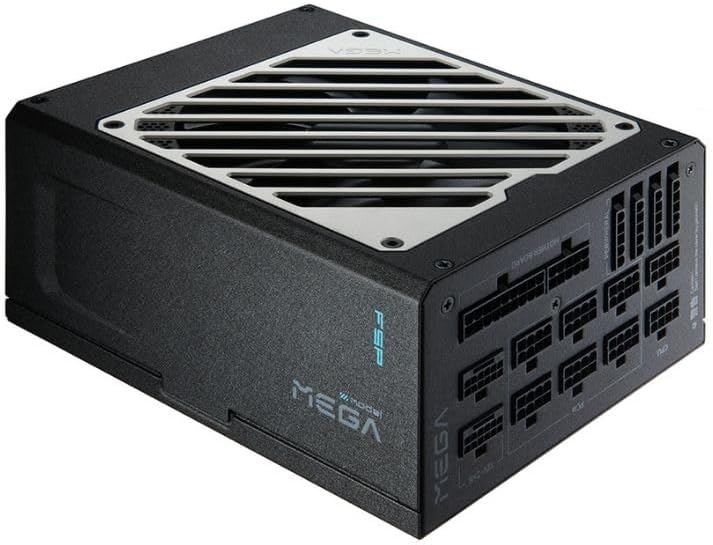

This unit offers robust power delivery for high end systems with a focus on safety and efficiency. It meets modern standards with native connectors and premium internal components.
We may earn a commission when you buy through this link, at no additional cost to you.
The inclusion of TempGuard sensors and dual native 12V-2×6 connectors ensures safe operation under heavy loads. Japanese capacitors provide long term stability for professional use.
While the physical depth might challenge smaller cases, the features justify the footprint for workstation builds. The 10 year warranty adds significant peace of mind for buyers.
Ideal for enthusiasts needing reliable power without the premium price of top tier brands. It balances cost and performance exceptionally well for most high wattage needs.
TempGuard monitors terminal temperature to prevent overheating at connection points ensuring long term safety.
Native 12V-2×6 connectors support latest GPUs without requiring adapters for improved reliability.
We may earn a commission when you buy through this link, at no additional cost to you.
This edition prioritizes acoustic performance above all else making it perfect for quiet environments. The Noctua fan provides industry leading cooling with minimal noise output.
We may earn a commission when you buy through this link, at no additional cost to you.
Titanium efficiency ensures low power loss and heat generation even under full load. The semi passive mode keeps the fan off during light usage for complete silence.
Cost is a factor here but the acoustic benefits are unmatched in this category. It suits users who prioritize a peaceful setup over raw cost savings.
Recommend for home studios or quiet gaming rigs where noise is unacceptable. It delivers top tier efficiency and sound quality reliably.
Custom grill and fan design reduce noise significantly below standard models for silent operation.
Titanium certification means over 90 percent efficiency at typical loads reducing heat waste.
We may earn a commission when you buy through this link, at no additional cost to you.
This unit brings advanced monitoring and stability features to the enthusiast market. The OLED display shows real time power consumption for immediate system feedback.
We may earn a commission when you buy through this link, at no additional cost to you.
GaN MOSFETs improve efficiency and internal cooling significantly over traditional silicon. The patented GPU First technology enhances power delivery directly to graphics cards.
While pricey the unique features justify the cost for power users who want visibility and performance. It is a statement piece for high end custom builds.
Choose this if you need maximum monitoring and efficiency. It represents the peak of modern power supply innovation and build.
Magnetic OLED screen displays live power stats for immediate system health awareness.
Intelligent voltage stabilizer ensures consistent power delivery to critical components like GPUs.
We may earn a commission when you buy through this link, at no additional cost to you.
Designed for extreme performance this unit offers specific tools for overclocking stability. The unique key switch allows rail configuration changes for custom power needs.
We may earn a commission when you buy through this link, at no additional cost to you.
Digital control ensures precise voltage regulation even during transient spikes. The full mesh front intake supports efficient airflow for sustained cooling.
It targets users who push hardware beyond standard limits requiring absolute stability. The design reflects a focus on performance and silence.
Recommend for serious overclockers needing stable power rails. It provides the specific tools required for pushing hardware to its limits.
Dedicated key switch allows switching between rail configurations for customized power delivery.
Full mesh front design maximizes air intake for consistent thermal performance under load.
We may earn a commission when you buy through this link, at no additional cost to you.
This model is optimized for AI workstations requiring consistent high load performance. Seasonic reputation ensures reliability for critical professional computing tasks.
We may earn a commission when you buy through this link, at no additional cost to you.
Fully digital control and Japanese capacitors contribute to long term stability. The hybrid fan control balances cooling needs with acoustic comfort.
It is a solid investment for those needing dependable power for 24 7 operation. The features support demanding multi GPU setups effectively.
Ideal for professionals who cannot afford downtime. It delivers the stability required for heavy rendering and computation workloads.
Optimized for heavy loads typical in artificial intelligence computing environments.
Hybrid mode reduces noise during low loads while maintaining cooling efficiency under stress.
We may earn a commission when you buy through this link, at no additional cost to you.
This unit offers deep integration with system monitoring software for advanced users. You can adjust fan curves and protection modes directly from the desktop.
We may earn a commission when you buy through this link, at no additional cost to you.
Zero RPM mode ensures silence during idle or light tasks effectively. The fully modular design helps maintain airflow in tight case environments.
It is best for those who already use CORSAIR ecosystem for peripherals. The software adds significant value to hardware management.
Recommend for users who want precise control over power settings. It balances modern standards with smart management features well.
iCUE software allows custom fan curves and protection settings for system specific tuning.
Zero RPM fan mode stops fans completely at low loads for noise free use.
We may earn a commission when you buy through this link, at no additional cost to you.
This unit stands out with an industry leading twelve year warranty for peace of mind. Server grade capacitors ensure long term reliability for professional environments.
We may earn a commission when you buy through this link, at no additional cost to you.
Tri certification validates performance and efficiency across multiple independent standards. The native connectors support next gen GPUs without needing adapters.
It is designed for users who plan to keep their system for many years. The warranty covers extensive wear and tear effectively.
Recommend for long term builds where reliability is paramount. The warranty alone makes this a strong contender in the market.
Server grade components ensure consistent performance over many years of operation.
Twelve year warranty provides extensive protection against component failure.
We may earn a commission when you buy through this link, at no additional cost to you.
A classic high wattage model known for robust protection and reliability. It offers Gold certification with solid performance for demanding setups.
We may earn a commission when you buy through this link, at no additional cost to you.
Double ball bearing fan ensures long life and consistent cooling. Fully modular design helps with cable management in large cases.
While slightly less efficient than newer models it remains a solid choice for stability. It supports older multi GPU configurations well.
Recommend for users who prefer tried and true designs. It delivers consistent power without complex modern requirements.
Double ball bearing fan extends fan life significantly under continuous operation.
Full protection suite safeguards components against electrical faults and surges.
We may earn a commission when you buy through this link, at no additional cost to you.
This unit packs high capacity into a relatively compact footprint for flexible builds. It features Titanium efficiency to minimize heat and power waste.
We may earn a commission when you buy through this link, at no additional cost to you.
Eco fan mode stops the fan below forty percent load for quiet operation. Japanese bulk capacitors ensure stable voltage delivery during transients.
It suits users needing high wattage in smaller chassis options. The 10 year warranty reflects manufacturer confidence in the build.
Recommend for high performance builds with size constraints. It offers impressive efficiency in a smaller package.
Delivers high power within a chassis designed for smaller case compatibility.
Zero RPM fan mode keeps noise near zero during light daily tasks.
We may earn a commission when you buy through this link, at no additional cost to you.
This model offers Platinum efficiency at a competitive price point for the category. ECO mode improves efficiency during low load conditions effectively.
We may earn a commission when you buy through this link, at no additional cost to you.
Fully modular design reduces clutter and improves airflow in the case. Japanese capacitors ensure long term reliability for daily use.
It balances performance and cost well for those needing stable high wattage power. A solid choice for reliable computing over years.
Recommend for users seeking efficiency without the highest price tier. It provides consistent power for demanding systems.
Platinum certification ensures high efficiency across typical usage loads.
Full modularity simplifies cable management and improves system airflow.
We may earn a commission when you buy through this link, at no additional cost to you.
Choosing the right high wattage power supply requires attention to efficiency standards and component quality.
Look for 80 Plus Platinum or Titanium certification to minimize energy waste and heat output.
Higher efficiency means lower electricity costs and cooler operation.
Ensure the unit supports ATX 3.1 and PCIe 5.1 for modern graphics cards.
Newer standards handle power excursions better than older models.
Verify native 12V-2×6 connectors for safe GPU power without adapters.
Missing native connectors can lead to connection instability.
Prioritize units with 100% Japanese capacitors for long term reliability.
Better capacitors reduce failure rates during power spikes.
Check for semi passive or zero RPM modes for quiet operation at low loads.
Silent operation is critical for home offices and studios.
Select models with at least 10 year warranties for better buyer protection.
Longer warranties indicate manufacturer confidence in durability.
Verify case clearance as some high wattage units are deeper than standard.
Proper fit ensures airflow is not restricted in the case.
Ensure the unit includes OVP UVP and SCP to safeguard components.
These features prevent damage during electrical faults or surges.
Install the unit in a well ventilated case area to allow proper airflow through the fan.
Use only the provided cables to ensure proper pin alignment and safe power delivery.
Periodically clean dust from the fan intake to maintain cooling efficiency over time.
Most single GPU setups do not need this wattage but multi GPU or extreme overclocking setups might. It provides headroom for future upgrades and stable operation under load.
Yes they prevent melting risks associated with adapters. Native connectors ensure secure contact and handle high power delivery safely for modern GPUs.
Yes higher efficiency reduces heat and electricity costs significantly. Platinum and Titanium units waste less energy even at high loads compared to Gold.
No avoid using cables from other units as pinouts vary. Using incorrect cables can damage components and void warranties permanently.
Most modern units last ten years if kept clean. If noise increases significantly or stability drops consider a replacement.
It is the latest standard supporting higher transient power spikes. It ensures the PSU handles rapid power draws from new graphics cards.
Yes they offer better stability and longer life. They reduce failure rates especially in high heat environments.
Yes deep units may not fit standard mid tower cases. Always check case dimensions before purchasing.
These ten options cover a range of needs from budget friendly high wattage to premium efficiency.
Prioritize safety features and connector standards to ensure long term system stability.
Check current stock levels and availability before finalizing your purchase decision.