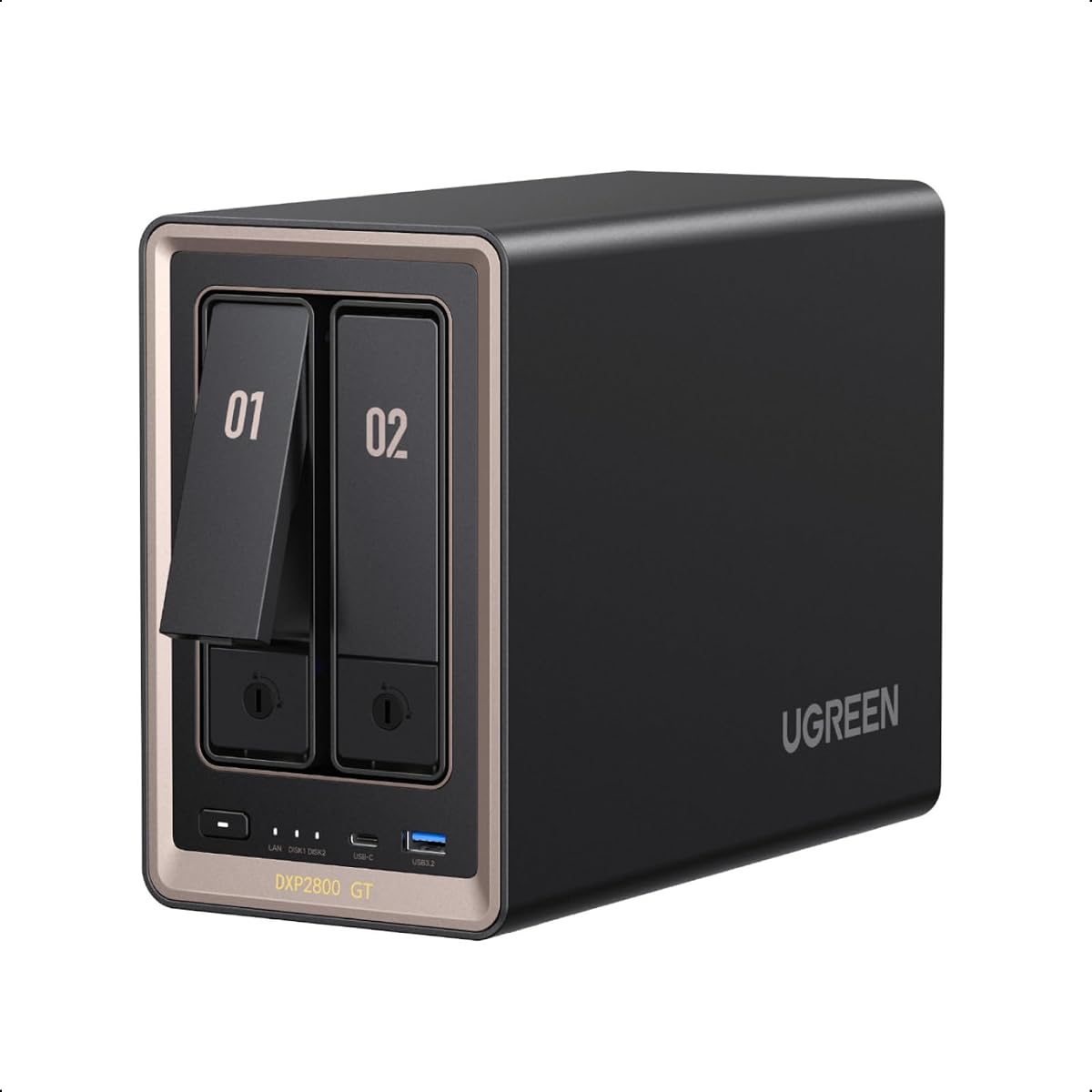
UGREEN DXP2800 GT
4.3Editor score
Affordable entry point
10GbE networking speed
80TB total capacity
Surveillance Center built-in
This guide compares the top 10GbE NAS devices for speed and storage, helping you choose the best network attached storage for your home or office needs in 2026.
Network attached storage has evolved significantly, with 10GbE NAS models now offering speeds that rival internal drives. These devices provide centralized storage, robust security, and seamless access across multiple devices, making them essential for creators and professionals.
We evaluated ten leading 10GbE NAS solutions based on processing power, network capabilities, storage expansion, and software ecosystems. Our analysis focuses on real-world performance for media editing, backups, and virtualization without relying on cloud dependencies.
Each pick highlights specific strengths like processor speed, port variety, or OS features. Prices fluctuate frequently due to market conditions and promotions, so verify current costs before purchasing to ensure you get the best value for your specific workflow requirements.
4.3Editor score

4.6Editor score

4.2Editor score
This side-by-side comparison evaluates all ten selected network attached storage devices based on their core hardware, networking speeds, storage options, and software features to help you identify the right fit for your data management needs.
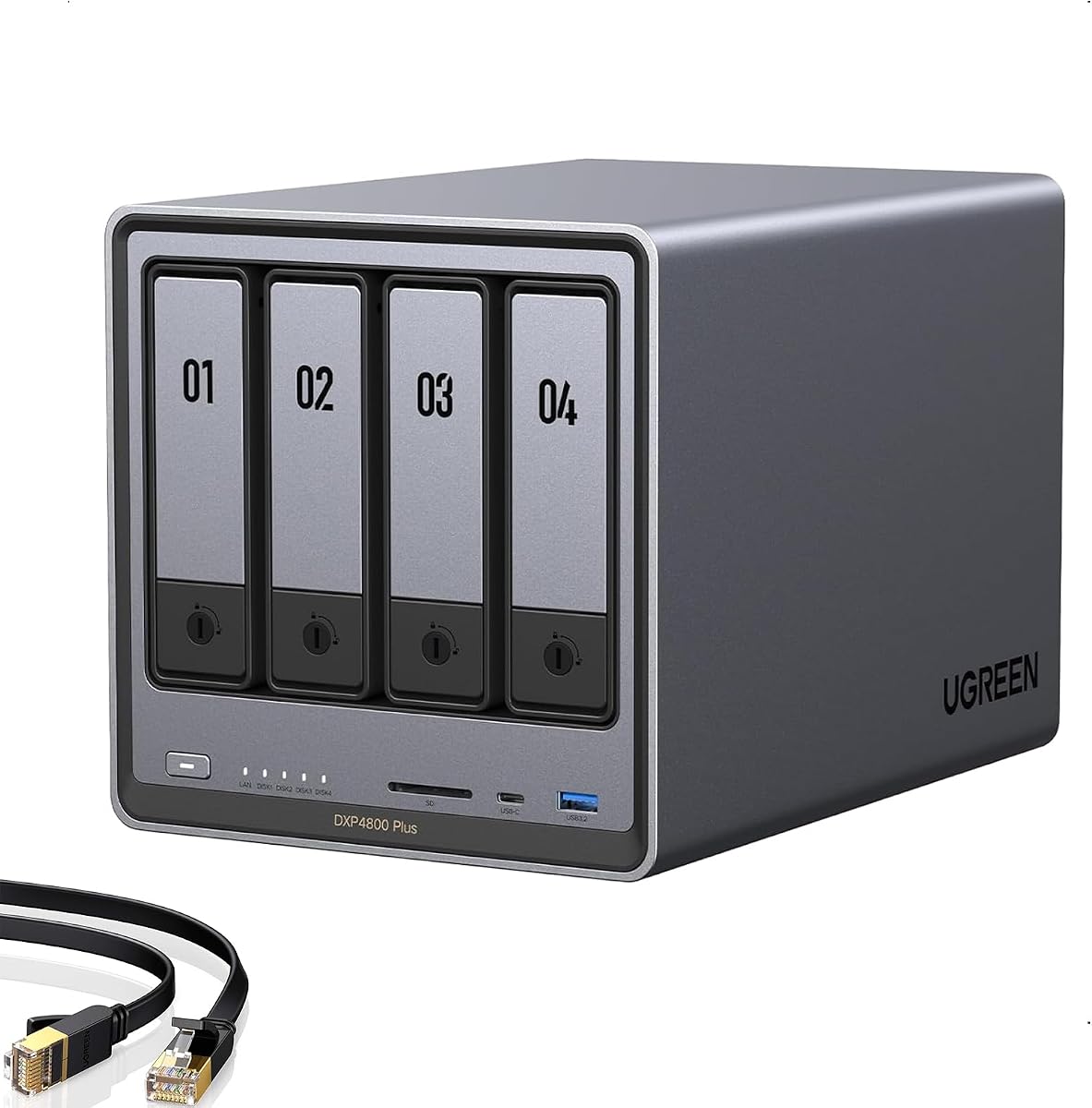


The UGREEN DXP4800 GT earns our Editor's Choice award for balancing performance and flexibility effectively. It offers robust hardware tailored for creators and tech-savvy users who need fast access to large media files and reliable local storage management.
We may earn a commission when you buy through this link, at no additional cost to you.
Powered by an AMD Ryzen Embedded R2514 processor, this device handles multitasking smoothly while dual 10GbE ports enable transfers up to 2.5GB/s theoretically. The integrated SD card slot and USB-C 10Gbps ports simplify importing photos and media directly without a separate computer.
While the pre-installed RAM is non-ECC, upgrading to ECC ensures reliability for long operations. The main limitation is that drives are sold separately, but the 144TB capacity potential ensures plenty of room for growth without constant hardware replacements.
Creators and office teams should buy this for its speed and ecosystem support including Docker and virtual machines. It stands out for combining local privacy with professional-grade features like Surveillance Center and flexible permission management.
Link aggregation allows up to 2.5GB/s throughput enabling efficient 4K/8K editing directly from the network.
Built-in SD slot and USB-C 10Gbps allow quick backups without needing an external card reader or PC.
We may earn a commission when you buy through this link, at no additional cost to you.
The UGREEN DXP2800 GT offers an affordable entry into high-speed 10GbE NAS territory without sacrificing core performance. It is ideal for freelancers and home users needing rapid access to backups and media streaming without paying enterprise prices.
We may earn a commission when you buy through this link, at no additional cost to you.
With an AMD Ryzen Embedded R2514 processor and 8GB RAM expandable to 64GB, this unit handles Docker apps and virtual machines well. The built-in Surveillance Center supports ONVIF cameras helping you avoid monthly subscription fees for home security footage.
Its 80TB total capacity is sufficient for growing personal libraries though smaller than the 144TB models. Drives must be purchased separately which is standard for NAS devices but adds to the initial setup cost significantly.
Freelancers and home office users should buy this for its balance of speed and cost. It provides a strong foundation for a private cloud with essential security features like TLS encryption and RAID support for data safety.
Supports ONVIF cameras allowing local recording and review without cloud fees or external software subscriptions.
RAM expandable to 64GB and ECC upgrade support ensure smooth operation even with heavy multitasking workloads.
We may earn a commission when you buy through this link, at no additional cost to you.
The MINISFORUM N5 Pro stands out as a premium AI-powered NAS with a powerful Ryzen AI 9 HX PRO 370 processor. It targets tech enthusiasts who want high performance for gaming virtualization and media decoding with unique connectivity options.
We may earn a commission when you buy through this link, at no additional cost to you.
Its OCuLink port allows external GPU connections enhancing graphics performance beyond typical NAS limits. The device supports 188TB storage and expandable DDR5 ECC memory ensuring stability for demanding multi-user workloads and large file handling.
Note that the system OS occupies one M.2 slot limiting available drive bays unless you reinstall via USB. The setup is more complex than consumer-grade options but rewards users with advanced flexibility and superior raw processing speed.
Power users and developers should buy this for its unparalleled hardware capabilities and future-proofing. It is the top choice for those needing desktop-level performance in a compact NAS form factor with versatile networking and display outputs.
PCIe 4.0 x4 speed enables external GPU connections for enhanced gaming and AI capabilities directly through the NAS.
Built-in AI photo albums organize files automatically recognizing faces scenes and locations without server overhead.
We may earn a commission when you buy through this link, at no additional cost to you.
The UGREEN DXP4800 Plus offers a user-friendly experience perfect for families and small teams needing centralized storage. Its AI Photo Album feature organizes images automatically saving time while ensuring data remains private on your local device.
We may earn a commission when you buy through this link, at no additional cost to you.
Featuring a powerful processor and 10GbE networking this model handles large file transfers efficiently. It supports Docker and virtual machines allowing you to run applications like Plex or Home Assistant seamlessly through the UGREEN NAS app.
While it lacks Wi-Fi which is common for wired NAS devices the 2-year warranty provides peace of mind. The flexible permission management helps protect privacy when collaborating making it safe for multiple family members to access specific folders.
Families and small businesses should buy this for its balance of ease of use and powerful features. It simplifies backups and file sharing without complex technical knowledge while offering robust encryption and remote access capabilities.
Automatic facial and scene recognition organizes photos instantly removing duplicates to save storage space and time.
Advanced encryption and flexible permissions ensure data ownership remains with you while collaborating safely with others.
We may earn a commission when you buy through this link, at no additional cost to you.
The UGREEN DXP4800 Pro is engineered for demanding workflows requiring robust multitasking and advanced security features. It provides a versatile private workstation with Intel Core i3-1315U processor ideal for running virtual machines and Docker containers efficiently.
We may earn a commission when you buy through this link, at no additional cost to you.
Supporting DDR5 RAM and multiple network ports including 10GbE and 2.5GbE this model delivers fast transfers and smooth multitasking. The Data Vault feature adds extra encryption layers protecting sensitive files beyond standard permissions and encryption methods.
Granular user permissions support up to 2048 accounts making it suitable for growing teams. The UGOS Pro operating system integrates media center and cloud sync creating a one-stop experience though setup may require technical familiarity.
IT professionals and developers should buy this for its flexibility and enterprise-grade security features. It serves as a reliable hub for private development environments and secure storage with strong data protection certifications.
Certified by TV SD and TRUSTe ensuring strong privacy compliance alongside Data Vault encryption for sensitive files.
DDR5 RAM and 10GbE plus 2.5GbE networking enable smooth multitasking and blazing-fast file transfers.
We may earn a commission when you buy through this link, at no additional cost to you.
The UGREEN DXP6800 Pro is built for businesses needing massive storage and high performance. With a 12-core Intel Core i5 processor and dual 10GbE ports it delivers speeds up to 2500MB/s for smooth large file transfers among multiple users.
We may earn a commission when you buy through this link, at no additional cost to you.
Its six SATA bays support up to 208TB capacity making it ideal for storing HD movies and critical business documents. The One-All-Inclusive App simplifies management by consolidating Storage Manager Files and Photos into one convenient location.
Data security features include encryption and multi-factor authentication preventing leakage to external servers. While the price is higher than home models the scalability and speed justify the cost for growing teams requiring reliable file server capabilities.
Small businesses and teams should buy this for its enterprise-grade reliability and storage capacity. It ensures efficient collaboration across devices with powerful processing and network speeds designed for demanding professional workloads.
Aggregated ports deliver 20Gbps total bandwidth supporting up to 2500MB/s transfer speeds for large files.
Centralized management simplifies access to storage files and photos without downloading multiple individual apps.
We may earn a commission when you buy through this link, at no additional cost to you.
The LincStation N2 offers exceptional flexibility with included Unraid OS Starter License allowing mixed drive sizes in one array. It targets tech enthusiasts who want maximum storage capacity without needing identical drives for redundancy.
We may earn a commission when you buy through this link, at no additional cost to you.
Featuring four M.2 NVMe slots alongside two SATA bays it balances fast access with massive capacity. The Intel N100 processor supports smooth 4K streaming and Docker applications making it perfect for media servers and private clouds.
The compact metal design ensures efficient thermal performance for 24/7 operation. While setting up Unraid requires technical knowledge the license saves upfront costs and enables a vast library of community applications for customization.
Tech enthusiasts and DIY builders should buy this for its storage flexibility and included software license. It is ideal for those wanting to run Plex or Docker without being locked into proprietary storage configurations.
Use drives of different sizes and types together in one array maximizing usable capacity without strict parity constraints.
Four M.2 slots allow mixing high-speed NVMe storage for applications or caching alongside larger SATA drives.
We may earn a commission when you buy through this link, at no additional cost to you.
The Asustor Lockerstor 10 delivers massive storage scalability with ten SATA bays ideal for small businesses and creative studios. Its dual 10GbE ports ensure ultra-fast transfer speeds supporting link aggregation for enterprise-level bandwidth requirements.
We may earn a commission when you buy through this link, at no additional cost to you.
Supporting M.2 NVMe SSD cache acceleration significantly improves responsiveness and database performance. The multiple RAID configurations offer flexibility for data redundancy protection making it suitable for mission-critical environments requiring reliable backups.
Designed for continuous 24/7 workloads this NAS handles file sharing and backup operations efficiently. While the Intel Atom processor is optimized for efficiency it may not match high-end CPU speeds but excels at storage management.
Small businesses requiring high-capacity central storage should buy this for its expandability. It serves as a robust file server for video production and client collaboration with business-grade security and network speed.
Ten SATA bays allow maximum scalability for HD video production and document storage in professional environments.
Dual M.2 slots improve read/write speeds and system responsiveness without needing full SSD array implementation.
We may earn a commission when you buy through this link, at no additional cost to you.
The QNAP TS-855X features an Intel Atom C5125 8-core processor delivering high performance for office workflows and media servers. It supports single 10Gbase-T and dual 2.5GbE ports enabling accelerated file sharing across diverse team devices.
We may earn a commission when you buy through this link, at no additional cost to you.
Dual PCIe Gen 3 slots allow installing additional network adapters or QM2 cards for enhanced application performance. Boxafe integration enables backing up Google Workspace and Microsoft 365 accounts directly to NAS ensuring secure offline copies of business data.
ECC memory support ensures system stability preventing data corruption during critical operations. While setup may be complex the expandability and hardware features provide a professional platform suited for demanding IT environments and large-scale media access.
IT managers and media professionals should buy this for its expansion capabilities and high-end networking. It is an excellent choice for securing cloud data and ensuring fast reliable access to files and applications.
Back up Google Workspace and Microsoft 365 accounts directly to NAS for secure offline storage and recovery.
Dual slots allow adding network adapters QM2 cards or Fibre Channel cards to meet specific performance needs.
We may earn a commission when you buy through this link, at no additional cost to you.
The TERRAMASTER F8 SSD Plus is a unique all-SSD NAS offering ultra-compact storage with whisper-quiet performance. Powered by an Intel Core i3-N305 processor and 16GB DDR5 RAM it delivers fast speeds suitable for small business and home users.
We may earn a commission when you buy through this link, at no additional cost to you.
With eight M.2 NVMe slots it supports up to 64TB capacity while remaining nearly silent due to convection cooling and silent fans. The compact footprint allows easy placement on desks or shelves without taking much space.
Business Backup Suite provides enterprise-grade strategies including centralized backup and ransomware protection. While limited to SSDs which increases initial cost it ensures high reliability and low latency ideal for frequent access scenarios.
Small businesses needing fast quiet storage should buy this for its unique all-SSD design. It excels in environments where noise and space are concerns while still offering powerful processing and robust backup tools.
SSD-based storage combined with convection cooling keeps standby noise below 19dB for peaceful home or office use.
Enterprise strategies include Centralized Backup TerraSync and Snapshot to protect data efficiently across devices.
We may earn a commission when you buy through this link, at no additional cost to you.
Selecting the right 10GbE NAS requires balancing processor power, networking options, storage capacity, and software features to match your workflow needs.
Ensure your router and network equipment support 10GbE standards to fully utilize fast transfers. Look for models with dual ports if you plan to aggregate bandwidth for higher throughput during heavy file usage.
Check that your network switches are 10GbE compatible to avoid bottlenecks.
Choose a powerful multi-core processor like Ryzen or Intel Core for smooth multitasking and virtual machine support. RAM should be at least 8GB but ideally expandable to 64GB or more for complex workflows.
Higher CPU cores enable faster media transcoding and application hosting without lag.
Consider the number of SATA or M.2 bays based on your storage needs. Models with both SATA and NVMe slots allow you to cache frequently accessed data on SSDs while storing bulk data on HDDs.
Select a system with flexible expansion options to grow storage without replacing the entire unit.
The OS should offer intuitive file management, backup tools, and support for Docker or virtual machines. Look for built-in apps like photo organizers or surveillance centers that add value beyond simple storage.
Verify software updates are consistent to keep security and performance optimized long term.
Look for encryption standards like TLS/SSL AES and SHA-512 to protect data during transfer and storage. Features like RAID support and Data Vault help prevent loss if drives fail or files get corrupted.
Strong privacy controls ensure your data stays local instead of relying on external cloud providers.
Calculate the maximum possible capacity based on supported drive sizes. Many units allow up to 208TB or more using large capacity SATA drives combined with NVMe SSDs for hybrid storage setups.
Ensure you budget for separate drive purchases as most NAS devices are sold without storage included.
Entry-level models offer essential features while premium units provide advanced AI processing and expansion ports. Determine the balance between upfront costs and long-term value considering drive and energy expenses.
Select a device that fits your current needs while allowing room for future growth and upgrades.
Check warranty length and availability of technical support for troubleshooting. Brands offering 2-year warranties with specialist access provide better peace of mind for critical storage devices.
Reliable support ensures quick resolution of hardware or software issues to minimize downtime.
Begin by installing compatible hard drives or SSDs securely into the drive bays according to the manufacturer instructions. Initialize the storage system through the NAS web interface to create RAID configurations that suit your redundancy and capacity needs.
Connect the NAS to a 10GbE network switch using high-quality cables to ensure maximum throughput speeds. Configure user accounts with appropriate permissions and enable encryption to protect sensitive files from unauthorized access or leaks.
Regularly update firmware to benefit from performance improvements and security patches. Monitor drive health using built-in tools and schedule periodic backups to external drives or cloud services for comprehensive data protection.
While not strictly necessary for basic streaming 10GbE provides significant speed boosts for large file transfers and 4K editing directly from the NAS. If you work with large media libraries or need fast backups it offers superior performance compared to 1GbE or 2.5GbE connections.
Yes, most 10GbE NAS devices are sold diskless meaning you must purchase hard drives or SSDs separately. This allows you to choose drives with specific capacity and speed specs that best match your budget and performance requirements.
Many modern NAS models support Docker and virtual machines allowing you to host services like web servers or media transcoding. Ensure the device has sufficient RAM and CPU cores to handle VM workloads smoothly without slowing down other tasks.
RAID 1 offers mirroring for safety while RAID 5 or 6 provides redundancy with more usable capacity. For maximum speed and no parity calculations RAID 0 is fastest but risky if a drive fails so choose based on your tolerance for data loss.
Most NAS units allow drive expansion either by swapping existing drives for larger ones or adding extra units via eSATA or USB. Some models support adding expansion boxes so check compatibility before buying to ensure future flexibility.
NAS keeps data locally giving you full control and privacy without monthly subscription fees. It offers faster speeds for local access but requires physical security and backups unlike cloud services which handle remote protection automatically.
Noise levels vary; units with SSDs operate nearly silent while those with multiple spinning drives may produce fan or disk noise. Look for models with silent modes or compact designs if you plan to place the NAS in living spaces.
For wired 10GbE connections you need Cat6a or Cat7 Ethernet cables capable of handling the bandwidth. Using lower-rated cables can limit speed to 1GbE or cause connection instability during high data transfer rates.
We selected ten excellent models from budget-friendly options like the UGREEN DXP2800 GT to premium choices such as the MINISFORUM N5 Pro. Each device offers distinct advantages depending on whether you prioritize speed capacity or AI features.
Prioritize processor power and RAM for heavy multitasking or virtualization. If privacy is key choose models with strong encryption and local data control. Consider future expansion needs to ensure longevity as your storage demands grow.
Verify current prices and availability before purchasing since deals fluctuate frequently. Check drive compatibility lists and network requirements to ensure your setup delivers the intended performance without unexpected bottlenecks.