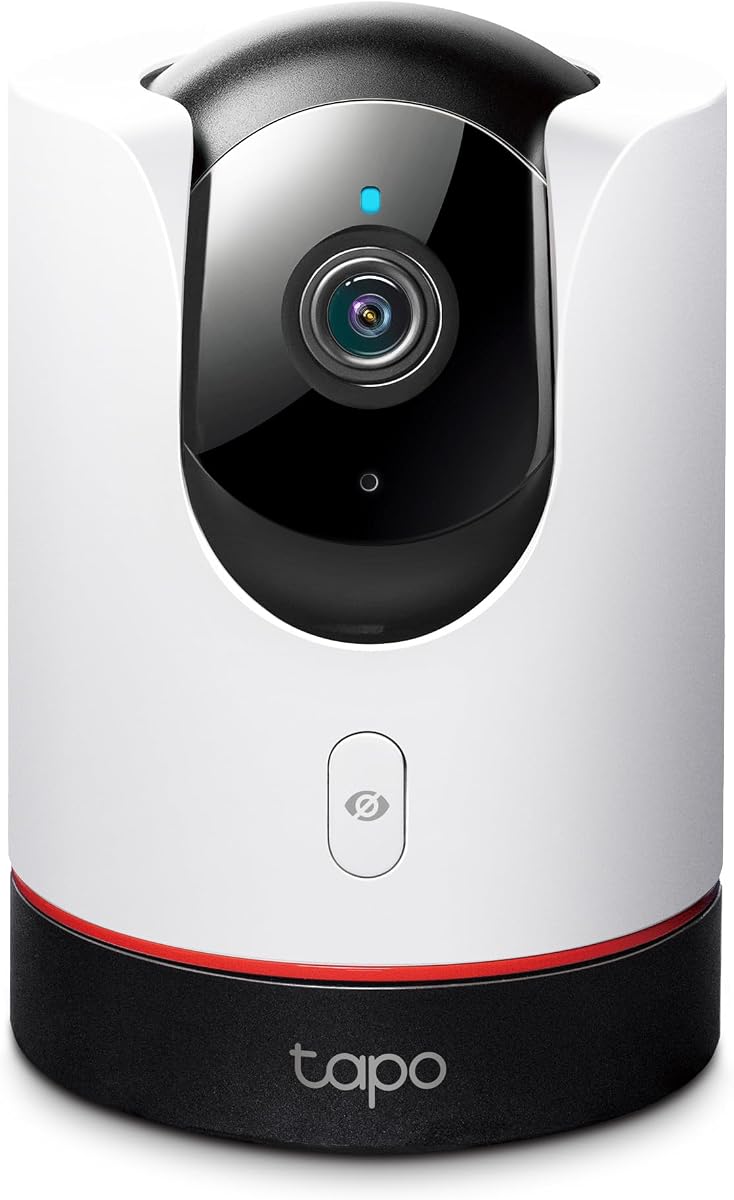
TP-Link Tapo 2K+ Pan/Tilt Security Camera Apple HomeKit, C225
4.5Editor score
360 degree horizontal view
2K QHD live view
Physical privacy mode
This guide compares the top Apple Homekit Security Cameras for October 2026, evaluating features like resolution, privacy, and integration to help you secure
Securing your home with smart technology requires reliable tools that integrate seamlessly with your existing ecosystem. Apple Homekit Security Cameras offer a privacy-focused approach to monitoring, ensuring your data stays within your control while providing real-time alerts and high-quality video feeds for peace of mind.
We evaluated ten top-rated models based on resolution, night vision capabilities, local processing, and ecosystem compatibility. Our comparison focuses on how each camera handles motion detection, storage options, and whether they support essential features like HomeKit Secure Video and Matter connectivity for broader smart home integration.
Each pick highlights specific strengths such as indoor versatility, outdoor durability, or advanced AI tracking. Note that availability and pricing can fluctuate frequently, so please verify the latest details on the retailer pages before making your final purchase decision for your specific setup needs.
4.5Editor score
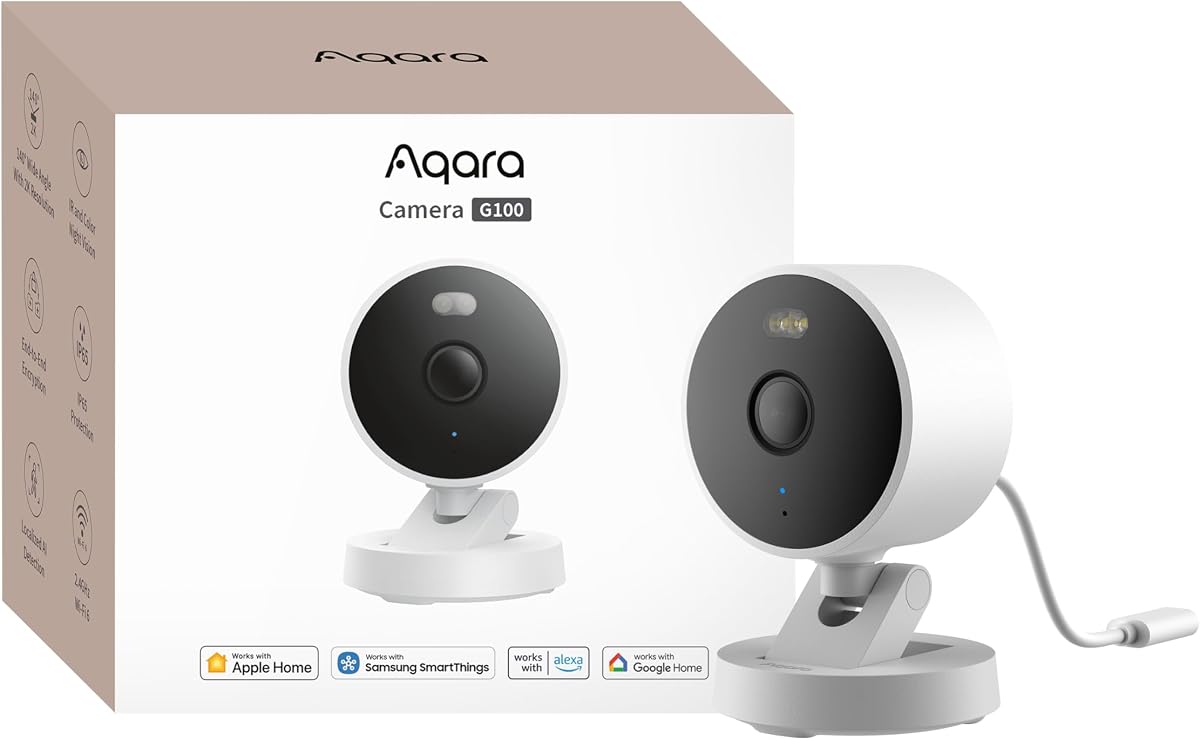
4.2Editor score

4.5Editor score
This side-by-side comparison helps you quickly identify key differences between the top models available this month, focusing on resolution, connectivity, and smart features.



The Aqara G100 stands out as a versatile choice for users seeking a camera that works both indoors and outdoors. It delivers strong 2K clarity with day and night options, making it highly rated for general surveillance needs. Its robust weather-resistant design ensures it performs well in various conditions while maintaining a sleek look.
We may earn a commission when you buy through this link, at no additional cost to you.
This model excels in its ability to support HomeKit Secure Video, providing end-to-end encryption for your data. It offers local and cloud AI detection capabilities, allowing you to distinguish between people and pets. The inclusion of Wi-Fi 6 ensures smoother live views and lower latency during streaming sessions.
However, users should note that the resolution is limited to 1080p when connected to HomeKit, which might not satisfy everyone. Additionally, the power adapter is not included in the box, requiring a separate purchase. These trade-offs are acceptable given the strong feature set and competitive value.
If you need a reliable camera that balances performance with privacy features, this is a top recommendation. It is particularly suitable for households looking to expand their smart security network without compromising on quality or integration with existing Apple devices.
The IP65-rated housing allows flexible mounting in rain or dust environments without worrying about damage.
Spotlight color night vision provides illuminated color recording outdoors, enhancing visibility at dark hours.
We may earn a commission when you buy through this link, at no additional cost to you.
The Eve Cam is designed exclusively for Apple HomeKit Secure Video, prioritizing privacy above all else. It handles video analysis locally within the home, ensuring your personal data remains private and under your control. Notifications are sent instantly to your iPhone or iPad when motion is detected.
We may earn a commission when you buy through this link, at no additional cost to you.
Key strengths include its maximum data security features, with no Eve cloud storage involved. The camera distinguishes between people and pets and can deactivate when someone is home. This local processing approach is a major draw for those concerned about cloud privacy.
However, it is limited to indoor use only, which might restrict placement options. It also requires an iCloud+ plan, which adds to the cost of ownership. These limitations are reasonable trade-offs for users who value strict privacy controls.
Choose this camera if you are deeply invested in the Apple ecosystem and prioritize local data processing. It is ideal for monitoring living spaces where privacy is paramount and integration with HomeKit is a must.
Built from the ground up for Apple HomeKit, it ensures seamless integration with your devices.
Video analysis happens securely in your home, preventing data exposure in the cloud.
We may earn a commission when you buy through this link, at no additional cost to you.
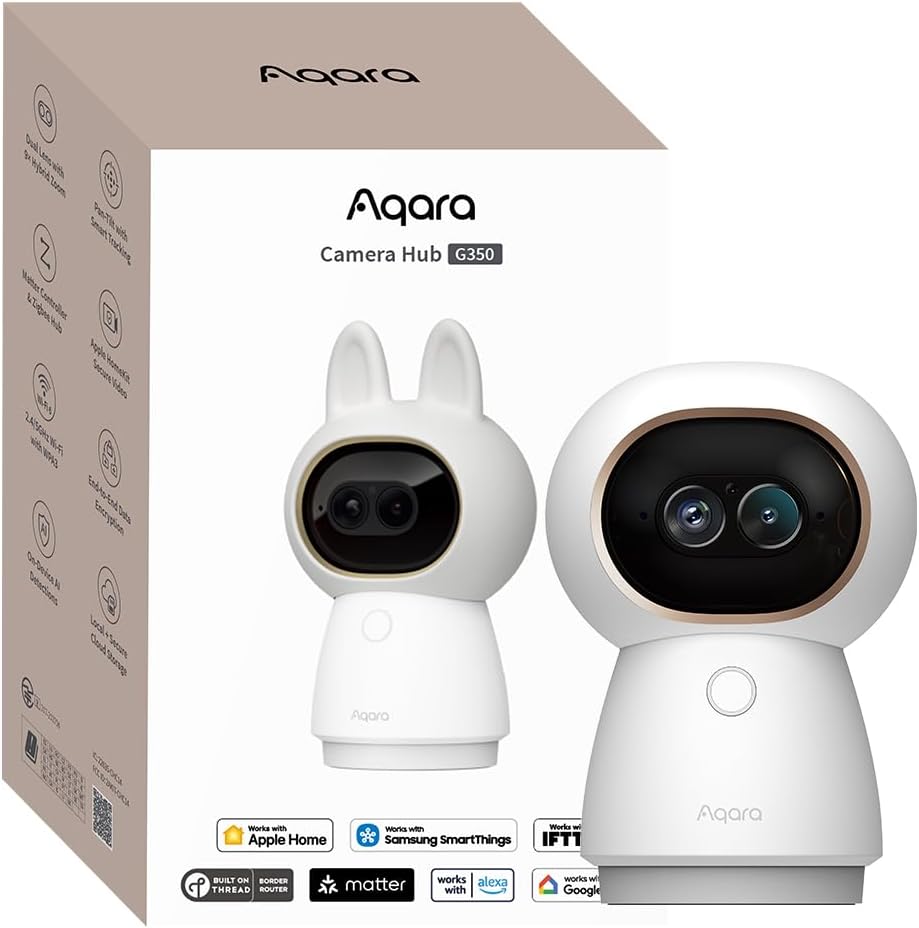
The Aqara G350 offers a dual-lens system that captures sweeping panoramic views and zoomed details with impressive clarity. It supports 4K UHD resolution and 9X hybrid zoom, allowing you to magnify specific areas without losing quality. Local AI processing handles face and pet recognition securely.
We may earn a commission when you buy through this link, at no additional cost to you.
This camera stands out for its smart features like gesture recognition, letting you trigger scenes with a simple wave. The physical privacy mode provides visual assurance that the lens is retracted. Pan tilt capabilities and 360-degree views offer comprehensive room coverage.
The Matter bridge function may vary depending on platform adoption, which could limit immediate benefits. It is also strictly an indoor camera, so it is not suitable for outdoor use. These constraints are acceptable given the high-end indoor capabilities.
If you want a powerful indoor camera with cutting-edge AI and zoom features, this is a strong candidate. It suits users who need detailed monitoring of indoor spaces and appreciate smart home integration.
The 4K lens and telephoto lens combine to deliver sharp panoramic views.
Trigger scenes with a simple hand sign for convenient interaction.
We may earn a commission when you buy through this link, at no additional cost to you.
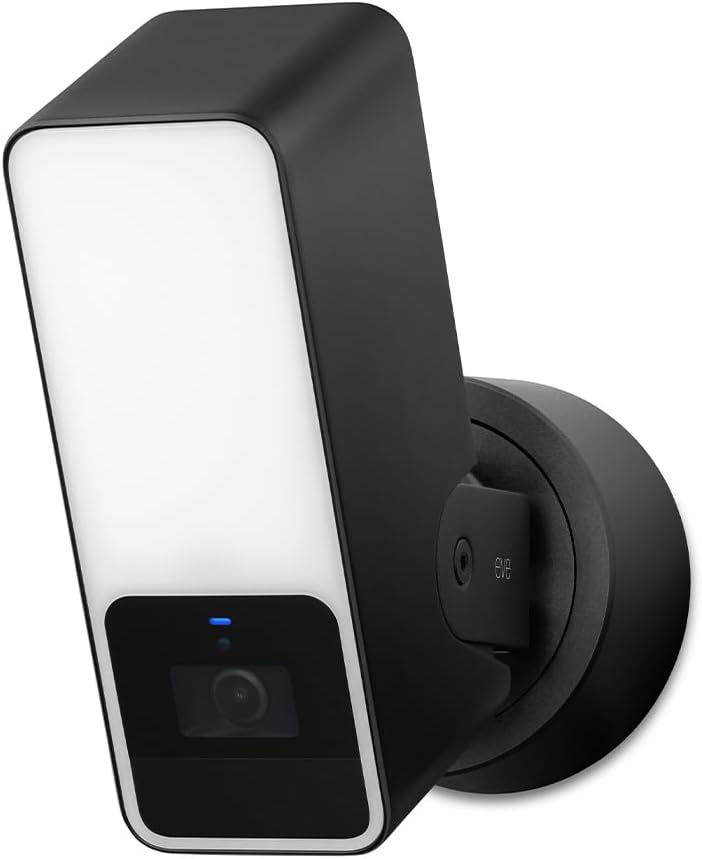
The Eve Outdoor Cam is a floodlight camera designed specifically for privacy-conscious users in the Apple ecosystem. It features 1080p HD video and a powerful dimmable floodlight to deter intruders. Local intelligence means data stays within your home hub.
We may earn a commission when you buy through this link, at no additional cost to you.
It detects people, pets, and vehicles, sending instant notifications to your devices. The two-way communication allows you to interact with visitors. The design prioritizes security with no Eve cloud dependency and end-to-end encryption.
Installation requires a neutral wire and ground wire, which can complicate setup for some homes. It also needs an iCloud+ plan for full functionality. These factors may be barriers for renters or those with older wiring.
Choose this if you need a secure outdoor solution that aligns with Apple privacy standards. It is best suited for homeowners who can manage the electrical requirements.
The dimmable floodlight boosts visibility and scares off potential intruders.
No Eve cloud ensures data remains private and under your control.
We may earn a commission when you buy through this link, at no additional cost to you.
The TP-Link Tapo C225 offers excellent value with 2K QHD resolution and 360-degree coverage. It provides bright visuals even in low light thanks to its starlight sensor. The physical privacy mode blocks the lens completely when you do not need monitoring.
We may earn a commission when you buy through this link, at no additional cost to you.
Smart AI detection identifies people and pets, while customizable night vision lets you choose between infrared and color modes. It supports HomeKit Secure Video for secure storage. The design is compact and functional, making it a favorite for budget seekers.
While it supports 2.4GHz Wi-Fi, 5GHz is not supported, which might impact performance in congested networks. Storage requires a microSD card purchase separately. These are minor trade-offs for the price point.
If you are looking for a cost-effective indoor camera with broad coverage, this is the best choice. It delivers strong performance for the price.
The F1.6 large aperture captures brighter and sharper visuals in any light.
A housing block ensures the lens is covered when you need privacy.
We may earn a commission when you buy through this link, at no additional cost to you.
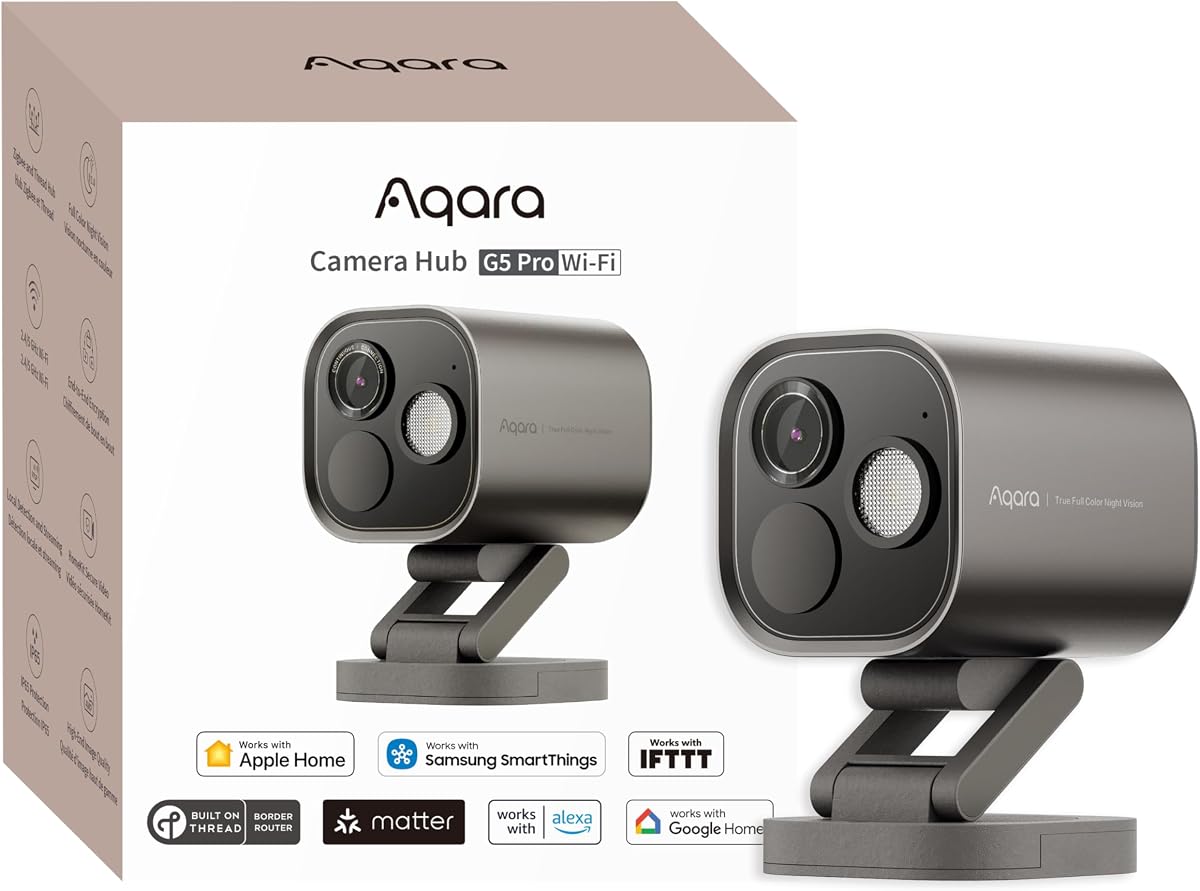
The Aqara G5 Pro WiFi offers 4MP resolution with True Color Night Vision to identify intruders in low light. It features a dual-band Wi-Fi module for flexibility in connectivity. Local AI detection covers faces and abnormal sounds like alarms.
We may earn a commission when you buy through this link, at no additional cost to you.
As a hub, it connects to Zigbee and Thread devices, expanding your smart home ecosystem. The dimmable spotlight acts as a deterrent and improves nighttime visibility. End-to-end encryption ensures data security.
The lack of infrared light means it relies on the spotlight for color vision. A power adapter is needed for operation. These details are acceptable for the advanced feature set.
If you need a camera that doubles as a hub and delivers color night vision, this is a top pick. It is ideal for smart home enthusiasts.
Large aperture sensors identify intruders clearly even in low-light conditions.
Connects to Zigbee and Thread devices directly from the camera unit.
We may earn a commission when you buy through this link, at no additional cost to you.
The Logitech Circle View is built exclusively for Apple HomeKit, offering seamless viewing across Apple devices. Its TrueView optics provide a 180-degree field of view with 1080p clarity. The durable weatherproof housing makes it suitable for outdoor use.
We may earn a commission when you buy through this link, at no additional cost to you.
It features motion detection based recording to save power and storage. The privacy tilt feature allows you to pivot the camera down to disable it. Metal base and power cable ensure a clean look.
Continuous recording is not supported natively, relying on motion events. There is no native mobile app outside HomeKit. These limitations are acceptable for users prioritizing native Apple integration.
If you want a camera that integrates seamlessly with HomeKit without third-party apps, this is the choice. It suits native Apple users well.
View and control directly via the Home app across all Apple devices.
Tilt the camera down instantly to turn off monitoring.
We may earn a commission when you buy through this link, at no additional cost to you.
The Aqara E1 delivers 2K resolution with a 360-degree viewing angle for complete indoor coverage. It supports HomeKit Secure Video and includes a built-in NPU for local automation. Physical privacy mode pivots the lens to deactivate the camera.
We may earn a commission when you buy through this link, at no additional cost to you.
Advanced features include audio disabling and local AI detection for people and sounds. Wi-Fi 6 ensures smooth streaming and lower latency. It is a versatile option for monitoring pets or family members.
The power supply is not included, so you must source it separately. AI detection is only available in the Aqara Home app. These details are minor compared to the feature set.
Choose this for reliable indoor monitoring with privacy controls. It is excellent for families using HomeKit.
360-degree pan tilt motor ensures no spot is left unmonitored.
Audio recording can be disabled manually or through automations.
We may earn a commission when you buy through this link, at no additional cost to you.
The eufy E30 provides 4K recording with AI tracking to follow people and pets automatically. Color night vision switches between infrared and spotlight modes. It stores footage locally on an SD card without mandatory monthly fees.
We may earn a commission when you buy through this link, at no additional cost to you.
Smart home compatibility extends to HomeKit, Alexa, and Google Assistant. The 360-degree panoramic view allows for quick focus tap navigation. Two-way audio facilitates real-time communication.
HomeKit support is limited to 1080p resolution, which might be a downside for some. Cloud storage is optional but adds costs. These are reasonable trade-offs for local storage.
If you want AI tracking and no subscription fees, this camera is a strong contender. It is great for pet owners.
Camera automatically follows movement to provide a complete view.
Store footage locally on SD card without subscription.
We may earn a commission when you buy through this link, at no additional cost to you.
The Aqara G5 Pro PoE offers PoE installation for a single cable setup. It delivers 4MP resolution with True Color Night Vision. Local AI detection handles faces and abnormal sounds. It also acts as a hub for smart devices.
We may earn a commission when you buy through this link, at no additional cost to you.
End-to-end encryption ensures data security. The built-in 8GB storage supports recording. A USB-C port provides flexibility. It is a premium solution for robust home security.
You need a PoE switch, which adds to cost. There is no battery backup. These details are acceptable for wired reliability.
If you need a wired premium camera with hub features, this is the best choice. It suits demanding home setups.
Transmit video and power via a single network cable.
Identify intruders clearly even in low-light conditions.
We may earn a commission when you buy through this link, at no additional cost to you.
Selecting the right camera involves understanding key features like resolution, privacy, and integration capabilities to match your needs.
Higher resolution like 2K or 4K provides clearer details, allowing you to identify faces or license plates effectively. Look for cameras with good sensor sizes and apertures to ensure performance in low-light conditions.
Prioritize models with high resolution if detail is critical for your monitoring needs.
HomeKit Secure Video ensures your video is encrypted and stored securely in iCloud without exposing it to third-party servers. This feature is essential for users who prioritize privacy within the Apple ecosystem.
Ensure the camera explicitly supports HomeKit Secure Video for maximum data security.
Outdoor cameras must be weather-resistant with ratings like IP65 or IP64 to withstand rain, dust, and temperature fluctuations. Indoor models might offer pan tilt functionality and sleek designs that fit better inside the home.
Check the weather rating to ensure the camera survives your specific placement environment.
Local storage via microSD cards or NAS provides full control over your footage without subscription fees. Cloud storage offers convenience but may require monthly plans. Some models support both for flexibility.
Choose local storage if you want to avoid ongoing costs and maintain data control.
Advanced AI can distinguish between people, pets, and vehicles, reducing false alarms significantly. Look for models that process this data locally on the device to maintain privacy and speed.
Opt for local AI detection to get accurate alerts without compromising your privacy.
Cameras that support Matter or act as hubs can connect other smart devices like locks and sensors. This centralizes control and simplifies your automation setup across different platforms.
Select a camera with hub capabilities to expand your smart home network efficiently.
Effective night vision ensures you can see clearly in the dark. Color night vision models use spotlights or sensors to provide color footage, which is better for identifying details.
Prioritize models with true color night vision if visibility at night is a priority.
Installation methods vary from plug-and-play to those requiring wiring or PoE switches. PoE cameras simplify cabling but need a switch. Wireless models offer flexibility but depend on Wi-Fi strength.
Consider your electrical setup and network environment before selecting the installation type.
Start by connecting the camera to your home network and adding it to the Home app using the provided setup code. Ensure your Home hub is active and your iCloud subscription is valid for HomeKit Secure Video features.
Regularly update the firmware through the manufacturer's app to get the latest security patches and features. Check the lens and housing for dust or debris to maintain optimal video quality.
Adjust motion detection zones and sensitivity to reduce unnecessary alerts. Review your storage options periodically to ensure you have enough space or manage your cloud retention settings.
Yes, a Home Hub such as a HomePod or Apple TV is required to enable HomeKit Secure Video. It allows your devices to access encrypted video even when you are away from home. Without it, you may not be able to view recorded clips remotely.
Most Apple HomeKit cameras are designed primarily for Apple devices, but many offer companion apps for Android. Features like HomeKit Secure Video will still require an Apple Home Hub to function fully. Check specific app support for Android compatibility.
Local storage typically uses a microSD card or NAS connected to the camera. Footage is saved directly to the device, giving you full control over your data. Ensure you use a compatible card and format it correctly for recording.
2K resolution offers higher pixel density than 1080p, resulting in sharper images and more detail. It is especially useful for zooming in on specific areas without losing clarity. However, it may consume more storage space.
Many models allow you to disable audio recording in the app settings for privacy. Some cameras even provide a physical privacy mode that retracts the lens entirely. Check the specific controls in the manufacturer's app.
Local features like live view and recording can work offline if connected to a local network. However, remote access usually requires internet connectivity. Some automation may still function locally using the Home Hub.
The Aqara G100 and TP-Link C225 stand out as top choices for those balancing features and value. They offer versatile indoor and outdoor options with strong privacy protections and reliable performance.
For advanced users, models like the G5 Pro PoE provide superior resolution and hub capabilities. Prioritize privacy and local storage if data security is your main concern.
Remember to verify current availability and features on retailer pages as they may update frequently. This ensures you get the latest version of the camera that fits your home security needs.