
Dell 24 240Hz Gaming Monitor
4.7Editor score
Fast IPS 0.5ms response
99% sRGB color coverage
AMD FreeSync Premium support
Finding the right display is critical for tactical shooters like Valorant. A 240Hz monitor ensures smooth motion and minimal input lag, giving you a competitive edge in ranked matches and tournaments alike.
We analyzed ten leading models based on panel technology, response times, and adaptive sync support. Our comparison focuses on features that matter most to esports enthusiasts seeking clarity and speed during intense gameplay sessions.
Each pick highlights specific strengths tailored to different budgets and setups. Note that availability and pricing may fluctuate, so verify current details before purchasing to ensure you get the best deal available today.
4.7Editor score
4.5Editor score

4.6Editor score
As an Amazon Associate we earn from qualifying purchases.
This side-by-side comparison evaluates all ten models to help you decide which display fits your specific gaming needs and budget requirements effectively.



The Dell SE2426HG offers a compelling entry point into high-refresh gaming. With a 240Hz panel and fast IPS technology, it delivers crisp visuals essential for tracking enemies in Valorant. Its strong rating reflects consistent performance and value for new competitive players.
We may earn a commission when you buy through this link, at no additional cost to you.
This monitor excels in motion clarity thanks to its 0.5ms response time. The IPS panel ensures wide viewing angles and accurate colors, making UI elements and abilities distinct. Adaptive sync support reduces tearing without sacrificing frame rates during intense firefights.
While the stand lacks height adjustment, the tilt range is sufficient for most desk setups. The TÜV certification helps reduce eye strain during long ranked sessions. Budget-conscious buyers will appreciate the balance between performance and cost in this model.
Ideal for entry-level esports enthusiasts seeking a reliable 240Hz experience. If you prioritize smooth motion over premium ergonomics, this display provides the speed needed to climb ranks without breaking the bank.
The 99% sRGB coverage ensures that enemy outlines and abilities stand out clearly against dynamic backgrounds during combat.
Fast IPS technology combined with a 240Hz refresh rate minimizes blur and keeps input lag low for precise aiming.
We may earn a commission when you buy through this link, at no additional cost to you.
The AOC Q27G41ZE combines high resolution with exceptional speed. Its 260Hz overclocked rate and 0.3ms response time provide unparalleled fluidity for tracking fast-moving targets. The QHD panel adds sharpness that helps spot distant enemies more easily.
We may earn a commission when you buy through this link, at no additional cost to you.
Performance is boosted by Adaptive-Sync which maintains smooth visuals across varying frame rates. The game modes allow quick tuning for competitive play. Tilt adjustment and frameless design enhance comfort and immersion during marathon gaming sessions.
While demanding on GPU resources, the visual clarity pays off for players with mid-to-high-end systems. The higher price reflects the premium panel quality. It is a strong choice for those wanting detail alongside raw speed.
Recommended for competitive players prioritizing resolution and refresh rates. If your rig can handle QHD at high frame rates, this monitor offers a distinct advantage in visibility and motion handling.
The 2560×1440 resolution renders enemy models and map details with greater clarity than standard FHD displays.
Pushing to 260Hz provides extra smoothness that can be noticed in close-range duels and fast peeking scenarios.
We may earn a commission when you buy through this link, at no additional cost to you.
The SANSUI monitor pushes refresh rates to 300Hz for those seeking maximum speed at a lower cost. The Fast IPS panel ensures decent color accuracy while maintaining the motion clarity needed for tactical shooters. It suits players focused purely on frame rates.
We may earn a commission when you buy through this link, at no additional cost to you.
Features like the FPS assistant and dynamic luminous control help target tracking during dark or bright moments. The inclusion of multiple DP ports supports high refresh output easily. This model is built for performance-first users on a budget.
Build quality is functional rather than premium, but the performance metrics are impressive for the price. Lack of speakers is standard for gaming monitors. It delivers the raw speed required for high-level competitive play effectively.
Perfect for budget-focused gamers needing extreme refresh rates. If your priority is minimizing motion blur over build finesse, this unit offers exceptional value for high-FPS titles.
Supporting up to 300Hz ensures you benefit fully from high-end GPUs that can push frame rates beyond standard 240Hz.
Built-in game assistants and crosshair overlays provide tactical advantages that enhance aim accuracy during gameplay.
We may earn a commission when you buy through this link, at no additional cost to you.
The Amzfast model brings curvature to a 240Hz display, offering an immersive experience for wide-screen setups. Its ultra-slim base frees up desk space. The joystick control simplifies OSD navigation. You can adjust settings quickly without taking hands off controls.
We may earn a commission when you buy through this link, at no additional cost to you.
High contrast and HDR technology enhance visual depth, making enemies pop against environments. Adaptive sync ensures smooth gameplay without tearing. Eye protection features reduce strain during extended sessions. This monitor fits well in small gaming rooms.
While curvature is subjective, some players prefer it for peripheral vision engagement. Response time is slightly slower than top IPS options but remains effective. It is a practical choice for those valuing ergonomics and desk efficiency.
Great for small setups needing space efficiency and immersion. If you prefer curved screens for peripheral engagement, this model balances performance with ergonomic convenience effectively.
The ultra-slim base allows under-keyboard storage, maximizing usable desk space for a clean and functional gaming setup.
A dedicated joystick puts critical settings like refresh rate at your thumb for instant adjustments during play.
We may earn a commission when you buy through this link, at no additional cost to you.
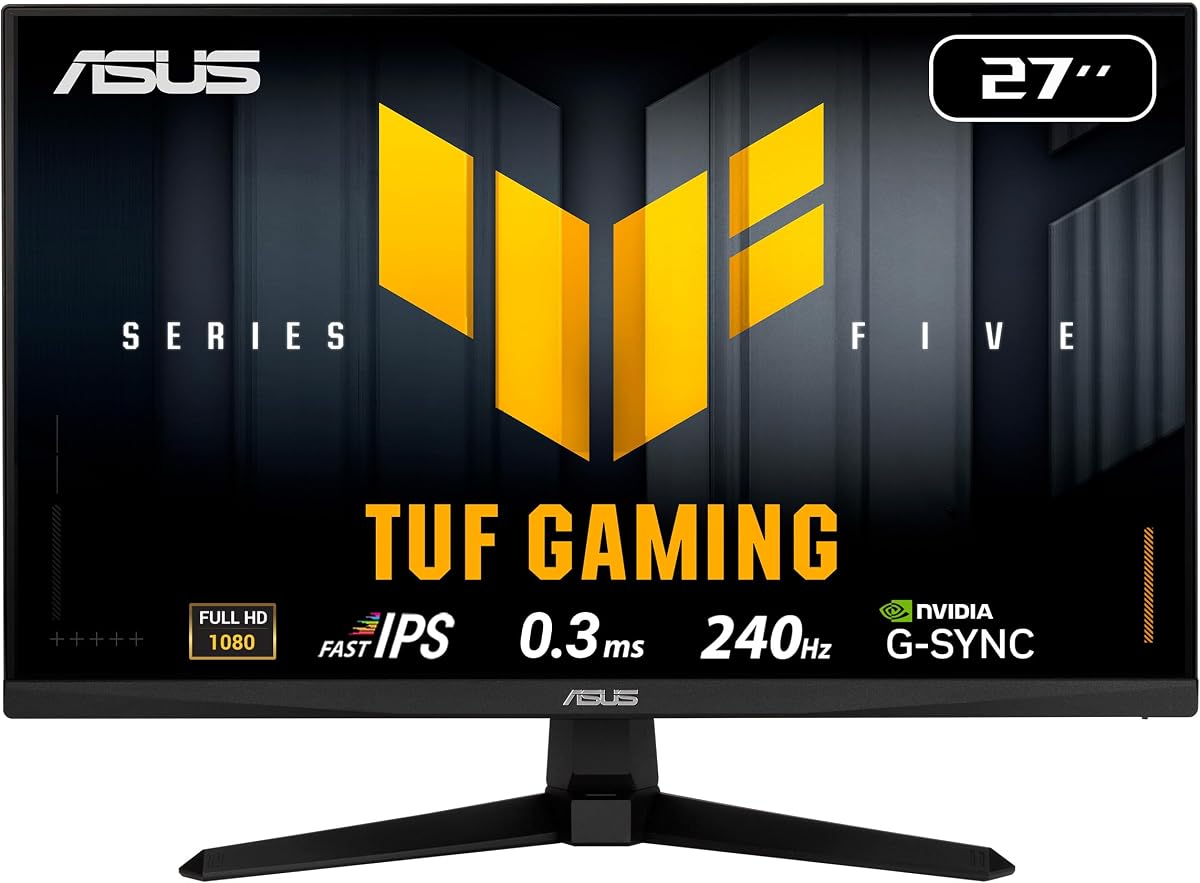
The ASUS TUF VG279QM5A stands out with ELMB SYNC, blending motion blur reduction with variable refresh rate. The 27-inch Fast IPS panel offers speed and color accuracy ideal for Valorant. Its rating reflects robust build quality and performance consistency.
We may earn a commission when you buy through this link, at no additional cost to you.
G-Sync compatibility ensures tear-free gameplay across NVIDIA GPUs. The DisplayWidget Center simplifies setting adjustments via mouse. Color coverage ensures vibrant visuals for content creation too. A three-year warranty adds long-term peace of mind for serious buyers.
Though the design is utilitarian, the internal tech is top-tier. AI-enhanced features help improve user experience dynamically. It balances professional needs with competitive edge well. This unit is a strong investment for versatile gamers.
Best for players wanting professional-grade motion control. If you need both speed and color fidelity for gaming and work, this model delivers balanced performance.
ELMB SYNC technology enables blur reduction without sacrificing variable refresh rate benefits for clearer fast movement.
DisplayWidget Center allows easy OSD access and settings adjustment using a mouse instead of physical buttons.
We may earn a commission when you buy through this link, at no additional cost to you.
The MSI MAG 274CF X24 delivers high-rated performance with AI Vision to boost visibility in dark scenes. Its 240Hz rate keeps movement fluid. The VA panel provides deep blacks, useful for night maps. Tilt adjustment ensures basic ergonomic comfort.
We may earn a commission when you buy through this link, at no additional cost to you.
AI Vision enhances details in shadowed corners, making stealthy enemies easier to spot. Adaptive sync maintains smooth frame rates. Brightness and contrast settings optimize visual output. It is a reliable choice for players needing better visibility.
VA panels usually struggle with response time but this one performs well. It offers solid value for its features. While lacking height adjustment, it remains sturdy. This monitor fits well in dark gaming rooms.
Ideal for gamers needing enhanced dark visibility. If you often play in dark environments, the AI Vision feature gives you a tactical edge over standard panels.
AI Vision technology reveals hidden details in dark areas and enhances overall brightness and color saturation.
The 240Hz refresh rate ensures fast reactions and smoother frames during competitive matches and tournaments.
We may earn a commission when you buy through this link, at no additional cost to you.
This AOC model offers native 240Hz with overclocking to 260Hz at a competitive price. The IPS panel ensures wide viewing angles and accurate colors. It is well-suited for players upgrading from 144Hz without overspending on premium brands.
We may earn a commission when you buy through this link, at no additional cost to you.
G-Sync compatibility ensures smooth visuals with NVIDIA cards. Flicker-free technology reduces eye strain during long matches. The frameless design supports multi-monitor setups if desired. Eco mode keeps power usage efficient for daily operation.
Brightness is standard but acceptable for most environments. The tilt range allows some ergonomic customization. It balances cost and performance effectively. This unit is a solid option for value-driven esports enthusiasts.
Best for budget-conscious players wanting 260Hz speed. If you need high refresh rates without paying a premium, this model provides excellent performance.
Native 240Hz with overclocking to 260Hz allows smooth motion without needing extreme GPU power for top speeds.
Flicker-free technology helps reduce eye fatigue during extended gaming sessions and marathon tournaments.
We may earn a commission when you buy through this link, at no additional cost to you.
The SANSUI curved monitor provides a 1500R curve for immersive gameplay at a low price. Its 240Hz refresh rate keeps motion fluid. The shadow booster and black level adjustment help locate enemies in darker corners. It is a great budget immersive display.
We may earn a commission when you buy through this link, at no additional cost to you.
Color gamut coverage ensures vivid visuals. Multiple ports support diverse setups. Tilt adjustment improves comfort. It is ideal for single-player or small setups needing a curved field of view without high costs.
Response time is adequate for casual competitive play. While not premium, it delivers the core features needed. The warranty offers additional security for buyers. This model suits those prioritizing immersion and cost.
Perfect for budget builds needing immersion. If you want a curved screen for a wider field of view, this unit is an accessible option.
Shadow booster and black level adjustments help reveal enemies hiding in dark corners during intense matches.
High sRGB and DCI-P3 coverage ensures colors appear vivid and accurate across various gaming scenarios.
We may earn a commission when you buy through this link, at no additional cost to you.
The ASUS TUF VG249QML5A is ideal for tight desks needing full ergonomic support. Its height-adjustable stand helps maintain proper posture. The 240Hz Fast IPS panel delivers sharp motion and color consistency. It fits well in small competitive setups.
We may earn a commission when you buy through this link, at no additional cost to you.
ELMB SYNC technology reduces blur while maintaining sync. DisplayWidget Center enables easy setting tweaks. Adobe Creative Cloud subscription adds value for creators. This unit is perfect for gamers who also handle content creation work.
Though screen size is smaller, performance remains high. Response time ensures fast reactions. The warranty provides long-term support. It balances ergonomics with performance for professional needs effectively.
Recommended for small desks needing full adjustability. If you need height control and speed for a clean setup, this model offers a complete package.
Height adjustable stand allows customized viewing positions for maximum comfort during extended gaming sessions.
Free Adobe Creative Cloud subscription complements gaming features for users who also edit content regularly.
We may earn a commission when you buy through this link, at no additional cost to you.
The ASUS TUF VG259QM5A is a premium choice for those needing the best speed. Its 24.5-inch Fast IPS panel offers exceptional clarity. The 0.3ms GTG response ensures minimal motion blur. It is built for serious competitive gamers seeking edge.
We may earn a commission when you buy through this link, at no additional cost to you.
Vibrant color accuracy enhances immersion. DisplayWidget Center simplifies control. Three-year warranty ensures reliability. While costly, the performance justifies the investment for pro users. It is a refined tool for high-level play.
The design is functional and robust. It maintains stability during intense use. Color volume is excellent for tactical visibility. This model stands as a high-performance standard for serious esports setups.
Best for competitive players needing top-tier specs. If budget allows, this monitor delivers unmatched speed and clarity for ranking up in Valorant.
Designed for professional gamers and immersive gameplay, this monitor ensures fast reactions and precise aiming.
Comprehensive 3-year manufacturer warranty provides peace of mind for long-term reliability and consistent performance.
We may earn a commission when you buy through this link, at no additional cost to you.
Selecting the right monitor involves balancing technical specs with ergonomics and budget. This guide breaks down the critical factors for Valorant players.
Refresh rate determines how many frames per second the display can show. Valorant benefits significantly from 240Hz or higher as motion appears smoother and aiming becomes more fluid.
Look for native 240Hz panels to ensure stable performance without relying on aggressive overclocking.
Response time measures how quickly a pixel changes color. For competitive play, aim for 1ms or lower to minimize ghosting and motion blur during fast movements.
Fast IPS or TN panels typically offer the quickest response times needed for accurate tracking.
IPS panels offer better color and viewing angles, while TN offers speed. VA panels provide contrast but may lag in response. Fast IPS balances both well for most Valorant scenarios.
Choose IPS if color fidelity matters alongside speed or TN if raw reaction is your only priority.
Adaptive sync technologies like G-Sync or FreeSync prevent screen tearing. Ensure your GPU matches the monitor support for seamless gameplay.
Prioritize models with compatible adaptive sync to avoid visual artifacts during intense moments.
Ergonomics like height and tilt adjustment reduce strain. A good stand helps maintain posture during long sessions.
Select a monitor with adjustable stand features to suit your desk setup and health needs.
Check inputs like DisplayPort and HDMI for bandwidth. DisplayPort often supports higher refresh rates for modern setups.
Ensure your cables support the desired resolution and refresh rate for optimal performance.
1080p is standard for 240Hz monitors as it demands less GPU power. Higher resolutions like QHD may compromise refresh rates.
Stick to 1080p for competitive play to ensure consistent high frame rates.
Screen size impacts field of view. Most pros prefer 24 to 25 inches for quick tracking without excessive eye movement.
Consider a 24 to 25 inch display for optimal balance between immersion and visibility.
Connect using DisplayPort to ensure full refresh rate support. Adjust scaling settings in graphics drivers to prioritize performance over visuals.
Keep the monitor clean using a microfiber cloth. Avoid harsh chemicals that might damage coatings on the screen surface.
Update drivers regularly for better adaptive sync compatibility. Calibrate brightness to reduce eye strain during long sessions.
Yes, 240Hz is highly recommended for competitive play as it reduces motion blur and input lag significantly compared to 60Hz or 144Hz displays. Higher frame rates allow you to react faster to opponents.
Screen size primarily impacts visibility. Smaller monitors like 24 inches help keep the entire screen in peripheral vision. This is preferred for competitive play to maintain focus and reaction speed.
1080p is the standard resolution for 240Hz monitors. It ensures high frame rates with less GPU load. Higher resolutions often drop refresh rates or require much more powerful hardware.
Yes, pushing 240Hz in Valorant requires a strong CPU and GPU to consistently hit high FPS. A powerful system ensures smooth gameplay without frame drops.
Fast IPS panels are currently the best choice as they balance color accuracy with low response times. They offer a significant improvement over traditional TN panels.
Set brightness to match your room lighting to reduce eye strain. Disable motion blur in game settings. Use adaptive sync to keep frame rates smooth.
Our top picks highlight the best options for every budget from the Dell budget choice to the premium ASUS models. Each brings unique strengths like fast IPS panels and high refresh rates.
Prioritize response time and refresh rate when choosing. Ensure your system can push the necessary frame rates to fully utilize the monitor.
Check current pricing before buying as deals fluctuate. Investing in a solid monitor can significantly improve your ranked experience in the long run.