
Logitech 960001580 Brio 100
4.5Editor score
Full HD 1080p resolution
58 degree field of view
Built-in microphone included
Plug and play setup
This guide compares the top 1080p webcams for streaming and meetings. We review video quality, microphone performance, and privacy features to help you choose
In today's digital workspace, having a reliable webcam is essential for clear communication. A good 1080p webcam ensures you look professional during video calls and streams without breaking the bank.
We evaluated ten top-rated models based on video clarity, audio quality, and ease of use. Our analysis covers features like autofocus, privacy shutters, and compatibility with popular platforms to help you decide.
Each pick highlights specific strengths tailored to different needs like gaming or office work. Please note that prices and availability change frequently, so check current listings before making your final purchase decision.
4.5Editor score

4.6Editor score

4.4Editor score
This side-by-side comparison highlights the key specifications and features of the top ten webcams selected for this guide to help you quickly identify which model fits your specific requirements.




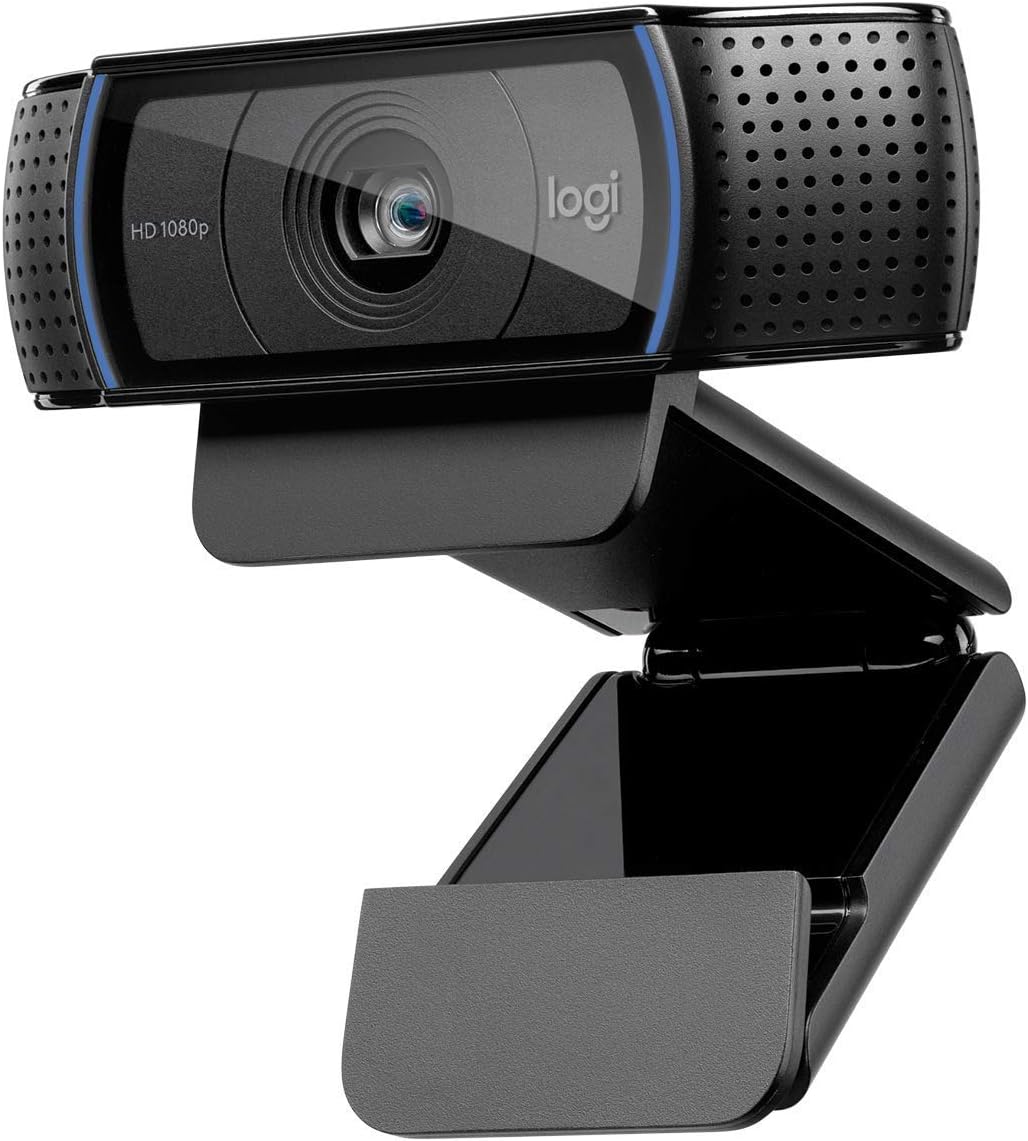

The Logitech C920x HD Pro stands out as a top contender in the 1080p webcam market. It delivers crisp video and clear audio, making it ideal for professional meetings and content creation.
We may earn a commission when you buy through this link, at no additional cost to you.
Its HD autofocus and lighting adjustment ensure you look sharp even in challenging environments. The stereo microphones capture natural sound, reducing the need for external audio equipment.
While it lacks a built-in privacy shutter, the image quality and ease of use make it a solid choice. The included XSplit VCam license adds value by allowing background manipulation without a green screen.
This webcam is perfect for users seeking a reliable all-rounder. Whether you are working from home or streaming, it provides consistent performance that justifies its price point.
The glass lens and autofocus technology ensure razor-sharp images. This feature is crucial for maintaining professionalism during important video calls.
Dual microphones work together to reduce background noise. This ensures your voice comes through clearly without the need for a separate headset.
We may earn a commission when you buy through this link, at no additional cost to you.
The EMEET S600 offers premium features typically found in higher-end cameras. Its Sony sensor and PDAF autofocus provide fast and accurate tracking for dynamic video sessions.
We may earn a commission when you buy through this link, at no additional cost to you.
Streamers will appreciate the ability to shoot in 4K or high frame rate 1080p. The adjustable field of view allows for framing flexibility that standard webcams lack.
Privacy is well addressed with a built-in cover. The customizable software allows fine-tuning of image and sound settings to match specific needs.
This model is recommended for serious content creators who need top-tier video quality. It combines professional performance with a user-friendly design.
Phase detection autofocus ensures sharp focus even when moving. This prevents the blurring often seen in cheaper models during active sessions.
Proprietary algorithms filter out background noise effectively. This makes it suitable for noisy environments where clarity is paramount.
We may earn a commission when you buy through this link, at no additional cost to you.
For budget-conscious buyers, the Logitech Brio 100 delivers solid 1080p performance. It provides clear video suitable for standard video conferencing and casual streaming.
We may earn a commission when you buy through this link, at no additional cost to you.
Its narrow field of view is better for solo users rather than group calls. The built-in microphone ensures audio convenience without extra accessories.
As a renewed product, it offers significant savings while maintaining quality standards. It is a reliable choice for those needing basic functionality.
This webcam is ideal for home offices where cost efficiency is key. It balances performance and price well for everyday video communication needs.
Renewed options provide premium features at lower costs. This makes professional quality accessible to more users.
The plug-and-play design requires no drivers. Users can start working immediately after connecting to their computer.
We may earn a commission when you buy through this link, at no additional cost to you.
The Logitech C920S HD Pro addresses privacy concerns directly with its integrated shutter. This physical cover provides peace of mind when the camera is not in use.
We may earn a commission when you buy through this link, at no additional cost to you.
Video and audio quality remain high thanks to the proven C920 core. It balances essential features without unnecessary complexity for everyday users.
The light correction ensures consistent image quality across different environments. This reliability makes it a strong option for professional meetings.
This webcam is best for users who prioritize privacy. It delivers consistent performance without sacrificing essential video or audio quality.
The physical shutter physically blocks the lens. This prevents accidental recording and ensures user control.
Auto light adjustment keeps images bright and clear. This reduces the need for manual tweaking during calls.
We may earn a commission when you buy through this link, at no additional cost to you.
The Logitech C920e is tailored for business environments needing certified hardware. It ensures seamless integration with major platforms like Zoom and Microsoft Teams.
We may earn a commission when you buy through this link, at no additional cost to you.
The 78 degree field of view is perfect for sharing screens or products during presentations. This wider angle helps in collaborative meetings without moving around.
Mounting flexibility allows it to be used on laptops or tripods. This versatility suits different office setups and remote work scenarios.
It is recommended for corporate buyers looking for compliance. The added features support remote management and consistent device standards.
Official certification ensures optimal performance on platforms. This reduces compatibility issues and improves call stability.
Tripod threads allow for flexible camera positioning. This helps find the perfect angle for various use cases.
We may earn a commission when you buy through this link, at no additional cost to you.
The Logitech Brio 101 combines essential features at an accessible price. Its auto-light balance ensures a bright image even with limited lighting sources.
We may earn a commission when you buy through this link, at no additional cost to you.
Built with recycled plastic, it aligns with eco-friendly goals. This makes it a conscious choice for environmentally aware users.
The integrated cover and multiple colors add to its appeal. It is a reliable tool for daily home office communication.
This webcam is perfect for users seeking simplicity. It offers the necessary tools for clear video without complex setup.
RightLight technology boosts brightness automatically. This prevents dark images in low-light home environments.
Made with significant recycled content. This reflects a commitment to reducing environmental impact.
We may earn a commission when you buy through this link, at no additional cost to you.
The EMEET C960 offers a wide field of view ideal for small group calls. The 90-degree lens captures more of your space without moving the camera.
We may earn a commission when you buy through this link, at no additional cost to you.
Dual omnidirectional microphones ensure clear audio from various angles. This is beneficial when multiple people share the same workspace.
Its USB Type A and C compatibility broadens device support. The automatic light adjustment handles typical office lighting conditions well.
This model is a practical choice for shared workspaces. It provides broad coverage and good connectivity options at a reasonable price.
The 90-degree angle captures more participants. This facilitates better interaction in multi-person meetings.
Includes an adapter for modern laptops. This future-proofs compatibility with newer devices.
We may earn a commission when you buy through this link, at no additional cost to you.
The NexiGo N60 brings security and clarity to video calls. Its privacy cover provides a simple physical barrier against unwanted viewing.
We may earn a commission when you buy through this link, at no additional cost to you.
The built-in noise-canceling microphone helps filter background sounds. This improves overall audio clarity for clearer communication.
Support for various operating systems makes it versatile. Users can rely on it across different device ecosystems without issues.
This webcam is best for users prioritizing privacy. It delivers reliable 1080p performance with essential features.
The physical cover ensures privacy when not in use. This prevents unauthorized access to the camera feed.
Noise-canceling technology reduces ambient distractions. This ensures your voice is heard clearly.
We may earn a commission when you buy through this link, at no additional cost to you.
The Logitech Brio 105 is designed for professional efficiency. Its auto-light balance ensures a bright image even with challenging lighting.
We may earn a commission when you buy through this link, at no additional cost to you.
Google Meet certification ensures optimized performance for users. This makes it a seamless choice for modern teams.
The integrated privacy shutter adds a layer of security. It allows employees to maintain control over their data easily.
This model is ideal for corporate environments. It balances professional features with an accessible price point.
RightLight 2 automatically improves image quality. This ensures you look good regardless of room conditions.
Official support for major platforms. This guarantees stability during professional video meetings.
We may earn a commission when you buy through this link, at no additional cost to you.
The Logitech HD Pro C920 remains a classic choice. Its proven track record delivers reliable performance for daily use.
We may earn a commission when you buy through this link, at no additional cost to you.
Autofocus ensures sharp images regardless of movement. The stereo mics provide clear audio without extra equipment.
Though older, it maintains high standards for video quality. It continues to be a staple in many home offices.
This webcam is best for those seeking proven reliability. It delivers consistent quality without advanced complexity.
Decades of use have refined this model. It offers stability that newer models aim to match.
Simple form fits any desk setup. It provides utility without distracting design elements.
We may earn a commission when you buy through this link, at no additional cost to you.
Choosing the right webcam depends on specific needs like video quality, microphone performance, and ease of use. This guide outlines key factors to consider for your setup.
While most webcams offer 1080p, frame rates vary. Higher frame rates ensure smoother motion which is crucial for streaming content.
Prioritize models with at least 30fps for a comfortable viewing experience.
Autofocus technology adjusts the lens to keep your image sharp. This is essential if you move around during calls.
Cameras with autofocus prevent blurring during active sessions.
Built-in microphones vary in clarity. Look for noise-canceling features to reduce background distractions.
Good audio ensures you communicate effectively without extra gear.
A wider angle captures more space, suitable for group calls. Narrower angles are better for personal focus.
Choose based on whether you need to include multiple people or just yourself.
Physical shutters prevent lens access when the camera is off. This adds a layer of security for users.
Privacy covers are now standard in most modern models.
Software automatically balances exposure for better visibility. This helps when you are backlit or in dim light.
Models with auto-balance provide consistent image quality.
Ensure the camera supports your operating system. Most modern webcams work with Windows and Mac.
Check for Linux or mobile compatibility if needed.
Flexible mounting allows for better positioning. Standard clips work on most monitors.
Tripod threads add versatility for fixed setups.
Connect the webcam to an available USB port and allow your system to install any necessary drivers automatically.
Open your video application and select the webcam as the default input device in the settings menu.
Clean the lens gently with a microfiber cloth to remove dust and fingerprints for clear video quality.
The main difference lies in resolution. 4K cameras offer higher detail than 1080p models. However, 1080p is sufficient for most meetings and streaming needs.
Most modern webcams are plug-and-play devices. Your operating system installs drivers automatically. Some advanced features may require specific software.
Position your light source in front of you for best results. Keep your lens clean to avoid smudges. Ensure your internet connection is stable.
Yes, for most casual and professional calls. High-quality microphones reduce the need for extra gear. Noise-canceling features help in noisy environments.
It is a physical cover that blocks the camera lens. This ensures no one can see you when you are not on a call. It provides peace of mind and security.
Most webcams are compatible with macOS. Check the product specifications for specific version support. USB connectivity is generally universal across systems.
We reviewed ten top models ranging from budget to premium options. The Logitech C920x leads as our editor's choice for balance of quality and cost.
Prioritize features like autofocus and light correction for the best experience. Ensure the field of view matches your meeting environment.
Remember to check current prices and availability as they fluctuate. Select the model that best fits your specific communication needs today.