
Canon CanoScan LiDE 300
4.2Editor score
Auto Scan Mode
USB Connectivity
Compact Design
Finding the right scanning solution is essential for digitizing documents and preserving memories. Modern flatbed scanners offer high resolution and versatile features to meet diverse needs effectively.
We evaluated ten leading models based on optical resolution, scanning speed, connectivity options, and software capabilities. This comparison highlights the strengths and weaknesses of each device.
Each pick showcases specific use cases and performance metrics. Prices and availability may change, so verify current details before purchasing your ideal scanning equipment today.
4.2Editor score

3.7Editor score

3.7Editor score
As an Amazon Associate we earn from qualifying purchases.
The following table provides a side-by-side overview of all ten scanners, detailing their key specifications and primary use cases for easy reference.





The Epson Perfection V39 II is a top choice for photo enthusiasts needing high detail. It offers 4800 dpi optical resolution for sharp enlargements.
We may earn a commission when you buy through this link, at no additional cost to you.
Its Easy Photo Fix technology restores faded colors with one click. The high-rise lid allows scanning of books and photo albums easily.
While scanning speed is moderate at 10 seconds per page, the quality compensates for this trade-off in home environments.
This model is ideal for users prioritizing photo quality and document versatility over raw processing speed.
Easy Photo Fix technology revitalizes old photos effortlessly.
USB powered design ensures easy setup anywhere.
We may earn a commission when you buy through this link, at no additional cost to you.
The Canon CanoScan LiDE 300 is a reliable budget-friendly scanner for documents. It automatically detects scanning content for convenience.
We may earn a commission when you buy through this link, at no additional cost to you.
Its USB connectivity eliminates the need for extra power cables. The compact form factor fits well on small desks.
While it lacks advanced photo features, it handles standard document digitization efficiently and effectively.
Buyers seeking affordability and simplicity will find this model meets their basic scanning needs perfectly.
Auto Scan Mode simplifies the workflow significantly.
USB only design keeps cables to a minimum.
We may earn a commission when you buy through this link, at no additional cost to you.
The VIISAN 3120 A3 is designed for professionals needing to scan oversized documents. It supports A3 size with a frameless design for edge-to-edge work.
We may earn a commission when you buy through this link, at no additional cost to you.
With a scanning time of just 8 seconds, it boosts productivity in busy offices. The Auto-Scan feature starts automatically when the lid closes.
The CIS sensor is optimized for flat documents but cannot handle 3D items effectively. This limitation is acceptable for document-centric workflows.
This scanner is perfect for libraries and schools requiring high volume A3 digitization quickly.
Allows scanning of large materials without borders.
Auto-Scan reduces manual intervention steps.
We may earn a commission when you buy through this link, at no additional cost to you.
The VIISAN VF3240 offers high resolution up to 2400 DPI for CAD drawings. It achieves 4-second scanning speeds for rapid document processing.
We may earn a commission when you buy through this link, at no additional cost to you.
Its frameless design allows edge-to-edge capture of blueprints. The Auto-Scan function enhances continuous workflow efficiency significantly.
Windows users are limited to 1200 DPI due to software constraints. However, the resolution remains sufficient for most business needs.
Engineers and architects requiring precise large-format digitization will appreciate this model's capabilities.
Designed specifically for technical drawings and blueprints.
Four-button panel simplifies common tasks.
We may earn a commission when you buy through this link, at no additional cost to you.
The Epson Perfection V19 II is a compact scanner ideal for home offices. It provides 4800 dpi optical resolution for detailed photo scans.
We may earn a commission when you buy through this link, at no additional cost to you.
Its built-in kickstand allows vertical storage to save desk space. The Easy Photo Fix technology restores faded images with one click.
While the scanning bed is limited to standard paper sizes, the software includes OCR for editable documents effectively.
This device suits users needing high-quality photo digitization without sacrificing desk real estate.
Kickstand enables vertical storage when not in use.
Converts scanned documents to editable text files.
We may earn a commission when you buy through this link, at no additional cost to you.
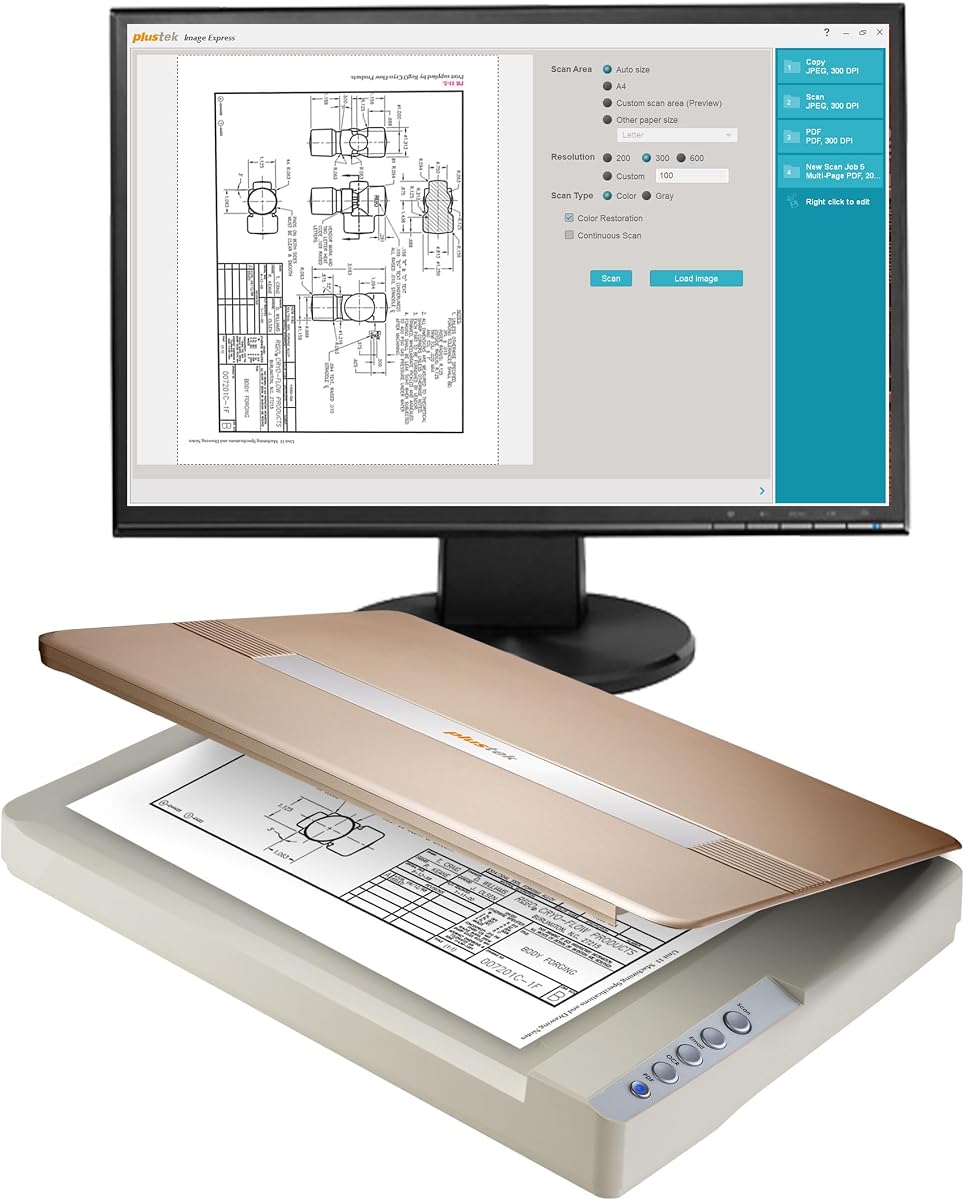
The Plustek OpticPro A320E handles A3 and large formats with ease. It supports batch scanning to save multiple files as one PDF efficiently.
We may earn a commission when you buy through this link, at no additional cost to you.
Doc Action provides quick access to scan destinations like email or FTP. TWAIN and WIA support ensure broad software compatibility.
Linux support requires direct inquiry before purchase. This limitation might affect open-source users seeking flexibility.
Archivists needing to digitize large maps or bound books will find this model highly useful.
Doc Action simplifies saving to various destinations.
Multiple PDFs can be created in one session.
We may earn a commission when you buy through this link, at no additional cost to you.
The Plustek OpticSlim 1680 boasts rapid scanning speeds for tabloid documents. It scans color pages in just five seconds effectively.
We may earn a commission when you buy through this link, at no additional cost to you.
Four pre-configured buttons allow one-touch operation for various tasks. The dual view settings help check image adjustments quickly.
While the price is higher, the speed justifies the investment for high-volume offices needing efficiency.
Business users prioritizing time savings will appreciate this model's quick processing capabilities.
Pre-configured buttons simplify daily operations.
Dual view settings help image tweaking.
We may earn a commission when you buy through this link, at no additional cost to you.
The Plustek OS1180 is designed for schools and libraries needing reliable A3 scanning. It uses LED light sources to save energy and avoid warm-up.
We may earn a commission when you buy through this link, at no additional cost to you.
The bundled ABBYY software ensures high OCR accuracy for text extraction. One-touch buttons make it accessible for shared use environments.
Scanning speed is moderate at nine seconds, which suits lower volume environments well.
This model is a solid choice for educational institutions managing digitization projects.
LED light reduces power consumption significantly.
ABBYY software delivers precise text recognition.
We may earn a commission when you buy through this link, at no additional cost to you.
The Epson DS-1630 combines sheet-fed and flatbed scanning for versatility. It supports duplex scanning via its 50-page automatic document feeder.
We may earn a commission when you buy through this link, at no additional cost to you.
Network connectivity allows multiple users to scan to cloud storage easily. Intelligent color adjustments improve document readability automatically.
The dual function adds complexity but significantly boosts office efficiency for mixed media.
Small offices needing both paper stacks and fragile photos will benefit most.
Combines ADF speed with flatbed protection.
Direct scans to Dropbox or SharePoint simplify workflow.
We may earn a commission when you buy through this link, at no additional cost to you.
The Plustek OpticSlim 2700 offers rapid 3-second scanning for standard documents. It saves time with a dedicated PDF button for quick storage.
We may earn a commission when you buy through this link, at no additional cost to you.
Built-in image processing handles rotation and cropping automatically. Four one-touch buttons streamline common tasks for users.
While the bed size is limited, the speed makes it a great choice for high-volume letter scanning.
Busy offices needing quick digitization will find this model highly efficient and practical.
One button scans and saves to PDF directly.
Auto deskew saves manual editing time.
We may earn a commission when you buy through this link, at no additional cost to you.
Selecting the right scanner depends on specific needs like resolution, speed, and document size. This guide outlines key factors to consider.
Resolution determines the clarity and detail of scanned images. For photos, look for 4800 dpi, while documents may only need 600 dpi.
Higher resolution ensures better quality but requires more storage space.
Speed affects how quickly documents are digitized. Faster models save time in busy offices, while slower ones suit home users.
Check seconds-per-page ratings to match your expected workflow volume.
Flatbed scanners vary in size capability. Standard ones fit letter sizes, but large formats support A3 or tabloid documents.
Ensure the scanner bed accommodates your largest expected documents.
Connectivity options like USB or network ports impact usability. USB is common for personal use, while network ports allow multi-user access.
Choose connections that fit your existing office infrastructure.
Software like OCR converts images to text. Auto-scan and batch processing tools enhance efficiency significantly.
Look for bundled software that meets your workflow needs.
Some scanners are USB-powered, while others need external adapters. USB-powered models offer better portability and setup ease.
Consider your power access when deciding between USB or AC.
Warranty terms provide peace of mind for hardware. Standard warranties last one year, but premium models may offer more.
Check support options to ensure long-term reliability.
Clean the glass with a soft cloth before scanning to avoid streaks. Dust particles can create spots on your final files.
Close the lid gently to ensure the document stays flat. Misalignment can result in skewed or distorted scans.
Store the scanner in a dry place away from direct sunlight. Heat and humidity can damage internal components over time.
For photo scans, aim for at least 4800 dpi to capture fine details. Lower resolutions may suffice for standard documents but are not ideal for enlargements.
Yes, models with high-rise lids are best for books and photo albums. Standard lids may not accommodate thick items easily.
Most models require a computer connection for operation. Some support cloud services directly but still need setup via software.
Use a lint-free cloth slightly dampened with water to wipe the glass. Avoid harsh chemicals that might damage the surface.
ADF stands for Automatic Document Feeder. It allows feeding multiple pages automatically without manual lifting.
Most support macOS, but check driver versions before buying. Ensure your OS version matches the supported list provided.
The Epson Perfection V39 II offers the best balance for home photo enthusiasts. The VIISAN 3120 A3 stands out for large document needs.
Consider your primary use case before investing. Speed and resolution are key factors that define value for specific workflows.
Prices fluctuate regularly, so checking current deals is advised before finalizing your purchase.