
AI Voice Recorder Lite
4.4Editor score
Unlimited transcription
Web search AI
Credit card size
Compare the top 10 AI meeting transcription devices for 2026. This guide reviews audio quality, transcription accuracy, privacy features, and battery life.
AI meeting transcription devices have transformed how professionals capture conversations. These smart tools record audio, generate transcripts, and summarize key points instantly. Finding the right device ensures you never miss critical details during important calls or face-to-face meetings.
We evaluated ten leading models based on audio clarity, transcription accuracy, and ease of use. Our analysis covers battery life, privacy standards, and smart features like multi-language support. This list helps you choose a reliable tool for work, school, or personal notes.
Each pick highlights unique strengths, from ultra-slim designs to advanced AI analysis. Look for devices that match your workflow, whether you need offline modes or cloud sync. Prices and availability change frequently, so check current listings before making your final decision today.
4.4Editor score

4.5Editor score

4.8Editor score
This comparison table outlines the core specifications of each device to help you make a quick decision based on your specific needs.


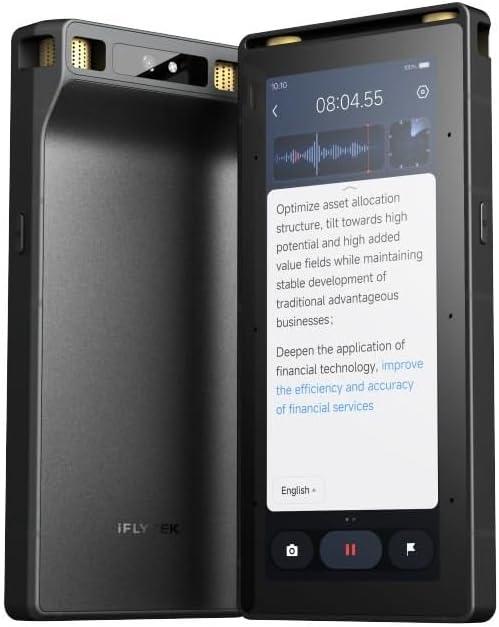
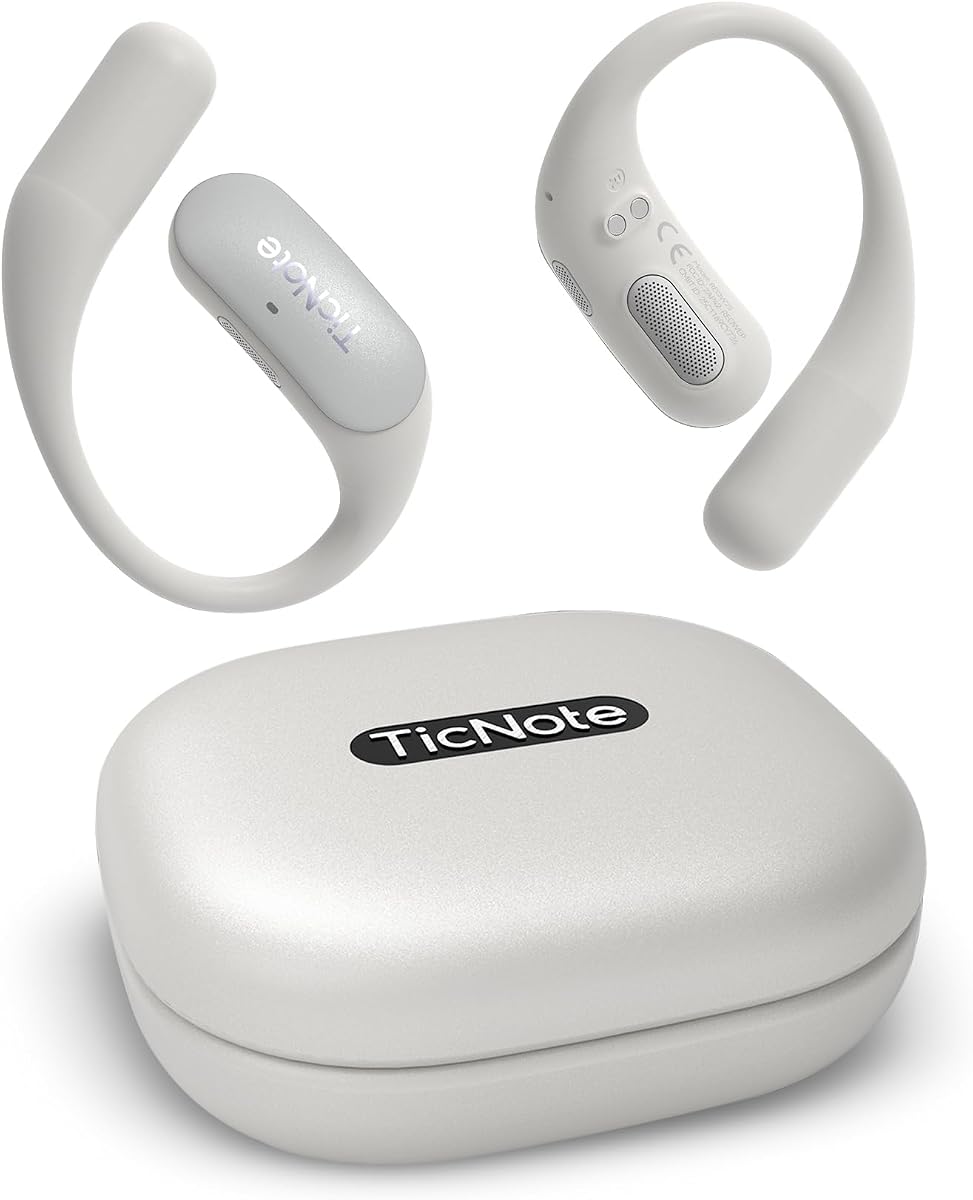

The Plaud Note Pro stands out as a top choice for professionals needing precise meeting notes. With a rating of 4.5, it offers advanced features like chatting directly with your recordings to extract insights.
We may earn a commission when you buy through this link, at no additional cost to you.
Its standout feature is the interactive AI that helps draft emails or suggest next steps based on the audio context. The device uses directional audio to focus on voices, minimizing background noise effectively during calls.
While the device is incredibly slim and portable, some users might find the subscription model necessary for unlimited minutes. However, the hardware quality and secure processing make it a reliable tool for sensitive business info.
If you need a comprehensive tool that turns audio into actionable data, this device is an excellent investment for your workflow.
You can ask questions about your recordings directly through the app, which generates grounded answers based on the audio content.
The ability to snap photos or type notes while recording enriches the transcript with visual and text context.
We may earn a commission when you buy through this link, at no additional cost to you.
Pocket transforms into an AI assistant that captures meetings effortlessly. Its 4.6 rating reflects user satisfaction with its ability to summarize calls and ideas instantly.
We may earn a commission when you buy through this link, at no additional cost to you.
The key strength is its MagSafe compatibility, allowing you to attach it to your phone for hands-free recording. It organizes recordings into clear maps, making review much faster than listening to raw audio.
Some advanced tools require an optional subscription, which might be a consideration for budget-conscious users. However, the core features are included out of the box for everyday productivity.
This device is ideal for iPhone users who want seamless integration and reliable summaries for daily business tasks.
You can easily attach the device to your phone to capture meetings without holding it.
It turns conversations into action items so you can quickly review what matters without digging through audio.
We may earn a commission when you buy through this link, at no additional cost to you.
The AI Voice Recorder Lite offers an impressive array of features for a low cost. With a 4.4 rating, it provides unlimited transcription and summaries right out of the box.
We may earn a commission when you buy through this link, at no additional cost to you.
Its ability to search the web for deeper insights beyond your recordings is a unique selling point for researchers. The device is also incredibly thin, making it easy to slip into a wallet or card holder.
Premium tools like reminders are optional upgrades, which keeps the initial cost low. The enterprise-grade privacy standards ensure your data remains secure during processing.
Students and professionals on a budget will appreciate the balance of free features and high-quality recording capabilities.
The built-in Ask AI allows you to search the web for deeper insights beyond your recordings.
Its credit card size and light weight make it easy to carry anywhere.
We may earn a commission when you buy through this link, at no additional cost to you.
Comulytic Note Pro is built for professionals who need industry-specific terms captured accurately. It offers a lifetime free plan with unlimited transcription, which is rare in this category.
We may earn a commission when you buy through this link, at no additional cost to you.
The vertical knowledge base helps capture terms for law, real estate, and finance. Wi-Fi sync allows you to transfer files much faster than Bluetooth while you are talking.
While advanced analysis requires a subscription, the core utility is robust and free. The magnetic design makes it easy to attach to your laptop or notebook.
This tool is perfect for those who want a reliable recorder without monthly fees for basic transcription services.
A vertical knowledge base captures industry terms precisely for specific professions.
Wi-Fi sync allows you to push recordings to the cloud up to 10 times faster than Bluetooth.
We may earn a commission when you buy through this link, at no additional cost to you.
Comu Action Pro excels with an impressive 70-hour battery life and auto-generated AI documents. Its high rating shows user satisfaction with the automated workflow features.
We may earn a commission when you buy through this link, at no additional cost to you.
You can get editable presentation slides and emails directly from your conversations without prompts. The six-mic setup ensures high-quality audio capture even in crowded environments.
The premium price is justified by the extensive battery and advanced document generation capabilities. It is a powerful tool for heavy users who need constant recording power.
Choose this if you want a device that helps draft entire documents automatically after meetings.
Get professional AI-drafted documents like slides and emails without needing to write prompts.
Enjoy up to 70 hours of recording on a single charge.
We may earn a commission when you buy through this link, at no additional cost to you.
This recorder uses a GPT-5.5 engine to provide deep analysis and high accuracy. It is a top choice for global collaboration with support for 150 languages.
We may earn a commission when you buy through this link, at no additional cost to you.
The device stores up to 64GB of audio locally, ensuring you have plenty of space for large projects. Data encryption is a key focus, protecting your privacy from leaks.
Desktop software is included for advanced management, which adds value but requires setup. The free AI minutes are generous for starting out without subscriptions.
International teams and students benefit most from the extensive language options and secure storage.
Beyond text, it performs deep conversation analysis to automatically generate structured summaries and mind maps.
Accurately captures various accents and professional jargon across 150 languages.
We may earn a commission when you buy through this link, at no additional cost to you.
The Plaud Note Non-Pro offers a balance of features without the Pro price tag. It uses leading models to transform raw audio into structured insights effectively.
We may earn a commission when you buy through this link, at no additional cost to you.
Multimodal input lets you capture audio and notes together. The Vibration Conduction Sensor ensures clear call recordings by capturing internal phone sounds.
Starter plans offer limited minutes, so users may need to upgrade for long sessions. However, the security standards remain high for sensitive business info.
This device is great for general users who need reliable summaries and team syncing.
The Vibration Conduction Sensor captures internal phone sounds for clear recordings.
Uses leading models to transform raw audio into structured insights and mind maps.
We may earn a commission when you buy through this link, at no additional cost to you.
This device is unique for its offline AI transcription capabilities, allowing secure processing anywhere. It supports hardware encryption to safeguard sensitive data effectively.
We may earn a commission when you buy through this link, at no additional cost to you.
The eight-mic array captures audio from up to 20 meters, making it suitable for large rooms. Real-time projection allows you to display transcriptions during meetings.
Included membership provides all premium features for five years, adding significant value. However, the price is higher than smaller models.
Choose this for secure, offline workflows in large conference rooms.
Process information anywhere without internet dependency using offline AI.
Equipped with an 8-microphone array to capture audio from up to 20 meters.
We may earn a commission when you buy through this link, at no additional cost to you.
Mobvoi TicNote Pods is a wearable recorder designed for hands-free use in meetings. It automatically records and transcribes to help you stay focused on the discussion.
We may earn a commission when you buy through this link, at no additional cost to you.
Shadow AI helps organize information into more useful outputs for work. Team collaboration features let you share notes through encrypted cloud storage.
Battery life is limited to five hours, so it is best for shorter sessions. The wearable design makes it easy to carry without holding a device.
This is a good choice for remote workers who need a lightweight, cloud-synced solution.
Voice activated recording allows you to capture meetings without pressing buttons.
Share notes and transcripts through TicNote Cloud to keep your team aligned.
We may earn a commission when you buy through this link, at no additional cost to you.
Comulytic Note Pro provides reliable transcription and summaries for professionals. It offers unlimited free plans and advanced models for accurate results.
We may earn a commission when you buy through this link, at no additional cost to you.
The 45-hour battery life supports long workdays, and Wi-Fi sync is fast. A knowledge base ensures industry terms are captured correctly.
Advanced features require a subscription, but the core tools are free. It is a value option for clients and students.
This model balances performance and cost for everyday professional needs.
Enjoy 45 hours of continuous recording for back-to-back workdays.
The knowledge base captures professional terms in insurance, finance, and law.
We may earn a commission when you buy through this link, at no additional cost to you.
Selecting the right device depends on your specific needs and environment. Consider these factors before making a purchase.
Accuracy is crucial for reliable meeting notes. Look for devices with advanced AI models and multiple microphones to capture speech clearly in noisy rooms.
Check reviews for real-world accuracy rates to ensure the device meets your standards.
Long battery life is essential for all-day events or remote work. Devices vary from 5 hours to over 70 hours on a single charge.
Choose a model that supports your longest expected sessions without needing a recharge.
Handling sensitive business data requires strong security. Look for devices with encryption and compliance with standards like ISO or CCPA.
Ensure the provider does not use your data for training their AI models without consent.
Wi-Fi sync allows for faster file transfers compared to Bluetooth. Some devices also offer offline modes for secure environments.
Select a connectivity option that fits your workflow and internet access.
Global teams need devices that support multiple languages. Many models offer transcription in over 100 languages and real-time translation.
Verify the supported languages match your team's needs.
The companion app is where you review notes and summaries. Ensure the app offers useful features like editing and exporting.
A well-designed app saves time during the review process.
Slim and lightweight devices are easier to carry. Some models are MagSafe compatible for hands-free recording on phones.
Consider how the device fits into your daily routine.
Some devices offer unlimited free transcription while others require subscriptions. Evaluate if the included features meet your long-term needs.
Check for hidden costs before buying.
Start by charging the device fully before your first use. Ensure your companion app is installed and synced for seamless setup.
Press the record button to start capturing audio. Keep the device close to the conversation for best audio quality.
After the meeting, review the transcript in the app and export it to your notes.
Some models offer offline transcription for secure processing, but most rely on cloud services for full AI features. Check the product details for offline capabilities.
Accuracy depends on audio quality and speaker clarity. High-end models often claim 98% accuracy in ideal conditions.
Many devices have specific modes to capture call audio directly. Some use vibration sensors to record internal phone sound.
Some devices include unlimited free plans while others require upgrades for advanced tools. Always check the included features.
Most devices offer Wi-Fi or USB transfer options to sync files to your desktop or mobile app.
Yes, models with multiple microphones and wide pickup ranges work well in large spaces.
We have reviewed ten top devices that meet different needs for professionals. Each offers unique strengths like offline modes or long battery life.
Prioritize accuracy and security when making your choice. The right tool will streamline your workflow and keep you focused.
Always check current prices and availability before purchasing to ensure you get the best deal available.