
Brailliant BI 40X Braille Display
5.0Editor score
40-cell refreshable display
Multi-device Bluetooth connection
Up to 20 hours battery
Discover the top Braille displays for blind users in our expert guide comparing refreshable devices, slates, and tools for accessible reading and writing.
Finding the right Braille display can transform how blind users interact with digital content. These devices offer tactile feedback, allowing readers to access text through raised dots on a refreshable surface.
We evaluated ten products ranging from high-end refreshable displays to portable slates and training tools. Each option serves different needs, from students to professionals seeking reliable accessibility solutions.
Our selections highlight unique features like connectivity, battery life, and ease of use. Prices vary widely based on capabilities, so check current listings before making your final purchasing decision.
5.0Editor score

4.8Editor score

4.5Editor score
This side-by-side comparison helps you quickly identify which Braille display or tool fits your specific accessibility needs, budget, and usage scenarios.




The Brailliant BI 40X stands out as a top-tier Braille display for professionals needing large tactile text access. It features a 40-cell refreshable display that provides ample space for reading and editing documents without constant scrolling.
We may earn a commission when you buy through this link, at no additional cost to you.
This device supports connections to five Bluetooth devices and one USB device simultaneously. It includes onboard KeySoft Lite apps like Editor, Calculator, and online library access to Bookshare and NLS BARD. The storage capacity of 32GB allows users to store extensive content locally for offline reading.
While the price reflects its advanced capabilities, the investment is justified by the robust connectivity and battery life that supports a full workday. The inclusion of both Perkins keyboard keys and thumb controls offers versatile input options for efficient typing.
Professionals and students who require reliable, high-capacity Braille access will find this display unmatched. It is recommended for those who prioritize performance and flexibility over cost.
With support for multiple Bluetooth devices and 32GB internal storage, this display ensures seamless workflow and offline access to large libraries of Braille content.
The combination of cursor routing keys, Perkins-style keyboard, and 40-cell width provides a comprehensive tactile experience for writing and reading tasks.
We may earn a commission when you buy through this link, at no additional cost to you.
The Brailliant BI 20X offers a cost-effective entry into the world of refreshable Braille displays. It delivers a 20-cell display that is perfect for users who prioritize portability while maintaining access to essential reading and writing features.
We may earn a commission when you buy through this link, at no additional cost to you.
Similar to its larger sibling, it supports multiple Bluetooth and USB connections and includes useful apps like Editor and online library access. The device is designed for daily use with a battery life that lasts up to 20 hours on a single charge.
While the 20-cell width requires more scrolling than larger models, it significantly reduces the overall footprint, making it easier to carry in a bag or use on small desks. The price point makes it accessible for more users.
This display is ideal for students or casual users who need reliable Braille access without a high cost. It balances essential features with a compact form factor effectively.
The 20-cell design ensures the device remains lightweight and easy to transport while still providing full access to Braille content and offline apps.
Pre-installed KeySoft Lite apps allow users to read, write, and access libraries without needing to rely solely on external devices or constant internet.
We may earn a commission when you buy through this link, at no additional cost to you.
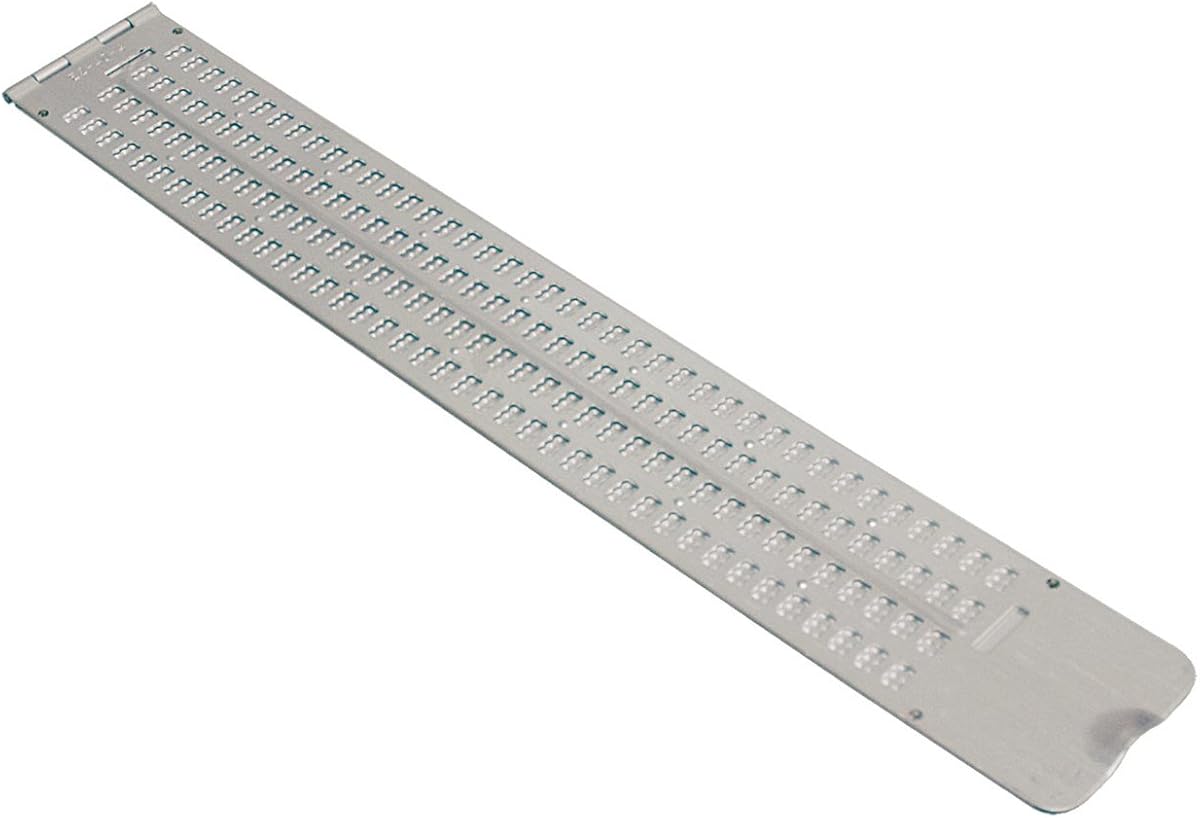
This Braille Slate provides a traditional method for writing Braille notes on paper. Its 13-line by 36-cell size allows for full-page writing without the need for electronic components or power sources.
We may earn a commission when you buy through this link, at no additional cost to you.
Made from durable aluminum, this slate is designed for repeated use in classrooms or at home. The thumb notch ensures easy opening and closing, while the pins-down orientation protects the raised dots when not in use.
While it does not offer the speed of a refreshable display, it is excellent for tactile practice and creating permanent records of notes. Users must emboss dots manually using a stylus.
Educators and students learning Braille often find these slates invaluable for building muscle memory. It is a simple tool that supports literacy without relying on complex electronics.
Manual embossing helps users develop strong Braille skills by connecting physical actions to dot patterns without digital assistance.
The aluminum body withstands frequent handling and storage, ensuring the slate remains functional for years of daily use.
We may earn a commission when you buy through this link, at no additional cost to you.
The Business Card Slate is a compact tool designed for writing short notes or Braille labels. With four lines of twelve cells each, it fits easily into a pocket or purse.
We may earn a commission when you buy through this link, at no additional cost to you.
Its signature guide helps users write straight lines, which is particularly useful for signing names or labeling items. The aluminum construction makes it durable yet light enough for daily carry.
While not suitable for extensive writing tasks, this slate is perfect for quick messages or practicing small segments of Braille. It complements larger slates by offering maximum portability.
Beginners and professionals who need to label items quickly will find this slate useful. It is an affordable accessory that enhances daily organization.
This slate is perfect for creating Braille labels for containers or writing quick reminders without needing to carry a larger device.
The built-in guide ensures lines are straight, which is helpful for maintaining neat Braille on cards or small tags.
We may earn a commission when you buy through this link, at no additional cost to you.
This Full-Page Slate is designed to hold a complete sheet of standard letter-size paper. It provides 25 lines of 28 cells each, allowing for extensive note-taking or homework completion.
We may earn a commission when you buy through this link, at no additional cost to you.
Made from thick plastic, this slate is quieter than metal alternatives, which can be helpful in classrooms or libraries. The design allows paper to remain secured within the slate, preventing wrinkles.
The inclusion of embossed numbers helps users return to their exact place if interrupted. Additionally, guides for labeling tape extend its utility to organizing tasks beyond note-taking.
Students and writers who prefer paper-based Braille will appreciate this tool. It supports sustained writing sessions with a practical design that keeps work organized.
The slate accommodates entire sheets of paper, eliminating the need to constantly shift position while writing long documents.
Plastic construction ensures minimal noise during use, while the secure fit keeps paper safe from damage during transport.
We may earn a commission when you buy through this link, at no additional cost to you.
The Pocket Braille Slate offers a wide but compact option for quick writing. With four lines of forty cells each, it provides more horizontal space than typical pocket models.
We may earn a commission when you buy through this link, at no additional cost to you.
Constructed from lightweight aluminum, this slate is designed to fit comfortably in a briefcase or backpack. It is ideal for users who need to take notes on the go without carrying heavier equipment.
While it lacks the depth of full-page slates, its portability makes it a strong companion for daily commutes or travel. The pins-up design ensures safety when closed.
This slate is well-suited for professionals who need to record short information discreetly. It balances width and size effectively for mobile use.
The compact design allows users to carry this slate easily in a bag, making it accessible for spontaneous note-taking tasks.
With forty cells per line, users can write longer words or phrases without needing to split lines too frequently.
We may earn a commission when you buy through this link, at no additional cost to you.
The Hable One transforms how blind users type on smartphones and tablets. It connects wirelessly and allows for private, tactile typing without needing to know Braille beforehand.
We may earn a commission when you buy through this link, at no additional cost to you.
Designed for ease of use, it features eight tactile buttons that map to common typing patterns. The device supports screen reader access and works with Siri or Dictation for enhanced functionality.
Its battery life exceeds one month on a single charge, ensuring reliable use for daily tasks. The compact size makes it easy to carry in a pocket or bag.
This keyboard is perfect for users who want efficient input for messaging and browsing. It lowers the barrier to digital communication with intuitive design.
Users can start typing immediately with onboarding tutorials, making it accessible for those new to Braille or tactile input.
With phone stays in pocket while typing on the device, ensuring privacy for sensitive messages and conversations on the go.
We may earn a commission when you buy through this link, at no additional cost to you.
This handheld label maker allows users to create Braille labels for organizing spaces at home or work. It embosses letters and numbers onto vinyl tape easily through a simple dial mechanism.
We may earn a commission when you buy through this link, at no additional cost to you.
The device supports both 3/8 and 1/2 inch tape widths, offering versatility for different container sizes. It comes with a roll of tape to get started immediately.
While it is limited to labeling tasks, it is an essential tool for accessibility. The embossed upper rim helps users select letters without sight.
Individuals managing household items or medical supplies will find this maker helpful. It turns standard labels into accessible information for everyone.
Supporting two tape sizes ensures users can label everything from small pill bottles to large storage bins effectively.
Braille markings on the dial rim allow users to select characters tactilely, removing the need for sight to operate.
We may earn a commission when you buy through this link, at no additional cost to you.
These transparent stickers provide a bilingual Braille and print overlay for computer keyboards. They are made from Lexan material to ensure durability without hiding existing key labels.
We may earn a commission when you buy through this link, at no additional cost to you.
The peel-and-stick installation is straightforward, allowing users to upgrade existing keyboards easily. They work well with screen readers for a combined accessibility solution.
For users who need to type on desktop PCs frequently, these stickers offer a tactile reference point. They are designed to stay flat and resist slipping during typing.
This product is ideal for shared workspaces or home offices. It enhances accessibility without replacing standard hardware.
Transparency ensures sighted users can still see key symbols, making the keyboard usable for everyone in shared environments.
Strong adhesive prevents slipping or curling, ensuring the Braille keys remain in place during intensive typing sessions.
We may earn a commission when you buy through this link, at no additional cost to you.
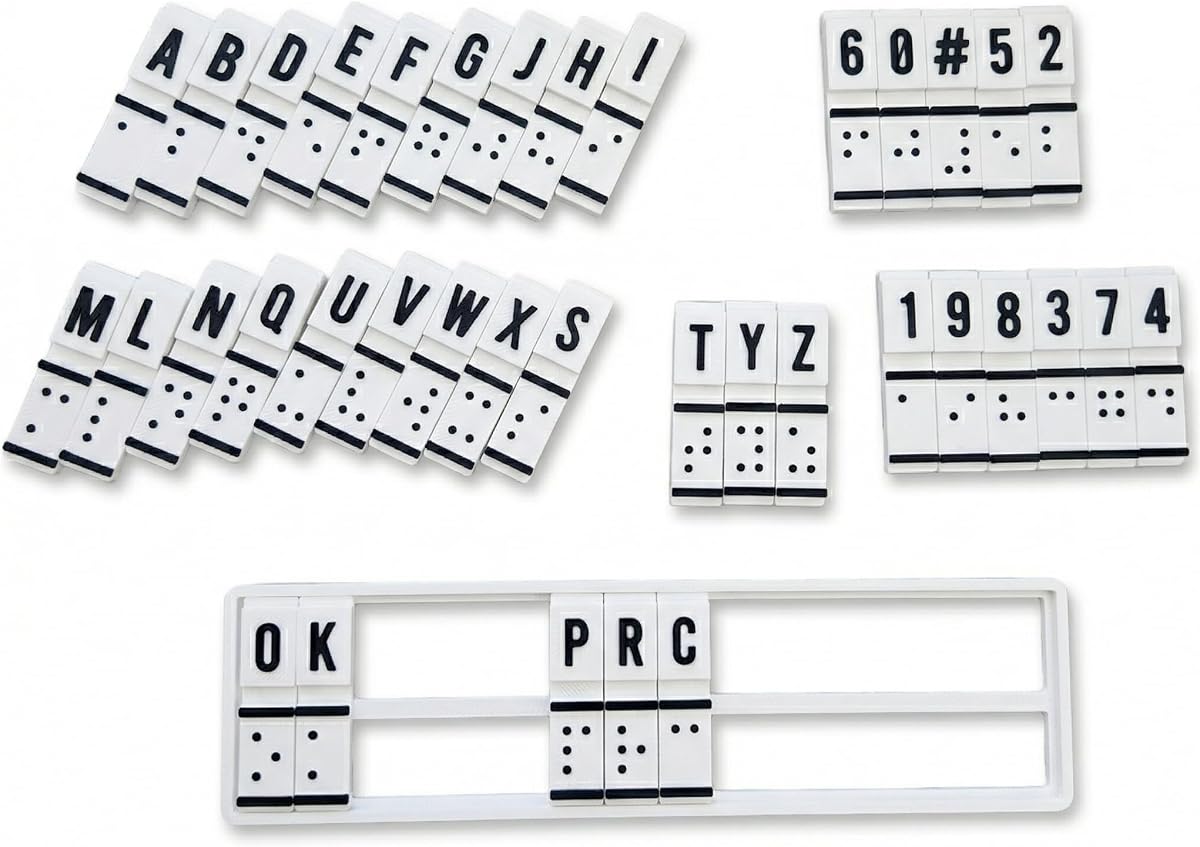
This training machine is designed for beginners to practice Braille literacy without relying on electronics. It provides a tactile way to learn patterns and convert text manually.
We may earn a commission when you buy through this link, at no additional cost to you.
The interactive design encourages hands-on practice, helping users build muscle memory through physical input. It is portable enough for use at home or in therapy sessions.
While it is limited to training and simple conversion tasks, it serves a valuable role in education. It bridges sighted and non-sighted communication effectively.
Educators and rehabilitation specialists will find this tool useful for introductory lessons. It supports the foundational skills needed for Braille fluency.
Manual interaction helps users internalize Braille patterns through repetition without reliance on digital feedback systems.
This tool is excellent for classroom settings where students need to understand the basics before moving to digital Braille devices.
We may earn a commission when you buy through this link, at no additional cost to you.
Selecting the right Braille display depends on your specific needs, budget, and daily usage patterns. This guide breaks down the key factors to consider before making a purchase.
Display size determines how much text you can see at once. Larger displays with 40 or 80 cells reduce scrolling for but increase the device's footprint and price.
Consider your reading habits and whether portability is more important than a wider view. Smaller displays are easier to carry for daily tasks.
Check that the display supports connection to your phone, tablet, and computer via Bluetooth or USB. Multi-device support allows seamless switching between platforms.
Bluetooth version also matters for stability. Newer versions like Bluetooth 5 provide faster and more reliable wireless connections.
Long battery life ensures your device lasts through a workday or school day. Look for models that offer at least 15 to 20 hours of continuous use.
USB-C charging is becoming a standard for convenience. Ensure the device uses standard cables that are easy to replace.
Built-in apps for editing and storage allow you to work without constant internet access. This is crucial for users who travel or have unstable connectivity.
Offline library access to services like Bookshare enhances reading options. Verify that the display supports your preferred libraries and formats.
Input methods vary from simple tactile keyboards to full Perkins-style layouts. Choose a keyboard that feels comfortable for your typing speed and style.
Cursor routing keys are essential for navigation. Ensure they are responsive and logically placed for efficient screen reading.
Since these devices are handled daily, durable materials like aluminum or high-grade plastic are important. They should withstand drops and frequent movement.
Check the warranty and support provided by the manufacturer. Strong support ensures you can resolve hardware issues quickly.
Ensure the display works with your preferred screen reader software such as NVDA, JAWS, or VoiceOver. Compatibility varies across operating systems.
Some devices offer drivers or settings optimized for specific platforms. Testing or checking documentation helps confirm smooth integration.
Budget constraints often guide choices between electronic displays and manual slates. Evaluate whether the features justify the cost for your situation.
Higher prices usually reflect better connectivity and build. Consider long-term value and accessibility needs before deciding on a lower-cost option.
Start by connecting your Braille display to your preferred device via Bluetooth or USB. Ensure that your screen reader software is configured to recognize the device for proper output.
Keep the display clean by wiping it gently with a dry cloth. Avoid liquids and dust that can interfere with the tactile pins or electronic components.
Charge your device regularly using the recommended cables and avoid letting the battery drain completely. Proper storage in a protective case extends its lifespan.
Most modern Braille displays support Bluetooth connectivity with iOS and Android devices. This allows seamless integration with built-in screen readers for text access and navigation.
A Braille display is electronic and refreshable, allowing dynamic reading of digital text. A slate is manual and static, used primarily for writing notes on paper.
High-quality refreshable displays often last between 15 to 20 hours on a single charge. This duration supports full days of work or study without needing to recharge.
Basic knowledge of Braille is helpful for reading output efficiently. However, many devices work well with screen readers that provide audio feedback alongside Braille.
Yes, most displays support USB and Bluetooth connections to computers. They work with major screen readers on Windows, Mac, and Linux systems.
Use a soft, dry cloth to wipe the surface gently. Avoid harsh chemicals that might damage the pins or electronic parts.
The top three picks highlight different approaches to accessibility with premium electronic displays and versatile portable tools.
Prioritize connectivity and battery life if you rely heavily on digital reading and writing tasks throughout the day.
Always check current prices and availability before purchasing since product options and costs may change over time.