
BUFFALO LinkStation 210
3.9Editor score
6TB capacity included
RAID support for backup
US based support
This guide compares the top Buffalo NAS devices for home and business, focusing on storage capacity, security, speed, and value to help you choose the right
Network Attached Storage devices provide a centralized way to keep your data safe and accessible across all your computers and mobile devices without relying on third party cloud subscriptions.
We evaluated ten current Buffalo NAS models based on their hardware specifications, included drive capacity, security features, and real world performance for home and small office environments.
Each pick highlights specific strengths like budget value or business grade protection while noting that pricing and availability may fluctuate depending on the retailer and current market conditions.
3.9Editor score

4.8Editor score
4.3Editor score
The following table provides a quick side-by-side look at the key specifications and features of each model to help you decide which storage solution fits your specific needs.


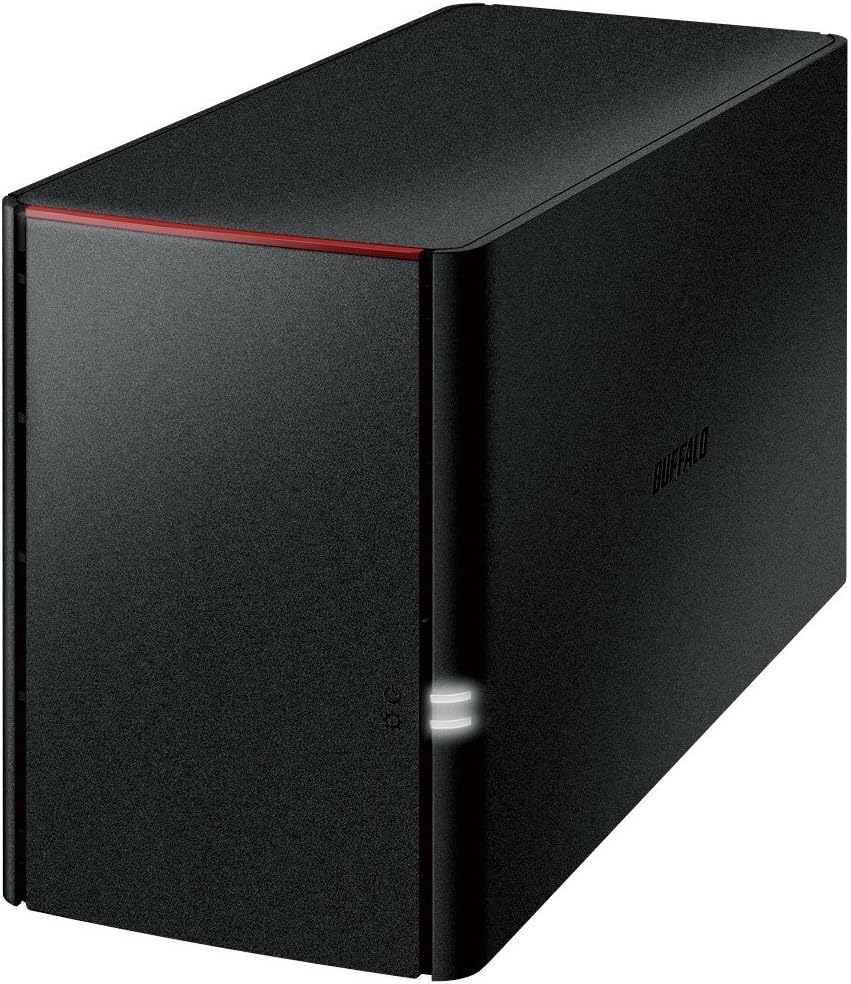


The LinkStation 210 offers an affordable way to enter the world of network attached storage with a substantial 6TB capacity included right out of the box. It is designed to function as a personal cloud that does not require monthly subscription fees for accessing your media and documents remotely.
We may earn a commission when you buy through this link, at no additional cost to you.
This device focuses on simplicity and security by using a closed system that limits vulnerabilities from third party apps. It supports automated backups for multiple computers and includes NAS Navigator software to help you manage your stored data efficiently across Windows and macOS environments.
While it lacks the expandability of multi bay systems and advanced networking speeds, the single bay design keeps costs low and setup straightforward. The included hard drive means you can start backing up files immediately without needing to purchase additional hardware separately.
This model is ideal for home users who need centralized storage for photos and videos without complex configurations. If you value ease of use and a reasonable price for high capacity, this NAS provides solid value for basic network storage needs.
You can store and access your personal files from anywhere without paying recurring fees to external cloud providers.
The device minimizes security risks by restricting external app installations and using SSL encryption for file transfers.
We may earn a commission when you buy through this link, at no additional cost to you.
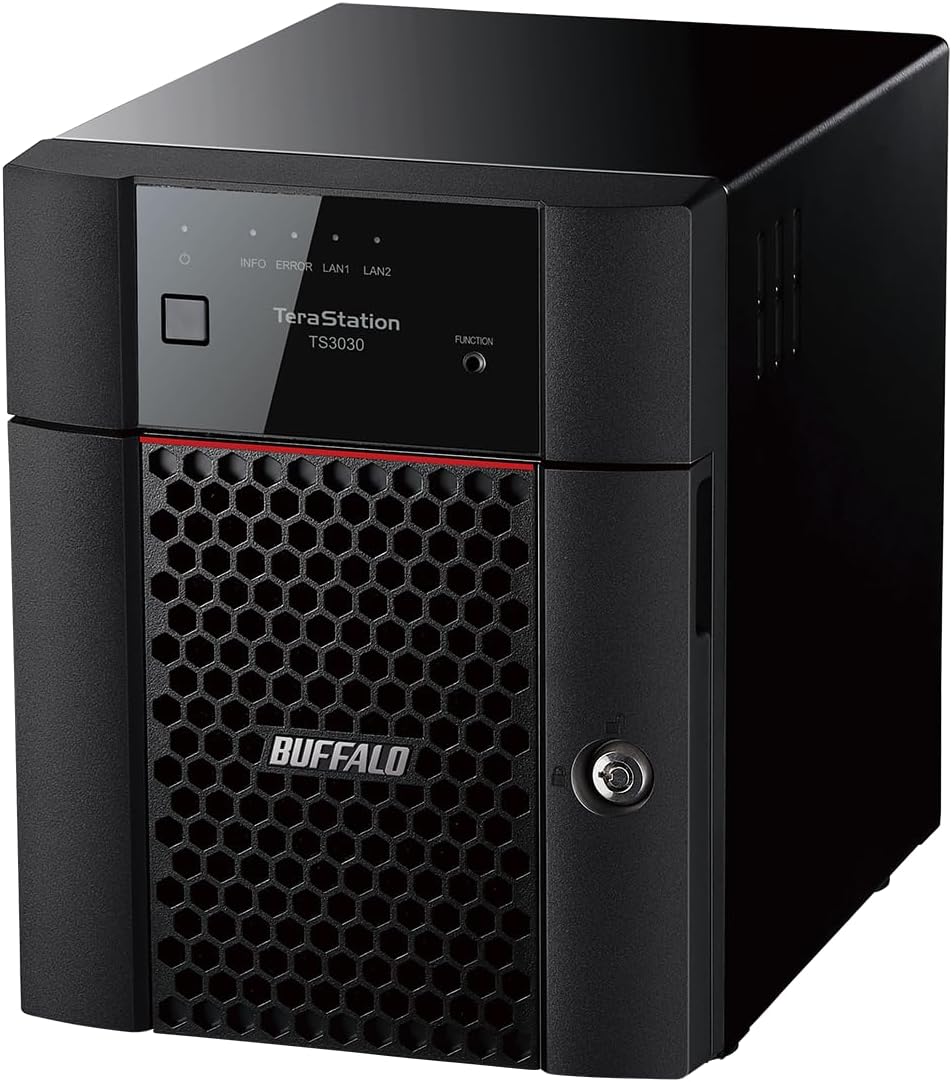
This TeraStation Essentials model delivers professional grade storage capabilities with a massive 24TB capacity ready to use upon installation. It is optimized for small businesses or power users who need reliable storage for organizing and sharing important files without complex server setups.
We may earn a commission when you buy through this link, at no additional cost to you.
The native 2.5GbE port allows for high speed file transfers without requiring you to upgrade existing network cables immediately. You can configure the drives in different RAID modes to prioritize either storage space or data redundancy depending on your specific workflow requirements.
Although it carries a higher price tag than entry level options, the inclusion of four pre tested hard drives reduces total ownership costs. The three year warranty and US based support provide peace of mind for businesses relying on this device for daily operations.
If you need a robust desktop NAS that balances performance with capacity, this unit is a strong contender. It serves well for hybrid cloud setups and ensures your data remains protected with drive encryption and automated backup features.
The built in 2.5GbE port significantly speeds up large file movements compared to standard Gigabit connections.
Sync your data with services like Dropbox and Amazon S3 for extra layers of security and accessibility.
We may earn a commission when you buy through this link, at no additional cost to you.
The TeraStation 5420DN represents the pinnacle of desktop NAS performance with a native 10GbE port and 32TB of total storage capacity. It is engineered for business environments that require stable handling of heavy data loads without performance degradation during peak usage times.
We may earn a commission when you buy through this link, at no additional cost to you.
One of its standout features is the snapshot capability which allows for near instantaneous data recovery with minimal system disruption. This functionality is particularly valuable for mitigating ransomware attacks since you can restore files to a previous clean state quickly.
The device includes NAS grade hard drives and supports advanced protocols like iSCSI for virtualization environments. While the price is higher, the three year warranty and data recovery service make it a cost effective solution for organizations where uptime and security are critical.
This model is the clear choice for businesses that need top tier speed and reliability. If your workflow involves transferring large video files or running virtual machines, the performance gains justify the investment in this premium unit.
Snapshots let you recover lost data almost immediately without significant downtime or complex restoration processes.
Two factor authentication and drive encryption ensure that sensitive business data remains secure from unauthorized access.
We may earn a commission when you buy through this link, at no additional cost to you.
The LinkStation SoHo 220 is tailored for small offices that need secure and organized storage for critical documents and media files. It provides a personal cloud experience that allows team members to access shared resources without incurring monthly subscription costs.
We may earn a commission when you buy through this link, at no additional cost to you.
A unique feature is the Direct Copy USB port which enables you to back up photos and files directly from a USB drive without needing a computer connected. This convenience is useful for quickly archiving data during events or meetings without interrupting network users.
The system defaults to RAID 1 which automatically mirrors data across the two drives to protect against single drive failure. This setup offers a balance between capacity and safety making it suitable for businesses that cannot afford to lose important records.
If you run a small home office, this device simplifies network storage management. It ensures your files remain private with access restrictions while allowing secure sharing with trusted colleagues or family members via the network.
Back up devices via USB directly to the NAS which simplifies the process for non technical users.
Configure individual access restrictions for folders to ensure sensitive data remains private while collaborating with others.
We may earn a commission when you buy through this link, at no additional cost to you.
This rackmount variant of the TeraStation Essentials is designed for businesses that need to save space in their server room while maintaining reliable storage performance. It brings professional grade network attached storage to environments that prefer rack mounted hardware for organization.
We may earn a commission when you buy through this link, at no additional cost to you.
Like the desktop version, it features a native 2.5GbE port for faster file transfers and includes four pre tested hard drives to get started quickly. You can adjust the RAID configuration to suit your needs for redundancy or maximum storage capacity as your business grows.
Cloud integration allows you to sync with major services like Azure and OneDrive for hybrid backup strategies. This adds an extra layer of protection ensuring that even if physical drives fail your data remains accessible through the cloud.
For organizations needing a compact yet powerful storage solution, this model offers excellent value. It combines the stability of a closed system with the flexibility to expand your storage infrastructure without major investments in new hardware.
The rackmount design saves valuable desk or floor space while keeping your storage centralized and organized.
Sync with cloud services for versatile data backup and cost savings on local storage needs.
We may earn a commission when you buy through this link, at no additional cost to you.
The TeraStation WS5220DN is unique because it runs native Windows Server IoT 2025 allowing it to integrate seamlessly into Windows based networks. This eliminates the need for additional client access licenses making it a cost effective solution for small businesses with multiple PCs.
We may earn a commission when you buy through this link, at no additional cost to you.
It comes preloaded with NovaBACKUP software licenses which provide professional level server and PC backup capabilities out of the box. This ensures that your data is protected with versatile backup options without requiring you to purchase separate third party software suites.
The device supports Azure and OneDrive integration which helps you create a hybrid cloud setup for added flexibility. With RAID pre configuration and included hard drives you can set up your server quickly and start managing your files securely.
If your organization relies heavily on Windows infrastructure this NAS simplifies administration and management. It is particularly useful for workgroups that need enhanced security and management features without the complexity of a full server deployment.
The system does not require separate Client Access Licenses which lowers the total cost of ownership for small teams.
Included NovaBACKUP software ensures your data is protected with versatile server and PC backup options.
We may earn a commission when you buy through this link, at no additional cost to you.
This LinkStation model offers a straightforward way to store and share media files within your home network. It supports DLNA streaming which allows you to play videos and music stored on the NAS directly to compatible devices like smart TVs.
We may earn a commission when you buy through this link, at no additional cost to you.
The device includes 4TB of storage which is ample for a large library of photos and videos. It features a USB port that lets you connect external devices to expand functionality or back up files directly from other drives.
While the hardware specifications are older compared to newer models, it still provides reliable centralized storage for basic tasks. The setup is simple requiring only a connection to your router to make files accessible across your network.
For users looking for a budget friendly way to centralize media files, this NAS serves its purpose well. It is particularly helpful for households that want to stream content without relying on high speed external internet connections.
Stream your personal media library directly to smart TVs and other compatible devices on your network.
Use the USB port to connect external drives for extra storage or easy file transfers.
We may earn a commission when you buy through this link, at no additional cost to you.
The TeraStation 1200D is an economical storage solution for small offices or home users who need reliable network attached storage. It comes with two pre tested hard drives pre configured for RAID 1 which ensures your data is mirrored for protection against drive failure.
We may earn a commission when you buy through this link, at no additional cost to you.
You can access your files from anywhere with an internet service allowing for remote work capabilities without complex configurations. The device also includes business level server and PC backup software to help you maintain regular copies of your critical files.
Despite its lower price point it offers a personal cloud feature that provides access to your data from any computer tablet or smartphone. This flexibility is key for users who need to stay productive while away from their physical workspace.
If you are looking for a simple and reliable way to secure your data, this model is a solid choice. It balances cost with functionality to give you a stable foundation for network storage needs.
Access your stored files from anywhere with internet service which supports flexibility for remote workers.
Bundled business level backup software helps you protect your PC and server data automatically.
We may earn a commission when you buy through this link, at no additional cost to you.
This NAS series is designed to work seamlessly with smartphones tablets and PCs to keep your important data safe and accessible. It offers a mirroring function that protects your family photos and music by storing copies on two separate drives automatically.
We may earn a commission when you buy through this link, at no additional cost to you.
The mirroring process means that although the total capacity is 4TB your usable space is effectively 2TB. However this trade off provides peace of mind since the device can recover your data even if one drive fails unexpectedly.
You can enjoy more TV programs and manage your media library easily through the network connection. The setup is straightforward making it accessible for users who may not have technical expertise in setting up complex storage systems.
If your primary need is to back up mobile data and share photos with family, this model is convenient. It ensures you do not lose important data when a hard drive breaks while keeping your files organized and safe.
The mirroring function protects important data by storing duplicates on separate drives for automatic safety.
Access and manage files easily from smartphones and tablets to keep your data organized on the go.
We may earn a commission when you buy through this link, at no additional cost to you.
While primarily an external hard drive, the DriveStation Duo offers NAS grade reliability with RAID 1 mirroring and hot swap capabilities. It connects via USB 3.2 Gen 1 which provides universal connectivity for PC Mac and storage servers alike.
We may earn a commission when you buy through this link, at no additional cost to you.
The hot swap feature allows you to replace a failed hard drive without powering down the device which is crucial for minimizing downtime. This makes it an excellent option for creative professionals who need quick access to large storage without network latency.
It includes NovaBACKUP Buffalo Edition software which lets you schedule automatic backups for your PC or office server. Time Machine support further ensures that Mac users can protect their systems with scheduled backups seamlessly.
If you do not strictly require network access but need robust desktop storage, this unit is a strong alternative. It balances speed and durability to keep your creative projects safe and accessible during high pressure workflows.
Replace failed hard drives without powering down the device to minimize downtime during critical work sessions.
USB 3.2 Gen 1 ensures compatibility across PC Mac and servers for versatile storage solutions.
We may earn a commission when you buy through this link, at no additional cost to you.
Choosing the right Buffalo NAS involves understanding your storage needs and evaluating the technical specifications that best support your workflow and budget.
Consider how much data you currently have and how fast you expect your library to grow. Models range from 4TB to 32TB so assess your immediate needs versus long term expansion plans.
Always check if the hard drives are included in the price to avoid unexpected costs when buying a new device.
The number of drive bays determines how many hard drives the device can hold. Multi bay systems allow for RAID configurations that protect your data by storing copies across multiple drives.
Single bay units are simpler and cheaper but offer less redundancy so they may not be suitable for critical business data.
Look for Ethernet port speeds such as Gigabit 2.5GbE or 10GbE. Higher speeds are essential if you work with large video files or multiple users accessing data simultaneously.
Ensure your existing network infrastructure supports these speeds so you can fully utilize the performance of your new NAS.
Check compatibility with your specific operating system version. Some models support Windows and macOS while others might be optimized for specific environments like Windows Server IoT.
This ensures you can manage your data without compatibility issues across different devices in your household or office.
Evaluate the backup software included with the device. Features like snapshots and automated scheduling help protect your data against accidental deletion or ransomware attacks.
Choose a model that offers the level of automation and protection that matches your comfort level with data management.
Many modern NAS devices allow you to sync with cloud services like Dropbox or OneDrive. This creates a hybrid cloud setup for extra security and remote access capabilities.
If you need access to files from multiple locations, verify that the NAS supports the cloud services you already use.
Buffalo offers various warranty periods ranging from two to three years with some models including drive coverage. US based support can help you resolve issues quickly.
Prioritize models with longer warranties if you rely on the device for daily business operations to minimize risk.
Decide between a desktop unit that sits on your desk or a rackmount option for server rooms. Rackmount saves space but requires a compatible rack enclosure.
Select the form factor that fits your physical space and organizational needs without compromising on performance.
Start by connecting the NAS to your router using an Ethernet cable to ensure a stable network connection for all your devices. Follow the on screen setup instructions or use the NAS Navigator software to initialize your storage.
Install the recommended backup software on your computers to automate file protection. Schedule regular backups to occur when your devices are idle so you do not experience performance slowdowns during active work hours.
Keep the firmware updated through the device settings to maintain security and access new features. Regularly check the drive health status to ensure your data remains safe from hardware degradation over time.
Most of the Buffalo NAS models listed include pre tested hard drives ready to use out of the box. However older or specific models may require separate drive purchases so always check the product details before buying.
Yes most models offer personal cloud features that allow remote access to your files via the internet. This enables you to view and download documents from anywhere without needing a direct connection to your home router.
If a drive fails in RAID 1 your data remains safe on the other drive. You can replace the failed drive without losing information as the system will rebuild the data automatically using the remaining drive.
Most models are compatible with both Windows and macOS but some features like NAS Navigator may vary by operating system version. Always confirm specific OS support on the product page to ensure full functionality.
If your model has empty bays you can add more hard drives directly. For single bay units you may need to migrate data to a larger capacity NAS to increase your total storage space.
No most Buffalo NAS devices provide subscription free personal cloud services. This means you do not pay monthly fees to access your stored files remotely as long as you maintain your home internet connection.
TeraStation models are generally designed for business use with advanced features like faster network ports and RAID options. LinkStation models focus on home users offering simpler setups and personal cloud capabilities at lower price points.
Yes models like the TeraStation are optimized to act as file servers. They support multi user access and secure sharing so teams can collaborate on documents efficiently from different computers.
The top picks in this guide cover a wide range of needs from budget friendly home storage to high performance business servers. Each model offers unique benefits such as speed capacity or ease of use that make them stand out in their respective categories.
Prioritize features like RAID protection and network speed if you handle critical data. For general home use simpler models with included drives may be the most practical choice to get started quickly.
Remember that prices and availability can change so verify current offers before making a purchase. Checking user reviews and technical specifications will help you confirm that the model fits your specific requirements perfectly.