
GANA Aluminum Bidirectional HDMI Switcher
4.3Editor score
No external power required
Bidirectional 2 in 1 out design
Aluminum build for durability
This guide compares the best cheap HDMI switch options for 2026. We evaluate performance, compatibility, and value to help you choose the right model for your
Finding the right HDMI switch can transform your entertainment experience without breaking the bank. A good model supports high resolutions and offers reliable switching between multiple devices seamlessly.
We compared ten popular affordable HDMI switches based on their specifications, user feedback, and real-world performance. Our analysis focuses on value, build quality, and compatibility with modern devices.
Each pick highlights key strengths and potential trade-offs to help you make an informed decision. Keep in mind that prices and availability change frequently, so verify details before purchasing.
4.3Editor score

4.3Editor score
4.1Editor score
Below is a detailed side-by-side comparison of all ten products evaluated in this guide. Each entry lists key specifications to help you quickly identify the best fit for your needs.
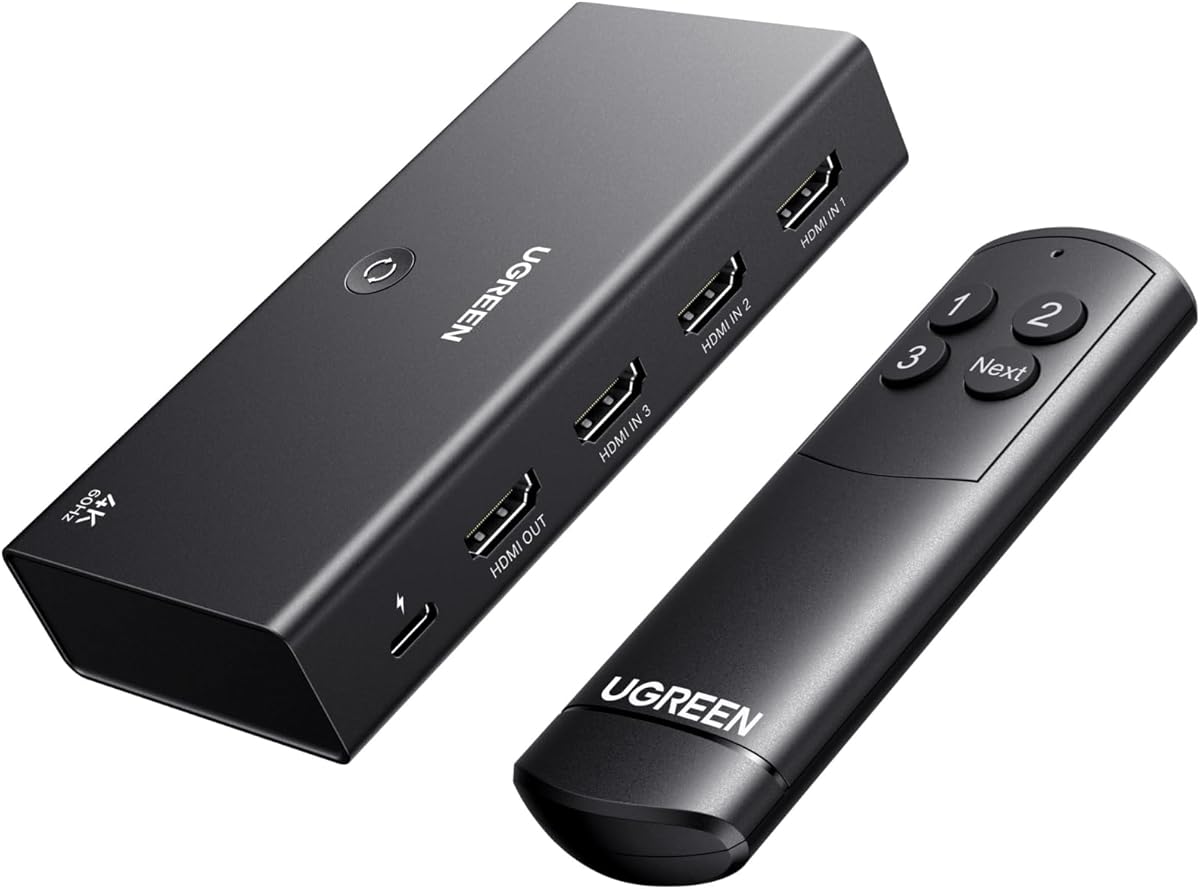


This UGREEN HDMI Switch is our top choice for those needing multiple inputs without sacrificing quality. It supports 4K@60Hz and comes with a remote for convenient switching.
We may earn a commission when you buy through this link, at no additional cost to you.
The device handles high bandwidth transmission smoothly, making it ideal for gaming consoles and streaming devices. It supports HDR and VRR which enhances visual fidelity significantly.
While it does not offer automatic switching, the remote and manual button provide reliable alternatives. Users should note the power adapter is not included in the package.
Anyone looking for a versatile switch to connect five devices to one TV will find this model highly effective. Its build quality and feature set justify its position as our Editor's Choice.
Supports 4K@60Hz with HDR and VRR for immersive gaming and video playback.
Includes a remote control and manual button for effortless input selection.
We may earn a commission when you buy through this link, at no additional cost to you.
This three-port switch from UGREEN stands out for its audio and video support including HDR10+ and Dolby Atmos. It delivers excellent performance for home theater setups.
We may earn a commission when you buy through this link, at no additional cost to you.
It supports 4K@60Hz and handles high bandwidth data transmission efficiently. The remote control allows switching from a distance which is convenient for living room use.
Users should ensure they connect it to a power source for stable operation. The lack of automatic switching means you will need to use the remote or button to change inputs.
This model is perfect for users who prioritize audio visual quality in their streaming setup. It offers a great balance of features and value for a three input configuration.
Supports HDR10+ and Dolby Atmos for cinematic sound and picture quality.
Easy switching with remote and manual button for three devices.
We may earn a commission when you buy through this link, at no additional cost to you.
The GANA Aluminum Bidirectional Switcher offers exceptional value for basic needs. It supports 4K@60Hz and does not require external power making it very easy to set up.
We may earn a commission when you buy through this link, at no additional cost to you.
Its bidirectional design allows you to use it as a switch or a splitter depending on your needs. The aluminum housing helps dissipate heat and ensures durability over time.
While it lacks a remote and only supports two inputs it is ideal for simple setups. Users should keep in mind the manual switch requires physical interaction to change sources.
This is the perfect choice for anyone on a tight budget who needs reliable performance. It proves you do not need to spend much to get quality HDMI switching.
Works without external power supply for simplified cable management.
Aluminum housing provides robust build quality and heat dissipation.
We may earn a commission when you buy through this link, at no additional cost to you.
This compact switch from Anker is ideal for travelers or those with limited desk space. It supports 4K@60Hz and offers reliable performance in a small package.
We may earn a commission when you buy through this link, at no additional cost to you.
The device is easy to use with a simple manual button for switching inputs. Its compact design makes it perfect for laptops and smaller monitors where space is at a premium.
It does not come with a remote which may be a downside for TV setups. However for desk or travel use the simplicity is often preferred over extra features.
Anyone needing a quick reliable switch between two devices will appreciate this model. It combines portability with quality build and performance typical of the Anker brand.
Compact form factor ideal for laptops and tight desk setups.
Backed by Anker with 18-month warranty and good support.
We may earn a commission when you buy through this link, at no additional cost to you.
This acer switch is designed to handle multiple gaming consoles without cable clutter. It offers five inputs with a remote control for easy switching during game sessions.
We may earn a commission when you buy through this link, at no additional cost to you.
The device supports 4K@60Hz and HDR which ensures high-quality visuals for modern games. Its metallic-like body provides durability and heat dissipation during extended use.
Users must connect it to a power supply for full performance. The remote makes it convenient to switch between devices without reaching for the TV or console.
Ideal for gamers with several consoles this model simplifies setup significantly. It offers a good combination of inputs features and performance at an affordable price point.
Connect up to five devices including PS5 Xbox and Switch easily.
LED indicators show active port clearly for quick identification.
We may earn a commission when you buy through this link, at no additional cost to you.
This GANA switch includes a fixed HDMI cable making setup simpler and more cost effective. It supports 4K@30Hz and is USB powered for stable transmission.
We may earn a commission when you buy through this link, at no additional cost to you.
The pigtail cable avoids loose connections which can be an issue with removable cables. Manual switching via button is quick and easy for everyday use in living rooms.
While it does not reach 60Hz at 4K it is sufficient for most streaming needs. The USB power ensures it performs reliably without needing a wall outlet adapter.
Best for users who want a ready to use solution without extra cables. It balances convenience and performance well for basic home entertainment setups.
Included cable simplifies setup and reduces cable clutter.
USB powered design ensures consistent performance without external adapters.
We may earn a commission when you buy through this link, at no additional cost to you.
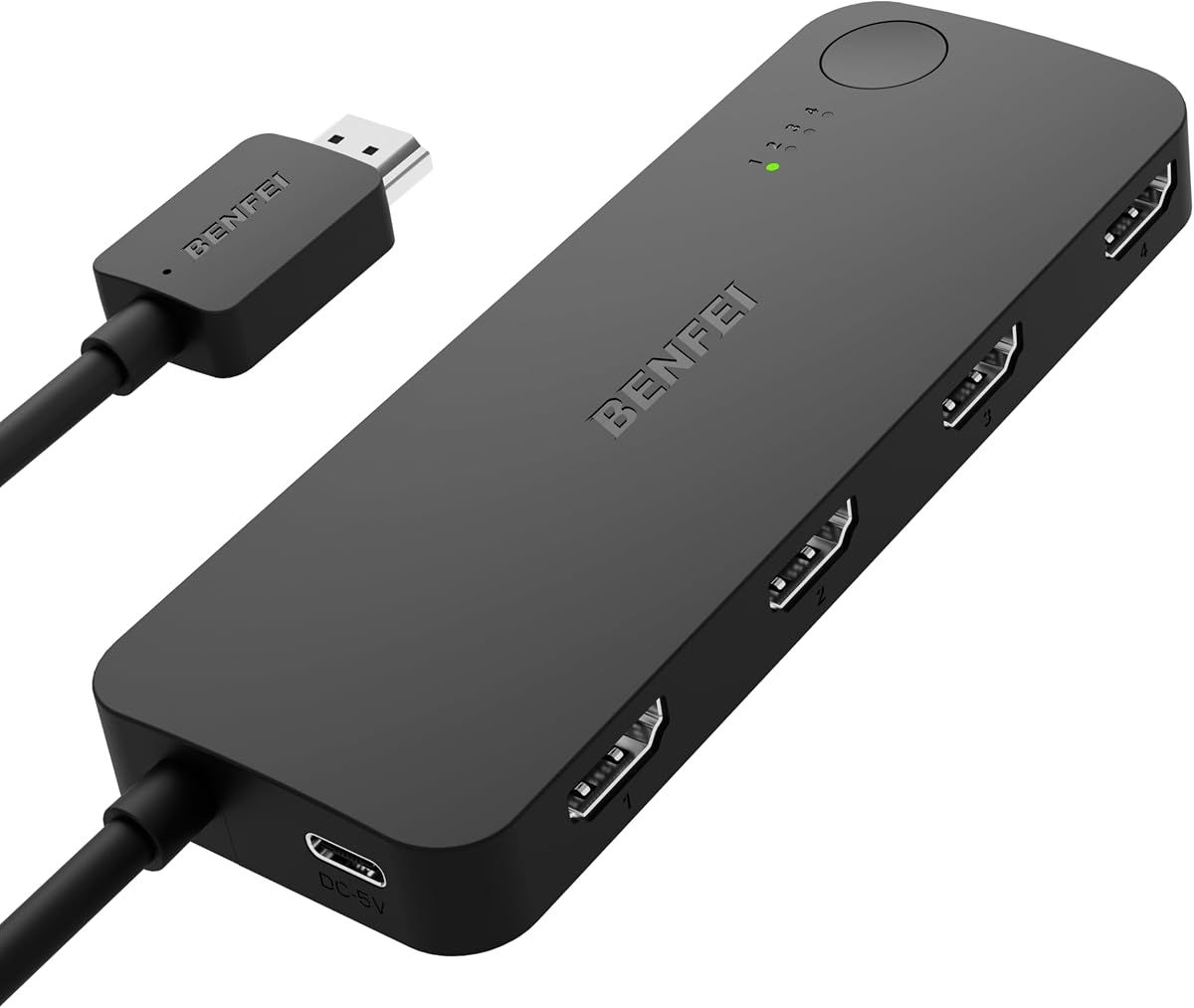
The BENFEI switch is unique for its Adaptive Equalization technology which supports longer HDMI cable runs. This makes it ideal for home theaters where components are spread out.
We may earn a commission when you buy through this link, at no additional cost to you.
It supports 4K@60Hz and comes with a fixed cable to avoid connection issues. The device offers high bandwidth transmission for clear audio and video without loss.
Users should note it requires a power adapter which is not included in the package. It lacks a remote but the manual switch is straightforward to use for most.
Anyone needing a reliable switch with extended cable support will find this model valuable. It offers premium features at a competitive price for specific setup needs.
Supports up to 30ft transmission for flexible device placement.
Adaptive Equalization ensures stable signal over longer distances.
We may earn a commission when you buy through this link, at no additional cost to you.
This NEWCARE switch offers great value by including a high-speed HDMI cable right out of the box. It supports 4K@60Hz and features gold plated connectors for durability.
We may earn a commission when you buy through this link, at no additional cost to you.
The included cable helps ensure signal quality and reduces the need for extra purchases. Manual switching is quick and the 2.6ft cable length is suitable for most setups.
It does not include a remote but the physical button is easy to access. Users should provide their own 5V power adapter for consistent performance and operation.
Best for users seeking a complete package without extra accessories. It delivers reliable performance for streaming and gaming at a reasonable price point.
Includes high-speed cable to start using immediately without extra costs.
Gold plated connectors ensure corrosion resistance and stable connection.
We may earn a commission when you buy through this link, at no additional cost to you.
This GANA model provides a solid option for five inputs with a remote control included. The aluminum housing ensures durability and effective heat dissipation during use.
We may earn a commission when you buy through this link, at no additional cost to you.
It supports 4K@60Hz and HDR for a high-quality viewing experience across devices. The remote allows switching from the couch which is very convenient for entertainment setups.
Users need to connect it to a power source for stable performance. While it lacks automatic switching the remote makes manual changes quick and easy.
Ideal for those needing multiple inputs without a premium price tag. It offers a reliable mix of features build quality and ease of use for home theaters.
Remote included for effortless switching from comfortable seating.
Aluminum housing provides durability and effective heat management.
We may earn a commission when you buy through this link, at no additional cost to you.
This switch offers simplicity with a remote control included for easy operation. It supports 4K@30Hz which is adequate for most streaming and casual gaming needs.
We may earn a commission when you buy through this link, at no additional cost to you.
The ABS material provides durability while keeping costs low. Plug and play setup means you can start using it immediately without complex configuration steps.
While it does not support higher 4K refresh rates it handles 30Hz well. The remote adds convenience which is a nice touch at this price point.
Best for users who need basic switching without extra complexity. It delivers reliable performance for everyday use in living rooms or offices.
Plug and play design with remote for quick setup.
Affordable pricing with essential features included.
We may earn a commission when you buy through this link, at no additional cost to you.
Selecting the right HDMI switch requires understanding your specific needs. This section outlines the key factors to consider before making a purchase.
Look for switches that support at least 4K@60Hz to ensure compatibility with modern consoles and TVs. Some budget models may only support 4K@30Hz which can limit gaming performance.
Prioritize models with higher refresh rates if you use your setup for fast-paced gaming.
Count how many devices you need to connect such as consoles streaming sticks and laptops. A 3-in-1 switch may suffice but 5-in-1 offers more flexibility for growing setups.
Ensure the switch has enough ports to avoid future upgrades.
Manual buttons are simpler but remotes add convenience for living room use. Decide whether you value ease of access over basic functionality.
Consider a model with a remote if you plan to switch inputs frequently from a distance.
Some switches require external power adapters which add to cable clutter. Others work via USB power or directly from the HDMI signal.
Check if a power adapter is included before buying to avoid extra costs.
Aluminum housings tend to dissipate heat better than plastic. Look for gold plated connectors to ensure long-term reliability and signal stability.
Invest in a durable build if you plan to move the switch often.
For gaming and streaming HDR support is essential for visual quality. Check if the switch supports VRR and HDCP standards relevant to your devices.
Verify compatibility with your specific console requirements.
Some switches include cables which simplifies setup. Others expect you to use your own which may be shorter or longer than needed.
Consider total cable length to avoid signal degradation over long distances.
Look for brands offering warranties and responsive customer service. This provides peace of mind if the device fails early.
Choose a reputable brand known for reliability.
Connect the HDMI switch to your TV first using a high-quality cable. Then connect your devices to the input ports ensuring all connections are secure.
Use the remote or manual button to select the active input. Ensure your TV is set to the correct HDMI channel to display the output.
Keep the switch in a well-ventilated area to prevent overheating. Regularly dust the device and check cables for wear to maintain performance.
It depends on the model. Some switches draw enough power from the HDMI signal but others require a USB or external adapter. Check the product description to confirm power requirements and what is included.
If the switch supports your desired resolution like 4K@60Hz it should not degrade quality significantly. Ensure the switch is high bandwidth and uses quality connectors for best results.
Yes as long as the switch supports the necessary features like HDR and VRR. Verify compatibility with your specific console model before purchasing to avoid issues.
An HDMI switch selects one input to display on one output while a splitter copies one input to multiple outputs. Choose a switch for multiple devices to one TV.
Most switches include LED indicators that show the active input. Some also provide on-screen displays through the TV when you change inputs using a remote or button.
Automatic switching is rare in budget models. Most require manual selection via button or remote. If auto-switching is essential check the product specs carefully before buying.
Yes you can connect any HDMI devices as long as they do not conflict. Ensure the switch supports the resolution and formats of both devices for proper playback.
Check cable quality and length as longer cables can cause issues. Ensure the switch has sufficient power and try resetting devices or switching ports to isolate the problem.
We highlighted ten affordable HDMI switches that balance performance and price. The UGREEN 5-in-1 model leads for versatility while the GANA Aluminum offers great budget value.
Prioritize resolution support and port count based on your devices. Ensure compatibility with HDR and your TV specifications for the best experience.
Prices and stock change frequently so verify current details before purchasing. With the right choice you can streamline your setup without overspending.