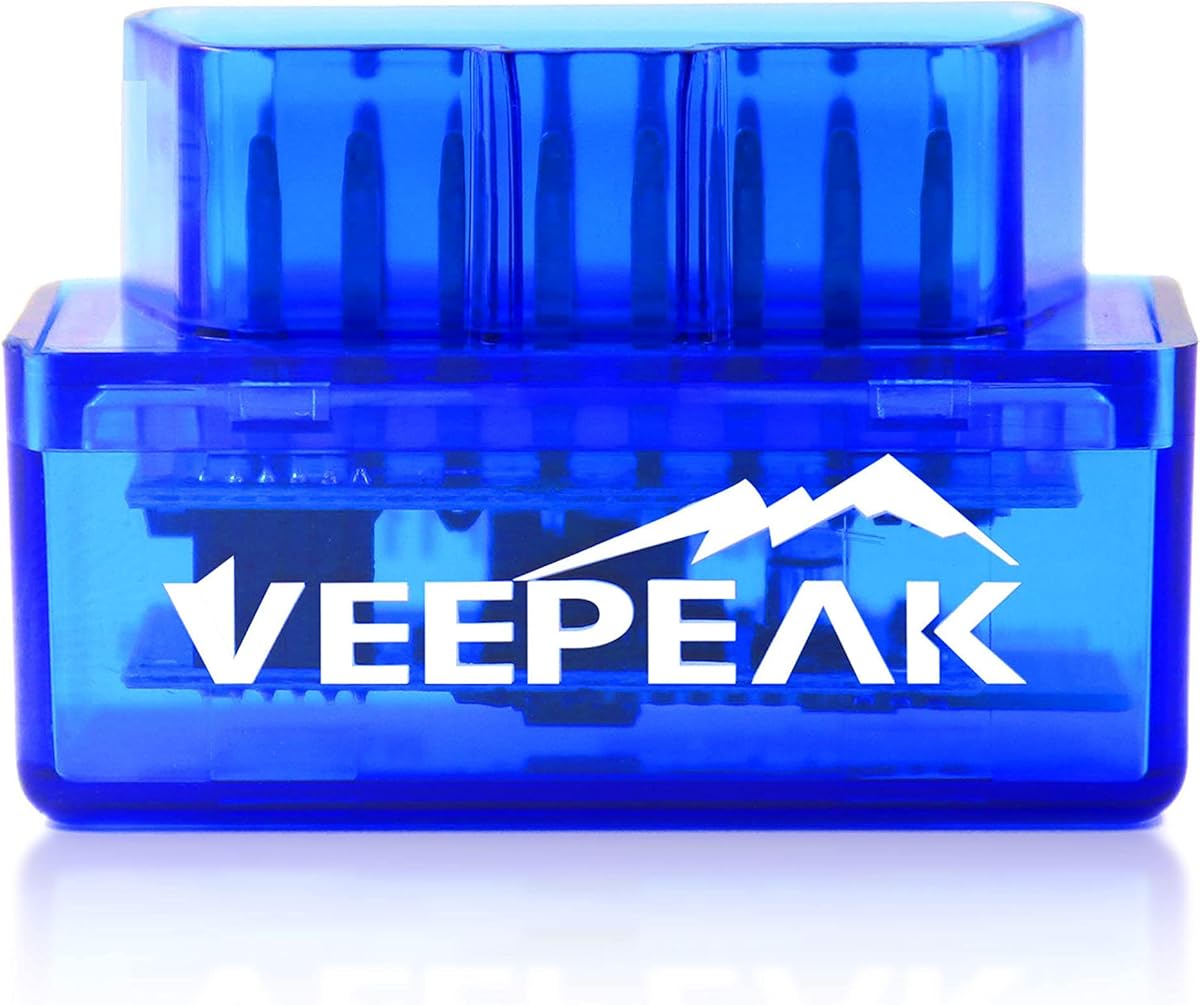
Veepeak Mini Bluetooth OBD2 Scanner
4.4Editor score
Compact design
Android only support
Affordable entry level
This guide compares the top Android OBDII scanner tools for diagnostics, live data, and vehicle health monitoring using Bluetooth connectivity.
Finding the right Android OBDII scanner tool is essential for modern vehicle owners who want to monitor engine health and diagnose issues independently. These devices connect wirelessly to your car and port and work with smartphone apps to provide detailed insights into your vehicle performance.
We compared ten leading models based on connectivity stability, app compatibility, diagnostic depth, and ease of use. Our analysis focuses on tools that support generic and manufacturer specific codes, offer live data streaming, and provide reliable Bluetooth connections for Android devices.
Each pick highlights specific strengths like budget friendliness or advanced bidirectional control. Note that prices and availability may change so check current listings before purchasing. Use these insights to choose the scanner that best fits your vehicle needs and technical skill level.
4.4Editor score

4.5Editor score

4.4Editor score
This table provides a side by side overview of key features across all ten selected Android OBDII scanner tools to help you compare capabilities at a glance.


The BlueDriver OBD2 Scanner Bluetooth stands out as a professional grade diagnostic tool that transforms your Android device into a powerful car scanner. With a solid rating of 4.5 stars from thousands of users it offers enhanced diagnostics without monthly subscriptions or hidden fees.
We may earn a commission when you buy through this link, at no additional cost to you.
Its standout quality is the access to technician verified repair reports that match your specific VIN. This feature provides definitions causes and confirmed fixes for trouble codes making it easy to understand what needs repair. The wireless Bluetooth connection ensures you can monitor live vehicle data as you drive without messy cables.
While the price is higher than basic readers the value comes from its ability to access enhanced diagnostics for ABS SRS TPMS and transmission on supported vehicles. Some advanced features may have stronger integration on iOS but Android users still benefit significantly from its broad make coverage including GM Ford Toyota and Honda.
This tool is ideal for DIYers who want reliable diagnostics without visiting a shop. If you need accurate fault identification and real data data monitoring this scanner delivers professional results. Its no subscription model and strong support make it a top choice for long term vehicle health management.
Beyond basic check engine light codes it accesses ABS SRS and transmission diagnostics on supported vehicles providing deeper insight into vehicle health.
One time purchase includes full access to all features with no subscription fees or add-ons ensuring predictable costs over time.
We may earn a commission when you buy through this link, at no additional cost to you.
The Veepeak Mini Bluetooth OBD2 Scanner is an excellent budget friendly option for Android users who need basic check engine light diagnostics. Rated 4.4 stars it offers a compact design that fits easily in a glove box while providing reliable access to live sensor data and trouble codes.
We may earn a commission when you buy through this link, at no additional cost to you.
Its key strength lies in affordability and portability making it perfect for casual users or secondary vehicles. The scanner connects via classic Bluetooth to popular Android apps like Torque and Car Scanner allowing you to read clear codes and monitor engine RPM coolant temperature and other live data points.
Keep in mind this device does not support iOS devices and lacks advanced functions like ABS or SRS diagnostics. It is designed for generic engine diagnostics on 1996 and newer vehicles which covers most standard needs. If you need only basic code reading without extra features this is a smart economical choice.
Buyers seeking a low cost entry point into OBDII diagnostics will find this tool meets their needs. It is ideal for verifying repairs or checking used cars before purchase. For Android users who do not need manufacturer specific data this scanner offers great value in a tiny package.
One of the most budget friendly options available for users who only need basic engine diagnostics and code reading capabilities.
Optimized for Android devices via classic Bluetooth providing a stable connection for compatible third party diagnostic applications.
We may earn a commission when you buy through this link, at no additional cost to you.
The XTOOL A30D Bidirectional OBD2 Scanner represents a premium level of diagnostic capability for Android users who require advanced troubleshooting. With a rating of 4.4 stars it provides all system diagnostics and bidirectional control to actively test components like fuel pumps valves and wipers directly from your smartphone.
We may earn a commission when you buy through this link, at no additional cost to you.
Its standout feature is the inclusion of 19 reset functions such as EPB reset TPMS reset and oil reset without extra charges. The stable Bluetooth connection allows you to monitor up to 8 PIDs at once with clear graphs and meters. This tool is future ready with support for newer protocols like CAN-FD and FCA AutoAuth.
While it offers powerful capabilities the interface may be complex for casual users. Some features require an active subscription for FCA models which should be verified before purchase. However for serious DIYers and home garage users the ability to send commands to the ECU reduces guesswork significantly.
Choose this scanner if you need professional grade tools for routine maintenance and deep diagnostics. It is ideal for owners of multiple vehicles or those who perform regular repairs. The lifetime software updates and 2 year warranty provide long term reliability for advanced diagnostic needs.
Sends commands to the vehicle ECU to actively test components enabling faster troubleshooting without disassembly or guessing.
Includes 19 built-in reset functions for routine services like oil changes brake replacements and tire monitoring at no extra cost.
We may earn a commission when you buy through this link, at no additional cost to you.
The OBDLink MX+ is a professional grade Bluetooth scanner designed to turn your Android device into a powerful diagnostic tool. With a rating of 4.6 stars it is recommended for use with popular apps like FORScan Torque and BimmerCode offering enhanced OEM support for major manufacturers like Ford GM and Toyota.
We may earn a commission when you buy through this link, at no additional cost to you.
Its key strengths include a stable Bluetooth connection and built-in protection against over-voltage and battery drain. The device allows you to clear check engine lights and access more live parameters than basic scanners. It works across multiple platforms including Android iOS and Windows which adds flexibility for users with mixed device ecosystems.
Although it is a premium adapter the focus is on connectivity and compatibility rather than advanced built-in diagnostics. You rely on third-party apps for full functionality which can be an advantage for customization. For users who need a reliable bridge between their phone and vehicle ECU this is a top choice.
This scanner suits enthusiasts who use specific diagnostic apps and want a dependable hardware partner. It is ideal for those who already own recommended apps like FORScan or BimmerCode. If you value stability and broad app compatibility over bundled features this tool delivers consistent performance.
Supports Android iOS and Windows devices allowing seamless integration with preferred diagnostic software across different operating systems.
Provides enhanced support for specific manufacturers enabling more detailed parameter access and accurate code clearing on supported vehicles.
We may earn a commission when you buy through this link, at no additional cost to you.
The Veepeak OBDCheck BLE+ offers versatile connectivity by supporting both classic and low energy Bluetooth for iOS and Android devices. Rated 4.5 stars it provides standard OBDII functions such as reading clearing trouble codes and viewing live sensor data. It is designed to work with popular apps like Car Scanner ELM OBD2 and Torque.
We may earn a commission when you buy through this link, at no additional cost to you.
Its primary advantage is the dual Bluetooth support which ensures compatibility with a wider range of vehicles and applications. Advanced data like EV battery state of health depends on the vehicle make and model so checking compatibility with the recommended app is crucial. This flexibility makes it suitable for hybrid and EV owners as well.
While it lacks built-in diagnostics for ABS or SRS those functions may be available through compatible third-party apps on certain vehicles. The connection process requires pairing within the app which ensures stability. For users who prefer using their own diagnostic software this adapter offers a reliable and affordable hardware option.
Buyers looking for a dual-platform scanner that supports advanced data monitoring will appreciate this model. It is a good middle ground between basic readers and professional tools. Ensure your vehicle is supported by the intended app before purchase to maximize functionality and diagnostic depth.
Supports both classic and low energy Bluetooth ensuring wider compatibility with various vehicles and diagnostic applications.
Provides support for EVs and hybrids depending on app compatibility enabling monitoring of battery state of health and related data.
We may earn a commission when you buy through this link, at no additional cost to you.
The BlueDriver OBD2 Next Gen scanner builds on the reputation of its predecessor with expanded make and model coverage including select 2024 Nissan and Mazda models. Rated 3.9 stars this professional tool provides technician verified repair reports matched to your VIN and offers enhanced diagnostics for ABS SRS and transmission.
We may earn a commission when you buy through this link, at no additional cost to you.
Its main feature is the one-time purchase model with no subscriptions providing unlimited access to all features and free app updates. The wireless Bluetooth connection eliminates cables while allowing real-time vehicle data monitoring. This version is optimized for modern vehicles ensuring better compatibility with newer systems and communication protocols.
While the rating is lower than the standard version this may reflect connectivity variations across different vehicles. Some users report inconsistent pairing but once connected the diagnostics are robust. For owners of newer vehicles the expanded coverage ensures that updated models are supported for accurate trouble code identification.
This scanner is a smart choice for those who want the latest vehicle compatibility without recurring fees. It is best for users who prioritize repair reports and broad coverage. If you encounter connectivity issues contact support as the company offers 24/7 assistance to help resolve pairing or firmware challenges.
Optimized for modern vehicles including select 2024 Nissan and Mazda models ensuring better compatibility with newer car systems.
One-time purchase includes full access to all features with no add-ons or recurring fees protecting your investment over time.
We may earn a commission when you buy through this link, at no additional cost to you.
The FOXWELL NT301 is a standalone professional mechanic OBDII diagnostic code reader that provides live data graphing and I/M readiness checks without needing an Android phone. Rated 4.5 stars it reads and clears engine fault codes instantly and offers advanced OBDII modes like EVAP system checks and O2 sensor tests.
We may earn a commission when you buy through this link, at no additional cost to you.
Its strengths include a bright 2.8 inch color screen and dedicated one-click hotkeys for smog check helper functions. The built-in speaker provides clear audio feedback so you know the status without looking at the screen. Lifetime free updates ensure compatibility with new vehicle models and protocols as they are released.
Unlike Bluetooth scanners this unit operates independently which is convenient if you prefer a dedicated device. However it does not connect to Android apps for remote viewing. For users who value a physical interface and quick access to smog readiness this tool offers professional features at a reasonable price point.
This scanner is ideal for DIYers who want instant results without phone pairing. It suits those who need to verify repairs before smog tests. The combination of live data graphing and a user-friendly design makes it a reliable choice for routine engine diagnostics and maintenance checks.
Dedicated I/M readiness hotkeys and LED indicator show pass or fail status instantly so you can prepare for testing.
View and log live sensor data in easy-to-read graphs to spot engine issues in real time without external devices.
We may earn a commission when you buy through this link, at no additional cost to you.
The ANCEL AD310 Classic is a universal OBDII scanner recommended by mechanics for its ability to read and clear emission system trouble codes quickly. Rated 4.6 stars it supports all OBDII protocols including KWP2000 and J1850 ensuring broad compatibility with 1996 and newer US and EU vehicles.
We may earn a commission when you buy through this link, at no additional cost to you.
It is lightweight compact and sturdy making it easy to carry in a backpack or glove box. The device draws power directly from the OBDII port so no batteries are needed. The buttons are clearly labeled and the screen displays results clearly which simplifies use for those without technical expertise.
This scanner focuses solely on engine and emission diagnostics so it does not support ABS SRS or transmission systems. If you need broader system checks you may need a more advanced tool. For simple check engine light verification and basic diagnostics this unit offers reliable performance and excellent value.
Buyers looking for a simple no-fuss code reader will find this tool meets their needs. It is perfect for home garages and roadside verification. The high rating reflects consistent accuracy and ease of use for identifying and clearing emission-related fault codes efficiently.
Supports all OBDII protocols ensuring compatibility with most 1996 and newer vehicles including US EU and Asian models.
Draws power directly from the OBDII port so no batteries or chargers are needed for operation reducing long term costs.
We may earn a commission when you buy through this link, at no additional cost to you.
The Veepeak OBDCheck BLE is a wireless Bluetooth LE scanner that works with both iOS and Android devices for generic OBDII diagnostics. Rated 4.5 stars it reads and clears trouble codes for check engine lights and provides live sensor data to monitor vehicle health. It requires a compatible third-party app to operate.
We may earn a commission when you buy through this link, at no additional cost to you.
Its key feature is Bluetooth LE which ensures low power consumption and stable connection without draining your phone battery. The scanner supports most 1996 and newer cars and light trucks in the US making it suitable for standard diagnostics. However it does not support ABS SRS oil light resets or advanced functions.
Users must download a recommended app like Car Scanner or Torque to access full features. Avoiding imitation apps helps ensure stability and avoids unnecessary subscription costs. For basic code reading and live data monitoring this adapter is a lightweight and affordable solution for everyday vehicle checks.
This tool is best for casual users who want to monitor engine performance without investing in expensive hardware. Ensure your vehicle and app are compatible before purchase. It serves as a convenient entry point into OBDII diagnostics for Android users seeking simplicity.
Bluetooth LE technology ensures efficient power use preventing battery drain on your connected Android device during diagnostics.
Requires a third-party app for operation so select a compatible one like Car Scanner ELM OBD2 for best results.
We may earn a commission when you buy through this link, at no additional cost to you.
The OBD2 Scanner Diagnostic Tool features an upgraded Bluetooth 5.4 system for faster and more reliable connectivity on Android and iOS devices. Rated 4.4 stars it supports 9 protocols and covers over 96 percent of car makes and models from 1996 to present. It includes an exclusive free app for easy diagnostics.
We may earn a commission when you buy through this link, at no additional cost to you.
Its standout quality is intuitive data visualization that displays detected data in clear charts for engine temperature speed and module voltage. This helps beginners understand vehicle status quickly. The app helps interpret check engine light codes and suggests possible fixes to avoid unnecessary repair shop visits.
While it is a newer product with fewer reviews the Bluetooth 5.4 support ensures modern connectivity standards. It provides a complete diagnostic solution including VIN retrieval and data streaming. For users who prefer a dedicated app ecosystem and visual data display this tool offers a streamlined experience.
Choose this scanner if you want fast connectivity and clear data presentation. It suits owners who want an all-in-one solution with app guidance. Ensure your device meets the Bluetooth requirements and follow the app instructions for best setup results and consistent performance.
Upgraded Bluetooth 5.4 provides faster and more reliable connections for seamless data streaming and diagnostics.
Data is displayed in clear easy-to-read charts helping beginners quickly grasp vehicle status and potential issues.
We may earn a commission when you buy through this link, at no additional cost to you.
Selecting the right Android OBDII scanner depends on your vehicle needs technical comfort and desired diagnostic depth. Here are key factors to consider before purchasing.
Most modern scanners use Bluetooth Low Energy for stable connections. Ensure the device supports Bluetooth 5.4 or higher for optimal performance on Android. Check if it works with classic or LE Bluetooth for your specific apps.
Choose Bluetooth LE for lower power consumption and better app compatibility on newer Android devices.
Many adapters require third-party apps to function. Verify that your preferred app supports the scanner and vehicle brand. Some apps offer free trials while others require subscriptions or one-time purchases for advanced features.
Select a scanner compatible with free robust apps like Car Scanner or Torque to avoid recurring fees.
Basic readers handle generic engine codes while advanced tools access ABS SRS transmission and airbag systems. Determine if you need manufacturer specific data or just check engine light verification for your needs.
Invest in a scanner that supports enhanced diagnostics only if your vehicle requires those specific checks.
Live data streaming lets you monitor engine RPM temperature and sensor readings in real time. This feature is crucial for diagnosing intermittent issues and verifying repairs after maintenance work is done.
Ensure the scanner supports live data streaming with clear graphs for easy interpretation on your phone.
Confirm the scanner supports your vehicle's make model and year. Most tools work with 1996 and newer US vehicles but compatibility varies for European Asian or hybrid models.
Check manufacturer compatibility charts before purchase to ensure your specific vehicle is supported.
A durable adapter ensures reliable connection over time. Look for sturdy plugs and compact designs that fit your vehicle's OBDII port securely without obstructing other controls.
Choose a compact and sturdy adapter for long-term reliability and ease of use.
Regular firmware updates ensure compatibility with new vehicle models and protocols. Check if the manufacturer offers free lifetime updates or requires a subscription for software maintenance.
Select a scanner with free lifetime updates to maintain functionality as vehicle technology evolves.
Budget tools may lack advanced features while premium ones offer bidirectional control. Assess your needs against the cost to avoid overpaying for capabilities you will not use regularly.
Match the scanner's features to your diagnostic needs to ensure the best value for your budget.
Plug the scanner firmly into the vehicle's OBDII port located near the driver's side. Turn the ignition to the ON position without starting the engine to power the adapter. Connect your Android device to the scanner via Bluetooth within the supported app.
Open the diagnostic app and navigate to the live data or fault codes section. Follow the app's instructions to read clear trouble codes or monitor sensor data. Keep your phone charged and ensure Bluetooth is enabled for continuous connection.
After use unplug the scanner to prevent battery drain on your vehicle. Store it in a dry place to avoid damage. Regularly update your app and scanner firmware for best performance and compatibility.
Many scanners support hybrids and EVs for basic diagnostics but advanced functions vary by app. Check compatibility in the app settings or contact the manufacturer before purchasing for your specific model.
No some scanners are Android only. Ensure you buy a device that explicitly supports iOS if you plan to switch devices. Cross-platform models exist but verify features before purchasing.
Many third-party apps offer free versions but advanced features may require a one-time purchase. Check the app store details to confirm pricing before using your scanner.
Connect the scanner to the OBDII port turn ignition on then select the clear codes option in the app. Only clear codes after fixing the underlying issue to avoid recurring faults.
Live data lets you view real-time sensor readings like temperature and RPM to diagnose intermittent issues. It helps verify repairs and monitor vehicle health while driving.
Yes reputable scanners are designed to connect safely without harming the ECU. Always follow instructions and unplug after use to prevent battery drain.
We reviewed ten Android OBDII scanner tools ranging from budget to premium to help you find the right diagnostic solution. The BlueDriver offers professional features without subscriptions while the Veepeak Mini provides an affordable entry point for basic checks.
Consider your vehicle's make and your need for advanced diagnostics like ABS or live data. Prioritize compatibility and reliable Bluetooth connectivity to ensure smooth operation with your Android device.
Remember that prices and features may change so check current listings before finalizing your purchase. Use this guide to make an informed decision that suits your vehicle maintenance needs and budget.