
Raywego 49 Inch Curved Ultrawide Gaming Monitor
4.6Editor score
165Hz refresh rate
DQHD 5120×1440 resolution
1500R curvature
VA panel with HDR400
Finding the right display for sim racing can transform your experience from simple viewing to true immersion. A 49 inch ultrawide monitor offers a panoramic view that mimics real cockpit visibility, helping you judge distances and react faster on the track. This guide explores the best models available today.
We evaluated these monitors based on resolution, refresh rate, curvature, and color accuracy to ensure they meet the demands of competitive racing simulations. Each product was analyzed for its ability to reduce input lag, prevent screen tearing, and provide a wide field of view without distortion. Our goal is to help you find the perfect screen.
Every pick in this list showcases unique strengths ranging from budget-friendly options to premium OLED displays. You will see detailed specs, pros, and cons to make an informed decision. Please note that prices and availability can change frequently, so check current listings before purchasing to ensure you get the best deal available now.
4.6Editor score

4.3Editor score

4.5Editor score
As an Amazon Associate we earn from qualifying purchases.
The following table provides a side-by-side comparison of all ten monitors included in this guide. It highlights key specifications such as resolution, refresh rate, and panel type to help you quickly identify which model aligns with your specific sim racing requirements and budget constraints.





The Raywego 49 Inch Curved Ultrawide Gaming Monitor delivers an impressive entry-level experience for sim racers seeking immersion without breaking the bank. With a 4.6 rating from verified users, it stands out for its ability to replace dual monitors with a single seamless display. Its DQHD resolution ensures that track details remain crisp even at high speeds.
We may earn a commission when you buy through this link, at no additional cost to you.
Performance is solid thanks to the 165Hz refresh rate and 1ms response time which are critical for reducing motion blur during intense racing sessions. The 1500R curvature wraps around your vision to enhance peripheral awareness, helping you spot opponents or hazards more quickly. Adaptive Sync support further smooths out visuals by preventing screen tearing when frame rates fluctuate.
While it lacks the premium features found in higher-end models such as USB-C or wide color gamuts, the VA panel still provides deep contrast and vibrant colors suitable for most games. The lack of a center bezel creates an uninterrupted view that is vital for maintaining focus on the track. It is an excellent choice for those prioritizing screen real estate over absolute color accuracy.
This monitor is ideal for hobbyists or budget-conscious racers who want to experience ultrawide simulation without a huge investment. It supports various inputs including HDMI and DisplayPort making it versatile for consoles or PCs. If you need a reliable wide screen for gaming and occasional workstation use, this model offers significant value and performance.
The 32:9 aspect ratio provides a panoramic view that mimics a real racing cockpit, improving situational awareness on the track.
Adaptive Sync technology reduces screen tearing ensuring that motion remains fluid even during rapid acceleration or braking moments.
We may earn a commission when you buy through this link, at no additional cost to you.
The Samsung 49" Odyssey OLED G9 represents a leap forward in display technology for sim racing with its QD-OLED panel delivering unmatched color and contrast. Its 4.3 rating reflects strong user satisfaction regarding image quality and responsiveness. This monitor is designed for enthusiasts who demand the best visual fidelity to feel every curve of the track and shadow of the car.
We may earn a commission when you buy through this link, at no additional cost to you.
With a near-instant 0.03ms response time and 144Hz refresh rate, this monitor eliminates motion blur and ghosting that can distract during high-speed maneuvers. G-Sync compatibility ensures that the GPU and panel sync perfectly preventing screen tearing and stuttering. The infinite contrast ratio allows you to see clearly in dark tunnels or night races where other panels might struggle.
Samsung has integrated thermal modulation and screen saver features to mitigate the risk of burn-in from static HUD elements common in racing games. The wide 32:9 screen provides a full peripheral view allowing you to monitor your mirrors and surroundings without turning your head. However, the premium price tag and potential for burn-in should be considered before purchasing for long-term use.
This is the top choice for racers who prioritize image quality and response time above all else. It excels in HDR content and offers a viewing experience that is hard to match. If you have a high-end PC and want to fully immerse yourself in next-generation simulation titles, the Odyssey OLED G9 is a compelling investment.
OLED technology ensures that dark areas appear truly black enhancing depth and detail in shadowy racing environments.
The 0.03ms response time ensures that every pixel changes instantly keeping motion sharp and crisp during fast gameplay.
We may earn a commission when you buy through this link, at no additional cost to you.
The Z-Edge 5K 49 Inch Curved Gaming Monitor combines high refresh rates with a dense pixel grid for a sharp and fluid racing experience. It holds a 4.5 rating indicating strong approval for its performance and build quality. This model is tailored for competitive racers who need the fastest possible visuals to gain an edge over opponents in simulation environments.
We may earn a commission when you buy through this link, at no additional cost to you.
With a 240Hz refresh rate and 1ms response time this monitor delivers silky smooth motion that helps you react faster to track changes. The 5K2K resolution ensures that textures on the track and cars appear highly detailed and crisp. PIP and PBP functions allow you to run telemetry or chat windows alongside the game without needing a second monitor.
Color accuracy is enhanced by 99% sRGB coverage and a 3000:1 contrast ratio which bring out rich details in both bright sunlight and dark corners. The built-in speakers offer convenience for audio feedback though dedicated headsets may still be preferred for precision. The variety of connectivity options including HDMI 2.1 and USB-C makes it easy to link multiple devices seamlessly.
This monitor is best suited for users with powerful GPUs capable of driving high resolutions at high frame rates. It balances speed, clarity, and productivity features effectively for a high-performance setup. If you want a premium screen that supports fast-paced gaming and detailed simulation work without compromising on refresh rate, this is an excellent pick.
A 240Hz refresh rate ensures that animations and motion appear extremely fluid reducing perceived lag in competitive scenarios.
PIP and PBP split screen technology allow you to monitor telemetry or chats while playing without losing focus on the track.
We may earn a commission when you buy through this link, at no additional cost to you.
The INNOCN 49" Curved Monitor offers a versatile setup for mixed-use scenarios combining work and play with its robust connectivity options. Rated 4.2 by users it is praised for its USB-C power delivery and wide color performance. This model is particularly useful for those who need a single screen that can handle both sim racing and professional tasks efficiently.
We may earn a commission when you buy through this link, at no additional cost to you.
A 120Hz refresh rate provides smooth visuals sufficient for most racing titles although it falls short of the 144Hz or 240Hz found in competitors. The 1800R curvature is gentle yet effective at reducing eye fatigue during long sessions. The included USB-C port allows for a single-cable connection to laptops simplifying cable management in a cockpit setup.
While it supports HDR400 the contrast and brightness are adequate for general gaming rather than critical HDR experiences. The built-in speakers and adjustable stand add to the convenience making it a practical choice for smaller spaces. PIP and PBP modes allow you to keep productivity tools visible while playing your favorite racing simulation without distraction.
This monitor is a strong candidate for those looking for a budget-friendly ultrawide with modern connectivity features. It is ideal if you prioritize ease of setup and screen real estate over maximum refresh rates. If you need a reliable screen for sim racing and productivity work on a budget this INNOCN model delivers solid performance and value.
USB-C power delivery allows for a single cable connection to laptops reducing clutter on your desk or racing rig.
99% sRGB coverage ensures that colors appear vibrant and accurate across games and creative work applications.
We may earn a commission when you buy through this link, at no additional cost to you.
The Samsung 49" Odyssey G9 Series DQHD is a powerhouse designed for competitive gamers who demand the fastest refresh rates available. It holds a 4.1 rating reflecting mixed feelings about its extreme design but praise for its speed. This monitor is built to minimize input lag and provide a fluid view that helps you react instantly to any race event.
We may earn a commission when you buy through this link, at no additional cost to you.
A 240Hz refresh rate ensures that motion on screen is exceptionally smooth allowing for precise control during cornering or overtaking. The 1000R curvature is deeply curved to match the human eye and increase immersion significantly. DisplayHDR 1000 support delivers high peak brightness and deep contrast for better visibility in bright or dark environments.
FreeSync Premium Pro and G-Sync compatibility ensure that frames are synced to the monitor to prevent tearing and stuttering. Auto Source Switch allows the monitor to detect when devices turn on and switch inputs automatically saving you time. While the extreme curve might take adjustment it creates a cockpit-like feel that few other displays can match.
This model is ideal for hardcore sim racers who prioritize speed and immersion over comfort or ease of use. It requires a powerful GPU to drive the resolution and refresh rate effectively. If you want a competitive edge with the highest refresh rate in its class and do not mind a curved design this Samsung G9 is a top contender.
HDR 1000 support delivers bright highlights and deep shadows ensuring details remain visible in all lighting conditions.
The monitor automatically detects connected devices and switches inputs instantly reducing wait time before gameplay begins.
We may earn a commission when you buy through this link, at no additional cost to you.
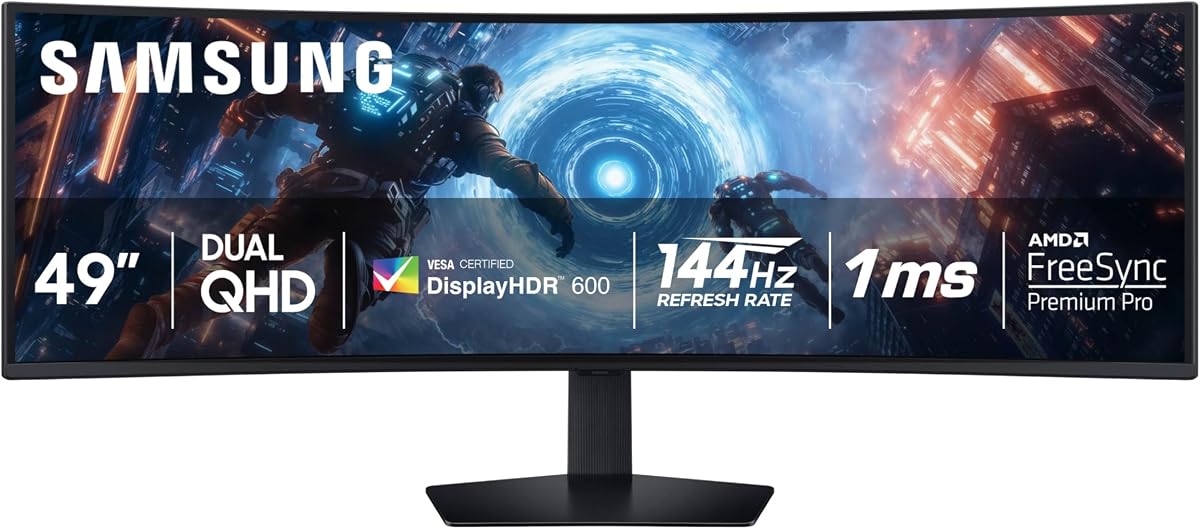
The SAMSUNG 49-inch Odyssey G9 (G91F) offers a balanced mix of speed and immersion suitable for a wide range of sim racers. With a 4.4 rating it is well-liked for its reliable performance and robust build quality. This monitor aims to provide the full peripheral view needed for realistic racing without the extreme curve of its predecessor.
We may earn a commission when you buy through this link, at no additional cost to you.
A 144Hz refresh rate delivers smooth motion that is comfortable for long sessions while 1ms response time helps keep input lag low. DisplayHDR 600 ensures that bright highlights are clear and dark shadows are detailed enough to see obstacles. The Auto Source Switch feature adds convenience by instantly connecting to active devices without manual input switching.
The 1000R curve wraps around your vision to create a cockpit feel that enhances the sense of speed and position on the track. An ergonomic stand allows for tilt and height adjustments to find a comfortable viewing angle. It supports AMD FreeSync Premium Pro to ensure consistent frame rates and prevent visual artifacts during intense racing.
This monitor is a great choice for users who want the G9 brand reliability with a slightly less extreme curve. It fits well in setups where immersion is key but visual comfort is also a priority. If you need a high-performance ultrawide for sim racing that offers a good balance of features and price this G9 model is highly recommended.
The 1000R curvature matches the natural field of view providing a more realistic and engaging cockpit experience.
Auto Source Switch detects devices automatically allowing you to start racing as soon as you power on your PC.
We may earn a commission when you buy through this link, at no additional cost to you.
The CRUA 49" DQHD 165Hz Ultrawide Curved Gaming Monitor offers a solid middle ground for those seeking performance without premium costs. It holds a 4.4 rating indicating strong satisfaction for its value and visual clarity. This model is designed to provide a wide field of view and smooth motion suitable for various racing simulation titles.
We may earn a commission when you buy through this link, at no additional cost to you.
A 165Hz refresh rate ensures fluid gameplay and the 1ms response time helps reduce blur during fast turns. The 1500R curvature is moderate enough to provide immersion without forcing your eyes into an extreme arc. 3000:1 contrast ratio allows for deep blacks and clear distinctions in dark scenes which is helpful for night racing.
It includes HDMI 2.1 and DP 1.4 connections ensuring compatibility with modern GPUs and consoles. An adjustable stand supports height and tilt to help you find a comfortable position during long races. While it lacks some of the advanced color features of higher-end models it delivers a dependable experience for competitive gaming.
This monitor is best suited for gamers who want a wide screen with high refresh rates on a tighter budget. It is a reliable option for entry to mid-level sim setups. If you need a cost-effective way to upgrade to ultrawide sim racing this CRUA model provides the key features you need.
165Hz refresh rate ensures that motion looks smooth and responsive helping you react quickly during races.
3000:1 contrast ratio ensures dark scenes are detailed and clear improving visibility in low-light track environments.
We may earn a commission when you buy through this link, at no additional cost to you.
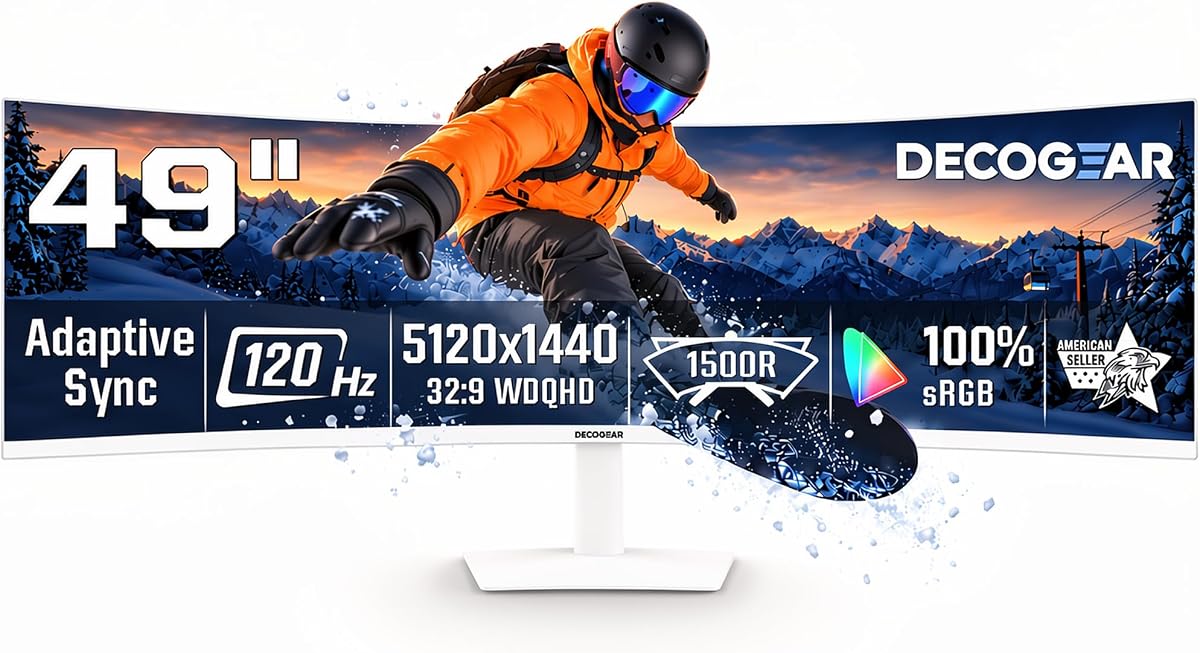
The Deco Gear 49" Super Ultrawide Curved Monitor is designed with versatility in mind offering both gaming and productivity features. It has a 4.1 rating suggesting decent performance for general use but less specialization for competitive racing. This model appeals to users who want a single wide screen for multiple purposes including work and play.
We may earn a commission when you buy through this link, at no additional cost to you.
A 120Hz refresh rate is adequate for casual gaming and smooth scrolling through windows but may lack speed for competitive titles. The inclusion of a 65W USB-C port allows for single-cable laptop connectivity which simplifies setups. KVM support lets you control two devices with one keyboard and mouse enhancing workflow efficiency.
Built-in speakers reduce cable clutter and offer convenient audio for meetings or media without extra peripherals. The 32:9 aspect ratio provides ample space for multitasking or wide viewing in games. However, the lower refresh rate means it is better suited for relaxed racing rather than high-speed simulation environments.
This monitor is ideal for home office users who also enjoy sim racing as a secondary activity. It balances cost and features to offer a practical ultrawide solution. If you need a versatile screen that handles both work and leisure tasks well this Deco Gear model is a useful choice.
KVM allows one keyboard and mouse to control multiple connected devices improving workflow efficiency for multi-user setups.
Multiple input ports make it easy to connect laptops, desktops, and consoles without constant cable switching.
We may earn a commission when you buy through this link, at no additional cost to you.
The ASUS ROG XG49VQ 49 Inch is a classic model offering trusted build quality and solid performance for sim racing enthusiasts. It holds a 4.4 rating reflecting strong user trust in the brand and the reliability of the hardware. This monitor is designed to provide a wide field of view and smooth gameplay suitable for long racing sessions.
We may earn a commission when you buy through this link, at no additional cost to you.
A 144Hz refresh rate ensures fluid motion while FreeSync 2 HDR support helps reduce screen tearing and improve visual clarity. The 3840×1080 resolution is lower than DQHD but still offers wide immersion without the higher hardware demands. The 1800R curve enhances peripheral vision and reduces eye strain compared to flat screens.
ASUS Eye Care technology minimizes eye fatigue with flicker-free backlighting and blue light filters which is beneficial during marathon sessions. The ergonomic stand allows tilt and height adjustments to ensure comfortable positioning. While the resolution is not as sharp as DQHD the high refresh rate makes it a practical choice for fast-paced games.
This monitor is a good pick for users who value brand reputation and eye comfort over maximum pixel density. It is ideal for setups where smooth motion matters more than absolute detail. If you need a reliable ultrawide screen for racing from a trusted manufacturer this ASUS model delivers great value.
Flicker-free backlighting and blue light filters reduce eye strain during long gaming or work sessions.
FreeSync 2 HDR helps prevent screen tearing and enhances contrast for better visibility in bright and dark scenes.
We may earn a commission when you buy through this link, at no additional cost to you.
The Samsung 49" Odyssey (G93SC) Series QD-OLED Curved Gaming Monitor combines OLED speed with ultrawide immersion for a premium racing setup. It has a 4.1 rating indicating that while it is powerful some users find the cost and design challenging. This monitor is built for enthusiasts who want top-tier speed and color in a wide format.
We may earn a commission when you buy through this link, at no additional cost to you.
A 240Hz refresh rate ensures incredibly smooth motion allowing for precise control during high-speed maneuvers. The QD-OLED panel delivers true blacks and rich colors enhancing depth and detail in any track environment. DisplayHDR True Black 400 provides accurate shadows that help you spot hazards in dark areas without glare.
G-Sync compatibility keeps the GPU and panel synced to eliminate screen lag and image tearing for a flawless experience. The Auto Source Switch feature detects connected devices and switches inputs instantly to save you time. While the premium design is sleek and thin the high cost and potential for burn-in must be weighed carefully.
This monitor is ideal for those seeking the highest performance possible with the latest OLED technology. It offers a unique blend of speed and immersion that is unmatched by standard LED panels. If you are ready to invest in the best technology for sim racing this Samsung OLED model is a top contender.
The combination of 240Hz and OLED technology ensures that motion is both fast and visually stunning.
DisplayHDR True Black 400 ensures dark areas look pure black enhancing depth and detail in shadows.
We may earn a commission when you buy through this link, at no additional cost to you.
Selecting the right ultrawide monitor requires balancing key technical factors to ensure they match your racing hardware and visual needs. This section outlines the most important features to consider.
Refresh rate determines how many frames per second your screen can display while response time measures how quickly a pixel changes color. For sim racing, a high refresh rate like 144Hz or 240Hz ensures that motion remains smooth and fluid even at high speeds. A low response time, ideally 1ms, helps reduce motion blur and ghosting during fast turns.
Prioritize a refresh rate that your GPU can sustain to avoid stuttering. A faster screen gives you a competitive edge by making movement easier to track.
Resolution defines the sharpness of the image on your screen. For a 49-inch display, 5120×1440 is the standard sweet spot offering high clarity without excessive hardware demand. Lower resolutions might save performance but can appear blurry or pixelated when viewed up close.
Choose a resolution that matches your graphics card capabilities. Higher resolution ensures track details are crisp and clear for a more realistic experience.
Curvature defines how much the screen bends to match your natural field of view. A 1000R curve provides deeper immersion than 1500R or 1800R. The 32:9 aspect ratio offers twice the width of a standard screen providing a wide peripheral view essential for racing.
Select a curvature that feels comfortable for long sessions. A deeper curve enhances immersion but may be too aggressive for some users.
Panel type affects contrast and color performance. VA panels offer deep blacks and high contrast suitable for dark tracks. OLED panels provide perfect blacks and faster response times. Ensure the monitor covers a wide color gamut like sRGB or DCI-P3 for vibrant visuals.
Look for high contrast ratios and accurate color calibration. OLED is best for contrast but VA is a solid budget-friendly alternative.
Adaptive Sync technologies like FreeSync and G-Sync synchronize your GPU with the monitor to prevent screen tearing. HDR support enhances brightness and contrast for better visibility in all lighting conditions. These features ensure smooth gameplay without visual distractions.
Ensure your graphics card supports the same sync technology as your monitor. HDR adds depth to visuals but check for sufficient brightness levels.
Check the available ports to ensure compatibility with your devices. HDMI 2.1 and DisplayPort 1.4 are necessary for high refresh rates and resolutions. USB-C ports with power delivery can simplify connections for laptops. Ensure the monitor has enough inputs for your PC and any secondary devices.
Verify port types match your setup needs. Modern monitors should include DisplayPort and HDMI for optimal performance.
A comfortable stand with height and tilt adjustments helps reduce strain during long racing sessions. Consider VESA mount compatibility if you plan to use an arm. Build quality and durability are also important for a screen that will be used frequently.
Prioritize a stand that offers full adjustability. A sturdy build ensures the monitor lasts and stays in position during intense gameplay.
Prices vary widely from budget models to premium OLED options. Determine what features matter most to you and balance them against cost. Sometimes mid-range monitors offer the best performance per dollar for average users.
Set a realistic budget and compare features carefully. Do not overspend on features you may not fully utilize in your setup.
Start by connecting your PC to the monitor using a high-quality DisplayPort or HDMI cable to ensure the highest resolution and refresh rate. Adjust the monitor stand to a comfortable height so that the top of the screen is at or just below eye level.
Configure your graphics card settings to match the monitor's native resolution and refresh rate. Enable any adaptive sync features in your GPU control panel to prevent screen tearing. Calibrate brightness and contrast to match your room lighting for better visibility.
Clean the screen regularly with a soft microfiber cloth to avoid scratches. Avoid leaving static images on the screen for extended periods to prevent burn-in especially on OLED models. Use screen savers or turn off the monitor when not in use.
The ideal resolution for a 49 inch ultrawide monitor is 5120×1440 or 5K2K. This resolution provides sharp details without requiring an excessively powerful graphics card. Lower resolutions may appear pixelated on such a large screen.
Yes, a curved monitor wraps around your field of view to improve peripheral awareness. This curvature helps you see side mirrors and track hazards more easily. It creates a more realistic cockpit experience compared to flat screens.
Yes, driving a high-resolution ultrawide monitor at high refresh rates requires a strong GPU. Ensure your graphics card can support the resolution and refresh rate you choose. Otherwise, you may experience low frame rates or stuttering.
A refresh rate of 144Hz or higher is recommended for sim racing to ensure smooth motion. Higher rates like 240Hz are beneficial for competitive racing but require powerful hardware. Avoid rates below 120Hz if you want fluid gameplay.
Yes, many 49 inch ultrawide monitors support multiple inputs and split-screen modes for productivity. You can run multiple windows side by side for a large workspace. PIP and PBP features enhance multitasking capabilities.
OLED monitors offer perfect blacks and faster response times which can improve contrast and speed. However, they come at a higher price and risk of burn-in. If budget allows they provide a superior visual experience for racing.
Adjust brightness to match ambient light and enable blue light filters. Take breaks and ensure the monitor is at eye level to reduce neck strain. Using ergonomic stands and adjusting tilt can also improve comfort.
Use DisplayPort 1.4 or HDMI 2.1 cables to ensure the monitor runs at its full refresh rate. Older cables may not support the bandwidth required for high resolutions. Check the included cables or buy certified ones for best results.
Choosing the right 49 inch ultrawide monitor can transform your sim racing experience into a more immersive and competitive activity. Whether you pick a budget-friendly option or a premium OLED model the key is to find a balance between refresh rate and resolution that suits your needs.
Prioritize a high refresh rate and low response time to ensure smooth motion and quick reactions on the track. Also consider curvature and color accuracy to enhance your visual experience without straining your eyes during long sessions.
Remember to check current prices and availability as these factors can change frequently. We hope this guide helps you find the perfect screen for your cockpit setup.