
HUE Animation Studio Pro
4.0Editor score
Built-in LED lights
Manual focus lens
Software included
Stop motion animation requires precise frame capture and consistent lighting to bring objects to life. A dedicated camera with manual controls and reliable connectivity ensures smooth playback without jitter or focus shifts during long sessions.
We evaluated ten top-rated cameras based on resolution, autofocus performance, frame rate support, and compatibility with popular stop motion software. Each entry balances affordability with professional-grade features for hobbyists and educators.
Every pick highlights key strengths, practical limitations, and ideal use cases for your workflow. Prices and availability change frequently, so check current listings before purchasing to ensure the best value for your project needs.
4.0Editor score

4.1Editor score

4.5Editor score
As an Amazon Associate we earn from qualifying purchases.
This side-by-side comparison highlights the core specifications and capabilities of each camera to help you decide which model matches your animation style and budget constraints.



The HUE Animation Studio Pro offers a complete beginner-friendly solution for creating stop motion animations. With its 1080p HD camera, manual focus lens, and included software, it removes technical barriers for students and hobbyists.
We may earn a commission when you buy through this link, at no additional cost to you.
Its standout feature is the integrated LED lighting system that ensures consistent brightness across frames without external tools. The manual focus lens prevents shifting focus during long sessions, while the 64-page project book guides you through techniques like rotoscoping and time-lapse.
While it lacks the high ISO performance of mirrorless cameras, the fixed lighting and wide field of view make it ideal for tabletop projects. The flexible design also doubles as a document camera for classrooms or remote presentations.
If you are launching your first stop motion project or teaching children animation basics, this kit delivers everything needed in one package. The software registration process unlocks premium desktop features, ensuring room to grow beyond basics.
Integrated LEDs eliminate shadows and ensure even illumination, crucial for smooth playback without flickering between frames.
A 64-page full-color book teaches core techniques, while software tools like sound effects enhance creative storytelling without extra apps.
We may earn a commission when you buy through this link, at no additional cost to you.
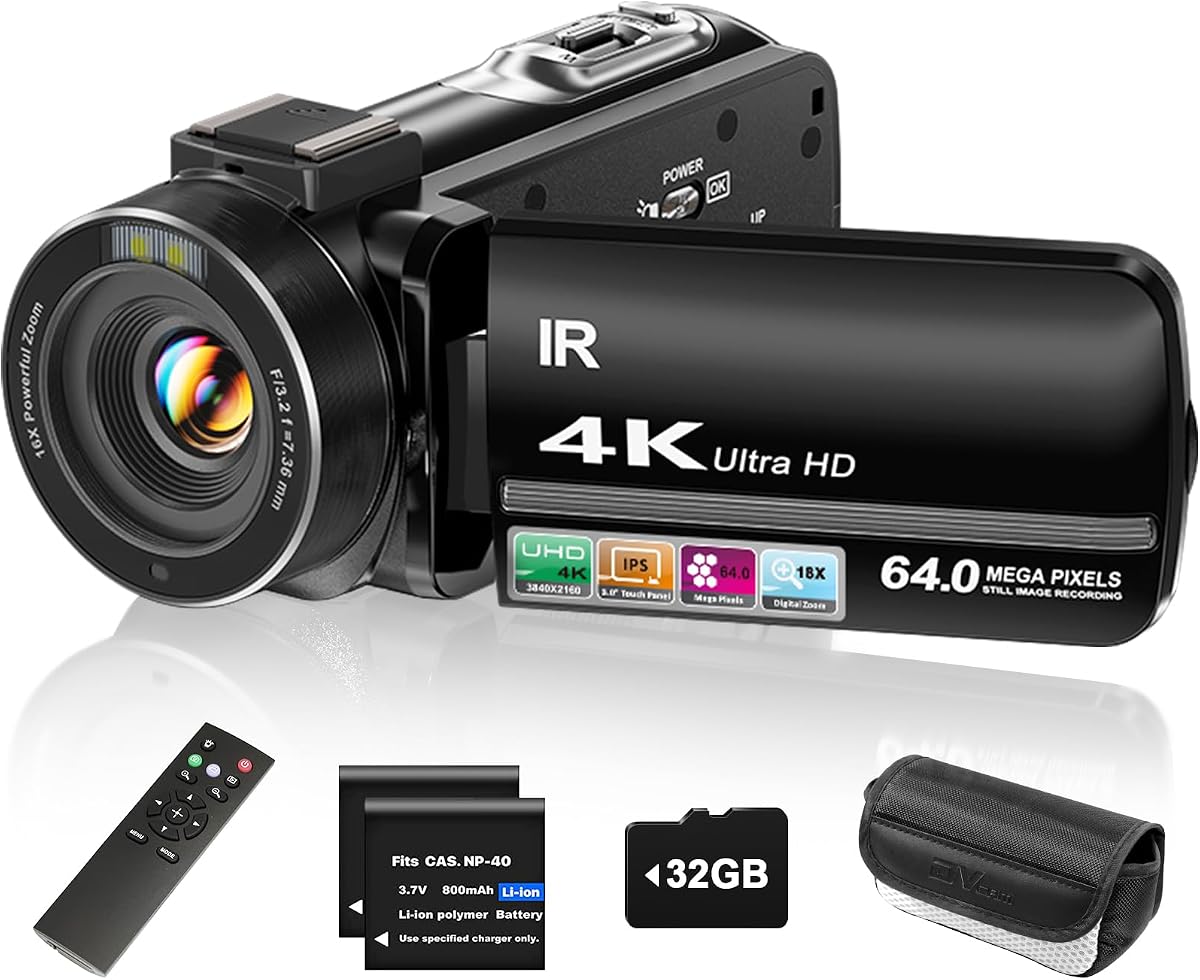
The ZYDIIE 4K Video Camcorder balances affordability with high-resolution recording capabilities ideal for stop motion creators seeking crisp detail. Its 4K sensor captures fine textures, while the rotating touchscreen simplifies framing from various angles without manual adjustments.
We may earn a commission when you buy through this link, at no additional cost to you.
Key strengths include the 270° rotating screen, enabling overhead or low-angle shots essential for tabletop animation. The included remote allows starting and stopping recordings without touching the camera, preserving steady setups during frame-by-frame capture.
Digital zoom and infrared night vision add versatility for dimly lit scenes, though optical zoom is absent. Battery life supports extended sessions, but the unit may feel heavy on small tripods during prolonged use.
For creators needing 4K resolution without breaking the budget, this camcorder delivers reliable performance. It serves well for YouTube content or detailed LEGO builds where high detail and flexible angles matter most.
The 270° rotating screen lets you frame unique angles like overhead shots easily, enhancing composition for complex animated scenes.
Wireless remote operation keeps camera movement minimal between frames, reducing shake and ensuring consistent positioning throughout animation sequences.
We may earn a commission when you buy through this link, at no additional cost to you.
The Canon EOS R6 Mark II represents professional-grade stop motion animation capabilities with custom firmware optimizing frame capture. Its full-frame sensor delivers exceptional low-light performance, while dedicated features like focus memory ensure perfect consistency across hundreds of frames.
We may earn a commission when you buy through this link, at no additional cost to you.
Standout attributes include the 40fps burst mode, Dual Pixel CMOS AF II for reliable tracking, and firmware tailored for apps like Dragonframe. Aperture locking prevents accidental changes between shots, vital for maintaining uniform exposure in stop motion projects.
While lens and memory cards add cost, the investment yields cinematic quality with rich color depth and sharpness. The lightweight body supports stable mounting, and high ISO reduces noise in dimly lit studio environments where consistent framing is essential.
Professional animators and filmmakers seeking ultimate control and image fidelity should prioritize this model. It transforms stop motion from hobbyist projects into studio-level productions with unmatched precision and reliability for demanding workflows.
Stop motion firmware adds live view resolution and aperture lock, simplifying frame-by-frame workflows and reducing errors during long animations.
Full-frame sensor and 10-bit recording deliver stunning clarity and color, crucial for professional films requiring high dynamic range and detail.
We may earn a commission when you buy through this link, at no additional cost to you.
The FlyFrost 8K Video Camera pushes resolution limits with 8K recording and 88MP photo capability for highly detailed stop motion work. Its WiFi connectivity enables mobile control via the iSmart DV2 app, while the handheld stabilizer smooths handheld setups when needed.
We may earn a commission when you buy through this link, at no additional cost to you.
Key strengths include high resolution for cropping or reframing during post-production, and external mic input to reduce background noise. The 3.0-inch touchscreen offers easy framing adjustments, and the lens hood prevents unwanted light flare during indoor shoots.
However, 8K recording at 15fps may limit fluidity compared to lower resolutions, and third-party software lacks the polish of industry standards. Battery life varies, so spare batteries ensure uninterrupted filming during long frame sequences.
Creators prioritizing resolution for high-def outputs will appreciate this camera's advanced specs. It suits detailed model animation where fine textures matter, offering a glimpse into future-ready capture despite some software limitations.
WiFi-enabled app control simplifies remote framing and review, reducing physical interference during frame capture for steadier results.
Ultra-high resolution allows significant cropping flexibility in post-production, ensuring crisp frames even with varied subject distances.
We may earn a commission when you buy through this link, at no additional cost to you.
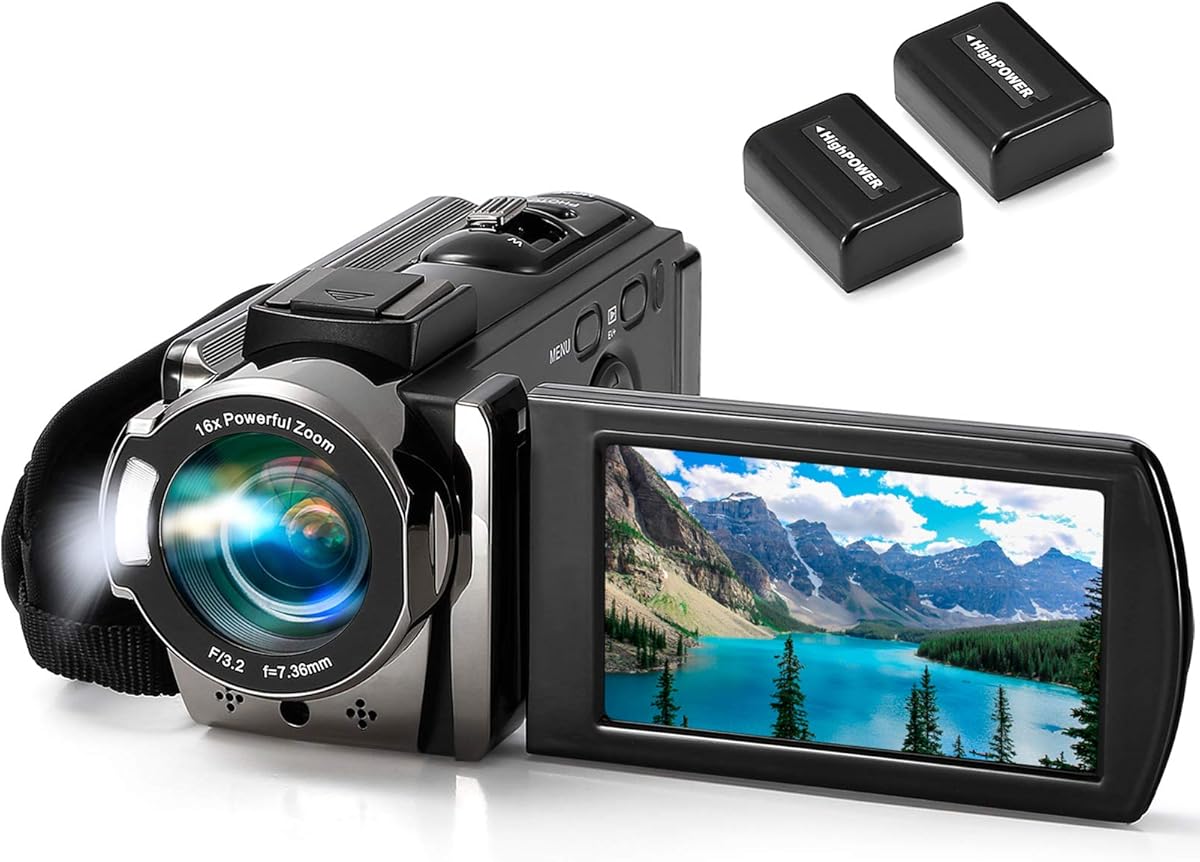
The kimire Video Camera Camcorder offers a simple and affordable entry point for beginners exploring stop motion animation. Its 1080p recording with 15fps supports basic frame capture, while the pause function lets users resume recordings seamlessly without new files.
We may earn a commission when you buy through this link, at no additional cost to you.
Standout features include the 270° rotating screen for flexible framing, built-in fill light for consistent illumination, and lightweight design for tripod mounting. The included batteries allow 60 to 90 minutes of continuous recording for moderate-length projects.
While 15fps may limit smoothness for action scenes, it suits tabletop animations well. The webcam function and SD card support add versatility, though autofocus is basic compared to higher-end models for dynamic scenes.
Budget-conscious users or educators seeking a straightforward tool will find this camcorder practical. It balances essential features like pause recording with portability, ideal for learning animation basics without complex setups.
Pause resume recording without creating new files, simplifying workflow for frame-by-frame captures by reducing file management.
Fill light ensures consistent brightness in dim environments, crucial for preventing flickering frames during indoor stop motion sessions.
We may earn a commission when you buy through this link, at no additional cost to you.
The DJI Osmo Pocket 3 delivers exceptional stability through its 3-axis mechanical gimbal, eliminating shake for smooth stop motion playback. Its 1-inch sensor captures vivid colors and sharp details, while ActiveTrack 6.0 keeps subjects centered during dynamic animations.
We may earn a commission when you buy through this link, at no additional cost to you.
Key strengths include 4K recording at 120fps for slow-motion effects, D-Log M for color grading flexibility, and a compact design ideal for handheld or tight-space setups. The rotating touchscreen simplifies vertical framing for social media.
Though premium-priced and limited in field of view compared to larger bodies, its stabilization unmatched. The included microphone transmitters ensure clear audio, enhancing overall production quality for vlogs or detailed model scenes.
Creators seeking cinematic smoothness and portability will value this camera. Its advanced stabilization and color depth make it ideal for dynamic stop motion projects where fluid movement and rich visuals are paramount.
Mechanical stabilization guarantees shake-free frames, critical for stop motion where even slight movement disrupts smooth playback between shots.
Advanced subject tracking maintains focus and centering automatically, reducing manual adjustments during complex animated sequences.
We may earn a commission when you buy through this link, at no additional cost to you.
This Canon EOS R6 Mark II bundle delivers a complete professional solution with firmware, memory, and carrying case tailored for stop motion. Its sensor-shift stabilization and focus memory ensure consistent frames, while the 64GB card and backpack ready you for shoots.
We may earn a commission when you buy through this link, at no additional cost to you.
Key features include exclusive stop motion functionality like focus memory, aperture lock, and vari-angle touchscreen, simplifying frame-to-frame adjustments. Dual card slots add redundancy, and 4K 60p recording supports fluid playback or slow-motion needs.
While the bundle price reflects premium tools, the value lies in convenience and specialized firmware reducing errors. High ISO performance ensures low-noise frames in studio lighting, and the included case protects gear during travel.
Advanced animators needing all-in-one readiness will appreciate this setup. It minimizes setup time, ensures consistency across frames, and provides professional-grade reliability for complex projects requiring meticulous control.
Stop motion firmware optimizes live view and focus locking, streamlining workflows for frame-by-frame accuracy and efficiency.
Inclusive 64GB card and backpack reduce preparation time, letting creators focus on animation rather than sourcing accessories separately.
We may earn a commission when you buy through this link, at no additional cost to you.
The 4K Digital Camera offers unique versatility with included macro and wide-angle lenses, ideal for detailed object animation or expansive scene setups. Its Sony sensor supports 48MP photos and 4K video, delivering sharp detail for close-up stop motion work.
We may earn a commission when you buy through this link, at no additional cost to you.
Strengths include the 52mm lens mount allowing future upgrades, lightweight design for easy mounting, and simple point-and-shoot controls for quick framing. The rechargeable battery supports long sessions, and SD card storage prevents interruptions.
While low-light performance is modest and autofocus is basic, the lens options unlock creative angles otherwise difficult. The webcam function adds flexibility for live-streaming or tutorials, extending usability beyond stop motion projects.
Hobbyists seeking creative flexibility without high costs will find this camera appealing. Its macro lens enables intricate details, while the wide angle suits broader scenes, making it a versatile tool for diverse animation styles.
Close-up macro lens reveals fine textures and details, essential for animating small objects where clarity is paramount for storytelling.
52mm lens mount supports future upgrades like filters or telephoto lenses, expanding creative options as animation skills progress.
We may earn a commission when you buy through this link, at no additional cost to you.
The Complete HD Stop Motion Kit provides an all-inclusive educational package with camera, software, and step-by-step guide for creating animation. Its low-profile 1080p camera connects securely, while included resources teach techniques like building armatures and LEGO brickfilms.
We may earn a commission when you buy through this link, at no additional cost to you.
Key benefits include plug-and-play USB connectivity without drivers, easy-focus ring for stable shots, and free software for Windows or Mac. The book covers essential skills like timing and movement, making it perfect for classrooms or homeschoolers.
While hardware lacks advanced specs, its simplicity and focused guidance help beginners succeed quickly. The secure computer connection prevents shifting, and cross-platform support ensures compatibility across most home or school setups for flexible use.
Educators and novice animators seeking structured learning will value this kit. It removes technical barriers, provides clear instruction, and offers a proven entry point for mastering stop motion fundamentals through guided practice.
Comprehensive book teaches core animation techniques from setup to final edits, building confidence and skills for new users.
No driver installation simplifies setup, letting students focus on creativity rather than troubleshooting hardware compatibility.
We may earn a commission when you buy through this link, at no additional cost to you.
The USB 2.0 HD Pro Webcam serves as an ultra-affordable option for basic stop motion needs with reliable 1080p capture. Its manual focus lens prevents drift, while built-in noise-canceling microphone ensures clean audio without external gear.
We may earn a commission when you buy through this link, at no additional cost to you.
Standout attributes include plug-and-play compatibility across Windows and Mac, compact design fitting small spaces, and heat-resistant lens maintaining image clarity. The flexible stand allows basic angle adjustments for framing without additional mounts.
Limitations include lack of software integration for frame capture and fixed field of view, but for simple projects it suffices. USB power simplifies setup, and low cost reduces risk for casual or classroom animation experiments.
Budget-limited users or quick prototyping will find this webcam practical. It delivers consistent resolution and audio for straightforward scenes, proving that basic setups can produce acceptable results when paired with proper lighting and software.
Adjustable focus ring prevents autofocus hunting during long capture sessions, maintaining sharpness across hundreds of frames for smooth playback.
Built-in mic filters ambient noise, reducing unwanted sound distractions in recordings without needing external microphones for audio.
We may earn a commission when you buy through this link, at no additional cost to you.
Selecting the right camera for stop motion animation depends on your project scale, budget, and need for manual controls versus convenience. This guide outlines key factors to ensure consistent quality.
Resolution determines how sharp your final animation appears. Aim for at least 1080p to capture fine details in small objects or textures. Higher resolutions like 4K or 8K offer cropping flexibility in post-production but require more storage and processing power.
For smooth playback, 15 to 24 frames per second is standard. Ensure your camera supports consistent frame timing to avoid jitter between shots.
Manual focus is critical to prevent autofocus shifts during animation. Cameras with physical focus rings let you lock settings between frames, maintaining consistent sharpness. Aperture locking or firmware features further ensure uniform exposure.
Avoid models that automatically adjust brightness or focus between frames, as this causes flickering or focus jumps that disrupt animation quality.
Stop motion animation relies on software to capture, sequence, and edit frames. Verify compatibility with tools like Dragonframe or Stop Motion Studio. Some cameras include proprietary software optimized for frame capture and timing.
Check operating system support for Windows or macOS to avoid connectivity issues during your workflow.
Consistent lighting prevents flicker. Cameras with built-in LEDs help illuminate subjects evenly. A larger sensor size improves low-light performance and dynamic range, reducing noise in dim environments where lighting is limited.
Ensure the camera's exposure settings remain fixed across frames to maintain consistent brightness.
Reliable USB connection or wireless transfer speeds up workflow. Look for models supporting high-speed data transfer and external storage to handle large video files from high-resolution shoots.
Dual card slots offer backup during long sessions, preventing data loss if a card fails.
Stable mounting is essential. Cameras with standard tripod mounts simplify setup. Lightweight models reduce strain during handling but must remain steady on tripods to prevent movement between frames.
Consider build quality for long-term use, especially if working in classrooms or frequent travel.
If your animation includes voice or sound, check for microphone inputs or built-in noise-canceling mics. External mic support allows better audio quality than internal options, enhancing storytelling.
Ensure audio sync capabilities match your software for proper playback.
Prices vary widely from affordable webcams to professional mirrorless systems. Factor in costs for lenses, memory cards, tripods, and software licenses. Bundles may save money but include gear you may not need.
Choose a system that balances features with your project scale to avoid overspending on unnecessary capabilities.
Set up your camera on a stable tripod at consistent height and angle. Secure all cables to prevent movement. Use manual focus and exposure settings to avoid automatic adjustments between frames.
Capture frames slowly and intentionally. Use remote triggers or software buttons to minimize shaking. Check each frame for focus and lighting consistency before proceeding to the next shot to ensure smooth playback.
After shooting, back up all data immediately. Clean the lens gently with microfiber cloth. Store the camera in a dry, dust-free case. Update firmware regularly to maintain compatibility with animation software.
At least 1080p resolution is recommended to capture fine details and allow cropping flexibility in post-production. Higher resolutions like 4K offer more creative control but require greater storage and processing power for smooth editing.
Manual focus locks the lens setting, preventing autofocus shifts that cause inconsistent sharpness across frames. This ensures smooth playback without focus jumping or blurring between individual frames.
Yes, stop motion software like Dragonframe or Stop Motion Studio helps capture, sequence, and edit frames. Many cameras support these tools via USB or dedicated drivers for reliable frame timing.
Basic webcams with 1080p resolution work for simple projects. Ensure they support manual focus and consistent settings to avoid flicker. Dedicated stop motion kits offer more control and educational features.
Aim for 15 to 24 frames per second to match standard video playback speed. Consistent frame capture timing is more critical than high rates to prevent jitter or uneven motion.
Use constant artificial lighting and fixed exposure settings. Avoid fluorescent lights that flicker at certain frequencies. Lock aperture and white balance manually to maintain consistent brightness across frames.
Mirrorless cameras offer superior image quality and control but are expensive. Budget-friendly options like HD cameras with manual focus work well for most hobbyist and educational projects.
Clean lenses regularly, store in protective cases, and back up footage after sessions. Update firmware to maintain compatibility with software and avoid connectivity issues during critical shoots.
This guide highlights top cameras ranging from budget-friendly webcams to professional mirrorless systems. The HUE Animation Studio Pro suits beginners, while the Canon EOS R6 Mark II delivers cinematic quality for pros.
Prioritize manual controls, consistent lighting, and software compatibility to ensure smooth, flicker-free animation. Match your budget to project needs, avoiding over-investment unless advanced features are essential for your workflow.
Remember that prices and availability change frequently. Check current listings before purchasing to secure the best value for your specific stop motion project and technical requirements.