
8-in-1 External Blu-ray Drive
4.2Editor score
USB-C hub functionality
M-DISC and SD card support
Ultra-slim portable design
Find the best Bluray Drive for Ripping in 2026. This guide compares top external drives for compatibility, speed, and reliable media ripping features.
Choosing the right Bluray Drive for Ripping is essential for preserving your physical media collection. External drives offer versatility and portability, allowing you to access discs on modern laptops lacking built-in optical drives. A quality drive ensures smooth reading and reliable data extraction for your digital library.
We evaluated ten top-rated external drives based on compatibility, build quality, and performance. Our analysis focuses on models that support Blu-ray reading and writing, which are crucial for ripping and backing up high-definition content. Each product was assessed for its USB connectivity, software requirements, and user feedback.
This guide presents detailed reviews and specifications to help you make an informed decision. You will find pros, cons, and key features for every model listed. Please note that prices and availability change frequently, so verify current details on the product page before purchasing your next drive.
4.2Editor score

4.7Editor score

4.2Editor score
This side-by-side comparison highlights the key specifications and capabilities of all ten models. Use this table to quickly identify which drive meets your specific needs for ripping, playback, and portability.


The archgon Premium Aluminum External USB 3.0 UHD 4K Blu-Ray Writer is a top-tier choice for enthusiasts. With a 4.2 rating, it stands out for its ability to read Ultra HD content. This drive is built with CNC aluminum for durability and style. It handles regular Blu-ray, DVD, and CD formats efficiently with the right software.
We may earn a commission when you buy through this link, at no additional cost to you.
Its standout quality is UHD 4K reading capability on PC. This is rare for external drives and essential for high-fidelity ripping. The drive supports M-DISC BD-R, ensuring long-term archival of your ripped data. The aluminum body not only looks premium but helps dissipate heat during extended use. It connects via USB 3.0 for fast data transfer.
However, Mac users should note that UHD playback is currently limited. Regular Blu-ray and DVD support works, but you need third-party software like CyberLink PowerDVD. Using illegal firmware can damage the drive, so always stick to official updates. This requirement adds to the setup cost and effort for some users.
If you need UHD ripping on PC and value build quality, this drive is ideal. It is perfect for collectors who want to preserve 4K discs digitally. Just ensure your system meets software requirements before purchase. It is a robust investment for serious media management needs.
The CNC aluminum body provides excellent durability and heat dissipation for stable performance.
Supports M-DISC BD-R for archival storage and can read UHD 4K discs on compatible systems.
We may earn a commission when you buy through this link, at no additional cost to you.
The 8-in-1 External Blu-ray Drive offers exceptional value for budget-conscious users. It combines a Blu-ray burner with a USB hub and card reader. This versatility makes it a great all-in-one solution. With a 4.2 rating, it is reliable for reading and burning BD, DVD, and CD discs.
We may earn a commission when you buy through this link, at no additional cost to you.
Its main strengths include multiple connectivity options and expandability. You get two USB-C ports and one USB 3.0 port alongside the drive. The SD/TF slot allows easy transfer of photos from cameras. The slim design fits easily in laptop bags, making it ideal for travel. It supports M-DISC for reliable data storage.
Keep in mind that 4K playback is not supported. The maximum recording capacity is 50GB for dual-layer discs. You will need to buy third-party software like PowerDVD for playback. The power cable may be needed for stable operation on some laptops. These factors are acceptable for the price.
This drive is perfect for students or professionals needing a versatile tool. It handles media ripping and data backup well. The included carrying case and sleeves add to the value. If you need more than just a drive, this is an excellent pick.
Includes USB hub ports and a card reader to expand your laptop capabilities significantly.
Ultra-slim profile and lightweight build make it easy to carry and store for travel.
We may earn a commission when you buy through this link, at no additional cost to you.
The BUFFALO 6X Portable Blu-ray Drive is highly rated with 4.7 stars. It stands out for quality and reliability in the market. This drive is TAA-compliant and made in Japan for superior performance. It reads and burns BD, DVD, and CD discs efficiently for ripping needs.
We may earn a commission when you buy through this link, at no additional cost to you.
Its key strengths include M-DISC support for long-term storage. You can archive data lasting up to 1000 years. The USB 3.2 connection ensures fast transfer speeds. It includes a Type-C adapter for flexibility with modern laptops. The 2-year warranty and US-based support add peace of mind.
Trade-offs include lack of 4K UHD support and no power adapter included. For most users, 6x read/write speeds are sufficient. Ensure you have adequate USB power for stable burning. These are minor issues compared to the build quality offered.
This drive is best for those valuing reliability and longevity. It is ideal for archiving physical media with confidence. The compact design fits well in any work setup. Consider this for a trusted long-term solution.
Supports M-DISC technology for durable, archival-quality data recording lasting centuries.
Japan-made quality with TAA compliance ensures consistent operation and durability over time.
We may earn a commission when you buy through this link, at no additional cost to you.
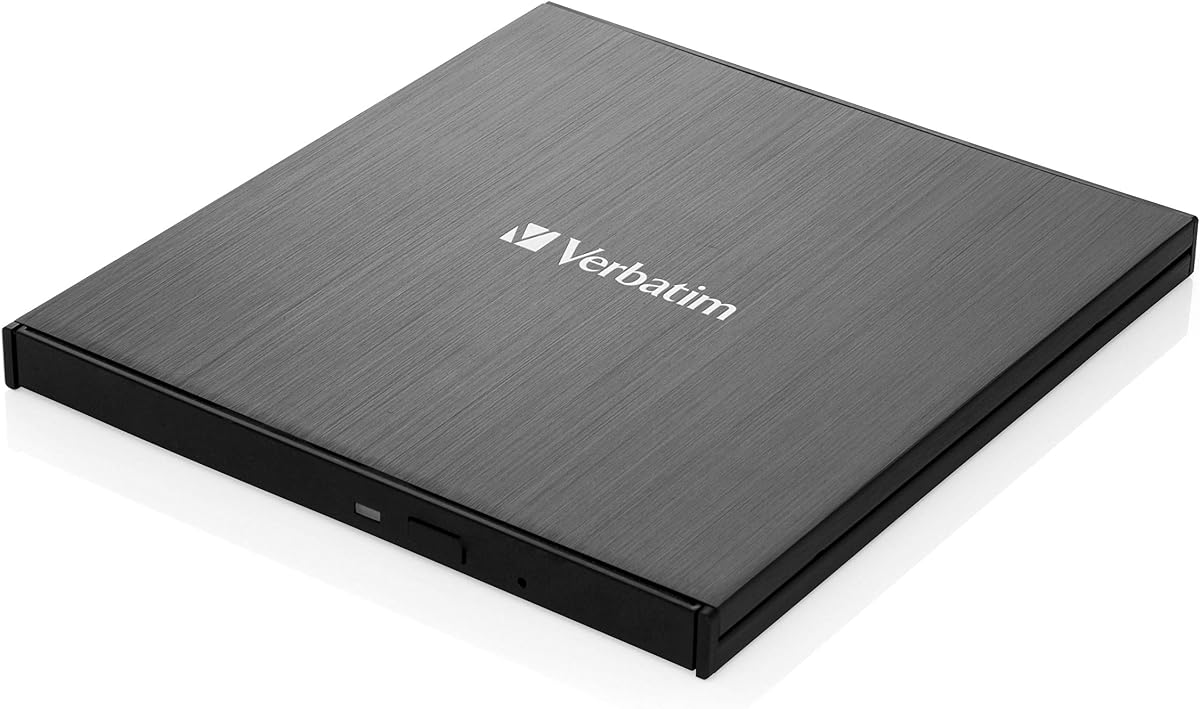
The Verbatim 43889 is a standard Blu-ray RW drive offering solid performance. With a 4.3 rating, it is trusted for basic optical media tasks. It reads and writes Blu-ray, DVD, and CD discs effectively. The black finish provides a professional look on any desk.
We may earn a commission when you buy through this link, at no additional cost to you.
Its strengths lie in brand reliability and basic functionality. Verbatim is known for quality storage solutions. It handles regular ripping and burning needs without issues. The drive connects via standard USB interfaces found on most computers. It is straightforward to use for common tasks.
However, detailed specifications like speed or M-DISC support are not highlighted. It may lack advanced features found in premium models. For complex ripping needs, additional software verification may be necessary. These factors limit its appeal to advanced users.
This drive is suitable for general home or office use. It is a good choice for those needing reliable RW capabilities. If you need a simple, effective drive, this works well. Check software compatibility before purchase for best results.
Known brand reputation ensures consistent performance for everyday disc burning and reading tasks.
We may earn a commission when you buy through this link, at no additional cost to you.
This External blu ray Drive is versatile for laptops and desktops. With a 4.2 rating, it supports 3D Blu-ray reading for enhanced viewing. It connects via standard USB and is easy to set up. The matte finish resists scratches and looks professional.
We may earn a commission when you buy through this link, at no additional cost to you.
Its strengths include 3D support and cross-platform compatibility. You can use it with Windows and Mac systems effectively. It reads and writes various disc formats including BD-R and DVD-R. The design ensures it stays secure with anti-skid feet on desks.
Note that 3D playback requires third-party software not included in the box. Desktop users should connect directly to motherboard ports for stability. Laptops may need an adapter for stable power during burning. These are minor considerations for its price.
This drive is great for movie lovers wanting 3D capability. It fits well in travel bags due to its slim profile. Consider this if you need a portable solution with extra features. Verify software needs before using 3D features.
Enables reading of 3D Blu-ray discs for immersive viewing experiences on compatible displays.
We may earn a commission when you buy through this link, at no additional cost to you.
The Dainty External Blu ray Drive focuses on stable operation. With a 4.0 rating, it offers reliable performance for burning tasks. It includes a dual USB power design to prevent interruptions. This ensures smooth data reading and writing processes consistently.
We may earn a commission when you buy through this link, at no additional cost to you.
Its key strengths include USB 3.0 speed and broad OS support. You can use it with Windows, Mac, and Linux easily. The error correction capability helps manage damaged discs. The compact design makes it easy to carry for business trips.
Note that playback software like PowerDVD must be purchased separately. This adds to the total cost of ownership. The power design requires both USB ports sometimes for stability. These steps ensure reliability but add setup steps.
This drive is ideal for Linux users needing external optical access. It is a strong choice for stable burning on older systems. Consider this if power stability is a priority for you. Verify power needs for your specific laptop.
Dual USB power connection prevents interruptions and failures during disc burning or reading.
We may earn a commission when you buy through this link, at no additional cost to you.
This External Blu-ray Drive is a 2-in-1 player and burner. With a 3.8 rating, it focuses on playback and CD/DVD burning. It supports BD reading up to 6X with USB 3.0 speed. The design is slim and lightweight for easy travel.
We may earn a commission when you buy through this link, at no additional cost to you.
Its strengths include high-speed transfer and plug-and-play setup. You do not need extra drivers for basic use. The embedded cable prevents loss and keeps things organized. It operates quietly, making it suitable for office environments.
However, it cannot burn Blu-ray discs. This limits its use to reading and lower-capacity media tasks. For full ripping of BD discs, you need a burner model. This is a key limitation for backup needs.
This drive is best for light users needing playback only. It is ideal for those who rarely burn discs. Check your ripping needs carefully before choosing. It fits casual entertainment needs well.
Embedded data cable design prevents loss and keeps your setup clean and organized easily.
We may earn a commission when you buy through this link, at no additional cost to you.
The External Blu Ray CD DVD Drive offers 5-in-1 utility. With a 4.2 rating, it combines a drive with card reading. It supports USB 3.0 and Type-C for fast transfers. This makes it versatile for laptops and desktops alike.
We may earn a commission when you buy through this link, at no additional cost to you.
Its main strengths are portability and multi-functionality. You can transfer files from SD/TF cards directly. It works with Windows, Mac, and Linux without issues. The slim profile makes it easy to carry and store in bags.
Note that 4K Ultra HD discs are not supported. Most users will not need this feature though. It is designed for standard ripping and media playback tasks. Setup is straightforward with plug-and-play detection.
This drive is great for travelers needing file access. It is a practical choice for general home office use. Consider this if you want to save port space. Check your media formats before purchase.
Adds USB ports and a card reader to expand connectivity without extra devices.
We may earn a commission when you buy through this link, at no additional cost to you.
The ASUS SBW-06D5H-U is a professional-grade external drive. With a 4.4 rating, it is trusted for reliable optical access. It supports BDXL and M-DISC formats for high capacity. The design is ultra slim and sleek for modern setups.
We may earn a commission when you buy through this link, at no additional cost to you.
Its strengths include high capacity burning and durable storage options. You can store large amounts of data on BDXL discs. The USB 3.1 connection provides fast data throughput. ASUS brand quality ensures consistent performance for complex tasks.
It is slightly more expensive than basic models. This is justified by the advanced format support. It is a premium tool for data archiving needs. Ensure your software can handle BDXL formats properly.
This drive is ideal for professionals needing large storage. It fits well in office environments for backups. Consider this if you require reliable high-capacity burning. Verify software support for BDXL before buying.
Supports BDXL discs for storing significantly more data than standard Blu-ray formats.
We may earn a commission when you buy through this link, at no additional cost to you.
The LG 6X WP50NB40 is a classic portable burner. With a 4.3 rating, it bundles discs and software together. It supports USB 2.0 and is compatible with older systems. The included 100GB BDXL adds immediate value.
We may earn a commission when you buy through this link, at no additional cost to you.
Its strengths include the included software and disc. You can start burning immediately without extra purchases. The buffer under-run prevents errors during long sessions. LG brand reliability ensures stable operation over time for daily use.
However, USB 2.0 is slower than USB 3.0. This affects transfer speeds for large files significantly. For ripping, it may take longer than modern drives. But for occasional use, it is sufficient and reliable.
This drive is good for users wanting an out-of-box solution. It is ideal for those who need software included. Consider this if speed is not your top priority. Verify your USB port availability before buying.
Includes Cyberlink software and BDXL disc for immediate start without extra setup.
We may earn a commission when you buy through this link, at no additional cost to you.
Selecting the right drive depends on your media collection and software needs.
Ensure the drive supports the formats you need to rip. Some models handle UHD 4K while others support standard Blu-ray. Check for BD-R and M-DISC support for archival purposes. This ensures long-term preservation of your digital collection without re-ripping.
Always verify supported formats match your disc types.
USB 3.0 or 3.1 provides faster transfer speeds than USB 2.0. This is important for ripping large Blu-ray discs. Type-C connectivity ensures compatibility with modern laptops. Faster speeds reduce the time spent on each backup.
Prioritize USB 3.0 for efficiency in data transfer.
Many drives do not include playback or ripping software. You may need to purchase tools like PowerDVD or Leawo separately. Verify compatibility with your operating system. Budget for these additional costs when selecting a drive.
Check if software is included or must be bought.
Some drives require external power for stable burning. Look for models with dual USB cable options if your port is weak. Stable power prevents burn failures. Ensure your laptop provides sufficient voltage for continuous operation.
Look for drives with reliable power options.
Premium aluminum bodies help dissipate heat better than plastic. This prevents overheating during long ripping sessions. A durable chassis protects the drive during travel. Quality build affects the lifespan of your investment significantly.
Choose metal bodies for better durability and cooling.
Ensure the drive works with your OS like Windows or macOS. Some models have better Mac support than others. Check for Linux drivers if you use open-source systems. Compatibility issues can prevent access to your physical media.
Confirm OS support matches your computer.
Slim designs fit better in travel bags for on-the-go use. Lightweight drives are easier to transport regularly. Look for models with integrated cables for convenience. Portability matters if you use the drive outside the office.
Select slim models for better travel convenience.
A 2-year warranty indicates manufacturer confidence. Look for US-based support for easier troubleshooting. Check customer service reviews before purchasing. Reliable support helps resolve any technical issues quickly.
Prioritize longer warranties and accessible support.
Connect the drive to a powered USB port. Use the included power cable if available for stability. Install necessary ripping software like PowerDVD or MakeMKV before starting.
Insert your disc and launch the software. Select the ripping or backup option in the menu. Allow the process to finish without interruption to avoid errors.
Clean the drive's lens with a dry cloth if playback issues arise. Store the drive in a protective case when not in use. Handle discs by edges to prevent fingerprints on the data side.
Yes, most drives do not come with ripping software. You must purchase tools like PowerDVD or Leawo separately to decode and rip encrypted Blu-ray content. Ensure the software supports your drive model for best results.
Most drives work with Mac for standard playback. However, UHD 4K ripping is limited on macOS. Check if the manufacturer provides Mac-specific drivers. Basic ripping tools are available for standard discs.
Check the USB connection and try a different port. Ensure your computer has sufficient power for the drive. Install any required drivers if your system does not detect it automatically. Restart your computer after connection.
M-DISC is a durable disc format designed for archival. Data lasts up to 1000 years compared to standard discs. Use a compatible drive to burn these discs for long-term storage. This is useful for permanent backups.
Laptops may not provide enough power for stable burning. External power prevents buffer errors. Using the included adapter ensures smooth operation. Always plug into a USB port on the PC for best results.
Only specific models support UHD 4K playback and ripping. Most drives read standard 1080p Blu-rays. Check product specs carefully for UHD compatibility. This is rare in external drives due to licensing.
The BUFFALO 6X and archgon Premium offer distinct strengths for different users. The 8-in-1 drive is an excellent budget choice with added hub features.
Prioritize speed and software support based on your media volume. Choose premium models for long-term archival needs.
Remember to check current prices and availability. Verify compatibility with your specific system requirements.